
AI can create a blog post draft in minutes.
That does not mean you can choose a topic, research it, write it, check it, create the images, upload everything to WordPress and promote the finished article in 30 minutes.
Those claims leave too much out.
My own 30-minute AI content workflow begins after the planning and production work is complete.
I already have an approved article draft, the image files, the SEO details and the supporting social content ready. I then spend around 30 focused minutes inside WordPress adding the draft, tidying it, humanising the writing, checking the images and completing the final proofread.
The article is then ready to publish.
Social posting happens afterwards. Video production is a separate workflow.
This is not a promise that every blog post can be taken from a blank page to a published article in half an hour. It is the final part of a wider AI-assisted system that helps me use the limited pockets of time I have around work and family life.
The Quick Answer
My 30-minute workflow is a focused WordPress finishing session.
It begins when I already have:
- An approved article plan.
- A researched draft.
- Suggested internal and external links.
- SEO details.
- Completed image files.
- Filenames and alt text.
- Social content ready for later.
- A YouTube plan and script where relevant.
During the 30 minutes, I:
- Add the draft to WordPress.
- Check the title, permalink, category and structure.
- Tidy and humanise the article.
- Check facts, claims and links.
- Add the images in the correct places.
- Review the SEO details and CTA.
- Complete a final proofread and page preview.
The timing is a practical target, not a rule.
If the article needs more work, I take more time. Publishing something useful and accurate matters more than finishing because a timer has ended.
What the 30 Minutes Includes
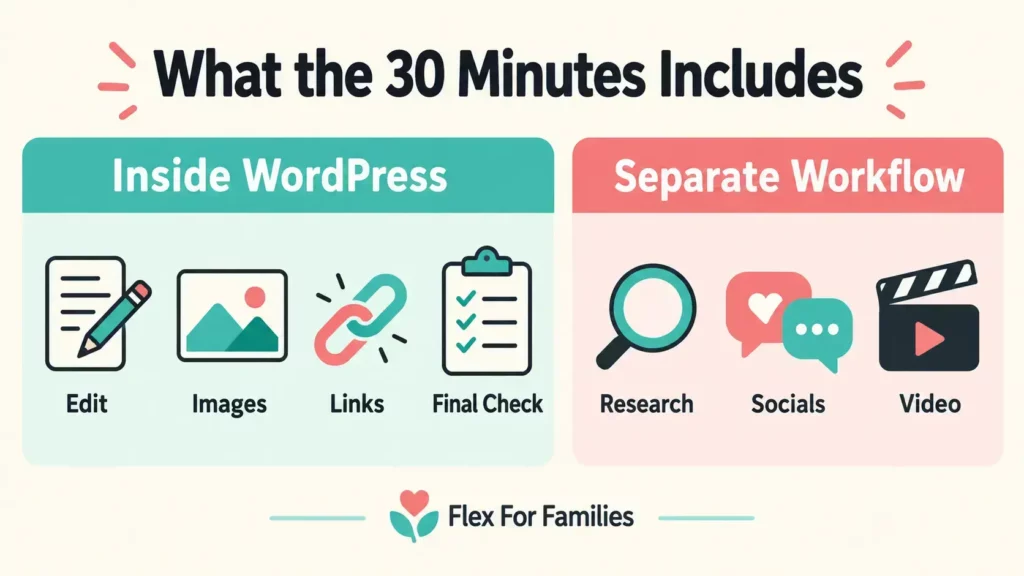
The 30 minutes covers the final movement from prepared files to a blog post that is ready to publish in WordPress.
It does not cover the full content process.
| Included in the 30 Minutes | Completed Before or After |
|---|---|
| Adding the prepared draft to WordPress | Planning the content cluster |
| Tidying the formatting | Keyword discovery and validation |
| Humanising the writing | Researching the subject |
| Checking the article’s facts and claims | Producing the first draft |
| Adding completed images | Generating and approving images |
| Checking links, SEO details and the CTA | Creating social posts |
| Completing the final proofread | Posting and scheduling social content |
| Previewing the page | Recording and producing videos |
This distinction is important because generation time and production time are different.
If you want the wider breakdown, my guide to How Much Time AI Really Saves Bloggers looks at the complete journey from idea to promotion.
What Happens Before I Open WordPress
The WordPress session is efficient because the difficult decisions have already been made.
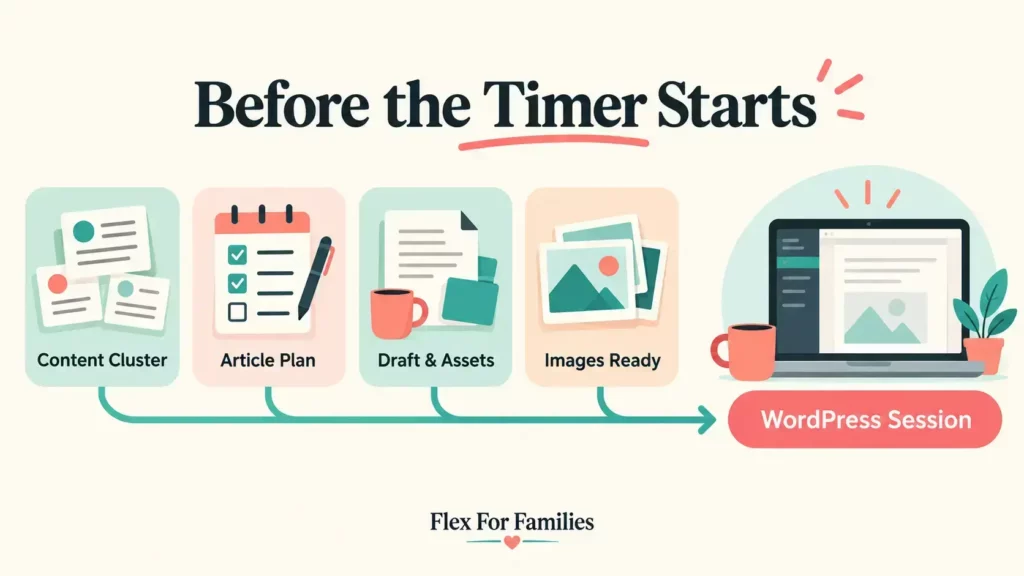
My preparation normally follows four stages.
1. I Plan Connected Content With Jaaxy
I use Jaaxy to explore groups of post ideas rather than choosing isolated keywords.
I usually begin with the Questions section and then explore Related keywords. This helps me understand what a reader may need before, during and after the problem covered by the main article.
The ideas still need filtering.
I check whether they fit the Flex For Families audience, serve a clear search intent and add something useful to the wider content cluster.
My AI keyword-research guide explains how I separate idea discovery from keyword validation.
2. We Develop the Article Plan
Before drafting, we agree:
- The working title.
- The main search intent.
- The reader problem.
- The specific angle.
- The heading structure.
- The experience I can genuinely include.
- The facts that need current sources.
- The internal-link opportunities.
- The CTA.
- The image plan.
This planning stage prevents the article from drifting into a generic explanation that could appear on any website.
It also gives me a chance to correct assumptions before several thousand words are produced.
3. ChatGPT Produces the Draft and Supporting Assets
Once I approve the plan, ChatGPT helps produce the complete package.
That can include:
- The WordPress article.
- The SEO title and description.
- Suggested tags and excerpt.
- Internal-link recommendations.
- External-source notes.
- Image filenames and alt text.
- Pinterest content.
- Facebook content.
- A YouTube script and metadata.
- Short-form video scripts.
The article and the production assets are kept in separate files. This makes the WordPress work easier because I am not searching through one long document for the information I need.
4. ChatGPT or Kre8or Produces the Images
I do not currently use Canva as part of my regular blog-image workflow.
Depending on the article and the visual style I need, I use ChatGPT or Kre8or to create the images.
The image package normally includes:
- A hero image.
- Supporting article graphics.
- Three vertical Pinterest images.
- A square Facebook graphic.
- A YouTube thumbnail.
The images use the Flex For Families teal and coral palette and include the site branding.
Before using them, I still check:
- The wording and spelling.
- Whether the dimensions suit the intended platform.
- Whether the visual matches the article.
- Whether any generated detail looks strange.
- Whether the image contains an unsupported claim.
Once those four preparation stages are complete, I have everything filed and ready for the WordPress session.
My 30-Minute WordPress Workflow
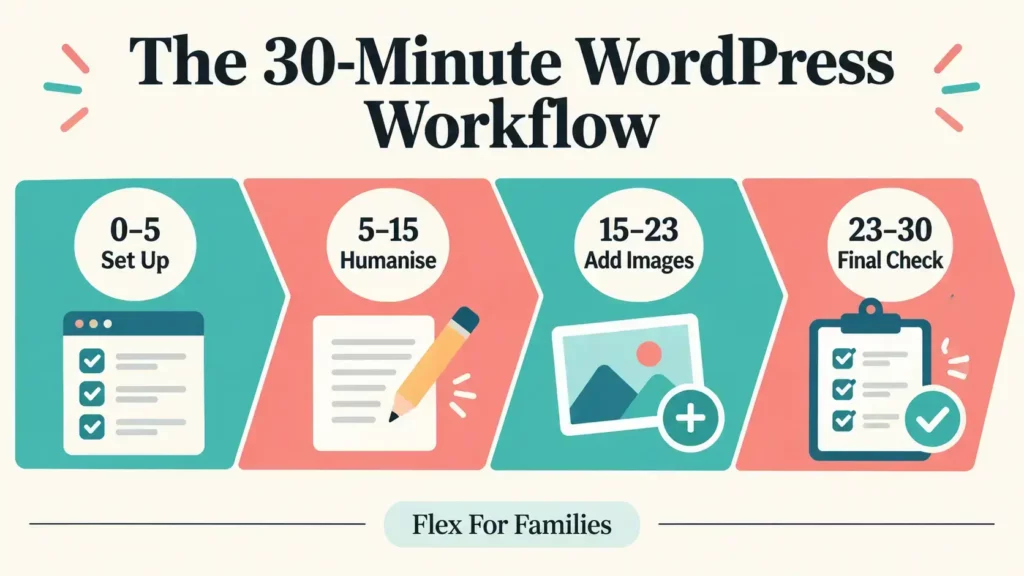
The exact timing changes slightly from one post to another.
I use the following four blocks as a practical guide rather than treating them as strict deadlines.
Minutes 0 to 5: Set Up the Article
I begin by creating the WordPress post and adding the prepared draft.
I then check the basic setup:
- Is the title correct?
- Does the permalink use the agreed slug?
- Is the article in the right category?
- Are the tags relevant?
- Is there only one H1?
- Are the H2 and H3 headings in the right order?
- Have any tables, lists or quote blocks copied across badly?
This is also when I remove any production notes or placeholders that should not appear in the published article.
A prepared draft makes this stage quick. A poorly structured draft can use most of the session before I have even started editing.
Minutes 5 to 15: Tidy and Humanise the Draft
This is the most important part of the session.

I read the article as the publisher, not as somebody trying to approve an AI output.
I look for anything that does not sound like me or does not fit the Flex For Families approach.
That includes:
- Sentences I would not naturally use.
- Repeated explanations.
- Long paragraphs that need breaking up.
- Generic advice that needs a practical example.
- Claims that sound too confident.
- Sections that do not answer the heading quickly enough.
- Advice that does not consider limited time, money or energy.
- Personal statements that do not reflect my real experience.
Humanising does not mean changing random words to fool an AI detector.
It means taking responsibility for the article.
I want the finished post to reflect what I believe, what I have experienced and what will genuinely help the reader.
My article comparing AI-Generated and Human-Written Content explains why the strongest process normally combines AI efficiency with human judgement.
Minutes 15 to 23: Add and Check the Images
Next, I upload the prepared image files and place them within the correct sections.
For each image, I check:
- The filename.
- The alt text.
- The visible text.
- The image placement.
- The size and alignment.
- How it affects the surrounding paragraphs.
- Whether it still looks clear on mobile.
An image should support the section it appears in.
I do not add every possible graphic simply because it has been generated. If an image repeats the text without helping the reader, I can leave it out.
The hero image also needs to work as the featured image. I check that the headline remains readable when WordPress displays a smaller version.
Generated-image text needs particular attention. One incorrect word can make an otherwise strong graphic unusable.
Minutes 23 to 30: Complete the Publication Check
The final block is about the complete page rather than individual paragraphs.
I check:
- The introduction answers the main question quickly.
- The heading order makes sense.
- The facts and prices are current.
- Personal experience is accurate.
- Internal links go to the intended pages.
- External links support the claims beside them.
- The CTA fits the reader’s next step.
- The SEO title and description are ready.
- The excerpt works outside the article.
- The featured image is set correctly.
- The desktop and mobile layouts are clean.
- The article has received a final proofread.
I then save, schedule or publish the article, depending on the content calendar.
If I find a meaningful problem, I stop and resolve it. The 30-minute target should improve focus. It should never lower the publishing standard.
My WordPress Publication Checklist
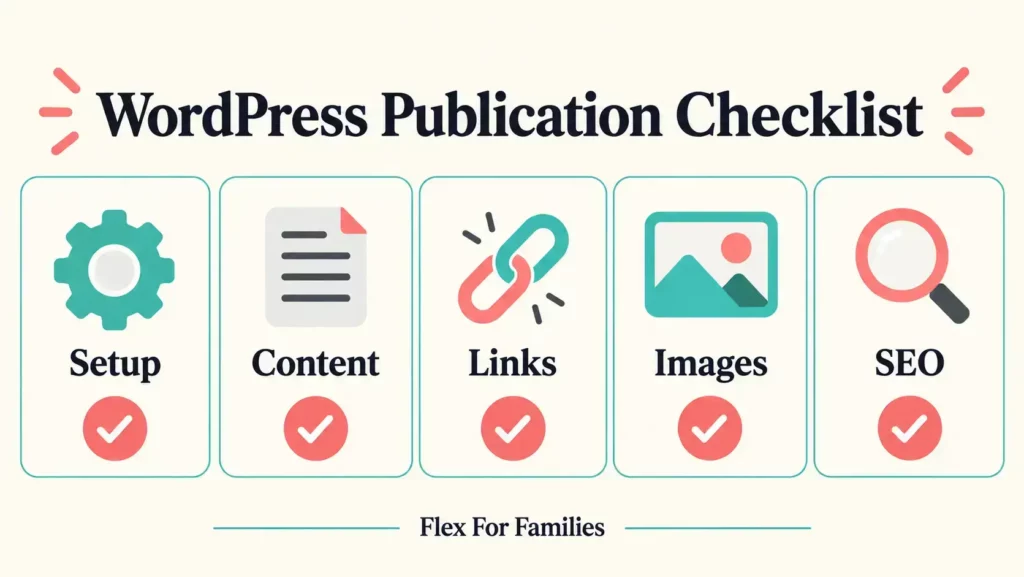
This is the short version I can use for each prepared article.
Article Setup
- Correct title and slug.
- Correct category and tags.
- One H1 only.
- Clear H2 and H3 structure.
- No internal production notes.
Content Review
- Main question answered early.
- Short, readable paragraphs.
- Repetition removed.
- Claims checked.
- Personal experience accurate.
- Advice suitable for busy parents.
- British English and Flex For Families tone.
Links and CTA
- Internal links tested.
- External sources checked.
- Affiliate links disclosed where required.
- CTA relevant to the article.
Images
- Useful image selected for each placement.
- Correct filename and alt text.
- Generated wording checked.
- Featured image set.
- Mobile display reviewed.
SEO and Publication
- SEO title added.
- Meta description added.
- Excerpt checked.
- Final proofread complete.
- Desktop and mobile previews checked.
Where AI Saves Me the Most Time
The main saving is continuity.
Before using this workflow, I could begin an article during one available period and then return to it several times. Each return meant remembering the purpose, the research and the next decision.
Now the topic can move through a connected process.
The article starts within a planned cluster. The strategy remains attached to the outline and draft. The SEO details, images and social content are prepared around the same approved idea.
That means I can often move from the concept to a finished article on the same day, even though the complete process takes longer than 30 minutes.
For a busy parent, that difference matters.
You may not have a full uninterrupted working day. A prepared system helps you use one focused period without spending the first half of it trying to remember where you stopped.
What AI Does Not Decide for Me
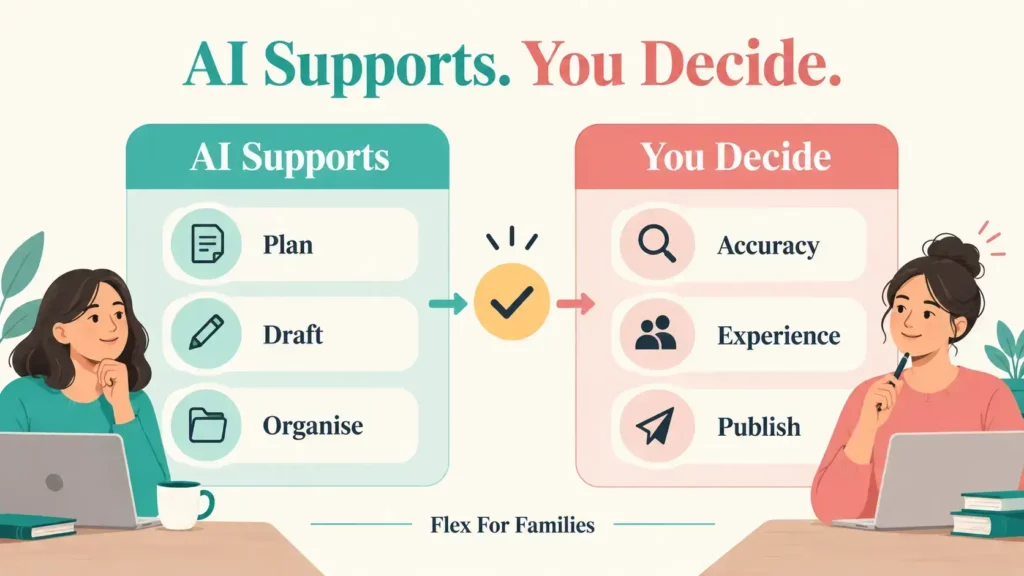
AI can support almost every stage of the workflow, but I remain responsible for what appears on Flex For Families.
I decide:
- Whether the topic serves my audience.
- Whether the sources are strong enough.
- Whether an experience can honestly be presented as mine.
- Whether a recommendation is fair.
- Whether a claim needs more evidence.
- Whether the article sounds like my site.
- Whether the post is ready to publish.
Google’s guidance on generative AI content explains that AI can be useful for research and structure. It also makes clear that accuracy, quality and relevance still matter.
That fits my approach.
AI helps me work more efficiently. It does not remove the need to check, edit and approve the result.
What Happens After the Article Is Ready
The WordPress session does not include the complete promotional workflow.
Once the article is live, I add the social posts.
I normally publish the first social post and schedule the secondary versions. Pinterest graphics can then be released over time instead of posting all three on the same day.
This keeps the promotion connected to the article while allowing me to spread the work and content across the calendar.
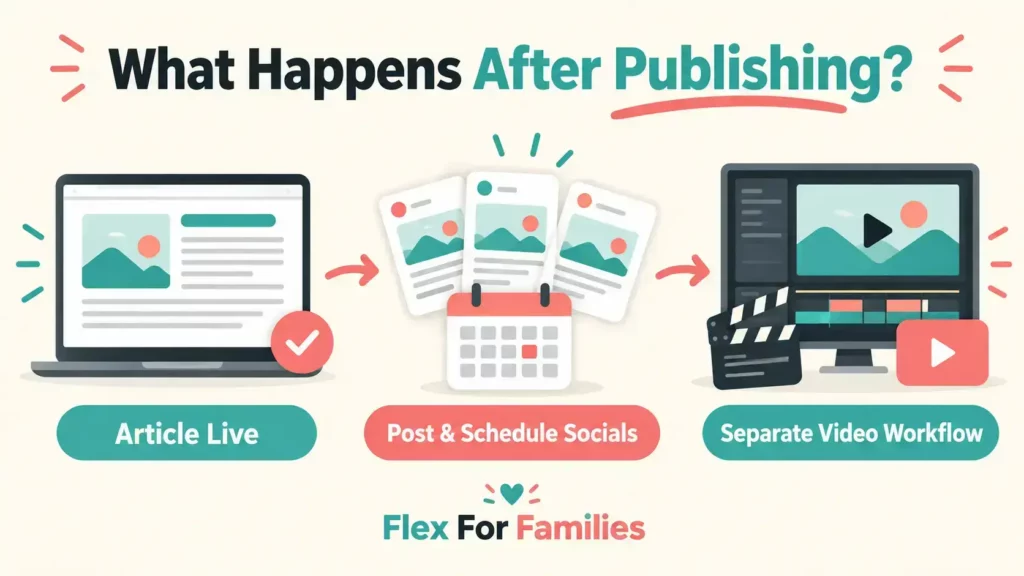
Video remains separate.
The production package can include the YouTube script, description, title ideas, chapters, thumbnail and short-video concepts. I still need to record, edit, upload and publish the video.
Once the video is live, I return to the article and add it to the prepared embed section.
Can Every Article Be Finished in 30 Minutes?
No. Some articles need more time.
A prepared informational guide may fit comfortably into the session. A detailed product review may not.
I allow longer for content involving:
- Current prices or changing product features.
- Complicated comparisons.
- Refund terms or commission structures.
- Customer complaints.
- Financial, legal or health-related claims.
- Several external sources.
- First-hand screenshots or testing.
- Important corrections to the original draft.
The workflow is designed to focus the final production stage. It is not permission to rush an article that deserves a deeper review.
Common Problems That Break the Workflow
Starting Without an Approved Plan
If the article’s purpose is unclear, you will make strategic decisions while formatting it.
Agree the reader, angle and structure first.
Treating the First Draft as Finished
An AI draft can sound complete while containing repetition, weak assumptions or unsupported claims.
Read it carefully before publishing.
Generating Images at the Last Minute
Creating and correcting images inside the WordPress session can quickly consume the available time.
Prepare the image package first.
Inventing Personal Experience
AI should never create testing, purchases, earnings, opinions or family experiences on your behalf.
Only include experiences you have supplied and approved.
Discovering Content Overlap Too Late
Check the content cluster and existing articles during planning.
The final WordPress session is not the best time to discover that two posts answer the same question.
Trying to Include Social and Video Production
Social publishing and video creation are separate tasks in my workflow.
Keeping the boundaries clear makes the 30-minute WordPress session realistic.
Publishing Because the Timer Ended
The article is ready when the checks are complete.
If something important remains unresolved, take the additional time.
My guide to the Biggest Mistakes Bloggers Make When Using AI covers the wider risks of allowing speed to replace judgement.
Who This Workflow Is Best For
This workflow is a good fit if you:
- Have limited periods available for blogging.
- Prefer planning content before drafting.
- Want to build connected content clusters.
- Use AI as an assistant rather than an automatic publisher.
- Can prepare the draft and supporting files in advance.
- Want a repeatable WordPress publication check.
It can be particularly useful for a parent blogger balancing a website with work, children and other responsibilities.
Who May Need a Different Workflow
You may need longer or a different process if you:
- Are still learning how WordPress works.
- Prefer drafting directly inside WordPress.
- Research each section while writing it.
- Publish technical or sensitive subjects.
- Need several people to approve the article.
- Create your images after formatting the page.
- Are producing a detailed review with changing facts.
A workflow should make your work clearer. It should not make you feel behind because somebody else completes a different type of article faster.
Try the Workflow With One Article
You do not need to rebuild your entire content process today.
Start with one article.
- Choose a topic that fits an existing content cluster.
- Approve the purpose and heading structure.
- Complete the research and draft.
- Prepare the SEO information and images.
- Open WordPress for one focused 30-minute session.
- Record how long each stage takes.
- Note where you became stuck.
- Improve the preparation before the next article.
Repeat the test across three similar posts.
You may find that 30 minutes works. You may need 40 or 50 minutes while you become familiar with the process.
The useful result is a repeatable system that fits your life and maintains your publishing standard.
Final Thoughts
My 30-minute AI content workflow is not a shortcut from an empty screen to a complete online business.
It is a focused WordPress finishing session supported by the work completed beforehand.
Jaaxy helps me explore connected post ideas. ChatGPT helps us plan, research and produce the article package. ChatGPT or Kre8or helps create the images. I then complete the human review inside WordPress.
That combination helps me use the time I have more effectively without handing the final decision to AI.
If you want to start building your own family-first blogging process, download my free Parent Blogging Starter Kit. It will help you choose a direction, organise your available time and take the next practical step.
Frequently Asked Questions
Can AI Create a Complete Blog Post in 30 Minutes?
AI can generate a draft quickly, but a complete blog post still needs research, checking, editing, images, formatting and a final human decision. My 30-minute session begins after the draft and production assets are prepared. It covers the final work inside WordPress.
What Does Your 30-Minute AI Content Workflow Include?
It includes adding the prepared draft to WordPress, checking the setup, humanising the writing, adding the images, reviewing links and SEO details, completing the final proofread and previewing the page before publication.
How Do You Humanise AI-Generated Content?
I remove wording I would not naturally use, add genuine context, correct assumptions, shorten paragraphs and check that the advice fits busy parents. Humanising means taking editorial responsibility for the article. It does not mean changing random words to avoid an AI detector.
Do You Need Paid AI Tools for This Workflow?
No. The structure of the workflow matters more than having several paid subscriptions. You need a way to plan, draft, check and organise the supporting assets. A paid tool is useful only when it improves a genuine part of your process enough to justify the cost.
Can a Beginner Blogger Use This Process?
Yes, but the WordPress stage may take longer while you learn the platform. Use the checklist without forcing the 30-minute target. Speed normally improves once your formatting, image and publication steps become familiar.
Does the 30 Minutes Include Social Media Content?
No. The social copy and graphics can be prepared with the article package, but I publish the first social post and schedule the secondary content after the WordPress session.
Does the Workflow Include YouTube Production?
No. The article package includes a YouTube script, metadata, thumbnail and a prepared embed section. Recording, editing, uploading and publishing the video remain a separate workflow.
Let’s Chat
How long does the final WordPress stage take you?
Which part slows you down most: editing, formatting, images, links or the final proofread?
Share your experience in the comments. Your answer may help another busy blogger find the part of their workflow that needs simplifying.