
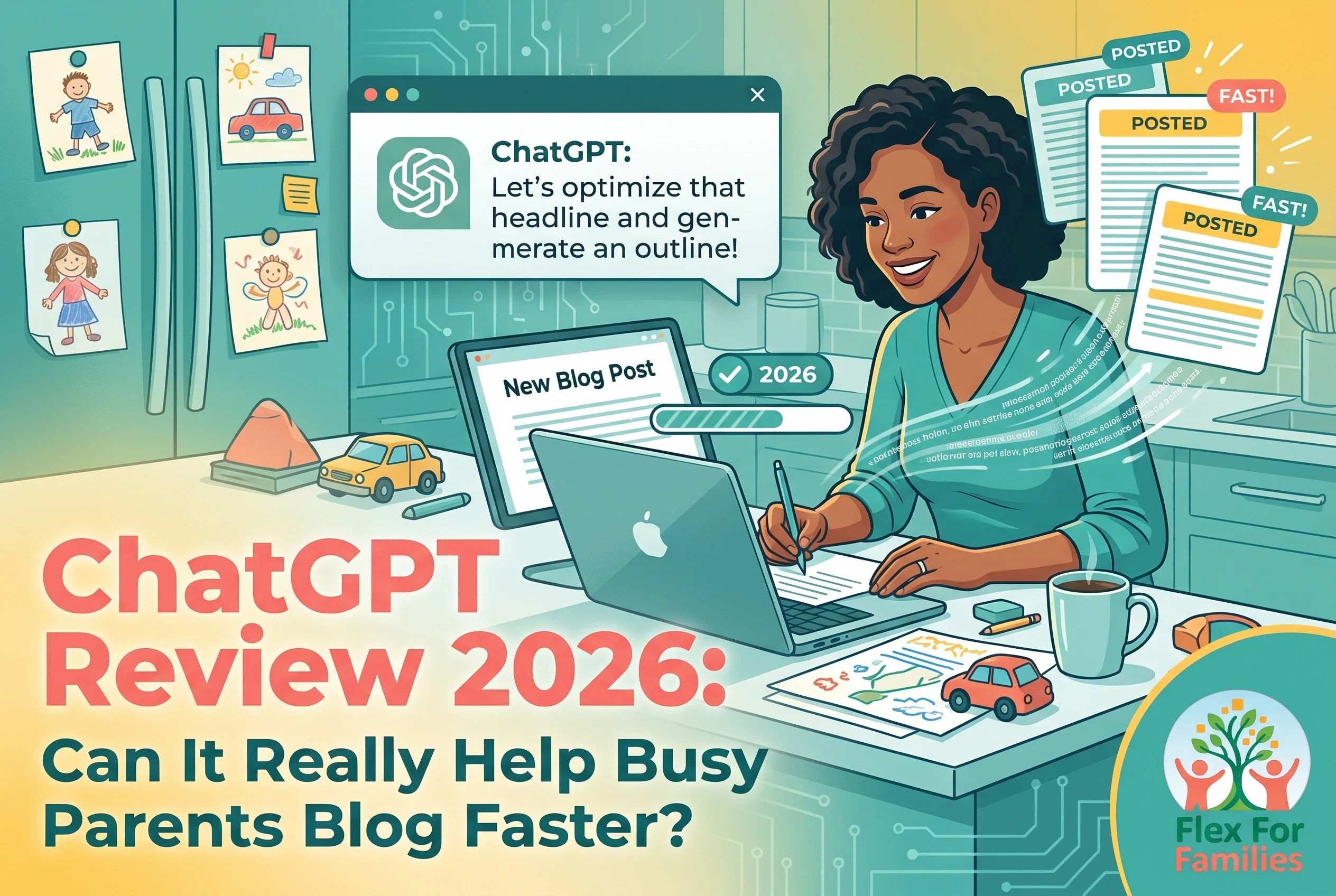
AI tools are everywhere right now, and if you are trying to grow a blog around work, parenting, school runs, and everyday life, it is easy to feel overwhelmed before you even begin.
That is probably why tools like ChatGPT have become so popular. The promise sounds appealing. Faster writing. Easier content creation. Less staring at a blank screen after a long day.
But there is also a lot of hype around AI.
Some people talk about it like it can build an entire online business for you while you sleep. Others warn that AI content is ruining blogging completely.
The reality sits somewhere in the middle.
ChatGPT is not a push-button blogging business. It will not magically create a successful website without your input, experience, or consistency. But when used properly, it can genuinely help busy bloggers save time, organise ideas faster, and reduce the mental load that often comes with content creation.
That is especially helpful if you only get short pockets of time to work on your blog.
In this honest review, I want to look at ChatGPT from a realistic parent blogger perspective.
We will cover:
- What it actually does well
- Where it struggles
- Whether it is beginner-friendly
- How it fits into real blogging workflows
- Whether it is worth paying for
- And whether it actually makes content creation easier for busy people with limited time
Because that is what really matters.
Quick Verdict: Is ChatGPT Worth It for Bloggers?
Tool: ChatGPT by OpenAI
Best For: Beginner bloggers, affiliate marketers, parent bloggers, and content creators looking to save time with brainstorming, outlining, drafting, and content planning.
Free Version Available? Yes
Paid Plan Starts At: Around $20/month for ChatGPT Plus
Ease of Use: Beginner-friendly
Best Feature: Helps reduce blank-page overwhelm and speeds up content workflows.
Biggest Drawback: AI-generated content can feel generic without editing and personal input.
What I Like
- Very easy to start using
- Useful for brainstorming and outlining
- Can save time on first drafts
- Flexible for blogging, affiliate marketing, social media, and emails
- Works well even if you only have short work sessions
What I Don’t Like
- Can produce repetitive or generic content
- Still requires fact-checking
- Good prompts take practice
- Too much AI content can make blogs feel less personal
Overall Verdict
ChatGPT is one of the most useful beginner-friendly AI tools available right now. It works best as a blogging assistant rather than a replacement for human creativity. If you use it to support your ideas instead of replacing them, it can genuinely help busy parents create content more consistently without feeling overwhelmed.
One thing I will say early on is this.
AI works best when it supports your blogging process, not when it tries to completely automate it.
Your experiences, stories, opinions, and personality still matter. That is what makes people trust your content in the first place.
If you are looking for a realistic way to combine blogging, AI tools, affiliate marketing, and beginner-friendly training in one place, you may also want to read my Wealthy Affiliate Review later in this guide.
It takes a much more structured approach than trying to piece dozens of tools together yourself.
What Is ChatGPT?
ChatGPT is an AI-powered writing and conversation tool created by OpenAI.
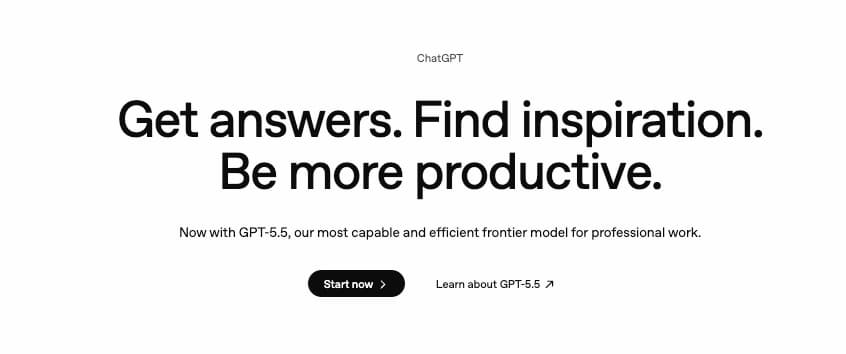
At its core, it is designed to understand prompts and generate human-like responses. You type a question, idea, task, or request into a chat box, and ChatGPT responds almost instantly.
That sounds simple, but the tool can actually do a lot.
For bloggers and content creators, ChatGPT is commonly used for:
- Brainstorming blog post ideas
- Creating outlines
- Helping draft content
- Rewriting awkward paragraphs
- Summarising notes
- Writing social media captions
- Generating email ideas
- Creating affiliate comparison tables
- Improving headlines
- Simplifying complicated writing
- Helping with SEO content planning
The important thing to understand is this:
ChatGPT works best as an assistant.
It is there to help speed things up, organise ideas, and reduce the mental effort involved in content creation. It is not a replacement for your own experiences, opinions, or creativity.
That distinction matters more than ever because many new bloggers fall into the trap of trying to let AI do everything for them.
Usually, that leads to:
- Generic content
- Weak trust with readers
- Repetitive articles
- Burnout from chasing volume instead of quality
The bloggers getting the best results from AI are usually the ones using it to support their workflow, not to fully automate it.
If you are completely new to AI tools, this short video gives a simple beginner-friendly overview of what ChatGPT actually is and how people are using it.
As you can see, ChatGPT can handle a wide range of tasks very quickly. The important thing for bloggers, though, is learning how to use it realistically instead of expecting AI to do everything for you.
The Different Versions of ChatGPT
There are currently two main ways most people use ChatGPT:
Free Version
The free version is enough for many beginners.
It gives you access to core AI chat features and can still help with:
- Blog ideas
- Content planning
- Simple drafting
- Brainstorming
- Rewriting content
If you are completely new to AI, this is usually the best place to start.
ChatGPT Plus
The paid version, called ChatGPT Plus, unlocks more advanced AI models and additional tools.
This includes:
- Faster responses
- Stronger writing quality
- Image generation tools
- Deeper research capabilities
- Custom GPT features
- Better performance during busy times
For bloggers creating content regularly, the paid version can genuinely save time.
But it is not essential on day one.
A lot of beginners make the mistake of signing up for too many AI tools too quickly. Then they end up overwhelmed and paying for subscriptions they barely use.
Start simple first.
Why ChatGPT Has Become So Popular With Bloggers
One reason ChatGPT exploded in popularity is because it removes one of the biggest frustrations in blogging:
Starting.
A blank page can feel exhausting when:
- You are mentally tired
- Juggling parenting responsibilities
- Trying to work in short bursts of time
- Overthinking every sentence
ChatGPT helps reduce that friction.
For example, instead of spending 30 minutes thinking of blog post ideas, you can ask:
“Give me 10 beginner-friendly blog post ideas for busy parents starting a blog.”
That does not mean you publish the output exactly as written.
It simply helps you move faster.
That is where AI can become genuinely useful.
What ChatGPT Does NOT Do Well
This is the part many reviews skip.
ChatGPT is impressive, but it still has clear limitations.
It can:
- Sound robotic at times
- Repeat phrases
- Give inaccurate information
- Create generic content
- Struggle with originality
- Misunderstand context
- Overcomplicate simple ideas
This is why human editing still matters.
If you rely too heavily on AI without adding your own experiences and personality, your content can start sounding like everyone else using the same prompts.
For parent bloggers especially, your lived experience is your advantage.
AI cannot replace:
- Your parenting perspective
- Your routines
- Your struggles
- Your wins
- Your personal stories
That human side is what builds trust with readers.
My Overall Take So Far
I think ChatGPT is genuinely helpful for busy bloggers when used realistically.
It is especially useful for:
- Speeding up repetitive tasks
- Reducing content overwhelm
- Organising ideas faster
- Staying more consistent with publishing
But the people who benefit most are usually the ones who:
- Keep their workflow simple
- Use AI as support
- Still think critically
- Edit carefully
- Focus on helping real people
That approach fits blogging far better long term than trying to mass-produce AI content every day.
AI Is Only Part of the Puzzle
The right tools can save time, but they won’t build a successful blog on their own.
If you’re looking for a realistic blogging path that works around family life, start here and I’ll show you the approach I recommend.
Start Here »Who Is ChatGPT Best For?
One thing I like about ChatGPT is that it can adapt to different experience levels.
You do not need to be a tech expert or full-time content creator to get value from it.
In fact, I think it is often most useful for people who are short on time and trying to simplify content creation rather than scale huge publishing systems.
That is why it fits surprisingly well around family life.
ChatGPT Is Best For…
Beginner Bloggers
Starting a blog can feel overwhelming at first.
You are suddenly trying to learn:
- Content writing
- SEO
- Affiliate marketing
- WordPress
- Email marketing
- Social media
That is a lot for anyone.
ChatGPT helps reduce some of that pressure because it gives you a starting point.
For example, you can ask it to:
- Explain blogging terms simply
- Brainstorm niche ideas
- Create blog post outlines
- Simplify confusing topics
- Help improve rough drafts
It is like having a brainstorming partner available whenever you need one.
That can be especially useful if you tend to overthink or get stuck staring at a blank page.
Busy Parent Bloggers
This is where I think ChatGPT becomes genuinely practical.
Most parents do not have huge uninterrupted blocks of time to work on their blogs.
You are often trying to:
- Write during nap time
- Work after bedtime
- Squeeze tasks into short gaps during the day
That makes efficiency important.
ChatGPT can help shorten the “starting” phase of content creation.
Instead of spending an hour planning a blog post structure, you can generate a rough outline in minutes and then build from there using your own experiences and ideas.
That does not remove the work completely.
But it can reduce the mental energy needed to begin.
And honestly, that is often the hardest part.
Affiliate Marketers
Affiliate marketers can use ChatGPT to speed up:
- Product comparison tables
- Blog post structures
- Email ideas
- Headline testing
- FAQ sections
- Content planning
- Social captions
This can help simplify repetitive tasks.
But there is an important warning here.
Affiliate content built entirely with AI often feels generic very quickly.
The strongest affiliate content still includes:
- Personal experience
- Honest opinions
- Realistic expectations
- Trust-building details
- Balanced pros and cons
That human layer matters.
Content Creators Trying to Stay Consistent
Consistency is one of the biggest blogging struggles for busy people.
Not because people are lazy.
Usually because:
- Life gets busy
- Ideas dry up
- Motivation drops
- Content creation feels mentally exhausting
ChatGPT can help reduce some of that friction.
For example, you could use it to:
- Brainstorm a month of blog topics
- Create Pinterest title ideas
- Rewrite older content
- Draft email sequences
- Organise messy notes into outlines
That makes publishing feel more manageable.
And manageable is important.
Because most successful blogs are built through consistency over time, not through publishing massive amounts of content in one week.
Who ChatGPT Is Probably NOT Best For
This matters too.
ChatGPT is not ideal for people looking for:
- Instant online income
- Fully automated blogging
- “Set and forget” content systems
- Zero-effort affiliate marketing
A lot of AI marketing online pushes that idea.
The reality is very different.
AI can absolutely support your workflow, but it still requires:
- Direction
- Editing
- Fact-checking
- Strategy
- Patience
- Consistency
Without those things, AI content usually struggles long term.
The Biggest Mistake Beginners Make
The biggest mistake I see is trying to use ChatGPT for everything immediately.
People start:
- Generating endless prompts
- Testing dozens of AI tools
- Creating huge content plans
- Trying to automate entire workflows
Then they burn out before their blog gains traction.
Honestly, simpler usually works better.
A much more realistic approach is:
- Use AI to support one or two tasks first
- Build confidence gradually
- Create systems you can realistically maintain around family life
That is sustainable.
My Honest Take
I think ChatGPT works best for bloggers who:
- Want help getting started faster
- Need support organising ideas
- Struggle with content overwhelm
- Want to save time without losing their voice
It is less about replacing blogging skills.
It is more about making blogging feel easier to manage consistently.
And for busy parents, that can make a real difference.
Main Features of ChatGPT
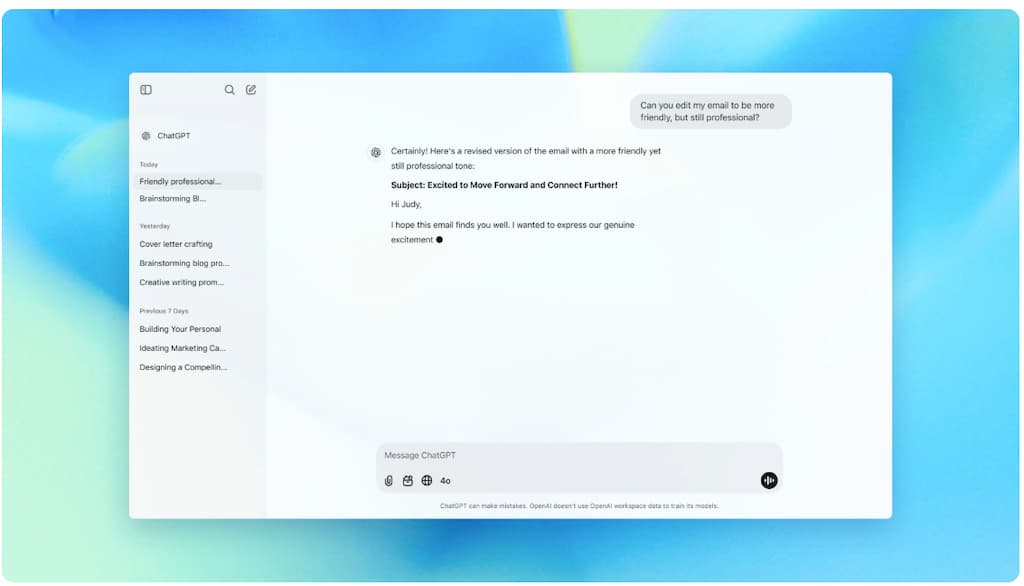
One reason ChatGPT has become so popular is because it can handle a wide range of tasks inside one tool.
That matters because many bloggers end up overwhelmed trying to juggle:
- AI writers
- SEO tools
- Headline generators
- Email tools
- Social media tools
- Brainstorming apps
ChatGPT combines a lot of those smaller tasks into one place.
You still need a blogging strategy and human input, but it can simplify parts of your workflow significantly.
Here are the features that are most useful for bloggers and content creators.
AI Chat Assistant
This is the core feature.
You type a question or request into the chat box, and ChatGPT responds conversationally.
For example, you can ask it to:
- Brainstorm blog titles
- Outline articles
- Rewrite paragraphs
- Explain SEO concepts
- Simplify content
- Generate social captions
- Help improve calls-to-action
The biggest advantage here is speed.
Instead of staring at a blank page wondering where to start, you immediately have something to work from.
That can save a surprising amount of mental energy.
Especially when you are tired.
Content Drafting
This is probably the feature most people use first.
ChatGPT can help draft:
- Blog posts
- Introductions
- Email newsletters
- Product descriptions
- Pinterest captions
- FAQ sections
- Affiliate comparison content
Now, this is important:
The first draft is rarely perfect.
Sometimes the writing sounds:
- Repetitive
- Too polished
- Generic
- Overly formal
- Lacking personality
That is why editing matters.
The best results usually come when you:
- Provide context
- Add your own experiences
- Rewrite sections in your own voice
- Guide the AI properly
Think of ChatGPT as helping you build momentum rather than doing all the work for you.
Brainstorming and Idea Generation
Honestly, this might be where ChatGPT is strongest for beginners.
Coming up with ideas consistently is hard when:
- Your brain feels overloaded
- You have limited time
- You are balancing family responsibilities
ChatGPT can quickly help generate:
- Blog post ideas
- Content clusters
- FAQ ideas
- Social media angles
- Lead magnet ideas
- Email topics
- Pinterest titles
For example, you could ask:
“Give me 20 blog post ideas for parents starting a blog around a full-time job.”
Even if you only use a few ideas, it helps reduce the pressure of trying to think of everything yourself.
Rewriting and Simplifying Content
This feature is genuinely useful for blogging.
You can paste rough paragraphs into ChatGPT and ask it to:
- Simplify wording
- Shorten sentences
- Improve readability
- Make content more conversational
- Remove jargon
- Restructure awkward sections
This is especially helpful if:
- You over-explain things
- Your writing feels messy initially
- You struggle with clarity
I actually think this is one of the best uses of AI.
Not replacing your voice.
Helping sharpen it.
Research Assistance
ChatGPT can help summarise information and organise research faster.
For example:
- Summarising notes
- Comparing ideas
- Organising article structures
- Simplifying complicated topics
But you do need to be careful here.
AI can still provide:
- Outdated information
- Incorrect facts
- Invented statistics
- Inaccurate summaries
So fact-checking is essential.
Especially for:
- Reviews
- Financial content
- Health-related topics
- SEO advice
- Product recommendations
Never assume AI is automatically correct.
Image Generation
Paid versions of ChatGPT now include AI image generation tools.
This can help with:
- Blog graphics
- Pinterest concepts
- Social media visuals
- Content mockups
- Featured image ideas
The quality is improving quickly.
But for bloggers, I still think tools like:
- Canva
- WA Image Studio
- Dedicated design tools
Often provide more practical control for branding and consistency.
Still, it is a useful extra feature inside one platform.
Custom GPTs
This is a more advanced feature available in paid plans.
Custom GPTs allow users to create specialised AI assistants with custom instructions.
For example:
- An SEO assistant
- A Pinterest assistant
- A blogging outline assistant
- An affiliate content helper
This can become powerful later on.
But honestly, most beginners do not need this immediately.
I would avoid overcomplicating things early.
Start simple first.
Memory and Workflow Support
One underrated benefit of ChatGPT is workflow support.
You can use it almost like a second brain for:
- Organising ideas
- Planning content
- Structuring projects
- Building rough systems
This becomes helpful when your brain already feels overloaded from everyday life.
For example, you could ask it to:
- Create a weekly blogging routine
- Organise a content calendar
- Map out an affiliate funnel
- Structure a Pinterest workflow
Again, the key benefit is reducing friction.
My Overall Thoughts on the Features
The biggest strength of ChatGPT is not that it does one thing perfectly.
It is that it helps simplify lots of smaller content tasks in one place.
That can make blogging feel more manageable for busy parents who:
- Have limited time
- Struggle with consistency
- Feel overwhelmed by too many tools
But there is still a balance needed.
The more you rely entirely on AI, the more your content risks sounding generic.
The bloggers getting the best results are usually the ones combining:
- AI efficiency
- Human experience
- Personal stories
- Realistic workflows
- Consistency over time
That combination is where AI becomes genuinely useful.
How ChatGPT Helps Bloggers and Content Creators
This is the section that matters most for many people.
Because the real question is not:
“What can ChatGPT technically do?”
The real question is:
“Does this actually make blogging easier in real life?”
For me, that is where ChatGPT becomes genuinely useful.
Not because it magically runs your blog for you.
But because it helps reduce the friction that slows content creators down.
Especially busy parents.
It Helps You Start Faster
A blank page can feel exhausting.
Sometimes the hardest part of blogging is simply getting started.
You sit down with:
- Limited time
- Low energy
- Too many ideas
- No clear structure
Then suddenly 30 minutes disappears and nothing gets written.
ChatGPT helps shorten that starting phase.
For example, instead of opening a blank document, you could ask:
• “Create an outline for a beginner blog post about starting a parenting blog.”
• “Give me 10 title ideas for a post about flexible income for parents.”
• “Help me structure a product review for beginners.”
That immediate momentum matters.
Especially when you only have short windows of time to work.
It Speeds Up Content Planning
Planning content consistently takes mental energy.
ChatGPT can help simplify:
- Topic brainstorming
- Content clusters
- Category planning
- SEO ideas
- FAQ generation
- Social content ideas
For example, if you are building a blogging content cluster, you can ask ChatGPT to suggest:
- Beginner questions people ask
- Supporting blog post ideas
- Internal linking opportunities
- Related FAQ topics
You still choose what makes sense.
But it helps organise the thinking process faster.
It Helps Organise Messy Ideas
This is one of the most underrated benefits.
A lot of bloggers already have ideas in their head.
The problem is organising them.
You might have:
- Rough notes
- Half-written drafts
- Voice notes
- Scattered ideas
- Unfinished outlines
ChatGPT can help turn those messy thoughts into something more structured.
For example:
- Turning bullet points into a rough outline
- Restructuring confusing sections
- Grouping ideas logically
- Simplifying rambling paragraphs
That can save a lot of time.
It Helps With Repetitive Tasks
Blogging involves many small repetitive tasks.
Things like:
- Meta descriptions
- Pinterest descriptions
- Email subject lines
- FAQ sections
- Social captions
- Headline variations
These tasks are important, but they also drain energy.
ChatGPT can speed these up significantly.
That does not mean blindly copying everything it writes.
But it can give you a strong starting point much faster than doing everything manually.
It Can Improve Consistency
Consistency is often harder than skill.
Many blogs fail because people:
- Stop publishing
- Get overwhelmed
- Lose momentum
- Feel mentally drained
ChatGPT can help make blogging feel less overwhelming by reducing the mental effort involved in creating content.
For example:
- Outlining posts faster
- Helping restart unfinished drafts
- Generating fresh topic ideas
- Simplifying editing
This makes it easier to keep moving forward.
And honestly, consistent imperfect action usually beats waiting for perfect inspiration.
It Helps Non-Writers Feel More Confident
Not everyone starts blogging feeling confident about writing.
Many beginners worry:
- “I’m not a good writer.”
- “My posts sound awkward.”
- “I don’t know how to structure articles.”
ChatGPT can help reduce some of that fear.
For example:
- Simplifying sentences
- Improving readability
- Restructuring sections
- Suggesting alternative wording
That support can help people feel more capable early on.
But again, your voice still matters.
The goal is not to sound like AI.
The goal is to communicate more clearly.
It Works Well Around Family Life
This is where I think ChatGPT genuinely stands out for parents.
Blogging advice online often assumes people have:
- Unlimited focus
- Uninterrupted work time
- Perfect routines
Most parents know that is not reality.
Sometimes you only have:
- 20 minutes during nap time
- Half an hour before bed
- Short bursts between responsibilities
ChatGPT works surprisingly well in those smaller work sessions.
You can:
- Brainstorm quickly
- Outline fast
- Continue previous chats
- Organise thoughts efficiently
That flexibility makes content creation feel more manageable.
Where Bloggers Need to Be Careful
This matters too.
ChatGPT can absolutely speed things up.
But it can also create problems if you rely on it too heavily.
For example:
- Content can lose personality
- Articles can sound repetitive
- Advice can become generic
- Blogs can start sounding the same
Google and readers both value:
- Originality
- Experience
- Trust
- Helpfulness
That means your real opinions and experiences still matter enormously.
Especially in parenting and blogging niches.
My Honest Take
I think ChatGPT works best when it helps bloggers:
- Think faster
- Organise ideas
- Reduce overwhelm
- Save time on repetitive tasks
It is less effective when people try to use it as a complete replacement for:
- Creativity
- Strategy
- Personal experience
- Trust-building
Used realistically, though, it can genuinely make blogging feel easier to manage around busy family life.
AI Is Only Part of the Puzzle
The right tools can save time, but they won’t build a successful blog on their own.
If you’re looking for a realistic blogging path that works around family life, start here and I’ll show you the approach I recommend.
Start Here »What It’s Like to Use ChatGPT
One reason ChatGPT became so popular so quickly is because it is surprisingly easy to start using.
Compared to many blogging tools that come with dashboards, settings, tutorials, and steep learning curves, ChatGPT feels simple at first.
- You open the chat box.
- You type a question.
- You get a response.
That simplicity matters.
Especially for busy parents who already feel overwhelmed trying to learn blogging, SEO, affiliate marketing, Pinterest, email marketing, and social media all at once.
The Setup Process Is Simple
Getting started is straightforward.
You create an account through OpenAI and can start using the free version almost immediately.
There is no complicated installation process or technical setup.
That lowers the barrier for beginners significantly.
For many people, this is their first experience using AI tools, so having a clean and simple interface helps reduce intimidation.
The Experience Feels Conversational
This is probably the biggest reason ChatGPT feels approachable.
Instead of learning complicated software, you simply talk to it naturally.
For example, you can type things like:
- “Help me write a blog outline about flexible income for parents.”
- “Simplify this paragraph.”
- “Give me Pinterest title ideas.”
- “Rewrite this intro in a more conversational tone.”
That conversational approach makes the tool feel more accessible than many traditional writing tools.
You do not need technical knowledge to get started.
If you want to see ChatGPT in action, this demo gives a helpful look at how the platform actually works and what the experience feels like for everyday users.
One thing worth remembering is that ChatGPT works best when you guide it clearly. The more context and direction you provide, the more useful and relevant the responses usually become.
There Is Still a Learning Curve
Now, this is important.
Even though ChatGPT is beginner-friendly, there is still a skill involved in using it well.
The quality of the output often depends on:
- How clearly you explain tasks
- How much context you provide
- How specific your prompts are
For example:
A vague prompt like:
“Write a blog post about blogging.”
Usually creates generic results.
But a more detailed prompt like:
“Write a beginner-friendly outline for busy parents wanting to start a blog around family life and flexible income.”
Produces much stronger output.
This is why many people initially feel disappointed with AI tools.
They expect amazing results from very little direction.
In reality, ChatGPT works much better when you guide it properly.
The First Few Uses Can Feel Impressive
Honestly, the first time many people use ChatGPT, it feels slightly mind-blowing.
Seeing ideas, outlines, or rewritten content appear in seconds feels exciting.
Especially if you have spent years doing everything manually.
But after the novelty wears off, you start noticing the limitations too.
For example:
- Repeated phrases
- Overly polished wording
- Robotic transitions
- Generic advice
- Inaccurate information
That is when you realise AI still needs human judgment.
It Can Become Overwhelming If You Overcomplicate It
This is one of the biggest risks.
There are now:
- Endless prompt libraries
- AI workflow tutorials
- Automation systems
- Advanced AI strategies
And honestly, beginners can disappear down a rabbit hole very quickly.
You do not need complicated AI systems to benefit from ChatGPT.
In most cases, simple workflows work best.
For example:
- Brainstorming ideas
- Outlining posts
- Rewriting rough drafts
- Generating social captions
- Organising content plans
That alone can save significant time.
The Mobile Experience Is Actually Useful
This surprised me.
The mobile app works well for quick idea capture.
For busy parents, that flexibility matters.
You can quickly:
- Save blog ideas
- Brainstorm headlines
- Outline posts
- Draft social captions
While:
- Waiting in the car
- During school runs
- Sitting at activities
- Managing short breaks during the day
That makes blogging feel more flexible and realistic around family life.
ChatGPT Works Best as a Workflow Companion
I do not think ChatGPT replaces blogging skills.
But I do think it works very well as a workflow companion.
For example, a realistic blogging workflow might look like:
• You brainstorm ideas with ChatGPT
• Generate a rough outline
• Add your own experiences and opinions
• Use AI to simplify awkward sections
• Edit everything carefully in your own voice
• Create social captions faster
That feels sustainable.
And importantly, it still sounds human.
What Frustrates Me About Using It
There are definitely frustrations too.
Sometimes ChatGPT:
- Overexplains simple topics
- Repeats itself
- Sounds too formal
- Ignores brand voice
- Becomes overly enthusiastic
- Gives inaccurate information confidently
This means editing is still essential.
You cannot simply copy and paste everything it creates.
At least not if you want content that feels trustworthy and personal.
My Honest Experience Using It
I think ChatGPT is genuinely one of the easiest AI tools for beginners to start using.
That accessibility is a huge strength.
But the people who get the best results are usually the ones who:
- Keep things simple
- Focus on solving real problems
- Use AI selectively
- Maintain their own voice
- Avoid chasing full automation
That balance matters far more than learning complicated AI systems.
AI Workflow Ideas and Realistic Use Cases for ChatGPT
This is where ChatGPT becomes most useful for busy bloggers.
- Not in complicated automation systems.
- Not in publishing hundreds of AI articles.
But in helping simplify everyday content tasks that normally drain time and energy.
The key is building realistic workflows you can actually maintain around family life.
Because honestly, most parents do not need more complexity.
They need systems that feel manageable.
A Realistic Blogging Workflow Using ChatGPT
Here is a simple example of how a parent blogger could realistically use ChatGPT during a normal week.
Step 1: Brainstorm Blog Ideas
You sit down with limited time and ask:
“Give me 10 blog post ideas for parents wanting flexible income from home.”
Within seconds, you have a list of ideas to work from.
Not all of them will be great.
But usually a few stand out immediately.
That saves mental energy.
Step 2: Create a Rough Outline
Next, you ask:
“Create a beginner-friendly outline for this topic.”
Now you have structure.
Again, it is not perfect.
But it helps remove the blank page problem.
Step 3: Add Your Own Experience
This is the important part many people skip.
Instead of copying the AI output directly, you:
- Add personal stories
- Include real examples
- Explain your opinions
- Simplify sections
- Make the content sound like you
That is what builds trust.
Step 4: Use AI for Smaller Tasks
Once the article is drafted, ChatGPT can help with:
- Headline ideas
- Meta descriptions
- Pinterest captions
- FAQ sections
- Email subject lines
- Social media captions
This is where AI can save significant time.
Step 5: Edit Carefully
The final step is essential.
You still need to:
- Fact-check information
- Remove repetitive phrasing
- Improve readability
- Make the tone feel human
- Ensure the content sounds natural
That editing layer makes a huge difference.
If you are wondering how ChatGPT fits into a real blogging workflow, this tutorial walks through practical ways content creators are using AI to speed up everyday tasks.
You do not need complicated AI systems to benefit from tools like ChatGPT. Even simple workflows that save you time on planning, drafting, or content organisation can make blogging feel far more manageable around family life.
Realistic Use Cases for Busy Parents
Here are the ways I think ChatGPT fits best around family life.
Blog Post Planning During Short Work Sessions
Sometimes you do not have enough time to fully write a post.
But you may have:
- 15 minutes during nap time
- 20 minutes before school pickup
- Half an hour in the evening
ChatGPT works well in these smaller pockets of time.
For example:
- Brainstorming titles
- Outlining articles
- Organising rough ideas
- Planning content clusters
That means you can make progress even during short work sessions.
Helping Restart Momentum
This is underrated.
A lot of bloggers lose momentum after taking breaks.
Life happens.
- Kids get sick.
- Schedules change.
- Energy drops.
Coming back to blogging can feel mentally heavy.
ChatGPT helps reduce that restart friction.
For example:
• summarising unfinished drafts
• suggesting ways to continue posts
• helping restructure older content
• generating fresh angles for existing topics
That can make returning to blogging feel easier.
Creating Content Around Real Experience
This is where I think AI should support bloggers rather than replace them.
For example:
You may already know:
- How hard balancing blogging and parenting feels
- How difficult consistency can be
- What routines realistically work
- What mistakes beginners make
ChatGPT can help organise and structure those experiences more efficiently.
But the real value still comes from your perspective.
That is what readers connect with.
Affiliate Marketing Workflows
Affiliate bloggers can use ChatGPT to speed up repetitive content tasks like:
- Comparison tables
- Product summaries
- Pros and cons lists
- FAQ ideas
- Email drafts
- Pinterest titles
This is especially useful when creating:
- Reviews
- Comparison posts
- Resource pages
- Beginner guides
But again, personal insight matters hugely here.
Readers can usually tell when affiliate content feels mass-produced.
Social Media and Pinterest Support
This is another strong use case.
ChatGPT can quickly help generate:
- Instagram captions
- Facebook post ideas
- Pinterest descriptions
- Email teaser copy
- Quote ideas
- CTA variations
That can save a lot of time if social media feels mentally draining.
Especially for bloggers trying to stay visible consistently.
Email Marketing Help
Many bloggers struggle with email writing because it feels personal and intimidating.
ChatGPT can help by:
- Generating subject line ideas
- Organising email sequences
- Simplifying writing
- Helping structure newsletters
Again, editing matters.
But it can make email marketing feel less overwhelming.
What I Think Most Beginners SHOULD Use ChatGPT For
If you are new to AI, I honestly think these are the best starting points:
- Brainstorming ideas
- Outlining posts
- Rewriting awkward sections
- Simplifying content
- Generating social captions
- Planning content workflows
Simple. Practical. Low stress.
What I Think Beginners SHOULD Avoid
I would avoid:
- Fully AI-written blogs
- Mass AI publishing
- Overcomplicated automation systems
- Relying entirely on AI for expertise
- Publishing content without editing
Those shortcuts often create:
- Weak content
- Generic blogs
- Reader distrust
- Burnout
Long term, helpful human content still wins.
My Overall Take on AI Workflows
I think ChatGPT is most effective when it helps bloggers:
- Reduce friction
- Save time
- Organise ideas
- Maintain consistency
Not when it tries to completely replace creativity or experience.
The bloggers who will benefit most are usually the ones who use AI intentionally and realistically instead of trying to automate everything at once.
Pros and Cons of ChatGPT
After using ChatGPT regularly for blogging and content creation, I think the biggest takeaway is this:
- It is genuinely useful.
But it is also very easy to misuse.
- A lot depends on how you approach it.
If you expect AI to build an entire successful blog for you automatically, you will probably end up disappointed.
But if you use it to reduce friction, save time, and support your workflow, it can become a very practical tool for busy bloggers.
Here is my honest breakdown of the strengths and weaknesses.
Pros of ChatGPT
Here is what I feel is the great stuff about ChatGPT:
Very Beginner-Friendly
This is one of ChatGPT’s biggest strengths.
You do not need:
- Coding skills
- Technical knowledge
- Advanced AI experience
You simply type naturally into a chat box.
That makes it far less intimidating than many other AI tools.
Especially for beginners.
Helps Reduce Blank-Page Overwhelm
For many bloggers, starting is the hardest part.
ChatGPT helps generate:
- Outlines
- Headlines
- Ideas
- Rough drafts
- Content structures
That immediate momentum can make blogging feel less mentally draining.
Especially during busy periods of family life.
Saves Time on Repetitive Tasks
This is where AI becomes genuinely practical.
ChatGPT can speed up:
- Content planning
- Social captions
- Email ideas
- FAQ sections
- Headline variations
- Meta descriptions
Those tasks still need editing, but the time savings can add up quickly.
Flexible Across Different Content Types
ChatGPT works for:
- Blogging
- Affiliate marketing
- Social media
- Email marketing
- Brainstorming
- Content planning
That flexibility means beginners do not immediately need dozens of separate tools.
Works Well in Short Work Sessions
This matters for parents.
You do not always need long uninterrupted work blocks to use ChatGPT effectively.
It works surprisingly well during:
- Nap time
- School runs
- Evenings
- Short breaks during the day
That flexibility makes blogging feel more manageable.
Can Help Improve Confidence
Many new bloggers feel insecure about writing.
ChatGPT can help:
- Simplify awkward sentences
- Improve structure
- Organise ideas
- Improve readability
That support can make content creation feel less intimidating early on.
Cons of ChatGPT
Here are my concerns about ChatGPT:
AI Content Can Feel Generic
This is probably the biggest issue.
Without editing and personal input, AI-generated content often sounds:
- Repetitive
- Overly polished
- Emotionally flat
- Similar to other AI content online
This is why human experience still matters so much.
Especially in blogging.
It Still Requires Fact-Checking
ChatGPT can confidently provide:
- Inaccurate information
- Outdated advice
- Invented statistics
- Incorrect recommendations
This is a major reason you should never blindly publish AI-generated content.
Fact-checking is essential.
Good Prompts Take Practice
Many beginners assume AI will instantly create amazing content from very vague instructions.
Usually, it does not.
The better your prompts and context, the better the output becomes.
That learning process takes time.
It Can Become Overwhelming
There is now endless AI advice online.
You will see:
- Prompt libraries
- Automation tutorials
- AI systems
- Complicated workflows
Beginners can easily end up overwhelmed trying to learn everything at once.
Honestly, simpler workflows are usually better.
Easy to Become Overdependent
This is an underrated downside.
If you rely too heavily on AI, you can gradually lose:
- Originality
- Confidence
- Creativity
- Personal voice
Your experiences and opinions are what make your blog valuable.
AI should support those things, not replace them.
Subscription Costs Can Add Up
The free version is useful, but many advanced features require paid plans.
And once bloggers start adding:
- SEO tools
- AI writing tools
- Design tools
- Scheduling tools
the monthly costs can climb quickly.
That is something beginners should watch carefully.
My Overall Thoughts on the Pros and Cons
I think ChatGPT is one of the most useful AI tools available for beginner bloggers right now.
But I also think expectations matter enormously.
It works best when:
- Used selectively
- Paired with human editing
- Focused on saving time
- Supporting consistent workflows
It works far less effectively when people try to:
- Fully automate blogging
- Mass-produce content
- Remove human input entirely
The sweet spot is somewhere in the middle.
- Use AI to reduce friction.
- Keep your human voice at the centre.
Pricing and Is ChatGPT Worth It?
One thing I like about ChatGPT is that you can start using it for free.
That makes it much easier for beginners to experiment with AI without immediately committing to another monthly subscription.
And honestly, that matters.
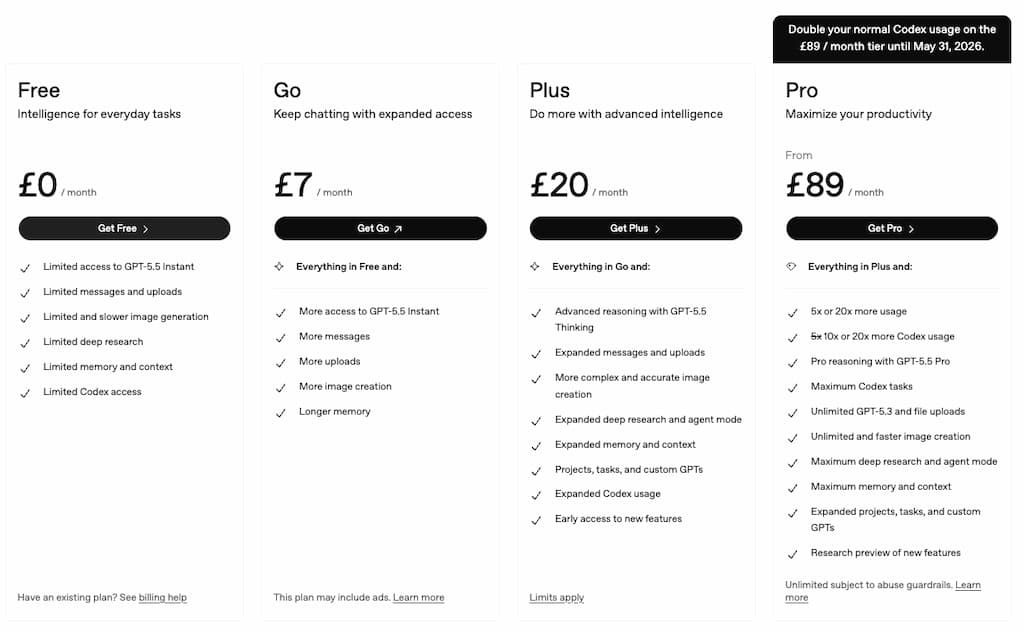
Because many new bloggers already feel pressured to pay for:
- Web Hosting
- Email tools
- SEO tools
- Design tools
- Courses
- Social schedulers
Adding too many subscriptions too early can become overwhelming very quickly.
ChatGPT Free Plan
The free version is surprisingly capable.
For many beginners, it is more than enough to:
- Brainstorm blog ideas
- Outline articles
- Generate social captions
- Rewrite paragraphs
- Simplify writing
- Organise content plans
If you are completely new to AI blogging tools, I would honestly recommend starting here first.
There is no need to rush into paid plans immediately.
That is especially true if:
- Your blog is new
- You are still learning blogging basics
- You are only creating content occasionally
- You are unsure how much AI you will realistically use
The free version gives you a good sense of whether AI actually fits your workflow.
ChatGPT Plus
The paid version, ChatGPT Plus, currently costs around $20/month.
This unlocks:
- More advanced AI models
- Faster response speeds
- Improved writing quality
- Deeper research tools
- Image generation
- Custom GPT features
- Better availability during busy periods
For active bloggers, those upgrades can genuinely improve the experience.
Especially if you create content regularly.
The responses generally feel:
- Stronger
- More detailed
- More flexible
- Better at following instructions
You also get access to newer features much earlier.
Is ChatGPT Plus Worth Paying For?
Honestly, I think it depends on how often you create content.
ChatGPT Plus Is Probably Worth It If You:
- Blog consistently
- Create multiple pieces of content weekly
- Use AI regularly for workflows
- Want faster responses
- Use advanced features
- Create affiliate or SEO content regularly
- Value time savings highly
For busy bloggers, saving even a few hours per week can justify the cost fairly quickly.
Especially if AI helps reduce overwhelm and maintain consistency.
The Free Version Is Probably Enough If You:
- Are just experimenting with AI
- Only blog occasionally
- Are still learning blogging basics
- Want simple brainstorming support
- Are on a tight budget
There is absolutely nothing wrong with staying on the free plan initially.
Many beginners rush into paid tools before they truly need them.
The Hidden Cost Most People Ignore
This is important.
The real cost of AI tools is not always the subscription itself.
It is:
- Tool overload
- Workflow complexity
- Distraction
- Constantly chasing “better” systems
A lot of bloggers end up paying for:
- Multiple AI writers
- SEO tools
- Automation systems
- Prompt tools
- Image generators
Then spend more time managing tools than actually creating useful content.
That is why I think simplicity matters.
A smaller number of tools used consistently usually works far better than trying to build a giant AI stack immediately.
Comparing the Cost to Other Blogging Tools
Compared to many blogging subscriptions, ChatGPT is reasonably priced.
For example:
- Some SEO tools cost $100 to $500+ monthly
- Premium writing tools often charge similar pricing
- Automation platforms can become expensive quickly
At around $20/month, ChatGPT sits in a relatively accessible range for many bloggers.
Especially considering how many tasks it can support inside one platform.
Where Wealthy Affiliate Fits Into This Conversation
This is actually where platforms like Wealthy Affiliate become interesting for beginners.
One problem many bloggers face is piecing together:
- AI tools
- Hosting
- Keyword research
- Blogging training
- Affiliate marketing education
- Website setup
Individually.
That can become confusing quickly.
Wealthy Affiliate takes a more all-in-one approach by combining:
- Blogging training
- AI-supported writing tools
- Keyword research
- Hosting
- Website tools
- Community support
Inside one beginner-friendly platform.
That will not suit everyone.
But for overwhelmed beginners, having everything in one place can feel far simpler than trying to build complicated AI workflows from scratch.
My Honest Verdict on Pricing
I think ChatGPT offers good value overall.
Especially for:
- Busy bloggers
- Content creators
- Affiliate marketers
- Parents trying to save time
The free version is strong enough for most beginners.
And the paid version becomes easier to justify once blogging turns into a more regular workflow.
The biggest thing I would avoid is:
Paying for lots of AI tools before you actually need them.
- Start simple.
- Build realistic systems.
- Focus on consistency first.
Biggest Limitations of ChatGPT
This is the section many AI reviews avoid.
Because while ChatGPT is genuinely useful, it also has some very real limitations.
And honestly, understanding these limitations is important if you want to use AI effectively without becoming frustrated or overwhelmed.
The biggest mistake people make with AI is expecting too much from it.
ChatGPT can absolutely help simplify blogging workflows.
But it is still a tool.
Not a replacement for:
- Strategy
- Creativity
- Experience
- Trust
- Consistency
Here are the biggest limitations I think bloggers should realistically understand before relying too heavily on AI.
The Content Can Become Generic Quickly
This is probably the biggest issue overall.
If you simply ask ChatGPT to:
“Write a blog post about blogging.”
The output usually sounds:
- Broad
- Repetitive
- Emotionally flat
- Overly polished
- Lacking personality
That is because AI learns patterns from existing content online.
Without strong direction and editing, the results can feel very similar to what everyone else is creating.
This matters more than ever because readers are starting to recognise generic AI writing.
And honestly, so is Google.
Helpful, experience-based content still matters enormously.
It Can’t Replace Personal Experience
This is especially important for parent bloggers.
AI cannot genuinely understand:
- Parenting struggles
- Balancing family life
- Emotional experiences
- Real-world routines
- Personal lessons learned
It can imitate those conversations.
But it cannot replace authentic lived experience.
That human layer is what makes blogs feel trustworthy.
Your:
- Stories
- Opinions
- Mistakes
- Routines
- Lessons learned
are often the most valuable parts of your content.
Fact-Checking Is Still Essential
ChatGPT can sound very confident while being completely wrong.
This is one of the biggest dangers for beginners.
AI may:
- Invent statistics
- Misquote information
- Provide outdated advice
- Misunderstand context
- Create inaccurate summaries
This means you should always verify:
- Facts
- Pricing
- Product details
- SEO advice
- Technical information
- Statistics
Especially in reviews and affiliate content.
Never blindly trust AI-generated information.
It Can Create Dependency
This is something I think more bloggers should talk about.
When people rely too heavily on AI, they can gradually stop:
- Developing writing confidence
- Building their own voice
- Learning content strategy
- Improving creativity
Everything starts becoming:
“Ask AI first.”
That can become a problem long term.
The best bloggers still think critically and develop their own ideas.
AI should support your thinking, not replace it completely.
Prompt Overload Is Real
Once you enter the AI space, you quickly see:
- Massive prompt libraries
- Advanced systems
- Automation tutorials
- Complicated workflows
And honestly, it can become exhausting.
Many beginners end up spending more time:
- Learning AI systems
- Testing prompts
- Watching tutorials
Than actually building their blog.
That is why I strongly believe simpler workflows usually work better.
Especially for busy parents.
AI Still Struggles With Strong Brand Voice
Even with good prompts, ChatGPT can still:
- Sound too formal
- Overexplain things
- Repeat phrases
- Become overly enthusiastic
- Lose emotional nuance
This is why editing matters so much.
Your blog should still sound like you.
Not like AI trying to imitate a blogger.
AI Can’t Build Trust for You
This is one of the biggest misconceptions online.
AI can help create content faster.
But it cannot automatically create:
- Trust
- Authority
- Relationships
- Audience loyalty
Those things are built through:
- Consistency
- Honesty
- Helpfulness
- Personal experience
- Real connection with readers
That still takes time.
There Is a Risk of Tool Overwhelm
This is especially relevant for beginners.
Many people start with ChatGPT and then quickly add:
- SEO AI tools
- AI image tools
- Automation tools
- Social AI tools
- Prompt databases
- AI writing assistants
Suddenly blogging feels more complicated instead of simpler.
I honestly think this is one reason many people burn out.
- Too many systems.
- Too many subscriptions.
- Too much complexity.
My Honest Take on the Limitations
I think ChatGPT becomes most useful when you:
- Understand what it does well
- Accept what it does poorly
- Keep expectations realistic
- Focus on simple workflows
Used properly, it can absolutely save time and reduce overwhelm.
But it still works best alongside:
- Human creativity
- Personal stories
- Real experiences
- Thoughtful editing
- Long-term consistency
That balance is what creates sustainable blogging workflows.
AI Is Only Part of the Puzzle
The right tools can save time, but they won’t build a successful blog on their own.
If you’re looking for a realistic blogging path that works around family life, start here and I’ll show you the approach I recommend.
Start Here »Alternatives to ChatGPT
ChatGPT is one of the most popular AI tools right now, but it is definitely not the only option.
Depending on your goals, budget, and workflow, you may find that another tool fits your blogging style better.
That said, I think many beginners make the mistake of testing too many AI tools too quickly.
Honestly, that often creates more overwhelm than progress.
So instead of trying everything at once, I would focus on understanding what problem you actually want the tool to solve first.
For example:
- Brainstorming ideas
- SEO optimisation
- Long-form writing
- Research help
- Social content
- Workflow simplification
Here are some of the main alternatives worth knowing about.
Claude

Claude is probably the strongest direct alternative to ChatGPT right now.
A lot of bloggers prefer Claude because the writing often feels:
- Calmer
- More natural
- Less robotic
- Less overly enthusiastic
It also handles long-form content very well.
I personally think Claude often produces:
- Cleaner explanations
- Stronger readability
- More human-sounding drafts
Especially for conversational blogging content.
That said, ChatGPT still has advantages in:
- Flexibility
- Integrations
- Extra tools
- Image generation
- Custom workflows
For many bloggers, the best choice comes down to personal preference.
If your priority is:
- Natural writing flow
- Readability
- Long-form content support
Claude is definitely worth looking at.
I actually cover this more deeply in my Claude AI review.
Surfer SEO
SurferSEO is very different from ChatGPT.
Instead of acting mainly as a writing assistant, it focuses heavily on:
- SEO optimisation
- Keyword usage
- Content scoring
- Search visibility
It is designed more for bloggers trying to improve rankings and structure SEO-focused content.
This can be powerful.
But honestly, I think SurferSEO can feel overwhelming for complete beginners.
Especially if:
- You are still learning SEO basics
- You are new to blogging
- You mainly want help creating content faster
ChatGPT feels much simpler and more approachable for most new bloggers.
SurferSEO becomes more useful later once:
- Traffic growth becomes a priority
- You understand keyword targeting better
- You want deeper SEO optimisation
I will also be reviewing SurferSEO separately because it fits a very different role inside a blogging workflow.
Jasper AI

Jasper was one of the earliest major AI writing tools for marketers.
It focuses heavily on:
- Marketing copy
- Templates
- Business content
- Workflow systems
Jasper can be powerful for businesses producing large amounts of content.
But honestly, I think it often feels:
- More corporate
- More complicated
- Less beginner-friendly
Than ChatGPT.
For busy parent bloggers wanting simplicity, ChatGPT usually feels easier to start with.
Canva AI Tools
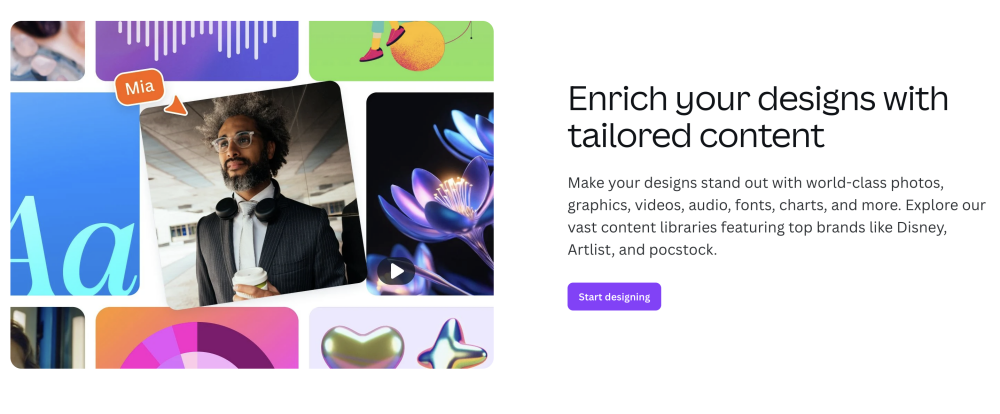
Canva has also added AI features into its platform.
This includes tools for:
- Image generation
- Text creation
- Social media support
- Presentation design
For bloggers already using Canva, having some AI features built directly into the platform can feel convenient.
Especially for:
- Pinterest graphics
- Social media visuals
- Quick content creation tasks
But Canva’s AI writing tools are generally less flexible than ChatGPT for long-form blogging support.
Wealthy Affiliate’s AI Blogging Tools

This is another angle worth mentioning for beginners.
One issue many people face is trying to combine:
- AI tools
- Hosting
- Keyword research
- Blogging training
- Affiliate marketing education
From lots of separate platforms.
That can become confusing quickly.
Wealthy Affiliate takes a more all-in-one approach by combining:
- Blogging education
- AI-supported writing tools
- Keyword research
- Hosting
- Vommunity support
Inside one system.
That will not suit everyone.
But for complete beginners who feel overwhelmed by:
- Multiple subscriptions
- Complicated workflows
- Too many separate tools
It can feel much simpler.
Especially if your goal is learning blogging and affiliate marketing alongside AI support.
Which Alternative Is Best?
Honestly, there is no perfect AI tool for everyone.
Here is how I would roughly break it down:
ChatGPT
Best for:
- Beginners
- Flexible workflows
- General blogging support
- Brainstorming
- Content planning
Claude
Best for:
- Natural long-form writing
- Conversational content
- Readability-focused bloggers
SurferSEO
Best for:
- SEO-focused blogging
- Content optimisation
- Ranking-focused workflows
Jasper
Best for:
- Marketing teams
- Business copywriting
- Structured AI workflows
Wealthy Affiliate
Best for:
- Beginners wanting an all-in-one blogging platform
- Affiliate marketing education
- AI-supported blogging with training included
| Tool | Best For |
|---|---|
| ChatGPT | Beginners, flexible workflows, general blogging support, brainstorming, and content planning. |
| Claude | Natural long-form writing, conversational content, and readability-focused bloggers. |
| SurferSEO | SEO-focused blogging, content optimisation, and ranking-focused workflows. |
| Jasper | Marketing teams, business copywriting, and structured AI workflows. |
| Wealthy Affiliate | Beginners wanting an all-in-one blogging platform, affiliate marketing education, and AI-supported blogging with training included. |
My Honest Take on Alternatives
I still think ChatGPT is probably the easiest starting point for most beginner bloggers.
Especially for busy parents trying to:
- Simplify content creation
- Reduce overwhelm
- Save time
- Maintain consistency
It strikes a good balance between:
- Usability
- Flexibility
- Affordability
- Beginner accessibility
The biggest thing I would avoid is jumping between too many tools too quickly.
Simple systems usually win long term.
Final Verdict: Is ChatGPT Worth It for Bloggers?
After spending time using ChatGPT for blogging and content creation, I honestly think it is one of the most useful AI tools available for beginners right now.
- Not because it magically automates everything.
- And definitely not because it replaces real blogging skills.
But because it helps reduce friction.
That matters more than many people realise.
For busy parents especially, blogging often fails because:
- Content creation feels overwhelming
- There is never enough time
- Ideas become mentally exhausting
- Consistency becomes difficult to maintain
ChatGPT can genuinely help with those problems.
Used properly, it can:
- Speed up brainstorming
- Simplify outlining
- Help organise ideas
- Reduce blank-page overwhelm
- Save time on repetitive tasks
- Make blogging feel more manageable around family life
That is where I think its real value sits.
But It Is Not a Shortcut to Blogging Success
This part matters.
ChatGPT will not:
- Automatically grow your traffic
- Build trust with readers
- Replace your experiences
- Create authority overnight
- Build a successful business without effort
Those things still come from:
- Consistency
- Helpful content
- Human connection
- Patience
- Learning blogging skills properly
AI can support that process.
But it cannot replace it completely.
The Bloggers Who Benefit Most From ChatGPT
In my opinion, ChatGPT works best for bloggers who:
- Want help staying consistent
- Struggle with content overwhelm
- Need support organising ideas
- Want to simplify workflows
- Understand the importance of editing and personal input
It is especially useful for:
- Beginner bloggers
- Parent bloggers
- Affiliate marketers
- Part-time content creators
- Busy people building blogs around everyday life
The Biggest Mistake to Avoid
The biggest mistake is trying to automate everything.
That usually leads to:
- Generic content
- Weak audience connection
- Burnout
- Complicated workflows
- Blogs that sound like everyone else
The strongest approach is usually much simpler.
Use AI to:
- Support your ideas
- Reduce repetitive work
- Save time where it matters
While still keeping:
- Your voice
- Your experiences
- Your personality
- Your opinions
At the centre of your content.
That balance is where AI becomes genuinely helpful long term.
My Honest Overall Rating
For beginner bloggers and busy parents, I think ChatGPT is absolutely worth trying.
Especially because the free version makes it easy to experiment without major risk.
- It is not perfect.
- It still requires editing.
- It still makes mistakes.
But when used realistically, it can genuinely make blogging feel:
- Less overwhelming
- More achievable
- More flexible
- Easier to maintain consistently
And honestly, that is what many busy bloggers need most.
AI Is Only Part of the Puzzle
The right tools can save time, but they won’t build a successful blog on their own.
If you’re looking for a realistic blogging path that works around family life, start here and I’ll show you the approach I recommend.
Start Here »Frequently Asked Questions
Is ChatGPT good for blogging?
Yes, ChatGPT can be very useful for blogging when used realistically. It works best for brainstorming ideas, outlining posts, simplifying writing, creating social content, and speeding up repetitive tasks. However, it still works best alongside human editing, personal experience, and original ideas.
Can ChatGPT help with affiliate marketing?
Yes, many affiliate marketers use ChatGPT to help with:
- Product comparisons
- Blog outlines
- FAQ sections
- Email ideas
- Social media captions
- Content planning
That said, affiliate content still needs honesty, fact-checking, and personal insight to build trust with readers.
Is ChatGPT free to use?
Yes, ChatGPT has a free version that is good enough for many beginners. There is also a paid version called ChatGPT Plus, which offers more advanced AI models, faster responses, image generation tools, and additional features.
Does ChatGPT replace bloggers?
No. ChatGPT can support bloggers, but it does not replace human creativity, experience, opinions, or trust-building. The strongest blogs still rely heavily on personal perspective and helpful real-world insight.
Is AI content bad for SEO?
Not necessarily. Search engines mainly care about whether content is helpful, trustworthy, and useful for readers. Poor-quality AI content created purely for mass publishing can struggle, but AI-assisted content that includes strong human editing and original value can still perform well.
What is the best AI tool for beginner bloggers?
ChatGPT is one of the best AI tools for beginners because it is flexible, beginner-friendly, and easy to start using. However, tools like Claude and Surfer SEO may suit bloggers with different goals or workflows.
Can busy parents realistically use ChatGPT for blogging?
Yes. ChatGPT works well in short work sessions, which makes it practical for busy parents. Many bloggers use it to brainstorm ideas, outline posts, create social captions, and organise workflows during small pockets of available time.
Is ChatGPT worth paying for?
For bloggers creating content regularly, ChatGPT Plus can be worth the cost because it saves time and unlocks stronger features. However, many beginners will find the free version more than enough while learning blogging basics and building consistent habits.
Let’s Chat
Have you tried ChatGPT yet?
I would genuinely love to hear how you are using it.
Are you:
- Brainstorming blog ideas?
- Creating social content faster?
- Using AI to help organise your workflow?
- Still feeling unsure about whether AI fits your blogging style?
And if you have not tried ChatGPT yet, what is your biggest hesitation?
For many parents, I think the challenge is not whether AI exists.
It is figuring out:
- How to use it realistically
- How to avoid overwhelm
- How to save time without losing your voice
Personally, I think AI works best when it supports bloggers instead of trying to replace them completely.
Simple workflows usually beat complicated systems.
And your experiences, stories, and personality still matter far more than perfectly generated AI content ever will.
If you are trying to build a flexible blog around family life, focus on:
- Consistency
- Helpful content
- Manageable systems
- Realistic routines
That combination will take you much further than chasing shortcuts.
Feel free to drop a comment and share:
- Your experience with ChatGPT
- Your favourite AI blogging tools
- Your biggest struggle with content creation
- Or whether you think AI is helping or hurting blogging overall
I always enjoy hearing different perspectives.