
AI can help you create a well-organised blog draft in a fraction of the time it once took. That does not mean the draft is ready to publish, and it certainly does not mean traffic will automatically follow.
An AI draft is raw material. The useful work happens when you shape it around a real reader, check its accuracy, add experience, connect it to the rest of your website and give people a way to discover it.
That distinction matters for busy parent bloggers. AI can remove much of the stop-start frustration of drafting, but the goal is not to publish more generic words. It is to use your limited time to create something genuinely helpful.
In this guide, I will show you the practical process I use to turn an AI-assisted draft into a publishable article that has a realistic chance of attracting traffic.
Quick Answer: How Do You Turn AI Content Into Traffic?
To turn AI content into traffic, improve the draft across three areas: reader value, search readiness and distribution. Answer the search intent clearly, verify factual claims, add original experience, remove filler, use useful internal links and promote the finished article through relevant channels.
AI itself is neither the traffic strategy nor the problem. The result depends on what you publish and how well it serves the person who finds it.
No editing checklist can guarantee rankings, clicks or income. However, a thoughtful process gives your content a much stronger foundation than copying an AI response straight into WordPress.
Why an AI Draft Is Not a Finished Blog Post
AI is good at creating structure, summarising familiar information and helping you get past a blank page. It can also sound convincing while being vague, repetitive or factually wrong.
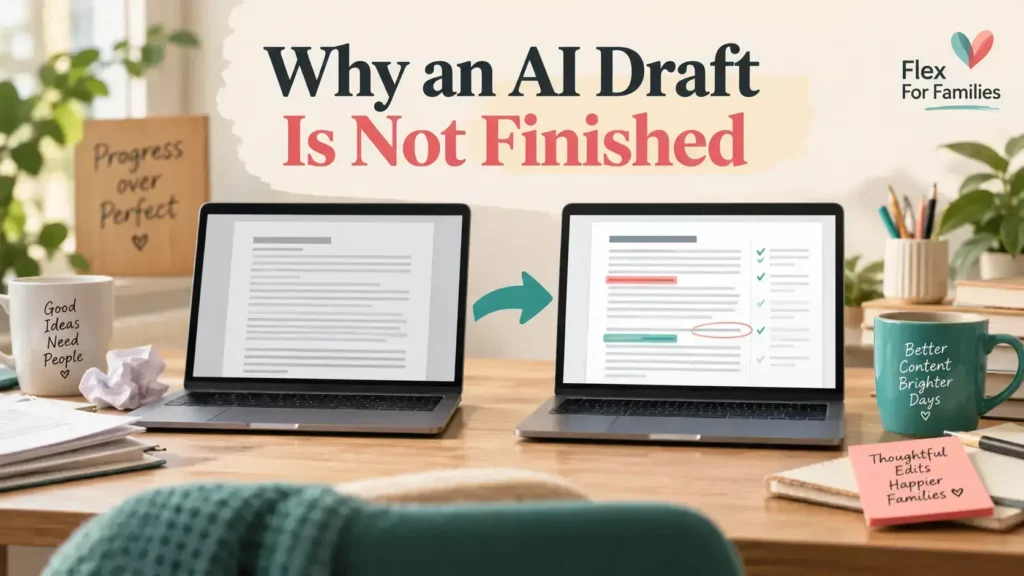
A first draft may include:
- A broad introduction that delays the answer
- Advice that could apply to almost any reader
- Repeated points expressed in different words
- Claims without a reliable source
- Examples that are invented or too generic
- Sections chosen because they commonly appear in similar articles
- A conclusion that simply repeats the introduction
The writing may be grammatically clean and still offer very little that is distinctive or useful.
This is why I treat AI as a production partner rather than an automatic publishing tool. It helps me organise the work, but I remain responsible for the facts, judgement, experience and final recommendation.
Google’s guidance is also centred on helpful, reliable, people-first content. It encourages original information or analysis, clear sourcing, first-hand expertise where appropriate and enough substance to help a reader achieve their goal. It does not say that content receives a pass or penalty simply because AI helped create it.
What Makes AI-Assisted Content Helpful?
Helpful content gives the intended reader a clear and trustworthy answer. It does not exist merely to target a keyword or fill a publishing schedule.
For a parent blogger, that normally means the article:
- Understands the reader’s situation and likely constraints
- Answers the main question early
- Explains the next steps in a sensible order
- Separates facts from personal opinion
- Includes genuine experience when it adds value
- Links to sources for important or changing claims
- Helps the reader continue their journey
- Avoids exaggerated promises
The standard is not perfection. It is usefulness. A reader should leave the page better informed and more able to make a decision or take action.
The Three Layers That Help Content Attract Traffic
I find it useful to think about the journey from draft to traffic in three layers.

1. Reader Value
The article must solve the right problem and give a useful answer. If the page does not satisfy the reader, technical optimisation will not rescue it.
2. Search Readiness
Search engines need to understand, access and present the page. Clear headings, accurate titles, internal links, descriptive images and a good page experience all help.
3. Distribution
Publishing is not the end of the process. Social posts, Pinterest Pins, email, video and links from related articles can introduce the page to people while its search visibility develops.
These layers work together. A helpful page with no route to discovery can remain unseen. A heavily promoted page that disappoints readers will struggle to build lasting value.
Step 1: Confirm the Reader and Search Intent
Before editing individual sentences, check whether the draft answers the question the reader actually searched for.

Ask:
- Who is this article for?
- What do they want to know or do?
- Are they looking for information, a comparison or a buying decision?
- What concern is likely sitting behind the search?
- What would count as a satisfactory answer?
For example, someone searching for “how to turn AI content into traffic” probably does not need another list of writing prompts. They need to understand what to change after drafting and how the finished article reaches readers.
This is one reason I use Jaaxy to explore groups of related post ideas rather than treating every keyword as an isolated article. A cluster helps me see the wider reader journey and decide which question each post should answer.
You can see the broader planning process in my Beginner Guide to Using AI for Keyword Research.
Step 2: Improve the Opening Answer
The opening should confirm quickly that the reader is in the right place. Remove scene-setting that could appear on hundreds of other blogs and give a direct answer near the beginning.

A useful opening usually does three things:
- Recognises the reader’s problem.
- Gives the short answer.
- Explains what the article will help them do.
You do not need to reveal every detail immediately. You do need to respect the reader’s time.
Compare these approaches:
Generic: Artificial intelligence has changed the world of blogging in many exciting ways.
Useful: An AI draft can save time, but it needs fact-checking, original value, internal links and distribution before it has a realistic chance of attracting traffic.
The second version moves the reader towards an answer straight away.
Step 3: Check Every Important Claim
AI can produce outdated figures, confuse similar products or present an assumption as a fact. The more important or time-sensitive the claim, the more carefully it should be checked.
Review:
- Prices and subscription terms
- Commission rates
- Product features
- Refund policies
- Laws, platform rules and official guidance
- Statistics
- Dates, names and ownership information
- Direct quotations
Use the original or most authoritative source where possible. If you cannot verify a factual claim, rewrite it accurately, qualify it or remove it.
For this article, the relevant foundation is Google’s own guidance on creating helpful, reliable, people-first content. Google also explains that success in AI search still depends on unique, valuable content, accessibility and a good page experience in its guidance for AI search experiences.
External links do not weaken a useful article. A carefully chosen source helps the reader verify important information and shows where the factual foundation came from.
Step 4: Add Genuine Experience and Original Value
One of the biggest improvements you can make to an AI draft is adding something the tool could not truthfully know without your input.

That might be:
- What happened when you tried a method
- A screenshot from your own process
- A realistic time commitment
- A limitation you discovered
- An example from your family or business
- A comparison based on using both options
- A checklist you developed through experience
My own workflow is a useful example. AI has not removed my involvement. It has changed where I spend my time.
We plan the reader, search intent, angle, sources, internal links and images before creating the draft. Once the production package is filed, I normally spend around 30 minutes working in WordPress. I add the draft, tidy and humanise the wording, check the images and placement, format the page and complete a final proofread.
Afterwards, I publish the first social post and schedule the secondary content. Pinterest Pins can be spread across later weeks. Video remains a separate workflow rather than being squeezed into the same 30-minute publishing session.
That is more helpful than claiming AI creates a complete blog post in one click. It shows what the time-saving actually looks like and where human judgement remains necessary.
Flex For Families has also appeared in 141 Bing citations across 43 posts at the time of writing. That tells me pages from the site are being selected as sources in some search experiences. It does not prove that one editing technique caused those citations, and it is not a guarantee that every article will receive the same visibility.
Step 5: Remove Filler and Repetition
AI drafts often make the same point several times. Each paragraph may look acceptable on its own, but the article feels slow when read from beginning to end.
During your edit, look for:
- Multiple introductions to the same section
- Lists that repeat the preceding paragraph
- Conclusions after every small point
- Empty phrases such as “in today’s fast-paced digital landscape”
- Overly positive adjectives without evidence
- Advice that does not help the specific reader
Ask one simple question: if I delete this sentence, does the reader lose anything useful?
Concise does not mean shallow. Keep the explanation, evidence and nuance the reader needs. Remove the padding around it.
Step 6: Make Important Sections Stand Alone
Search results and AI assistants may surface a small part of a page rather than asking somebody to read every word in order. Your reader may also scan directly to one heading.
Important sections should therefore answer their heading in the first one or two sentences. The detail can follow afterwards.
For example, beneath “Can AI-Generated Content Get Traffic?” begin with a direct answer: yes, AI-assisted content can attract traffic when it is useful, accurate, accessible and promoted. Do not make the reader work through several paragraphs before discovering your position.
This does not mean writing robotic snippet bait. It means using clear questions, descriptive headings and self-contained answers.
Step 7: Fill Gaps in the Reader Journey
Once the wording is cleaner, read the draft as a beginner. AI may have covered the obvious points while missing the practical question that stops a reader taking action.
Look for gaps such as:
- What should I do first?
- How long will this take?
- What does a good result look like?
- What could go wrong?
- Is there a free option?
- What should I do next?
Do not add sections merely to increase the word count. Google explicitly says it has no preferred word count. Add material when it completes the answer.
This is also where a realistic drawback can make the article more trustworthy. If a method requires patience, ongoing testing or a paid tool, say so.
Step 8: Connect the Article to a Content Cluster
An isolated post asks one page to do all the work. A content cluster lets related articles answer different parts of a larger topic and helps readers move naturally between them.

For this AI blogging series, one reader journey might look like this:
- Learn whether AI-generated content is safe for SEO.
- Discover how to plan topics through keyword research.
- Create a draft using my 30-minute AI content workflow.
- Use this guide to turn the draft into a helpful article.
- Compare AI content with human-written content.
- Avoid the most common AI blogging mistakes.
Internal links should be helpful, descriptive and relevant at the point they appear. Avoid forcing links into unrelated sentences or using “click here” as the anchor text.
After publishing, add reciprocal links from the strongest related posts back to the new article. That gives existing readers another useful route into it.
Step 9: Improve the Search Presentation
Search optimisation should help people understand the page, not make the writing unnatural.
Before publishing, review:
- Title: Does it describe the benefit accurately?
- URL: Is it short, readable and relevant?
- Meta description: Does it give a compelling and honest summary?
- Headings: Can a scanning reader follow the article?
- Images: Are filenames and alt text descriptive?
- Links: Do internal and external links work?
- Keyword use: Does the main topic appear naturally without repetition?
Do not force an exact keyword into every heading. Search engines and readers can understand natural language and related terms.
Step 10: Check the Page Experience
A useful article can still frustrate readers if the page is difficult to use. Google’s page experience guidance encourages site owners to consider the overall experience rather than chasing one isolated signal.
Check the finished page on mobile as well as desktop. Look for:
- Readable font sizes
- Short, well-spaced paragraphs
- Images that load correctly
- No intrusive pop-ups covering the content
- Clear navigation
- Working buttons and links
- A secure connection
- No excessive adverts pushing the answer down the page
Your article does not need an elaborate design. It needs to be comfortable to read and easy to use.
Step 11: Give the Reader a Relevant Next Step
Traffic has little value if the reader reaches the end and has no idea what to do next.
The call to action should match the article. You might invite the reader to:
- Read the next guide in the cluster
- Download a relevant checklist
- Join an email list
- Compare a recommended platform
- Leave a question or share an experience
Avoid adding several competing calls to action after every section. One clear primary next step and a few useful contextual links are usually easier to follow.
If you want help creating the foundations of your own parent blog, the Parent Blogging Starter Kit brings the key starting steps together in one place.
Step 12: Distribute the Finished Article
Publishing makes a page available. Distribution helps the first readers find it.
My workflow separates article production from promotion. Once the WordPress edit is complete, I can publish the first social post and schedule alternative posts for later. I also prepare several Pinterest designs so the same useful article can be presented with different, accurate angles over time.
Possible distribution channels include:
- Facebook posts
- Pinterest Pins
- An email newsletter
- A YouTube video
- Short-form video
- Links from older relevant posts
- A community where sharing is genuinely allowed and useful
Do not paste the same message everywhere. Adapt the hook to the platform while keeping the promise consistent with the article.
Step 13: Measure What Happens Next
Traffic usually develops through observation and improvement, not a single publish button.
Google Search Console can show clicks, impressions, click-through rate, average position and the searches that led people to your pages. Its Performance report documentation explains what those measures mean.
Review a new post over a sensible period and ask:
- Is the page indexed?
- Is it receiving impressions?
- Which searches are showing it?
- Does the title match those searches?
- Are readers clicking through?
- Are there sections that need a clearer answer or an update?
- Can another relevant page link to it?
Avoid rewriting a new article every few days because traffic has not appeared. Search visibility can take time, particularly on a newer or smaller website.
When an update is justified, change the part that the evidence points towards. A page receiving impressions but very few clicks may need a clearer title or description. A page appearing for an unexpected query may need a more precise answer. A useful article that is not being discovered may benefit from a relevant internal link or another round of promotion.
Keep a simple note of the date and the meaningful change you made. This makes it easier to judge the result later instead of repeatedly adjusting several things and having no idea what helped. It also turns content improvement into a manageable routine rather than another open-ended blogging task.
My AI Draft-to-Traffic Checklist

Before I consider an AI-assisted article ready, I check that:
- The reader and search intent are clear
- The main answer appears early
- Important facts have been verified
- Sources are linked where useful
- Genuine experience has been added
- Generic filler and repetition have been removed
- Each major section answers its heading directly
- The reader’s next questions are covered
- Internal links support the content cluster
- The title, URL and description are accurate
- Images have useful filenames and alt text
- The page works on mobile
- There is a relevant call to action
- Social and Pinterest assets are ready
- Performance can be reviewed later
You do not need to turn editing into an endless search for perfection. The purpose of the checklist is to catch meaningful weaknesses before publication.
What This Process Cannot Guarantee
This process cannot guarantee that a post will rank, attract a particular number of visitors or make money. Competition, website authority, demand, timing, technical health and the quality of other available results can all affect performance.
It also cannot make a weak topic valuable simply by polishing the language. If nobody in your intended audience needs the answer, distribution will be difficult.
Be wary of tools or services that promise to “humanise” text purely to beat an AI detector. Detection scores are inconsistent and are not a substitute for accuracy, usefulness or genuine experience. Edit for the reader, not for a detector.
The realistic aim is to create the strongest useful resource you can, connect it properly and learn from the response.
Final Thoughts: Use AI to Create More Value, Not Just More Words
AI has made my blogging process considerably more efficient. I can move from a planned concept to a finished article within the same day instead of repeatedly returning to a half-written draft during small pockets of time.
That efficiency still depends on a human process. I decide what the reader needs, check the claims, add my experience, complete the WordPress edit and choose how the article will be distributed.
The best question is not “Does this sound as though a human wrote it?” It is “Will this genuinely help the person who searched for it?”
If the answer is yes, the article has a worthwhile foundation. If the answer is no, publishing it faster will not solve the problem.
Ready to build a blog around your available time and realistic goals? Start with the free Parent Blogging Starter Kit.
Frequently Asked Questions
Can AI-Generated Content Get Traffic?
Yes, AI-assisted content can attract search, social and referral traffic. The use of AI does not create traffic by itself. The finished page still needs to answer a genuine need, contain accurate and useful information, provide a good experience and have routes through which readers can discover it.
Why Is My AI Content Not Ranking?
There is rarely one simple reason. The topic may be too competitive, the search intent may be wrong, the page may lack original value, the website may be new or search engines may not have indexed it properly. Check Search Console, compare the page with genuinely useful competing results and improve meaningful gaps rather than merely adding words.
How Much Should You Edit an AI Draft?
Edit as much as the draft needs to become accurate, specific and useful. Some sections may only need a light tidy, while others may need replacing completely. Concentrate on the answer, evidence, experience, structure and missing reader questions rather than changing every sentence solely to make it look different.
How Do You Humanise AI-Generated Content?
Add genuine experience, natural examples, realistic limitations and your own judgement. Remove generic phrases and say clearly what you do or do not recommend. Humanising should improve the reader’s understanding. It should not mean deliberately adding errors or using a tool simply to chase a lower AI-detection score.
Do AI Detectors Matter for SEO?
AI detector scores are not a reliable measure of whether an article is helpful or whether it will rank. Focus on people-first quality, factual accuracy, original value and the overall page experience. A detector cannot judge whether your advice genuinely solves the reader’s problem.
Can Internal Links Help AI Content Attract Traffic?
Relevant internal links help readers find related answers and help search engines discover and understand connections between pages. They cannot compensate for weak content, but they are an important part of turning separate posts into a useful content cluster.
How Long Does New Blog Content Take to Receive Traffic?
There is no fixed timetable. A page might receive social visits immediately, while meaningful search visibility can take weeks or months. The website’s age, authority, topic, competition and distribution all matter. Monitor impressions and queries over time, then improve the page using evidence rather than making daily changes.
Let’s Chat
What do you always change before publishing an AI draft? Does AI save you time, or do you find the editing takes longer than expected? Share your experience in the comments.