
Your Amazon Associates earnings total tells you what you earned. It does not tell you why you earned it or what you should improve next.
For that, you need to look at the other information inside Amazon Associates Central. Clicks, ordered items, dispatched items, conversion, Tracking IDs and commission earnings each explain a different part of the reader’s journey.
The reports can feel confusing when you first open them. The good news is that you do not need to monitor every figure or build a complicated spreadsheet. A short monthly review can give you enough evidence to make better content decisions.
This is a research-based guide using current Amazon UK documentation. Report names, screens and definitions can change, so confirm the latest details inside the Associates programme you use.
If you are still setting up your account, start with my Amazon Associates Guide for Parents.
Quick Answer: How Do You Track Amazon Associates Performance?
Use this simple process:
- Open Reports inside Amazon Associates Central.
- Select the Store ID or Tracking ID you want to review.
- Choose a meaningful date range.
- Record clicks, ordered items, dispatched items, conversion and earnings.
- Compare the figures with the previous equivalent period.
- Look for one consistent pattern rather than reacting to one day.
- Check the content or traffic source behind that pattern.
- Make one useful improvement and record the date.
Amazon currently provides online reporting for periods including today, the last seven days and the last 90 days. It also supports custom online date ranges of less than 90 days. Reports can be downloaded when you need to analyse a longer period or keep your own records.
For most small bloggers, a monthly review is enough. Daily checks create noise when you do not yet have much traffic or many orders.
Where to Find Your Amazon Associates Reports
Sign in to the Associates Central account for the marketplace you use, such as Amazon UK.
Open the Reports area and check three settings before interpreting the figures:
- Store ID: Make sure you are viewing the intended Associates account or store.
- Tracking ID: Select all IDs for an overall view or one ID for a particular source or strategy.
- Date range: Confirm that you are comparing the same type of period.
Amazon can update the interface, so the exact position of each control may change. The important point is to confirm the account, Tracking ID and dates before reading the totals.
A seven-day period should not be compared directly with a complete previous month. Seasonal content should also be compared with a similar seasonal period where possible.
The Amazon Associates Metrics That Matter
The following metrics give you a useful performance overview.
| Metric | What It Tells You | Important Limitation |
|---|---|---|
| Clicks | How many visits your links sent to Amazon | A click does not confirm buying intent |
| Ordered items | Items ordered following eligible referrals | Orders can be cancelled before dispatch |
| Dispatched items | Referred items that have shipped | Dispatch may happen after the original order date |
| Conversion | The relationship between clicks and a defined outcome | Amazon definitions can vary by report |
| Dispatched revenue | The value of referred items that were dispatched | This is not the amount you earned |
| Commission earnings | Commission credited from qualifying activity | Returns, refunds and adjustments can change totals |
| Tracking ID | Which tracked source or strategy received attribution | It only helps when IDs are used consistently |
No single metric gives you the full answer.
For example, a high number of clicks can look encouraging. If those clicks produce few orders, the product, destination or reader intent may need attention. A lower number of clicks from a focused product comparison may produce more orders because those readers are closer to choosing.
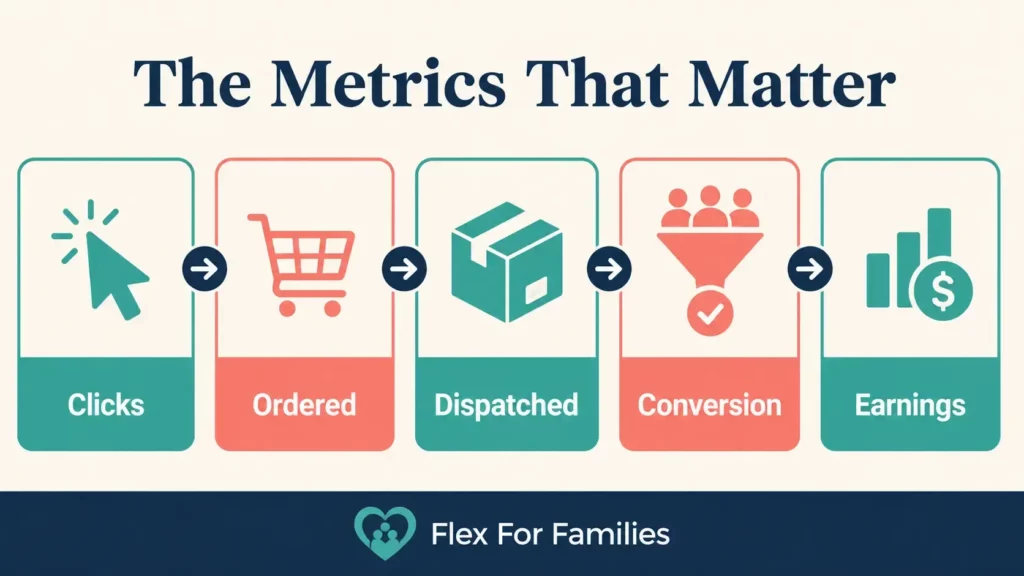
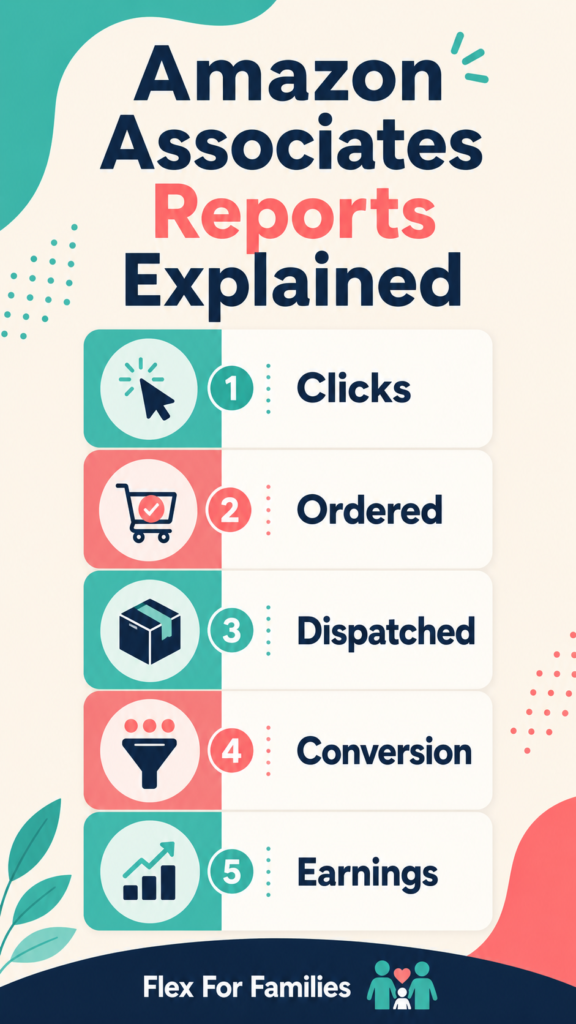
Clicks
Clicks show how many click-throughs arrived at Amazon through your Associates links during the selected period.
They help you answer questions such as:
- Are readers noticing your links?
- Is one Tracking ID sending more traffic than another?
- Did an updated article generate more Amazon visits?
- Does a particular link type attract clicks?
Clicks do not tell you whether the visitor intended to buy. Somebody may follow a link to check a price, read reviews, compare specifications or save the product for later.
Do not try to maximise clicks at any cost. Your aim is to send the right reader to a useful destination.
Ordered Items
Ordered items are products ordered after an Associates referral during the selected reporting period.
The ordered product may not always be the exact item you linked to. A reader can follow a link to one product and purchase another eligible item during the qualifying session.
Ordered items are encouraging, but they are not confirmed commission. An order may still be:
- Cancelled
- Returned
- Refunded
- Awaiting dispatch
- Disqualified under the programme rules
Use ordered items as an early indication of activity rather than treating them as final earnings.
Dispatched Items
Dispatched items are referred products that have shipped to customers.
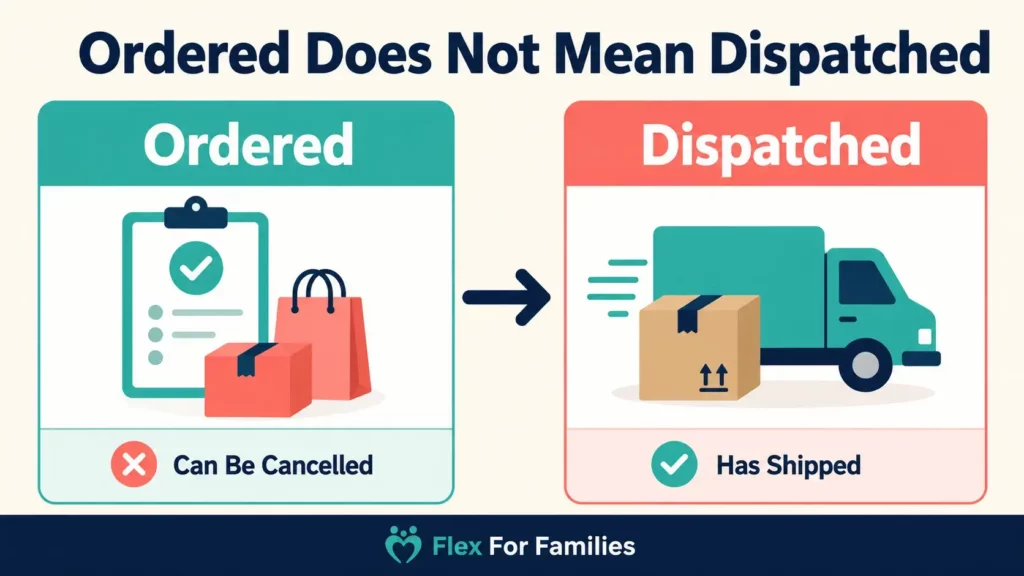
Amazon’s current glossary explains that ordered-item totals can exceed dispatched-item totals because some orders are cancelled before dispatch. Commission is generally credited after a qualifying item is dispatched.
This creates an important timing difference. An order may appear on one day, dispatch later and contribute to earnings in a different reporting period.
Pre-order products can create an even longer gap. Amazon says a pre-order can appear under ordered items before the related commission is credited after the product’s eventual dispatch.
If your ordered-item total looks healthy but earnings appear low, compare ordered and dispatched items before assuming the tracking failed.
Dispatched Revenue and Commission Earnings
Dispatched revenue is the value of referred products that were dispatched. It is not your commission.
Commission earnings are calculated using the applicable rate and qualifying revenue rules. Product categories can pay different rates, and Amazon can change those rates.
This means two periods with similar dispatched revenue can produce different earnings if the category mix changes.
For example, £500 of qualifying dispatched revenue in one category may produce a different commission from £500 in another category. This is an illustration, not an earnings forecast.
Read Amazon Associates Commission Rates 2026: UK Rates Explained for the current category details and calculation examples.
What Does Conversion Mean in Amazon Associates?
Conversion shows the relationship between clicks and a defined purchase or dispatch outcome.
A simple example would be:
- 100 clicks
- Five qualifying outcomes counted by the report
- 5% conversion
The important phrase is counted by the report.
Amazon’s UK glossary defines its general Conversion metric using dispatched items divided by clicks. Its Link-Type Report help describes “Your Conversion” as the percentage of clicks that resulted in orders. Direct-Link Conversion has a more specific definition based on direct links and the featured items ordered.
Do not assume every conversion field uses exactly the same calculation. Read the label and supporting definition for the report you are viewing.
What Is a Good Amazon Associates Conversion Rate?
There is no useful universal number that applies to every blog.
Conversion can vary because of:
- Search intent
- Product price
- Product category
- Availability
- Marketplace
- Season
- Device
- Traffic source
- Link destination
- How well the recommendation fits
- The report and definition being used
A gift guide attracting broad Pinterest traffic should not automatically be compared with a review ranking for a specific product query.
Your own trend is usually more useful than somebody else’s benchmark. Compare similar content, traffic and periods, then investigate meaningful changes.
Ordered Items Versus Dispatched Items
This distinction causes many beginner reporting questions.
| Ordered Items | Dispatched Items |
|---|---|
| Shows products that were ordered | Shows referred products that shipped |
| Can appear soon after an order | Can appear later |
| May include orders later cancelled | Excludes products that never dispatch |
| Does not confirm final commission | More closely connected to credited earnings |
| Useful as an early performance signal | Useful for understanding completed activity |
Do not expect the totals to match for every date range.
An order placed near the end of a month may dispatch during the next month. A pre-order may remain pending for much longer. Returns and refunds can also affect later earnings.
If a report looks inconsistent, expand the date range and check the status before deciding something is wrong.
What Are Amazon Tracking IDs?
A Tracking ID helps you separate referrals from different websites or promotional strategies under one main Associates account.
For example, you could use separate IDs for:
- Your main blog
- A second website
- Pinterest traffic
- YouTube content
- A major campaign
Each Tracking ID remains connected to your main Associates ID. It does not create a separate account or separate payment arrangement.
Amazon currently allows you to view combined results or generate reports for individual Tracking IDs. Transaction downloads can also include the relevant ID.
How to Create an Amazon Tracking ID
Amazon’s current UK instructions direct Associates to the Manage Your Tracking ID area of the account.
The general process is:
- Sign in to Associates Central.
- Open your account settings.
- Select Manage Your Tracking ID.
- Choose the option to add a Tracking ID.
- Enter a clear, available name.
- Create links using that ID for the intended strategy.
- Record what the ID represents.
Amazon currently states that an Associates account can have up to 100 Tracking IDs. Most bloggers need far fewer.
When you create an Amazon affiliate link, check which Tracking ID is selected before copying it. My Guide to Creating Amazon Affiliate Links explains the complete link-building process.
A Simple Tracking ID Structure for Bloggers
Tracking should make decisions easier. It should not become another administrative job.
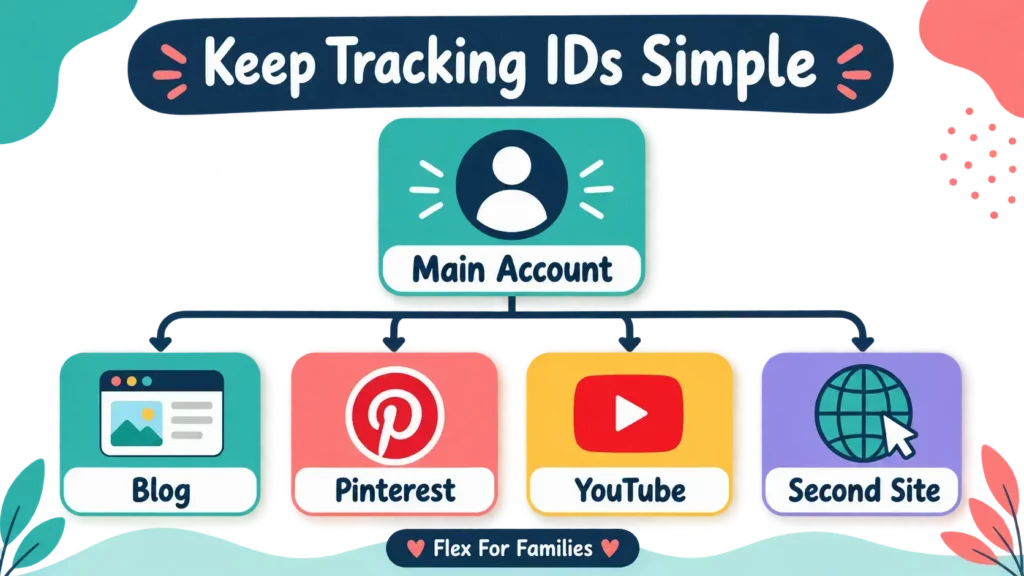
A simple setup might look like this:
| Tracking ID Purpose | When It May Be Useful |
|---|---|
| Main blog | Your default website links |
| Links created for a declared Pinterest presence where permitted | |
| YouTube | Links created for an approved YouTube channel |
| Second website | Separates another declared site |
| Major campaign | Tests a significant, time-limited strategy |
You do not need a different ID for every article when you are starting.
Too many IDs can create three problems:
- You forget what each ID represents.
- Reports become harder to interpret.
- You spend more time managing tracking than improving content.
Use names you will still understand six months later. Keep a short record containing the ID, its purpose and the date you started using it.
Amazon Associates Reports Explained
Amazon provides several reporting views. Each answers a different question.
Today’s Orders
Use this for a recent indication of ordered items.
Amazon currently says most orders appear within three hours and the Ordered Items and Bounties reports update hourly. This view can be useful, but it should not become a reason to refresh your account repeatedly.
Orders Report
Use this to examine:
- Items that were ordered
- Products that received direct-link clicks
- Products clicked but not ordered during the period
- Direct-link performance
- Other clicks from broader Amazon destinations
The report can help you see whether readers are ordering the product you featured or different items after arriving at Amazon.
Earnings Report
Use this to understand credited commission from completed qualifying activity.
Amazon currently says the Earnings Report is current through the previous day. It can therefore lag behind more recent ordered-item activity.
Tracking ID Summary
Use this to compare the performance of your Tracking IDs.
It can include figures such as:
- Clicks
- Items ordered
- Items dispatched
- Dispatched revenue
- Commission earnings
- Total earnings
This is often the most useful report when you want to compare broad websites or traffic strategies.
Link-Type Performance
Use this to compare different types of Amazon links.
Amazon’s guidance says this report can include impressions, click-through rate, clicks, conversion, ordered items, dispatched items and commission earnings.
Impression data is not available for every link type. Do not assume that an unavailable impression figure means the link received no exposure.
Daily Trends
Use this to view changes across individual days.
Daily data can help you identify:
- Seasonal peaks
- The effect of a campaign
- Unusual spikes
- Longer performance trends
One strong or weak day rarely proves that a content change worked. Look for a pattern across enough days.
Consolidated Summary of Earnings
Use this when you have linked store IDs or participate in more than one country programme.
Amazon describes this as a way to see earnings across linked stores and programmes in one place. Detailed activity and payments can still belong to the applicable individual programme.
How Quickly Do Amazon Associates Reports Update?
Amazon’s current UK guidance states:
- Ordered Items and Bounties reports update hourly.
- Most orders appear within three hours.
- The Earnings Report is current through the previous day.
- Today’s Orders provides recent order information.
These update times do not mean every click, order, dispatch and commission will appear together.
A product can be ordered, dispatched and credited across different days. Time zones, pre-orders, returns and the selected date range can also affect what you see.
If a recent order has not produced earnings, give the reporting and dispatch process time before investigating.
How to Download Amazon Associates Reports
Amazon currently supports report downloads in:
- Excel format
- CSV data supplied as a text file
- XML
The available downloads include Tracking ID Summary, Link-Type Performance and Daily Trends data.
Downloading reports can help when you want to:
- Compare complete months
- Keep a simple performance history
- Combine several Tracking IDs
- Create your own chart
- Analyse seasonal content
- Record performance before making an important update
You do not need to download everything.
For a small website, a monthly spreadsheet with six columns may be enough:
| Month | Clicks | Ordered Items | Dispatched Items | Conversion | Earnings |
|---|---|---|---|---|---|
| Example month | 100 | 5 | 4 | Use report value | Record actual total |
The example row demonstrates the structure. It does not represent expected performance.
How to Diagnose Common Performance Patterns
Reports provide clues. They do not automatically prove why something happened.
| Pattern | Possible Explanations | First Check |
|---|---|---|
| Relevant traffic but few Amazon clicks | Weak placement, unclear wording or poor product fit | Review the search intent and recommendation |
| Clicks but no ordered items | Wrong product, marketplace or destination | Test the destination and assess reader fit |
| Ordered items but low earnings | Products awaiting dispatch or lower-rate categories | Compare ordered and dispatched items |
| Earnings later decrease | Returns, refunds or account adjustments | Review the earnings details |
| One Tracking ID performs better | Stronger intent, content or audience fit | Compare equivalent periods and traffic types |
| Orders appear without recent clicks | Different reporting periods or earlier activity | Expand the date range |
| Many product clicks but few orders | Curiosity, price, availability or weak suitability | Review the products and supporting guidance |
Treat each explanation as a hypothesis.
If one post generated ten clicks and no orders, you may not have enough evidence. If a larger and consistent sample shows the same pattern, the recommendation deserves closer attention.
Why Short Date Ranges Can Mislead You
Short periods can separate connected events.
A reader might click near the end of one reporting period, place an eligible order later and receive the product after the next period begins. Looking at each range in isolation can make the figures appear disconnected.
Small samples also exaggerate individual orders.
For example:
- One order from ten clicks can display a strong percentage.
- No orders from the next ten clicks can make performance appear to collapse.
- Across a larger sample, the pattern may look much less dramatic.
Seasonality adds another complication. A gift guide can perform differently in November than in February. Compare equivalent periods where possible.
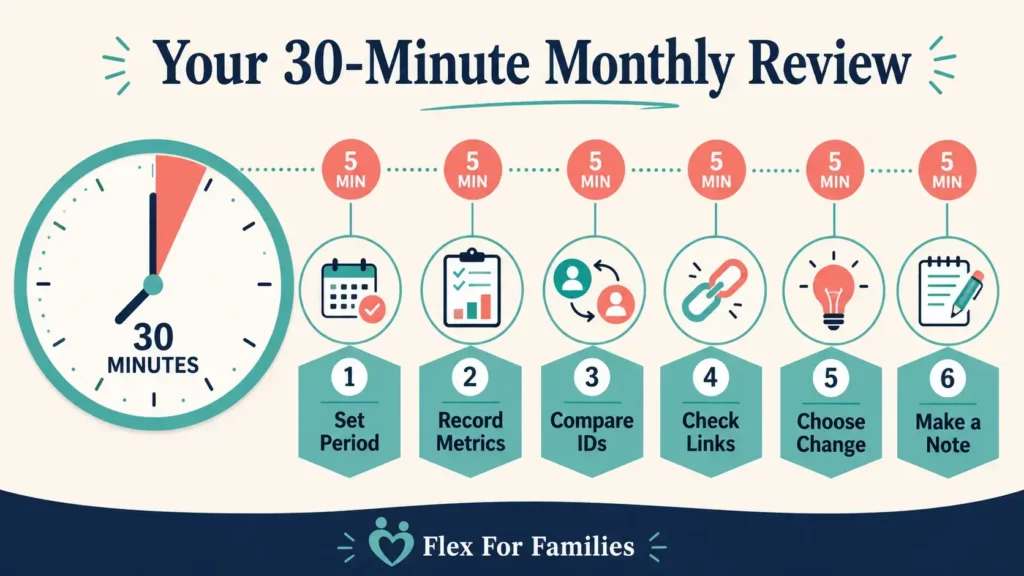
A 30-Minute Monthly Amazon Performance Routine
You do not need to check Associates Central every day.
Minutes 1 to 5: Set the Period
- Select the complete previous month.
- Confirm the Store ID.
- Start with all Tracking IDs combined.
Minutes 6 to 10: Record the Main Metrics
- Clicks
- Ordered items
- Dispatched items
- Conversion
- Commission earnings
Minutes 11 to 15: Compare Tracking IDs
- Identify the strongest relevant ID.
- Look for a meaningful decline or improvement.
- Check whether the traffic sources are comparable.
Minutes 16 to 20: Review Products and Links
- Look for products receiving clicks but few orders.
- Check unavailable or outdated products.
- Note any unexpected products being ordered.
Minutes 21 to 25: Choose One Improvement
Possible actions include:
- Improve one recommendation.
- Replace an unavailable product.
- Clarify link wording.
- Move a useful link closer to the decision point.
- Update an article with strong traffic but weak Amazon clicks.
Minutes 26 to 30: Record the Change
Write down:
- What you changed
- Which page or Tracking ID it affected
- The date
- Which metric you expect it to influence
- When you will review it
This prevents you from making several changes and forgetting what you were testing.
Common Amazon Associates Tracking Mistakes
Checking Earnings Every Day
Daily checks can encourage emotional reactions to normal variation. Use a regular review period that matches your traffic level.
Treating Ordered Items as Confirmed Commission
Orders can be cancelled, returned or refunded. Compare ordered items with dispatched items and final earnings.
Comparing Unequal Periods
Compare complete months with complete months, or equivalent seasonal periods.
Creating Too Many Tracking IDs
Only create an ID when it will support a real decision.
Forgetting Where an ID Was Used
Maintain a simple record of each Tracking ID and its purpose.
Changing Several Things at Once
If you replace the product, rewrite the introduction, move every link and change the title together, you will not know which change mattered.
Assuming Every Order Was the Linked Product
Readers can buy other eligible products after following a link. Review the Orders Report before drawing conclusions about a featured item.
Ignoring Marketplace Differences
UK and international activity may belong to different programmes or reports. Confirm which account and marketplace you are viewing.
Testing Tracking With Your Own Purchase
Do not buy through your own Amazon affiliate links. Test the destination and tag, then use legitimate reader activity in your reports.
What Should You Improve After Reviewing the Data?
Choose the action that matches the evidence.
- If a useful article receives traffic but few Amazon clicks, review product relevance and link placement.
- If it generates clicks but few ordered items, check the destination, price range, availability and buying guidance.
- If orders do not become earnings, compare dispatch status, categories and adjustments.
- If one content group performs well, examine what makes its audience or intent different.
My guide to Making More Money with Amazon Associates explains the complete optimisation process.
The aim is not to force more clicks. It is to improve the journey for readers who genuinely need the product or information.
Final Thoughts
Amazon Associates reporting becomes more useful when you stop treating earnings as the only score.
Clicks show whether readers reach Amazon. Ordered items show early purchase activity. Dispatched items and earnings give you a clearer view of completed qualifying activity. Tracking IDs help you understand where referrals came from.
Review those figures together, use a sensible date range and avoid drawing conclusions from a handful of clicks.
For a busy parent blogger, one focused monthly review is enough to build the habit. Identify one useful pattern, improve one page and record what you changed.
That gives you a practical system without turning affiliate reporting into another daily task.
Ready to Improve Your Amazon Associates Content?
Read [How to Make More Money With Amazon Associates: Practical Tips]([ADD PUBLISHED URL]) for the next steps after identifying a performance problem.
You can also download my free Parent Blogging Starter Kit for planning worksheets and a realistic roadmap you can use around work and family life.
Download the free Parent Blogging Starter Kit
Frequently Asked Questions
How Often Do Amazon Associates Reports Update?
Amazon UK currently says Ordered Items and Bounties reports update hourly, with most orders appearing within three hours. The Earnings Report is current through the previous day. Dispatch and commission can appear later than the original order.
What Is the Difference Between Ordered and Dispatched Items?
Ordered items show products ordered after referrals. Dispatched items show referred products that have shipped. Orders can be cancelled before dispatch, so the totals may not match.
What Does Conversion Mean in Amazon Associates?
Conversion relates clicks to a defined order or dispatch outcome. Check the definition attached to the report because Amazon’s general glossary, Link-Type Report and Direct-Link Conversion use more specific wording.
Can I Track an Individual Amazon Affiliate Link?
Tracking IDs can separate websites or strategies. You could create a dedicated ID for an important campaign or link group, but a unique ID for every link may become difficult to manage.
How Many Amazon Tracking IDs Can I Create?
Amazon UK currently states that an Associates account can have up to 100 Tracking IDs. Most bloggers only need a small, clearly documented set.
Why Do I Have Amazon Orders but No Clicks?
Clicks and orders may fall into different selected reporting periods. Earlier activity, basket timing and report definitions can also affect what appears. Expand the date range and check the Orders Report.
Why Did My Amazon Associates Earnings Decrease?
Returns, refunds, cancellations and account adjustments can reduce earnings. Compare ordered items, dispatched items and earnings details before deciding that tracking has failed.
Can I Download Amazon Associates Reports?
Yes. Amazon UK currently offers Excel, CSV data supplied as a text file and XML downloads. Available report types include Tracking ID Summary, Link-Type Performance and Daily Trends.
What Is a Good Amazon Associates Conversion Rate?
There is no reliable universal rate. Product type, reader intent, traffic source, season, marketplace and the report definition all affect conversion. Compare your own similar content over equivalent periods.
How Often Should I Check Amazon Associates Performance?
A monthly review is enough for many small bloggers. A high-traffic site or active campaign may justify more frequent checks, but avoid reacting to normal daily fluctuations.
Let’s Chat
Which Amazon Associates figure causes you the most confusion: clicks, ordered items, dispatched items, conversion or Tracking IDs?
Share your question in the comments and I will help you work out what it means.