
If you’re a parent blogger, you’ve probably had this thought at some point:
“I know I should be creating more content, but I simply don’t have the time.”
Between family responsibilities, work, school runs, and everything else life throws at you, finding time to constantly write brand-new blog posts can feel impossible.
The good news is that you don’t always need more content.
Sometimes you simply need to get more value from the content you’ve already created.
That’s where repurposing comes in.
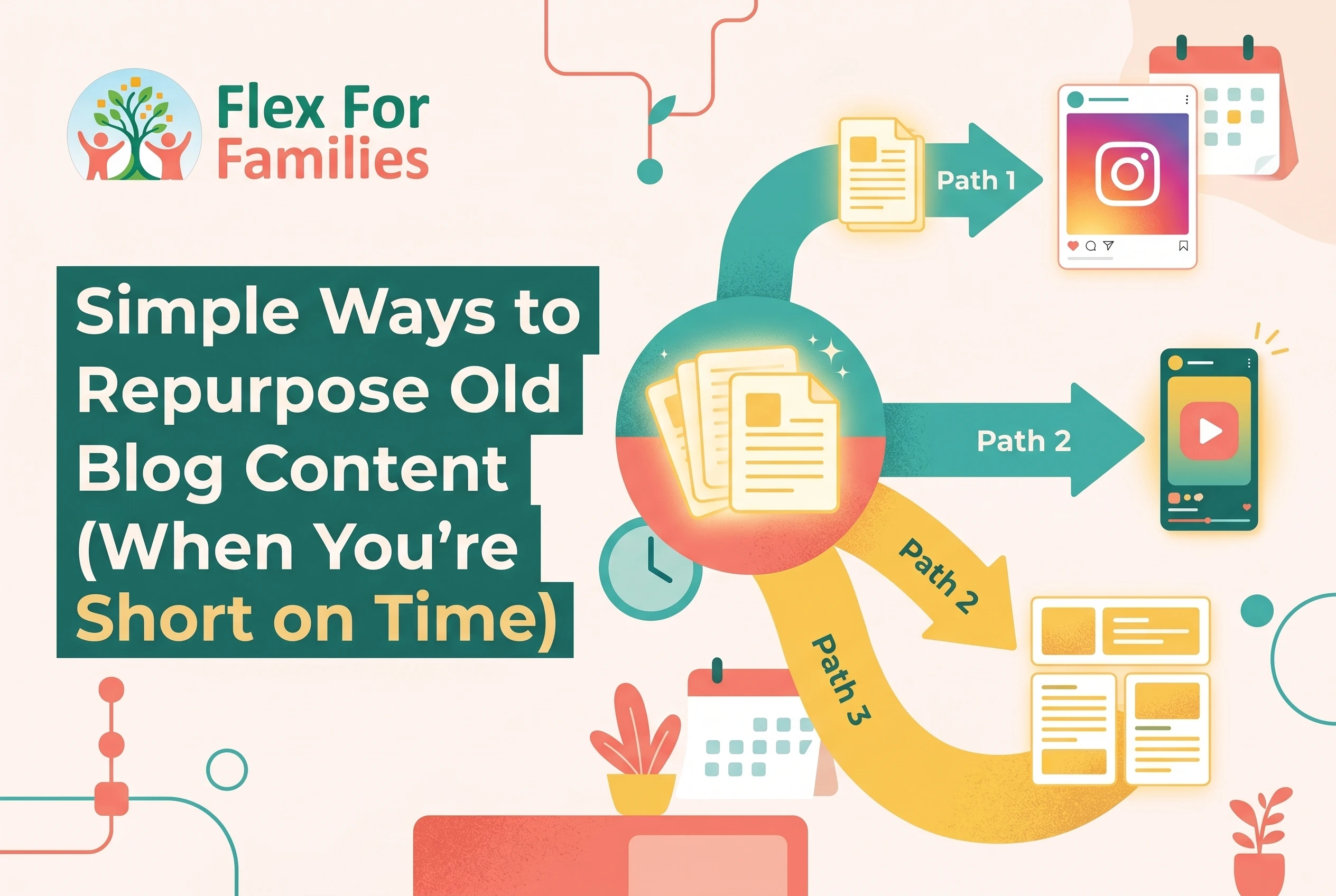
Repurposing blog content means taking existing articles, ideas, and resources and presenting them in new ways. It helps you stay visible, reach new readers, improve your SEO, and keep your blog growing without constantly starting from a blank page.
The best part?
You’ve already done the hardest work.
The research is done.
The writing is done.
Now it’s about making those ideas work harder for you.
In this guide, I’ll show you simple, practical ways to repurpose old blog content that fit around busy family life and help you get more traffic, more reach, and more value from every article you publish.
Quick Answer
Repurposing blog content means reusing existing articles in new ways instead of constantly creating content from scratch. You can update old posts, create Pinterest pins, turn articles into email content, refresh internal links, combine related posts into guides, and share key ideas on social media. For busy parent bloggers, repurposing is one of the most effective ways to save time while continuing to grow traffic and visibility.
The goal isn’t to create more work.
The goal is to make your existing content work harder for you.
Why Repurposing Content Is One of the Best Time-Saving Blogging Skills
Most parent bloggers make the same mistake.
They spend all their time creating new content and almost no time improving or reusing the content they already have.
The result?
They work harder than they need to.
When time is limited, creating a brand-new blog post can take several hours.
You need to:
- research the topic
- plan the structure
- write the content
- create images
- optimise for SEO
- publish and promote it
That’s a lot of work when you’re fitting blogging around family life.
Repurposing allows you to get more value from effort you’ve already invested.
Most Blog Posts Have More Potential Than You Think
Many bloggers publish a post and then never look at it again.
But one blog post can often become:
- multiple Pinterest pins
- several social media posts
- an email newsletter
- a content update
- a section in a larger guide
- a source of internal links
Instead of creating something new every time, you’re building on a foundation that already exists.
It Helps You Stay Consistent
One of the biggest challenges for parent bloggers is consistency.
- Life happens.
- Children get sick.
- Schedules change.
- Unexpected responsibilities appear.
During those busy seasons, repurposing can help you keep your blog active without needing hours of writing time.
Updating an older article or creating a few Pinterest pins from an existing post is often much more manageable than writing 2,000 words from scratch.
It Helps New Readers Discover Old Content
Just because a post is old doesn’t mean it has stopped being useful.
In fact, many of your best articles may be hidden in your archive where newer readers never see them.
Repurposing gives those posts another opportunity to:
- attract traffic
- help readers
- generate affiliate clicks
- build authority
You’re not repeating yourself.
You’re helping more people discover content they’ve never seen before.
It Supports Long-Term Traffic Growth
Repurposing is not just about saving time.
It can also improve your traffic.
When you:
- update old content
- improve internal links
- refresh SEO
- create new promotional assets
you increase the chances of that content being found again.
Sometimes a small update can produce better results than publishing an entirely new article.
It Fits Perfectly Around Family Life
This is one reason I recommend repurposing so often to parent bloggers.
It works well in short bursts of time.
If you only have 15 or 20 minutes available, you can:
- update a headline
- add internal links
- create a Pinterest pin
- refresh a featured image
- improve a meta description
Small tasks like these add up quickly.
Think Like a Library, Not a Production Line
Many bloggers treat content creation like a production line.
- Publish.
- Move on.
- Publish.
- Move on.
A better approach is to think of your blog as a growing library.
Every article becomes an asset that can be improved, expanded, promoted, and reused over time.
The larger your library becomes, the more opportunities you have to create growth without constantly starting from zero.
Parent Tip
Before writing your next blog post, ask yourself:
“Could I get more value from something I’ve already published?”
You might discover that your next traffic boost is hiding in your existing content rather than your next article.
Start With Content That Is Already Working
One of the biggest mistakes bloggers make when repurposing content is choosing the wrong posts.
They spend time updating articles that never gained traction while ignoring the posts that are already showing signs of success.
If your time is limited, start where the opportunity is biggest.
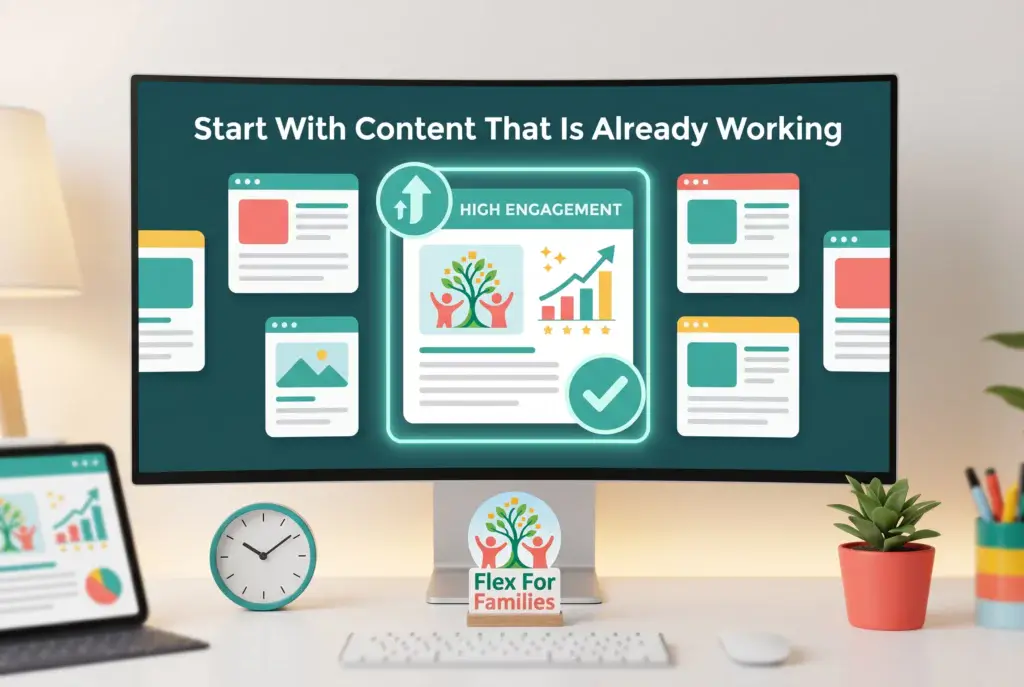
Start with content that is already working.
Look for Posts That Are Getting Traffic
The most obvious place to begin is with your top-performing articles.
Open your analytics and look for posts that consistently attract visitors.
These posts have already proven that readers are interested in the topic.
Ask yourself:
- Could this post be updated?
- Could I create Pinterest pins for it?
- Could I turn it into an email series?
- Could I expand it into a more detailed guide?
The more visibility a post already has, the more potential it often has.
Don’t Ignore Posts Getting Impressions
This is one of my favourite opportunities.
Open Google Search Console and look for posts that are getting impressions but very few clicks.
These posts are already appearing in search results.
Google is essentially telling you:
“We like this content, but it could perform better.”
Sometimes a simple update can make a huge difference.
Try:
- improving the title
- updating the meta description
- refreshing the introduction
- adding new sections
- improving internal links
Small changes can often lead to significant traffic gains.
Review Your Affiliate Content
If you use affiliate marketing, pay close attention to posts that generate clicks or commissions.
These articles are valuable because they are already contributing to your blogging goals.
Look for opportunities to:
- update recommendations
- add new examples
- improve CTAs
- refresh screenshots
- create supporting content
A post that is already converting is often a better investment than starting something completely new.
Look for Evergreen Topics
Some content stays useful for years.
Examples include:
- blogging tips
- affiliate marketing guides
- SEO tutorials
- productivity advice
- parenting resources
These evergreen posts are perfect candidates for repurposing because the information remains relevant long after publication.
A quick update can often make an older article feel brand new.
Check Which Posts Readers Engage With
Traffic matters.
But engagement matters too.
Look for posts that generate:
- comments
- social shares
- email replies
- longer time on page
These are strong signals that readers find the content valuable.
Repurposing highly engaging content often leads to better results because you already know the topic resonates with your audience.
Start Small
You don’t need to audit your entire blog.
Choose three to five posts that show the most promise.
Then focus on improving those first.
A handful of strategic updates will usually deliver better results than trying to refresh fifty articles at once.
Parent Tip
If you’re not sure where to start, open Google Search Console and sort your pages by impressions.
Posts with high impressions but low clicks are often the quickest wins because Google is already giving them visibility. They just need a little help to attract more readers.
7 Simple Ways to Repurpose Old Blog Content

Repurposing does not need to be complicated.
In fact, the best strategies are often the simplest.
The goal is not to create more work. It is to get more value from content you’ve already spent time creating.
Here are seven easy ways to make your existing blog posts work harder for you.
1. Update and Republish Old Posts
This is often the quickest win.
Look for posts that:
- contain outdated information
- have old screenshots
- need better internal links
- could answer the topic more thoroughly
A simple refresh can improve user experience and help search engines see the content as current and relevant.
Even updating the introduction, title, and a few sections can make a noticeable difference.
2. Turn Blog Posts Into Pinterest Pins
One article can easily become multiple Pinterest pins.
For example, a post called:
How to Start a Parent Blog”
could become:
- a step-by-step pin
- a checklist pin
- a quote graphic
- a mistake-avoidance pin
- a quick tips pin
Each design gives your content another opportunity to be discovered by a new audience.
3. Create Social Media Posts
Most blog posts contain dozens of potential social media updates.
Look for:
- useful tips
- statistics
- quotes
- lessons learned
- common mistakes
One blog article can often provide weeks of social content.
Instead of staring at a blank screen wondering what to post, you’re simply pulling ideas from content you’ve already written.
4. Turn Posts Into Email Content
Your email subscribers do not need to receive completely new content every week.
Take the key lesson from an older article and:
- share a personal story
- highlight one important tip
- answer a common question
Then link readers to the full blog post if they want more detail.
This saves time while still providing value.
5. Combine Several Posts Into One Ultimate Guide
As your content library grows, you’ll often notice groups of related posts.
For example:
- SEO tips
- blog promotion strategies
- content planning advice
These can often be combined into a larger pillar article or resource guide.
Not only does this save time, but it can also strengthen your site’s authority on a topic.
6. Create a FAQ Post
Over time, readers ask similar questions again and again.
Use those questions to create:
- FAQ sections
- dedicated FAQ articles
- troubleshooting guides
You already have the answers scattered throughout your content.
Now you’re simply organising them into a format that’s easier for readers to consume.
7. Refresh Internal Links
This is one of the most overlooked repurposing strategies.
Every time you publish a new article, look for opportunities to link it from older posts.
Benefits include:
- helping readers discover more content
- improving SEO
- increasing time on site
- strengthening topic clusters
A quick internal linking session can often take less than 15 minutes but deliver long-term benefits.
You Don’t Need to Use All Seven
The goal isn’t to implement every strategy immediately.
Choose one or two methods that fit your schedule and workflow.
For many parent bloggers, the easiest starting point is:
- Updating older posts.
- Creating Pinterest pins.
- Adding internal links.
These activities require very little time and often provide the fastest return on effort.
Parent Tip
Every blog post you publish should be viewed as an asset, not a one-time piece of content.
The more ways you can reuse, refresh, and promote that asset, the more value you’ll get from the time you originally invested creating it.
What Repurposing Content Looks Like in the First 6 Months
One reason many bloggers ignore repurposing is because they assume it’s something they’ll worry about “later.”
And to some extent, that’s true.
When you’re first starting a blog, your priority should be creating content.
But that doesn’t mean repurposing has to wait forever.
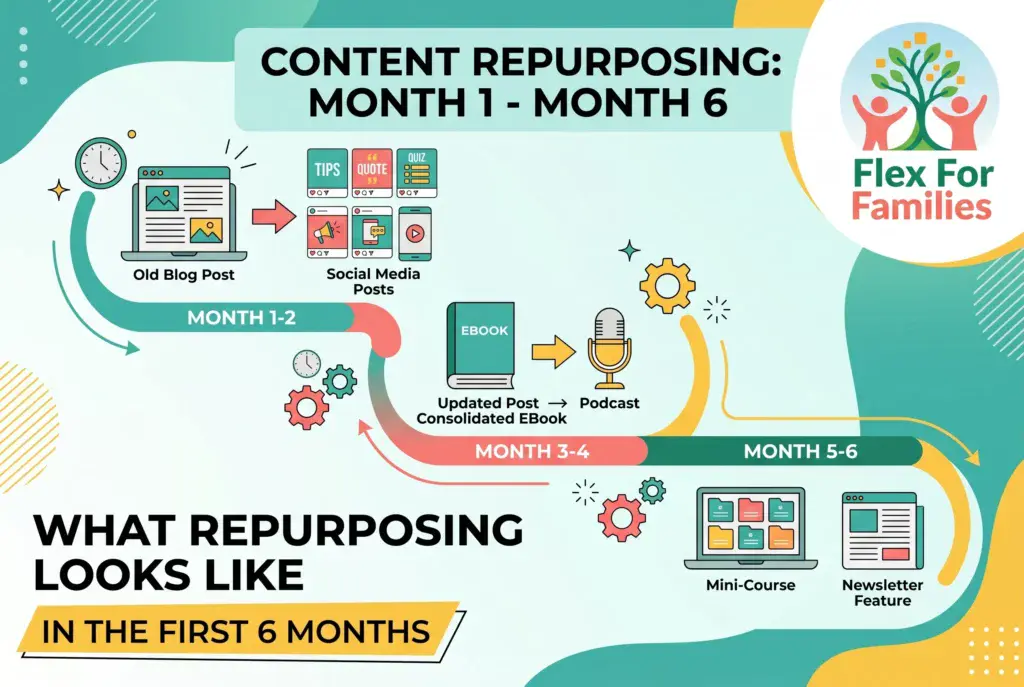
Here’s what a realistic repurposing journey often looks like for parent bloggers during the first six months.
Months 1-2: Focus on Creating
In the beginning, your job is simple.
- Create content.
- Publish articles.
- Learn the basics.
At this stage, most bloggers don’t have enough content to repurpose yet.
Your focus should be on:
- choosing topics
- writing posts
- learning SEO
- building consistency
Repurposing is not the priority.
Building your content library is.
Months 3-4: Start Spotting Opportunities
By now, you may have:
- 10 to 15 blog posts
- some Search Console data
- a few Pinterest pins
- articles that are beginning to gain impressions
This is when repurposing starts becoming useful.
You might:
- create additional Pinterest pins for existing posts
- share older content on social media
- improve internal links between articles
- refresh older featured images
Nothing complicated.
Just small improvements that increase the value of content you’ve already published.
Months 4-5: Refresh Your Early Posts
One thing many bloggers notice is how much they’ve improved since publishing their first articles.
Your writing is better.
Your SEO knowledge is stronger.
Your understanding of your audience has improved.
This makes months four and five a great time to revisit your earliest content.
You might:
- improve introductions
- add new sections
- update headings
- improve calls-to-action
- add internal links
These updates often produce surprisingly good results.
Month 6: Create a Simple Repurposing System
By six months, many parent bloggers have enough content to begin repurposing intentionally.
This doesn’t need to be complicated.
A simple monthly routine might include:
- updating one older article
- creating two new Pinterest pins
- adding internal links to recent content
- sharing an older post with your email list
That’s enough to keep older content working without taking time away from creating new articles.
What Success Looks Like After Six Months
Repurposing success usually doesn’t look like dramatic traffic spikes.
More often, it looks like:
- older posts attracting more visitors
- stronger internal linking
- better SEO performance
- more Pinterest exposure
- a growing content library that works harder for you
These small improvements compound over time.
The Goal Is Not Perfection
Many bloggers feel they need to update everything.
They don’t.
The goal is simply to make your best content better.
A handful of strategic updates will almost always outperform trying to refresh your entire archive at once.
Parent Tip
If you’ve been blogging for six months, choose just one older post this week and improve it.
Add a few internal links, update the introduction, and refresh the featured image.
You’ll learn more from one update than from spending hours planning the perfect repurposing strategy.
Common Content Repurposing Mistakes
Repurposing content can save a huge amount of time.
But like any blogging strategy, it’s possible to do it badly.
The good news is that most repurposing mistakes are easy to avoid once you know what to watch for.
Trying to Update Everything at Once
This is probably the most common mistake.
A blogger decides to refresh old content and immediately creates a list of 50 articles that need updating.
A week later, they’re overwhelmed.
Instead, focus on a handful of high-potential posts.
Start with:
- your top traffic articles
- posts getting impressions in Search Console
- important affiliate content
- evergreen resources
A few strategic updates are far more effective than trying to overhaul your entire archive.
Republishing Without Improving Anything
Simply changing the publication date rarely helps readers or search engines.
If you’re going to update a post, make it genuinely better.
Consider:
- adding new information
- improving examples
- updating screenshots
- refreshing statistics
- strengthening the introduction
The goal is to increase the value of the content, not just make it look newer.
Changing Posts That Are Already Performing Well
Sometimes bloggers make major changes to articles that are already ranking well.
This can be risky.
If a post is attracting traffic and performing strongly, be careful about:
- changing the core topic
- rewriting large sections unnecessarily
- removing content that ranks
- changing the search intent
Improve successful posts carefully rather than rebuilding them from scratch.
Forgetting Internal Links
Many bloggers update content but miss one of the easiest SEO wins available.
Internal linking.
Every refreshed article should be checked for opportunities to:
- link to newer content
- strengthen topic clusters
- guide readers to related resources
- improve site navigation
This often takes only a few minutes but can have long-term benefits.
Ignoring Search Console Data
Your instincts are useful.
Your data is better.
Before updating a post, look at:
- impressions
- clicks
- click-through rate
- search queries
Search Console often reveals opportunities you might never have noticed otherwise.
For example, you may discover a post is already appearing for keywords you never intentionally targeted.
Spending More Time Repurposing Than Creating
Repurposing is powerful.
But it should not completely replace creating new content.
New content helps you:
- expand your expertise
- target new keywords
- attract new readers
- grow your content library
A healthy blogging strategy usually includes both.
Create new content.
Improve existing content.
Let the two work together.
Treating Every Post the Same
Not every article deserves the same level of attention.
Some posts will naturally have more potential than others.
Focus your repurposing efforts on content that:
- solves important problems
- attracts traffic
- supports affiliate goals
- fits your long-term content strategy
This helps you get the greatest return on your time.
Forgetting the Reader
It is easy to become obsessed with traffic and SEO.
But repurposing should always improve the experience for readers.
Ask yourself:
“Will this update make the content more useful, clearer, or easier to understand?”
If the answer is yes, you’re moving in the right direction.
Parent Tip
Before updating any article, ask:
“Why am I repurposing this?”
If the answer is to help more readers, improve the content, or support your blogging goals, it’s probably worth doing.
If you’re only changing things for the sake of changing them, your time is usually better spent elsewhere.
Why Repurposing Helps Your SEO
Most bloggers think of repurposing as a time-saving strategy.
And it is.
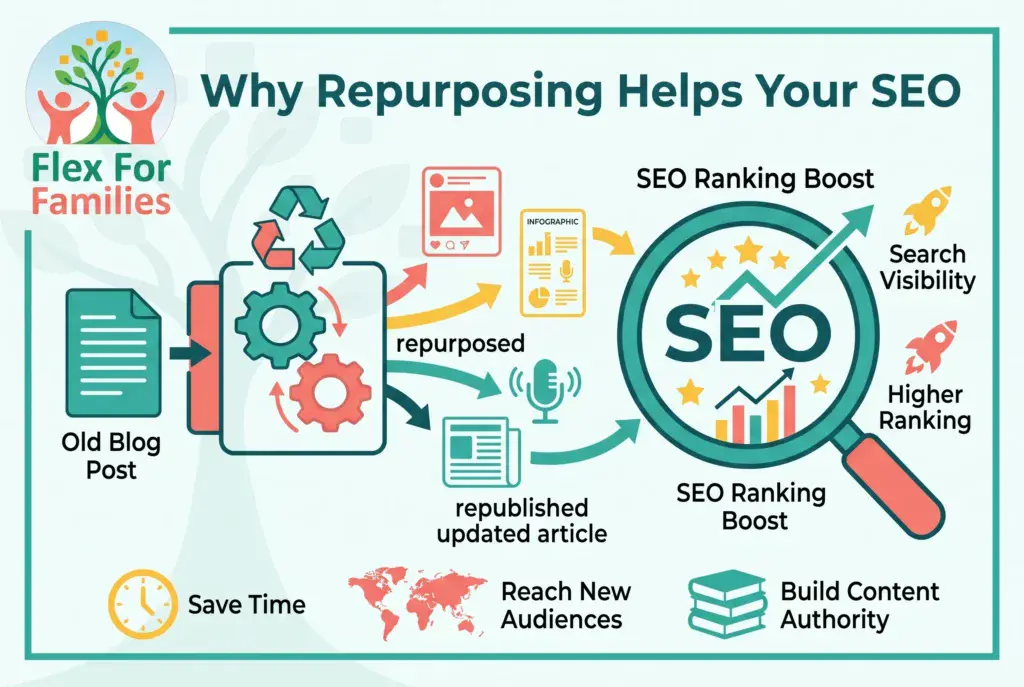
But it can also be one of the simplest ways to improve your SEO.
Search engines want to show users helpful, accurate, and up-to-date content. When you regularly improve and refresh your existing articles, you’re sending positive signals that your website is active and maintained.
Here are some of the ways repurposing can support your search rankings.
Fresh Content Signals
Google doesn’t automatically rank newer content above older content.
However, it does value content that remains accurate and useful.
When you update an article by:
- adding new information
- improving examples
- updating screenshots
- refreshing recommendations
you’re helping ensure the content remains relevant.
Sometimes a simple refresh can help older articles regain visibility.
Better Internal Linking
Every time you revisit an older post, you create an opportunity to strengthen your internal links.
For example, if you’ve recently published:
- a new review
- an SEO guide
- a blogging tutorial
you can add links from older articles to help readers discover them.
Strong internal linking helps:
- search engines understand your content
- readers navigate your website
- important pages gain authority
It’s one of the easiest SEO improvements most bloggers overlook.
Improved User Experience
SEO isn’t just about keywords.
It’s also about helping visitors find what they need.
When you repurpose content, you often improve:
- readability
- organisation
- navigation
- relevance
A better experience can lead to:
- longer time on site
- more page views
- lower bounce rates
All of which support the overall quality of your website.
New Keyword Opportunities
One of the biggest benefits of updating older content is discovering keywords you weren’t originally targeting.
A post might already be appearing in Search Console for search terms you never expected.
When you review the data, you may find opportunities to:
- answer additional questions
- expand sections
- improve headings
- better match search intent
This can help a single article rank for a wider range of relevant searches.
Stronger Topic Authority
Search engines prefer websites that demonstrate expertise around specific topics.
Repurposing helps strengthen that expertise.
For example, if you have several articles about:
- blogging
- affiliate marketing
- SEO
- traffic generation
updating and linking them together creates a stronger content cluster.
Over time, this can improve your authority on those subjects.
You Get More Value From Existing Rankings
Sometimes the easiest SEO win is improving content that is already ranking.
If an article sits on page two of Google or receives lots of impressions but few clicks, a few targeted updates may help it perform better.
This is often faster than trying to rank an entirely new article from scratch.
SEO Is Often About Improvement, Not Perfection
Many bloggers believe every SEO improvement requires creating new content.
Often it doesn’t.
Sometimes the biggest gains come from improving what already exists.
A refreshed title.
A stronger introduction.
Better internal links.
Updated information.
These small changes can have a surprisingly large impact over time.
Parent Tip
Before writing a brand-new blog post, check whether you already have an article that could be improved.
Sometimes the fastest way to grow your traffic is by making your existing content more useful rather than creating something completely new.
How Wealthy Affiliate Helps Parents Create More Content in Less Time
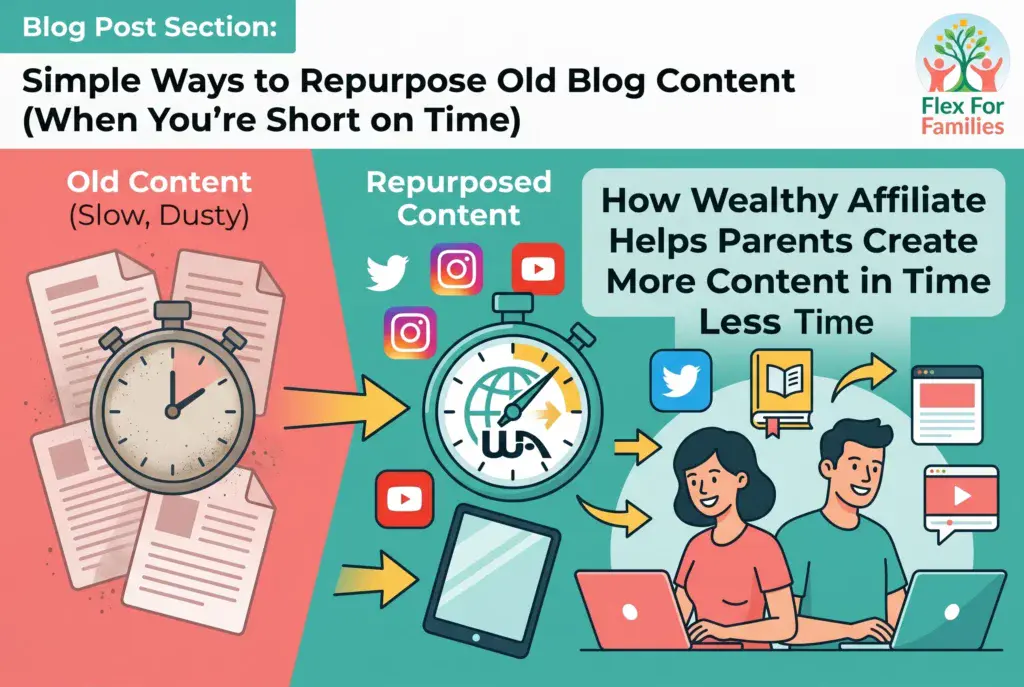
One of the biggest challenges parent bloggers face is not a lack of ideas.
It’s a lack of time.
Between work, family commitments, school runs, activities, and everything else life throws at you, finding enough time to consistently create content can feel difficult.
That’s one reason many parents look for ways to simplify the blogging process.
This is where Wealthy Affiliate can help.
It Helps You Find Content Ideas Faster
Many bloggers waste hours trying to decide what to write about next.
The keyword research tools inside Wealthy Affiliate help you discover:
- questions people are already asking
- topics readers are searching for
- keyword opportunities within your niche
Instead of guessing, you can focus on creating content that has a genuine chance of attracting readers.
It Makes Content Planning Easier
One of the best ways to save time is to have a clear plan.
Wealthy Affiliate helps bloggers organise their content around:
- topics
- keyword opportunities
- audience needs
- long-term growth
This means less time staring at a blank screen and more time actually writing.
It Encourages Content That Builds on Itself
The training focuses heavily on creating content that works together.
Instead of publishing random articles, you learn how to build topic clusters that naturally support one another.
This makes repurposing easier because your content becomes connected.
One article can support another.
One guide can become several supporting posts.
And older content becomes much easier to refresh and improve over time.
Everything Is in One Place
Many new bloggers end up juggling multiple tools for:
- keyword research
- training
- website hosting
- content creation
- support
Wealthy Affiliate combines many of these essentials into a single platform.
That means less time switching between tools and more time focusing on what matters most: creating useful content.
You Can Learn at Your Own Pace
One thing I appreciate is that there is no pressure to keep up with anyone else.
You can work through the training when your schedule allows.
Whether you have:
- 15 minutes during nap time
- 30 minutes after bedtime
- an hour on the weekend
you can keep making progress without feeling overwhelmed.
Content Creation Becomes Less Stressful
The biggest benefit for many parents is confidence.
When you know:
- what to write
- how to structure content
- how to find keywords
- how to improve older posts
the entire blogging process becomes much simpler.
Instead of constantly wondering what to do next, you have a clear path forward.
Parent Tip
You don’t need to create more content than everyone else.
You simply need to create helpful content consistently.
The right tools and training can help you spend less time figuring things out and more time publishing content that helps your readers.
Want to Create Content More Consistently?
Wealthy Affiliate gives you keyword research tools, content training, website hosting, and a supportive community in one place, helping busy parents spend less time figuring things out and more time publishing helpful content.
If you’re looking for a simpler way to grow your blog around family life, see how Wealthy Affiliate works in my full review.
Read My Wealthy Affiliate ReviewFAQ: Simple Ways to Repurpose Old Blog Content
What does it mean to repurpose blog content?
Repurposing content means taking an existing blog post and using it in new ways. This could include updating the article, creating Pinterest pins, turning it into email content, sharing it on social media, or combining it with other posts into a larger guide.
How often should I update old blog posts?
A good rule of thumb is to review your most important posts every three to six months. Focus first on articles that already receive traffic, impressions, affiliate clicks, or reader engagement.
Does repurposing content help SEO?
Yes. Updating and improving older content can help strengthen internal links, improve user experience, refresh outdated information, and uncover new keyword opportunities. All of these can support long-term SEO growth.
Which blog posts should I repurpose first?
Start with posts that are already showing signs of success. Look for articles that:
- receive regular traffic
- get impressions in Google Search Console
- generate affiliate clicks
- answer evergreen questions
These posts usually offer the biggest return on your time.
Can I repurpose blog content on social media?
Absolutely. A single blog post can become multiple social media updates, quote graphics, Pinterest pins, short videos, discussion posts, or carousel graphics. This is one of the easiest ways to extend the reach of your content.
Is it better to create new content or update old content?
Both are important. New content helps you target new topics and attract new readers. Updating old content helps improve what you have already built. Most successful blogs do a combination of both.
How much time should I spend repurposing content?
You do not need hours. Even 15 to 30 minutes can be enough to:
- add internal links
- update a title
- improve a meta description
- create a Pinterest pin
- refresh a featured image
Small improvements made consistently often lead to significant long-term results.
Can repurposing help if I have very little time to blog?
Yes. Repurposing is one of the best strategies for busy parent bloggers because it allows you to keep your blog active and visible without constantly creating content from scratch.
Final Word: Your Best Content Probably Isn’t Finished Yet
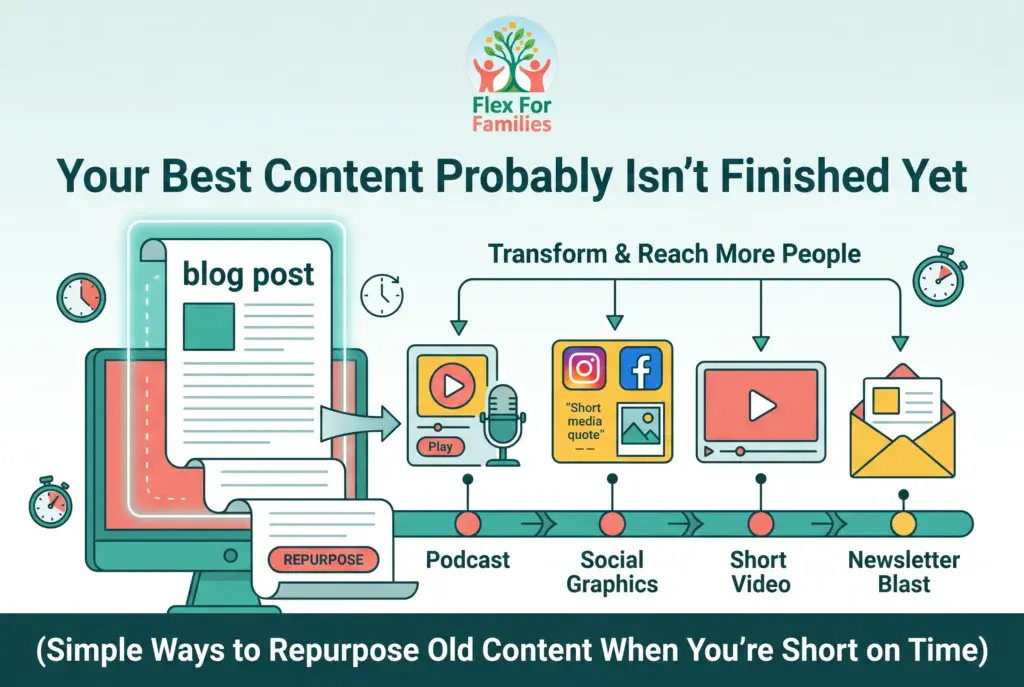
Many parent bloggers assume growth only comes from publishing more content.
But some of the biggest opportunities are often hiding in the articles you’ve already written.
That post you published six months ago?
It could become:
- a better search result
- a Pinterest traffic source
- an email newsletter
- a pillar guide
- a stronger affiliate article
without needing to be rewritten from scratch.
Repurposing is not about doing less work.
It is about getting more value from work you’ve already done.
When time is limited, that matters.
Every update, refreshed image, internal link, and Pinterest pin helps your content reach new readers and continue working long after you hit publish.
Remember, blogging is not just about creating content.
It is about building assets.
And the more value you extract from those assets, the faster your blog can grow without demanding more hours from your already busy schedule.
Small improvements made consistently often outperform big plans that never happen.
Start with one post.
Make it better.
Then repeat the process.
Let’s Chat
What’s the oldest blog post on your site that could use a refresh?
Maybe it is:
- a post that still gets traffic
- an article with outdated information
- a review that needs updating
- a post that deserves more attention
I’d love to hear which article you’re thinking about repurposing next.
And if you’ve already had success updating old content, share what happened.
Did you see more traffic?
More engagement?
Better rankings?
Your experience might give another parent blogger the confidence to revisit content they’ve forgotten about.
Drop a comment below and let’s talk content repurposing.