When you’re fitting a blog around family life, it helps to know what to check before you press publish. This SEO checklist gives you a repeatable starting point, whether you write about parenting, budgeting, crafts or another subject you know well.
Use the checklist first, then read the explanations for anything you’re unsure about. You can work through it over several short sessions.
Quick Answer: What Should A Blog Post SEO Checklist Include?
A useful blog post SEO checklist covers the reader’s question, a clear answer, descriptive titles and headings, relevant links, appropriate image text and a mobile preview. After publishing, check the live page, help readers discover it and review relevant search data when enough evidence is available.
You do not need to force one phrase into every section or complete every task in one sitting. Use the checks to catch omissions and improve the article your reader will actually see.
Your Blog Post SEO Checklist
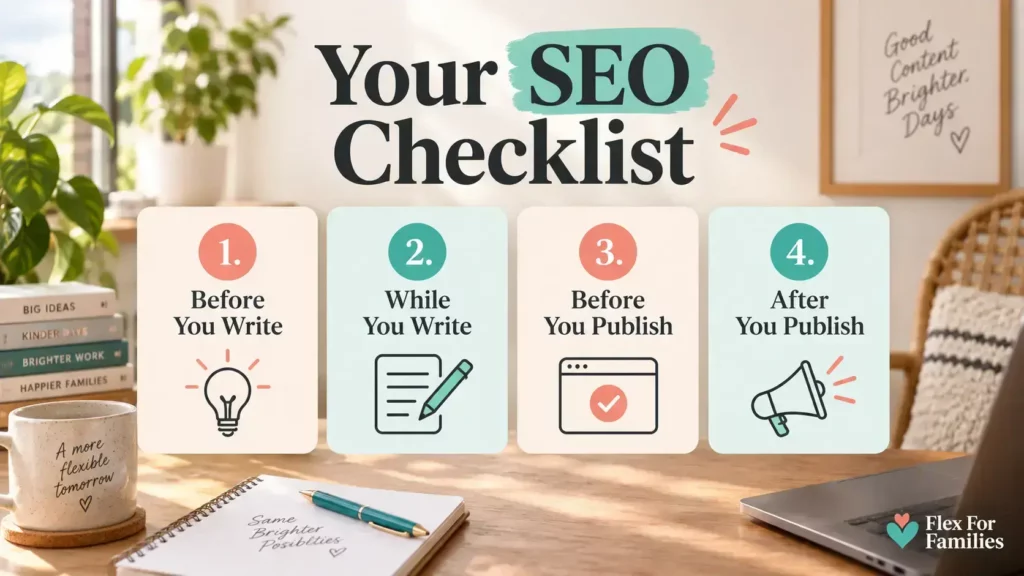
Before You Write
- ☐ Choose one clear reader question or topic.
- ☐ Explore the phrases your audience might search for.
- ☐ Look at search results to understand the kind of answer readers expect.
- ☐ Check whether you already have a post that answers the same question.
- ☐ Outline the information and examples your reader needs.
While You Write
- ☐ Give the main answer early.
- ☐ Write a descriptive title and clear section headings.
- ☐ Use relevant words naturally, without forcing exact phrases.
- ☐ Add useful examples, first-hand observations or supporting sources.
- ☐ Remove repetition and check changing facts.
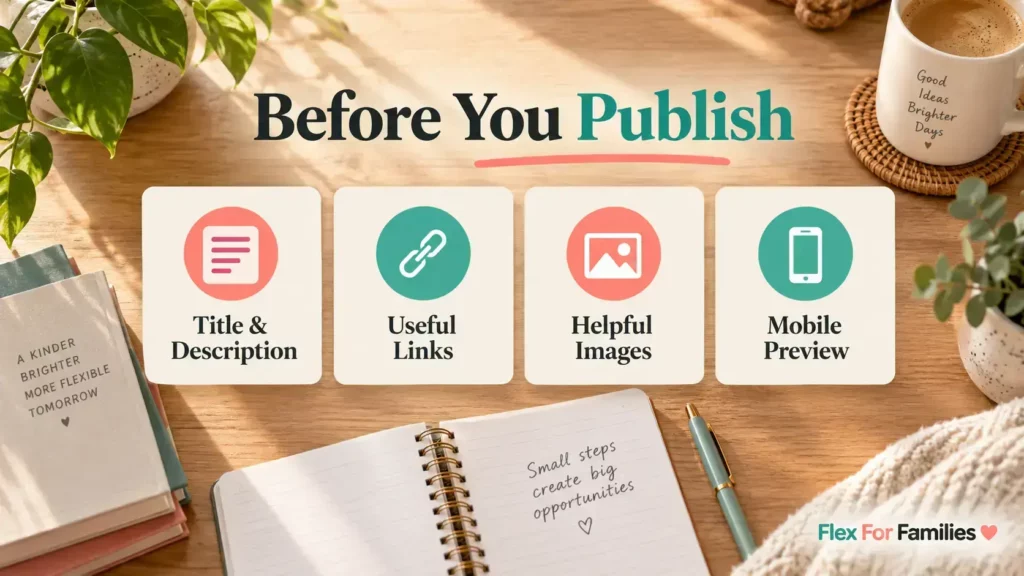
Before You Publish
- ☐ Review the SEO title and meta description.
- ☐ Add relevant internal links with descriptive link text.
- ☐ Check that links lead to the intended pages.
- ☐ Resize and compress images for their display size.
- ☐ Describe informative images with appropriate alt text; leave decorative images with empty alt text.
- ☐ Preview the post on a phone as well as a larger screen.
After You Publish
- ☐ Open the published URL and check the content, images and links.
- ☐ Add a link from a relevant existing article where it helps readers.
- ☐ Use Search Console to investigate indexing questions when needed.
- ☐ Record the publication or update date.
- ☐ Review search performance later and improve the post when you find a specific reason.
1. Choose A Topic Your Reader Needs Help With
Start with a question you can answer well. A focused question makes it easier to decide what belongs in the article and what would be a distraction.
For example, “budgeting” could cover almost anything. “How to plan a weekly food budget for a family of four” gives you a clearer task: explain the planning process, what costs to include and how someone could adapt it.
Treat that as an example of narrowing a topic, not evidence of search demand. Before committing, explore the wording people use and whether you can contribute something useful.
Google’s suggestions can give you ideas. If your site already has search exposure, your Search Console queries can also show phrases associated with your pages. A keyword tool can offer further estimates, but those estimates are not promises of visitors.
Keep related phrases together when they express the same need. You don’t need separate posts for every variation of a question.
2. Understand The Answer People Expect
Search your proposed topic and look at the types of results: tutorials, lists, product pages, reviews or something else. This helps you assess search intent—the task behind the search.
A reader looking for a checklist probably wants something they can use quickly. A reader comparing two products needs differences, limitations and help choosing between them.
Use that distinction to plan your article. Other results can reveal useful questions, but your explanation and examples should be your own.
Before starting a new post, search your own site too. If an existing article already answers the question, improving it may be more useful than publishing another version.
3. Write A Clear Answer, Then Add Useful Detail
Put the answer or practical starting point near the beginning. Follow it with the steps, examples and qualifications someone needs to act on it.
Use headings that describe the sections. A heading such as “What to include in your weekly food budget” tells the reader more than “Things to know”.
Where relevant, include what you actually tried, what happened and what you would do differently. For researched information, link to a reliable source. Keep the distinction clear: reading a product description is different from using the product yourself.
Read the draft aloud. If a phrase sounds awkward because you are trying to repeat a keyword, rewrite it. There is no need to squeeze the same wording into every heading.
For more help with the writing itself, see how to write blog posts that connect with readers.
4. Check The Title, Description, Links And Images
Title And Description
Your post title should make its subject clear. The SEO title is the title you supply for search results; depending on your publishing setup, it may match the post title or be edited separately.
Write a meta description that briefly explains what readers will get. Keep both accurate to the article. Google may show a different title or extract a different snippet from the page, so the preview in your editor is only a preview.
Avoid adding a year unless the article genuinely depends on that year. An evergreen checklist does not need an annual date change to remain useful.
Internal Links
Link to another post when it answers a useful follow-up question or explains something in more detail. Choose descriptive wording so readers can predict the destination.
There is no fixed number to aim for. A short article might need one relevant link; a longer guide may need several. Google’s link guidance also explains why context and clear link text matter.
Images
Choose images that explain something or help readers follow the page. A relevant screenshot or example can be more useful than another generic picture of a laptop.
Give new uploads descriptive filenames, resize them appropriately and compress them without making them hard to read. You do not need to rename existing uploads just to add keywords.
For an informative image, describe the information it contributes in its alt text. For a purely decorative image, use empty alt text (alt="") so a screen reader can skip it. If a graphic contains important instructions, provide those instructions as ordinary page text too. The W3C image tutorial explains the different cases.
Finally, preview on mobile. Check that text is readable, images fit and any tables or buttons remain usable.
5. Help Readers And Search Engines Find The Post
After publishing, check the actual page rather than relying only on the editor preview. Where it fits naturally, link to it from an established article on your site.
Search Console’s URL Inspection tool can help investigate whether Google knows about a page and whether it reports an indexing problem. For a new or substantially updated page, you can request indexing, but this is not a compulsory task for every publication or edit. Repeating requests does not make crawling faster, and a request does not guarantee inclusion. See Google’s recrawl guidance.
Sharing with your audience, including through Pinterest when appropriate, is a separate way to help people discover the post. It is not a requirement for Google indexing.
6. Review What Happens Without Chasing Every Number
Note when you publish or make a substantial update. When you review performance, use comparable date ranges and filter to the post you are assessing.
Look at impressions, clicks and the queries being reported together. Ask whether the searches are relevant to the article. A rise in impressions for unrelated phrases does not necessarily mean you are reaching the right readers.
With only a handful of impressions, it is difficult to draw conclusions about a title or topic. Give the evidence time to accumulate rather than repeatedly changing the post after each new result.
There is no dependable month-by-month growth schedule or number of posts that unlocks traffic. Review again when you have more evidence, or sooner if you discover an error, outdated advice or missing information.
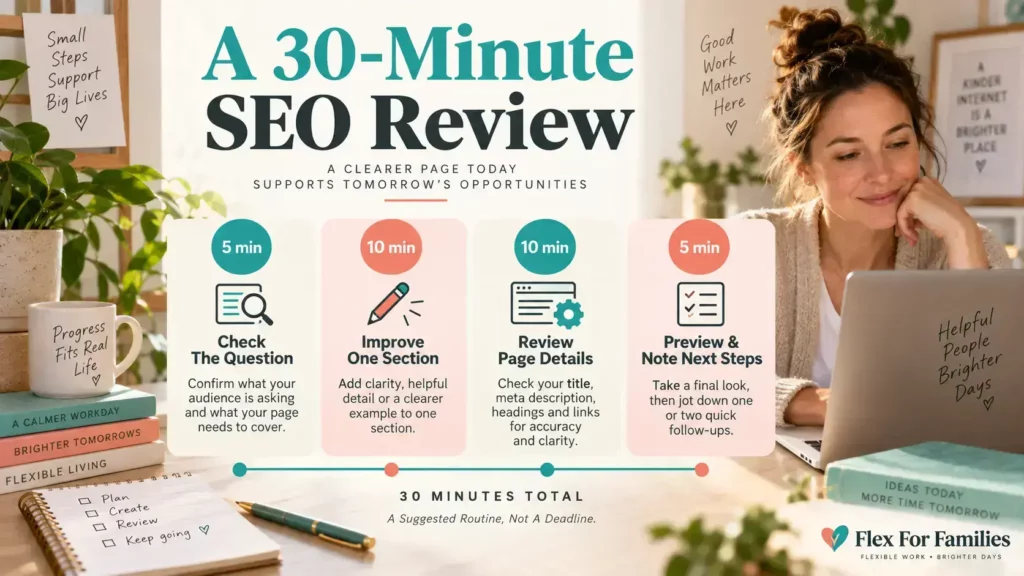
A Manageable 30-Minute Review
If you already have a draft or published post, try this suggested session:
| Time | Task |
|---|---|
| First 5 minutes | Check the main question and whether the opening answers it. |
| Next 10 minutes | Improve one weak section, example or heading. |
| Next 10 minutes | Review the title, description, relevant links and images. |
| Final 5 minutes | Preview the page and note anything that needs another session. |
This is a way to divide your time, not a deadline for finishing every task. Research, testing or a substantial rewrite may need longer.
What Tools Do You Need?
Start with your publishing editor and access to your site’s search reporting. Learn where your setup lets you edit titles, descriptions and image descriptions.
A keyword research tool can help explore ideas. An image editor can help prepare visuals. Use additional tools when they solve a task you actually have; you do not need a collection of subscriptions to work through this checklist.
If you use an SEO plugin, treat its suggestions as prompts to review your work. A score cannot establish whether your article answers the reader’s question accurately.
Frequently Asked Questions
Should Every Post Target One Exact Keyword?
Give each post a clear main purpose. Related phrases can belong together when they describe the same reader need. Repeating one exact phrase is less useful than explaining the subject clearly.
How Often Should I Update A Post?
When its facts change, readers need an answer it is missing, a link breaks or search data reveals a relevant opportunity. You can schedule reviews, but a review does not always require an edit.
Does No Traffic Mean The Page Is Not Indexed?
No. A page can be indexed and receive no clicks. Check URL Inspection for indexing information instead of inferring its status from traffic alone.
Is A Personal Story Worth Publishing If It Has Little Search Demand?
It can be. A story may help existing readers understand your perspective or connect with your experience. Decide its purpose rather than expecting every post to attract search traffic.
Final Word: Make SEO Part Of Your Publishing Routine
A useful SEO routine gives you a way to finish a post with confidence. You have checked what the reader needs, made the answer easy to follow and reviewed the details that are easy to miss when family life interrupts your writing time.
Start with one article. Work through the checklist, fix the gaps you can identify and record anything that needs a longer session. Once it is published, use relevant search data and reader feedback to decide what deserves attention next.
You do not need a perfect plugin score or another article on every variation of the same question. You need a clear purpose for each post and a practical way to keep its information useful.
If you are organising a blog around family life, explore the Parent Blogging Starter Kit as your next step.
Let’s Chat
Which SEO task tends to get left until last when you are preparing a blog post: choosing a topic, adding links, checking images or understanding Search Console?
Share the part you find most difficult in the comments. If you already use a publishing checklist, what would you add to this one?