AI writing tools often promise to take the hardest part of blogging off your hands.
Enter a keyword, wait a few minutes, and receive a complete article that is researched, structured, optimised, and ready to publish.
For a busy parent trying to build a blog around work and family life, that sounds incredibly appealing.
KoalaWriter is one of the better-known tools making that promise. It is designed specifically for long-form blog content and combines AI writing with search-result analysis, real-time data, outline creation, internal linking, images, affiliate-content tools, and direct WordPress publishing.
Koala currently describes its platform as a way to create better content faster, with plans starting at $9 per month and a free trial that lets new users test KoalaWriter before entering payment details.
But creating a long article quickly is not the same as creating a useful article.
A draft can look polished, contain thousands of words, and include logical headings while still:
- Misunderstanding the intended audience
- Repeating generic advice
- Making claims that need checking
- Missing first-hand experience
- Lacking a distinctive point of view
- Creating almost as much editing as writing it manually
That is the question I wanted to explore in this KoalaWriter review.
Does KoalaWriter genuinely save bloggers time?
Or does it simply move the work from writing the first draft to correcting and rewriting what the AI produces?
To find out, I created a free Koala account and asked it to write an article targeting the keyword:
“Best lead magnets for parent bloggers.”
KoalaWriter produced a structured article of approximately 2,350 words in around five minutes.
The speed was impressive.
The finished article was readable, organised, and looked remarkably complete at first glance.
But it also misunderstood what I meant by “parent bloggers,” treated the audience mainly as parenting-advice bloggers, introduced several unsupported or overly confident claims, and included marketing tactics that were far more complicated than most new bloggers need.
It gave me a usable framework.
It did not give me something I would publish on Flex For Families without substantial editing.
That first test captures both the attraction and the limitation of KoalaWriter rather well.
It can produce a lot of content very quickly.
The bigger question is whether that content is good enough, accurate enough, and specific enough to save you time once the real editorial work begins.
Heads Up: How I Reviewed KoalaWriter
I signed up for KoalaWriter’s free trial and used it to generate a complete blog post.
The free trial currently provides 5,000 KoalaWriter word credits and 25 KoalaChat messages, with no payment details required.
For my test, I entered the target keyword:
Best lead magnets for parent bloggers
The free version gave me limited control over the article brief. I could enter the keyword, but some of the stronger customisation, research, brand, editing, and workflow features sit behind paid plans.
KoalaWriter generated approximately 2,350 words in around five minutes.
I then assessed the draft for:
- Structure
- Readability
- Audience understanding
- Search intent
- Practical usefulness
- Originality
- Factual confidence
- Brand alignment
- First-hand value
- Editing required
- Whether I would publish it
I also researched KoalaWriter’s current features, pricing, integrations, updates, free trial, and refund policy using official Koala sources.
KoalaWriter has continued to evolve, including updates to its writing-style controls, Brand DNA, KoalaWriter v2, premium AI models, article polishing, image generation, internal linking, and WordPress publishing. Some of those more advanced features were not available within my free test.
This review therefore combines:
- My direct experience using the free version
- Analysis of the article it generated
- Research into the current paid platform
- KoalaWriter’s official feature and pricing information
- A realistic assessment of how it may fit busy parent bloggers
I have not tested every paid feature, so I will distinguish clearly between what I personally experienced and what Koala says its paid platform can do.
KoalaWriter Quick Verdict
KoalaWriter is a fast and capable AI blogging assistant, but I would not treat its articles as automatically publish-ready.
In my test, KoalaWriter produced a well-structured 2,350-word article in around five minutes. The draft was readable, logically organised, and gave me a complete starting point far faster than I could have written one manually.
However, the article misunderstood the wider Flex For Families audience, relied heavily on generic advice, included claims that needed checking, and would have required substantial rewriting before I felt comfortable publishing it.
The biggest risk is not that KoalaWriter creates obviously terrible content.
It is that the content looks finished enough to publish before you have properly questioned its relevance, originality, accuracy, and usefulness.
More experienced bloggers may save meaningful time by using KoalaWriter for research, outlines, first drafts, internal linking, and repetitive content tasks. Beginners may find it harder to recognise weak sections or know what needs changing.
My verdict: KoalaWriter can save time when used as a production assistant. It is not a replacement for audience knowledge, lived experience, fact-checking, editorial judgement, or genuinely helping the reader.
Flex For Families Rating: 4.1 out of 5
The Short Answer
KoalaWriter can save bloggers time, but only if they treat the result as a first draft rather than a finished article.
My test showed that it is extremely fast at producing structure, headings, examples, and complete-looking copy.
It was much weaker at understanding:
- The precise Flex For Families audience
- The difference between parent bloggers and parenting bloggers
- My personal experience
- My existing resources
- The realistic needs of a beginner
- What should be simplified or removed
- What would make the article meaningfully different from competing content
That means KoalaWriter saved me from staring at a blank page.
It did not remove the need to think.
And that distinction will sit at the centre of this review.
KoalaWriter can save bloggers time by producing fast, structured first drafts, but its content is not automatically publish-ready. In my test, it generated a 2,350-word article in around five minutes, but the draft misunderstood the audience and required substantial editing, fact-checking, personal experience and brand alignment before publication.
What Is KoalaWriter?
KoalaWriter is an AI writing tool created specifically for producing long-form blog and website content.
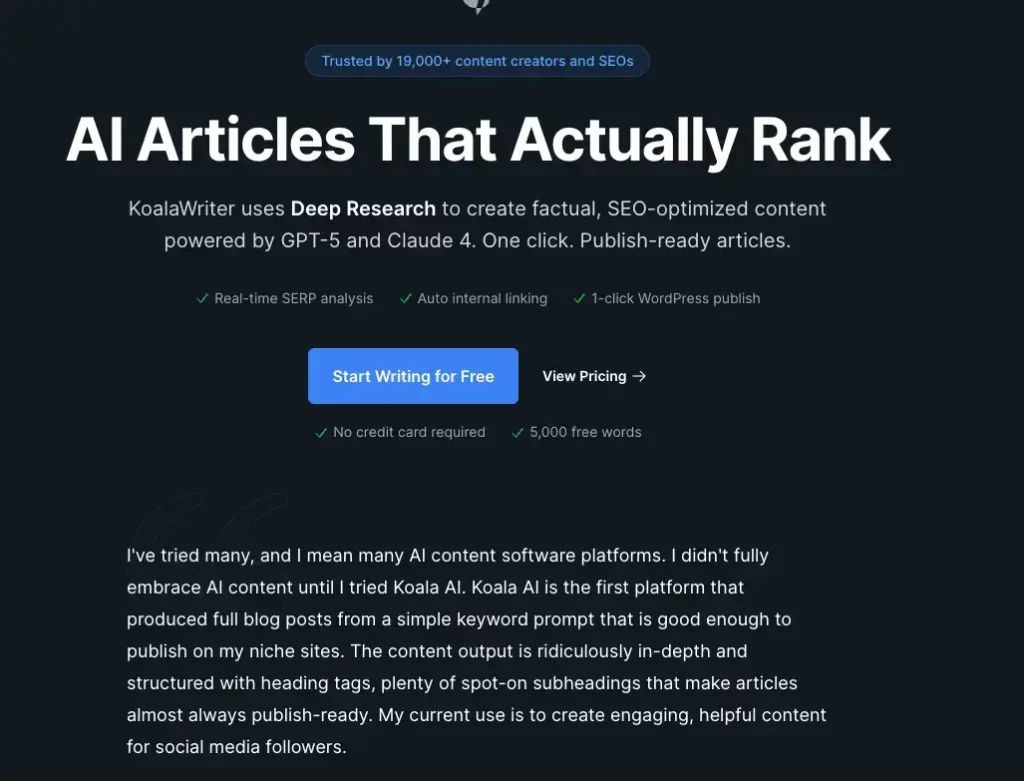
Unlike a general chatbot, where you normally need to develop your own prompts and guide the conversation manually, KoalaWriter is built around a more structured content-production process.
You enter a target keyword or topic, choose your preferred settings, and KoalaWriter can help create:
- An article outline
- Headings and subheadings
- A complete long-form draft
- Tables and lists
- External source links
- Internal links
- AI-generated images
- Embedded YouTube videos
- Product reviews and comparisons
- Amazon affiliate roundups
- Local business roundups
- Updated versions of existing articles
KoalaWriter forms part of the wider Koala AI platform, which currently also includes:
- KoalaChat, a general AI chatbot
- KoalaImages, for generating images
- KoalaLinks, for link-building and outreach workflows
- KoalaMagnets, for creating downloadable lead magnets
Koala describes KoalaWriter as an SEO-focused content platform rather than a general writing assistant.
Its current marketing emphasises one-click articles, real-time search-result analysis, Deep Research, automatic internal linking, and direct WordPress publishing. Koala currently claims that its articles are designed to require minimal editing and can be close to publish-ready.
That last promise is where I would add an important distinction.
KoalaWriter can certainly create something that looks like a finished article.
My free test included:
- A complete introduction
- Logical H2 and H3 headings
- Practical examples
- Promotion advice
- Measurement suggestions
- A conclusion-ready structure
It did not stop halfway or leave me with a collection of disconnected notes.
However, visual completeness is not the same as editorial readiness.
A genuinely publishable article also needs:
- The correct audience interpretation
- Reliable facts
- Appropriate examples
- Original experience
- A clear purpose
- A recognisable voice
- Useful prioritisation
- Human judgement
KoalaWriter handled the visible article structure well.
It was much less successful with those deeper layers when given only my target keyword.
That makes KoalaWriter better understood as a content-production assistant rather than an autonomous blogger.
Who Created KoalaWriter?
KoalaWriter was created by software developer and digital publisher Connor Smith.
The platform began appearing publicly in early 2023, during the rapid growth in interest around ChatGPT and AI-assisted content production.
An early Koala case study describes Connor taking part in discussions about AI publishing and developing a tool that could combine more complex prompts into a streamlined long-form article workflow. The goal was to move beyond asking a chatbot to write isolated sections and instead create a structured article from a much simpler input.
That publishing background matters.
KoalaWriter does not feel like a generic writing app that later added an SEO button.
Its features are clearly designed around the workflow used by:
- Niche-site publishers
- Affiliate marketers
- SEO teams
- Content agencies
- Bloggers producing articles at scale
Features such as SERP analysis, Amazon product data, bulk writing, internal linking, WordPress publishing, listicle templates, and article rewriting reflect how commercial content sites are commonly operated.
Koala has also developed beyond its original writing tool.
Recent additions include Brand DNA, KoalaWriter v2, content-planning features, article polishing, expanded image generation, and broader site-analysis capabilities on higher plans. Brand DNA is designed to help Koala understand a business’s audience, voice, positioning, and terminology rather than starting every article from a blank slate.
Those developments address one of the biggest weaknesses I found in the free version: a single keyword did not give KoalaWriter enough context to understand Flex For Families properly.
However, the stronger brand and workflow controls are attached to paid access, particularly Professional plans and above.
That means the free trial demonstrates the speed and basic writing process, but not necessarily the best version of the platform.
Quick Note: I’m John Crossley, founder of Flex For Families. I review online business opportunities through the lens of family life, focusing on costs, time commitments, risks, and whether they genuinely help parents create more flexibility.
How Does KoalaWriter Work?
The exact options available depend on the article type and subscription level, but the core workflow follows a fairly straightforward process.

Step 1: Enter Your Target Keyword
You begin by entering the keyword or topic you want the article to cover.
In my free test, I used:
Best lead magnets for parent bloggers
This was the only significant direction I could give the free version.
That simplicity is attractive because there is no complicated prompt engineering required.
It is also limiting.
KoalaWriter interpreted “parent bloggers” predominantly as people publishing parenting advice, rather than parents building blogs across different niches or learning to create flexible income.
That affected almost every part of the resulting article.
Step 2: Choose the Article Type
Paid users can choose from several content formats, including:
- Standard blog posts
- Listicles
- Amazon product roundups
- Individual product reviews
- Local business roundups
- YouTube-to-blog posts
- Existing-article rewrites
Different article types unlock different settings and structures.
This is one area where KoalaWriter offers a clearer workflow than simply opening ChatGPT and typing “write me an article.”
The software already understands that a product review should be structured differently from a how-to guide or local roundup.
Step 3: Select the AI Model
KoalaWriter provides access to several AI models, depending on the current plan and available integrations.
Stronger models may produce more detailed or reliable results, but they can also consume a user’s word allowance at a higher rate.
This matters when comparing the headline monthly allowance with how many finished articles you can realistically create.
The number of words included in a plan is not always the same as the number of words you will receive if you select a premium model, regenerate sections, or use additional editing tools.
Step 4: Choose the Tone and Point of View
KoalaWriter allows users to select different tones of voice and narrative perspectives.
For example, an article could be written in:
- First person
- Second person
- Third person
- A professional tone
- A conversational tone
- A friendly tone
Current blog-post settings can also control the use of images, videos, headings, and other article elements.
These settings can improve the surface-level tone.
However, selecting “friendly” or “conversational” is not the same as giving the software a distinctive brand voice.
Flex For Families content reflects:
- My own experience
- A family-first outlook
- Realistic expectations
- Sensitivity towards time-poor parents
- A preference for simple systems
- A willingness to challenge exaggerated claims
A tone dropdown cannot reproduce all of that on its own.
Step 5: Add Real-Time Data or Research
KoalaWriter can fetch current information from the web while generating individual sections.
Its Real-Time Data feature allows the AI to retrieve information during the writing process, although Koala warns that this can significantly increase generation time.
Higher plans also include Deep Research.
Koala says this uses considerably more context to research the topic, improve factual accuracy, and create a more informed outline. It is particularly aimed at subjects where current or detailed information matters.
These features could improve a draft.
They do not remove the need to check:
- Whether the source is reliable
- Whether information is current
- Whether the AI interpreted it correctly
- Whether the claim needs qualification
- Whether the source supports the wording used
AI can retrieve information quickly.
The blogger remains responsible for publishing it.
Step 6: Review and Edit the Outline
The Outline Editor allows users to review the proposed structure before KoalaWriter creates the full article.
You can:
- Add headings
- Delete headings
- Change the order
- Add instructions to specific sections
- Remove the default introduction
- Control which subjects are included
- Provide links KoalaWriter should use
Koala’s support documentation recommends enabling the Outline Editor when users want greater control over the finished output.
This could have prevented some of the problems in my free test.
For example, I could have removed or rewritten sections about:
- Toddler sleep
- Potty training
- Behaviour management
- Starting solids
- Advanced lead scoring
- Statistically significant A/B testing
I could then have added sections about:
- Blogging niche lead magnets
- Email welcome sequences
- The Parent Blogging Starter Kit
- Realistic creation times
- Freebie hunters
- Connecting the freebie to future content
- What a new blogger should create first
This demonstrates an important point about KoalaWriter:
The more expertise and direction you put into the outline, the more useful the final draft is likely to become.
But that also means KoalaWriter does not remove the need for content strategy.
It makes that strategy faster to execute.
Step 7: Generate the Article
Once the settings and outline are confirmed, KoalaWriter generates the complete article.
In my test, it produced approximately 2,350 words in around five minutes.
That is genuinely impressive.
It would have taken me much longer to manually draft that amount of structured content.
The article included:
- A clear introduction
- Multiple organised sections
- Examples
- Lists
- Practical suggestions
- Promotion strategies
- Conversion metrics
- A testing section
The issue was not quantity.
The issue was whether the article was addressing the correct reader in the most useful way.
Step 8: Review, Edit and Polish the Draft
Koala now includes an article-polishing feature designed to improve content after it has been generated.
Koala says this can help refine readability, structure, engagement, and other aspects of an article, including content created outside KoalaWriter.
That could help remove awkward phrasing or repetition.
It cannot automatically add:
- Your lived experience
- Your actual results
- Your personal photographs
- A genuine product test
- A strong opinion
- A unique content framework
- Insight gained from serving your audience
There is also a slightly awkward reality here.
If an AI-generated article requires another AI tool to polish it before a human then checks and rewrites it, the blogger needs to consider how much time is genuinely being saved.
Step 9: Add Internal Links, Images and Videos
Paid KoalaWriter plans can automatically add contextual links to other
To do this, Koala indexes the site through its sitemap and uses the indexed pages when generating articles. Users can exclude individual sitemaps they do not want KoalaWriter to use.
KoalaWriter can also add:
- AI-generated images
- External references
- Embedded YouTube videos
- Product information
- Relevant media for individual sections
This could reduce repetitive content-production work, particularly for established websites.
However, every addition still needs checking.
An internal link can be topically related without being the best page for the reader.
A YouTube video can be relevant without being reliable.
An AI image can look attractive while containing strange details or inaccurate text.
Automation speeds up selection.
It does not guarantee editorial judgement.
Step 10: Export or Publish the Article
KoalaWriter can publish directly to WordPress through its integration and official WordPress plugin.
The plugin currently supports content publishing, automatic internal linking, real-time data, images, videos, and other KoalaWriter features from within a WordPress workflow.
Other integrations include Shopify, Webflow, Ghost, webhooks, and API-based publishing.
Direct publishing is convenient.
But it is also the feature I would treat most cautiously.
I would not recommend allowing an AI-generated article to move directly from keyword to live website without a human review between those stages.
The best workflow is:
Keyword → research → outline → AI draft → human review → experience and examples → fact-checking → final edit → publish
Not:
Keyword → AI draft → publish
KoalaWriter Demo: See the Core Workflow in Action
The video below comes from Digital Marketing Automation and demonstrates KoalaWriter’s main content-creation process.
It is an independent walkthrough rather than an official Koala sales video, which makes it useful for seeing how the platform operates in a real workflow.
However, the video is around two years old.
Since it was published, KoalaWriter has added or expanded features including:
- KoalaWriter v2
- Brand DNA
- Deep Research
- Newer AI models
- Article polishing
- Improved internal linking
- Expanded image generation
- A dedicated WordPress plugin
- New article types and presets
The video should therefore be viewed as a demonstration of KoalaWriter’s core process, not an exact guide to every option available in 2026.
The most useful parts of the demonstration are likely to remain:
- Entering the article topic
- Choosing the settings
- Creating an outline
- Generating the article
- Reviewing the completed structure
- Seeing how quickly a full draft can be produced
Some menus, models, prices, and feature choices shown in the video may now be different.
That does not make the demonstration irrelevant.
The central KoalaWriter concept has remained consistent:
Give the tool a topic, use its settings to shape the article, and generate a complete long-form draft much faster than writing it manually.
What has changed is how much control users now have over the research, brand, style, links, images, editing, and publishing process.
The video also provides useful context for my own test.
I experienced the same basic benefit shown in the demonstration: KoalaWriter produced a complete article remarkably quickly.
My concern began after the generation had finished.
The draft looked ready.
Once I examined the audience fit, examples, claims, and practical usefulness, it became clear that the article still needed substantial human involvement.
That difference between generation speed and total publishing time is the real focus of this review.
What Features Does KoalaWriter Include?
KoalaWriter has developed into a much broader platform than a simple AI article generator.
The basic promise remains straightforward:
Enter a keyword, choose your settings, and receive a complete article.
However, paid users can now control the research, outline, writing style, media, links, publishing destination, and post-generation editing in considerably more detail.
Some of those features could directly address the weaknesses I found during my free test.
Others make KoalaWriter more efficient without solving the underlying need for human judgement.
Here are the main features that matter most to bloggers.
Automatic SEO Optimisation
KoalaWriter analyses the search results for a target keyword and uses that information to help determine which subjects, terms, and entities should appear in the article.
Koala describes this as automatic SEO optimisation intended to help its articles cover the subjects search engines expect to see.
This can be useful for avoiding obvious gaps.
For example, if the strongest results for a keyword consistently cover:
- Pricing
- Features
- Use cases
- Common problems
- Alternatives
- Frequently asked questions
KoalaWriter can use that pattern to create a more complete initial outline.
The risk is that SERP-led writing can also encourage sameness.
If an AI tool studies the same ranking pages as every other tool, it may produce another article that:
- Covers the same headings
- Repeats similar advice
- Uses familiar examples
- Reaches predictable conclusions
- Adds very little that is genuinely new
SEO coverage can help an article become comprehensive.
It cannot make the article original.
For Flex For Families, the most valuable sections often come from things a search-result analysis cannot provide:
- My own experience
- What happened when I tested the product
- The needs of a busy parent
- What I would realistically recommend to a beginner
- Where the marketing promise differs from everyday use
Those elements need to come from the blogger.
Real-Time Data
KoalaWriter’s Real-Time Data feature allows the platform to search the web while it generates individual sections.
Current data-source options include:
- The wider web
- Google Scholar
- Google News
- Custom searches restricted through advanced operators
Users can also ask KoalaWriter to insert external source links into the article.
This is potentially valuable for reviews, comparisons, software guides, news-related content, and other subjects where information changes regularly.
It may help KoalaWriter find:
- Current prices
- Updated product features
- Recent announcements
- Research papers
- News developments
- Current policies
But real-time retrieval should not be confused with automatic accuracy.
The resulting article still needs someone to check:
- Whether the source is authoritative
- Whether the information is current
- Whether a promotional claim is being presented as fact
- Whether the AI has misunderstood the source
- Whether the wording needs qualification
- Whether the source genuinely supports the sentence
That is particularly important for software reviews.
A company’s own website can reliably tell you what features it currently advertises.
It cannot independently prove that the feature works as well as the company claims.
Deep Research
Deep Research is available on Professional plans and above.
Koala says it can use up to ten times more context when researching a subject to produce stronger titles, outlines, facts, and finished content. The company currently says the feature does not consume additional credits for Professional users, although articles take longer to generate.
This could make a meaningful difference compared with the free test I completed.
My free draft was based largely on the target keyword and interpreted “parent bloggers” too narrowly.
A deeper research and briefing process may have helped KoalaWriter understand that the article needed to serve:
- Parents who blog in many different niches
- Beginners building an email list
- Time-poor creators
- Bloggers choosing a realistic lead magnet
- People interested in flexible online income
However, extra research does not automatically create a distinctive point of view.
A deeply researched article can still be:
- Generic
- Overly long
- Repetitive
- Too dependent on existing sources
- Missing first-hand experience
- Poorly prioritised for a beginner
Deep Research may reduce factual and coverage problems.
It does not replace editorial direction.
The Outline Editor
The Outline Editor may be one of KoalaWriter’s most important features.
Instead of accepting the structure automatically, paid users can review and change the proposed article before the full draft is created.
They can:
- Add sections
- Delete sections
- Reorder headings
- Add instructions
- Change the focus
- Review the content brief
- Remove irrelevant subjects
- Add missing audience-specific points
KoalaWriter v2 also allows users to review the AI-generated article instructions alongside the outline before writing begins.
This would have made a significant difference to my test.
I could have removed broad parenting examples around:
- Toddler sleep
- Potty training
- Starting solids
- Behaviour plans
- Chore charts
I could then have added more relevant sections covering:
- Blogging checklists
- Niche worksheets
- Content planners
- Affiliate trackers
- Email welcome sequences
- Realistic creation times
- My Parent Blogging Starter Kit
This reinforces an important lesson:
KoalaWriter becomes more useful when the person using it already understands the audience and knows what the article should contain.
That is not a criticism of the Outline Editor.
It is evidence that the best results still depend on human content strategy.
Brand DNA and Brand Voice
Brand DNA was introduced as part of KoalaWriter v2 in April 2026 and is currently available through Koala’s beta programme on Professional plans and above.
It allows users to build a business profile containing information such as:
- The audience
- Products or services
- Positioning
- Brand terminology
- Goals
- Calls to action
- Content preferences
KoalaWriter can then use that context across future content rather than starting each article with only a keyword.
This is probably the feature most directly relevant to the problem I encountered.
The free draft knew the keyword.
It did not know Flex For Families.
A properly configured profile could potentially explain that Flex For Families:
- Helps busy parents build flexible online income
- Focuses on blogging and affiliate marketing
- Promotes realistic expectations
- Values family time
- Uses practical, beginner-friendly guidance
- Has a Parent Blogging Starter Kit
- Does not encourage mass production of thin content
That should produce a more relevant starting point.
However, Brand DNA still depends on the quality of the information supplied.
The software cannot infer your lived experience unless you provide it.
It also cannot automatically decide which personal story, case study, or opinion is most valuable for a particular article.
Brand DNA can give KoalaWriter better context.
It cannot become the person behind the brand.
Writing Styles, Tone and Point of View
KoalaWriter supports multiple tones, points of view, countries, and languages.
Bulk-writing settings currently allow users to choose from several tones, select the country they want to target, and control whether an article should use images or videos.
These options are useful for consistency.
They can help prevent content from sounding:
- Too formal
- Too casual
- Written for the wrong country
- Inconsistent between articles
But tone settings mainly affect how a sentence sounds.
They do not necessarily improve what the sentence says.
An article can sound warm and conversational while still being generic.
The distinction matters:
- Tone is how the article speaks.
- Voice is the recognisable personality and perspective behind it.
- Experience is the evidence that makes the content credible.
AI can imitate the first two to some degree.
The third must be earned.
Article Types
KoalaWriter currently supports several specialised content formats, including:
- Standard blog posts
- Listicles
- Amazon product roundups
- Amazon single-product reviews
- Local business roundups
- Service pages
- Article rewrites
- YouTube-to-blog content
These formats give KoalaWriter an advantage over a blank general-purpose chatbot because the expected structure is already built into the workflow.
For example, a listicle can include repeated item sections, while an Amazon roundup can pull product information into a comparison format.
This could save considerable setup time.
However, specialised formatting does not guarantee specialised expertise.
A product-review template can organise:
- Features
- Specifications
- Customer feedback
- Advantages
- Disadvantages
It cannot truthfully say that the blogger personally used the product when they did not.
Amazon Affiliate Articles
KoalaWriter has dedicated tools for creating:
- Amazon product roundups
- Individual Amazon product reviews
The platform says it can retrieve current Amazon data, including product information, specifications, prices, and customer reviews.
This is likely to appeal to affiliate marketers because product research and comparison tables can be time-consuming.
However, this feature needs careful handling.
There is an important difference between:
- Summarising product data
- Analysing customer feedback
- Researching a product
- Personally testing and reviewing it
An AI-generated review should never imply first-hand experience that did not happen.
The blogger would also need to check:
- Whether the product is still available
- Whether the price has changed
- Whether the selected product is appropriate
- Whether quoted customer themes are representative
- Whether the article complies with Amazon’s rules
- Whether claims about performance are supportable
For a research-based review, KoalaWriter may provide a useful starting structure.
It cannot provide genuine ownership or testing experience.
Automatic Internal Linking
KoalaWriter can index a website through its sitemap and use those indexed URLs when generating internal links.
Users can choose which sitemaps to include or exclude, and Koala says the indexed links are refreshed every 24 hours.
This could be genuinely valuable for Flex For Families.
With hundreds of published articles, manually remembering every relevant internal-link opportunity becomes difficult.
Automatic linking could help identify:
- Related reviews
- Supporting guides
- Comparison articles
- Hub pages
- Beginner resources
- Relevant calls to action
But I would still review every suggestion.
A page can can contain related words without being the best next step for the reader.
The anchor text also needs to sound natural rather than inserted for SEO alone.
For a large established site, this may be one of KoalaWriter’s most useful time-saving features.
For a new blogger with ten articles, it is much less important.
AI Images and YouTube Videos
KoalaWriter can automatically insert AI-generated images or relevant YouTube videos into articles.
Users can select:
- No media
- Images only
- Videos only
- Automatic selection
KoalaWriter can also generate images through different available models, with the credit cost depending on the model selected.
This could speed up article production.
However, generated media still needs reviewing for:
- Relevance
- Accuracy
- Brand consistency
- Strange visual details
- Spelling mistakes
- Copyright and usage considerations
- Whether the video source is trustworthy
A video can be topically related without being genuinely helpful.
An image can be attractive without adding useful information.
Presets and Projects
Presets allow users to save a group of settings and reuse them for future articles.
For example, a blogger could create separate presets for:
- Product reviews
- Comparisons
- Beginner tutorials
- List posts
- Informational guides
Projects can then help group related articles together.
This could improve consistency and reduce repetitive setup.
For Flex For Families, a review preset might include:
- A conversational tone
- UK targeting
- A clear research disclosure
- A practical beginner section
- Parent-blogger suitability
- Pros and cons
- Alternatives
- A realistic final verdict
Presets would not replace the individual research required for each product, but they could reduce the time spent rebuilding the same basic settings.
Bulk Content Creation
KoalaWriter’s Bulk Writer allows users to enter several keywords and create multiple articles using saved settings.
It can apply article types, SEO settings, tones, media choices, internal links, projects, and publishing integrations across a batch.
For an agency or experienced publisher, this may significantly improve production efficiency.
For a beginner, it may be one of the platform’s most dangerous features.
Creating twenty articles quickly does not mean those articles are:
- Accurate
- Original
- Useful
- Properly edited
- Aligned with the audience
- Worth publishing
Bulk generation can scale a good content process.
It can also scale poor judgement.
I would only use it after creating and reviewing several individual articles, understanding the weaknesses of the output, and developing a reliable editing process.
Article Rewriting and Polish
KoalaWriter includes rewriting features for refreshing or transforming existing articles.
Professional users can also use its Polish feature, which aims to improve:
- Readability
- Sentence structure
- Repetition
- Engagement
- Paragraph length
- Natural wording
Koala says Polish uses no extra credits and can be enabled automatically after article generation.
This may reduce some surface-level editing.
It could be particularly useful for:
- Breaking up dense paragraphs
- Removing repeated phrases
- Simplifying awkward sentences
- Improving the flow of a draft
But there is a limit to what polishing can achieve.
It cannot fix an article that:
- Targets the wrong audience
- Uses the wrong examples
- Lacks experience
- Makes a weak argument
- Includes irrelevant sections
- Offers no original insight
You can polish a generic article until it reads beautifully.
It is still generic.
WordPress and Other Publishing Integrations
KoalaWriter supports direct publishing and draft creation through its WordPress plugin.
It also supports other website connections and API-based publishing workflows. The current WordPress process lets users send an article to their website as either a draft or a published post.
Sending the article as a draft could save useful administrative time.
Publishing it automatically is where I would be far more cautious.
The safest option is:
Generate in KoalaWriter, send to WordPress as a draft, then complete the human editing and fact-checking inside WordPress.
The word “draft” is doing a lot of important work there.
My KoalaWriter Test: 2,350 Words in Around Five Minutes
To see what KoalaWriter could produce without a detailed paid brief, I tested its free version using the target keyword:
Best lead magnets for parent bloggers
The free version allowed me to enter the keyword, but it did not give me access to the stronger brand, briefing, and workflow controls available behind the paywall.
I deliberately reviewed the resulting article as though it had been delivered to me by a writer.
The question was not:
Did KoalaWriter manage to produce 2,350 words?
It clearly did.
The question was:
How much of that draft could I genuinely use on Flex For Families?
What KoalaWriter Got Right
The article was not a random collection of AI-generated paragraphs.
It had a clear and recognisable structure.
The draft included:
- An introduction
- Audience research
- Qualities of effective lead magnets
- Different lead-magnet formats
- Promotion strategies
- Conversion measurement
- Testing suggestions
It also used:
- H2 and H3 headings
- Lists
- Practical examples
- Clear explanations
- Generally readable language
If I had been struggling with a blank page, the draft would have given me a substantial amount of raw material.
The speed was also impossible to ignore.
Creating a complete 2,350-word article in around five minutes is genuinely impressive.
Where KoalaWriter Misunderstood the Topic
The main issue appeared immediately in its interpretation of the keyword.
The article treated “parent bloggers” mostly as bloggers producing parenting advice.
Examples focused on subjects such as:
- Potty training
- Sleep routines
- Screen time
- Starting solids
- Behaviour management
- Chore charts
- Meal planning
Those topics may be relevant to some parenting websites.
They did not reflect the wider Flex For Families audience.
A parent blogger might write about:
- Blogging
- Affiliate marketing
- Personal finance
- Side hustles
- Travel
- Food
- Family lifestyle
- Home organisation
- Additional needs
- Crafts
- Flexible work
The draft did not recognise that distinction.
A more relevant Flex For Families article would have included examples such as:
- A blogging niche worksheet
- A weekly content planner
- An affiliate income tracker
- A Pinterest checklist
- An email-sequence planner
- A blog-post template
- A side-hustle comparison worksheet
- A family flexibility planner
That change affects far more than a few examples.
It changes the entire purpose of the article.
The Draft Looked More Finished Than It Was
This was the most important result from the test.
The article looked complete because it was:
- Long
- Structured
- Grammatically competent
- Full of headings
- Packed with examples
- Written in a confident tone
At first glance, a beginner could easily assume that the main work had been completed.
But once I examined it more closely, I found:
- Unsupported or overly confident claims
- Advice aimed at the wrong audience
- Generic marketing recommendations
- Overly complicated tactics for beginners
- No connection to my real experience
- No mention of the Flex For Families Starter Kit
- No distinctive framework
- No meaningful discussion of creation time
- No assessment of whether each freebie attracts the right subscriber
The draft was complete in appearance.
It was incomplete in judgement.
Some Advice Was Too Advanced for the Reader
KoalaWriter recommended tactics such as:
- Automated subscriber segmentation
- Webinar funnels
- Paid advertising
- Lead scoring
- UTM tracking
- Statistically confident A/B testing
- Multiple landing-page variations
Those strategies can be useful.
They are not where most new parent bloggers should begin.
A realistic first system might be:
- Create one useful lead magnet.
- Build one simple signup form.
- Deliver the resource automatically.
- Write a short welcome sequence.
- Add the offer to relevant articles.
- Review whether subscribers open and click.
The AI draft made the process sound more complicated than it needed to be.
This is precisely where human knowledge of the audience matters.
Some Claims Needed Verification or Softer Wording
The article included demographic statements and conversion advice that sounded authoritative but were not supported with sources.
Examples included broad claims about:
- The typical age of parent-blog readers
- Household structures
- Mobile behaviour
- Social-media use
- The number of visitors required for testing
- Expected lead-magnet performance
Some of those claims may be reasonable.
That does not mean they should be published without evidence.
AI writing can make uncertain information sound settled.
The confidence of the wording should never be mistaken for proof.
It Missed the Most Valuable First-Hand Content
The article could not know why I created the Flex For Families Parent Blogging Starter Kit.
It could not explain:
- Why I bundled seven practical resources
- How each one supports a different part of the blogging journey
- Why busy parents need quick, usable tools
- How the Starter Kit connects to my welcome emails
- What I learned while setting up Kit and Poptin
- Whether a large bundle is always better than one simple checklist
Those details would give readers a reason to choose my article over a generic marketing guide.
They are also the details KoalaWriter cannot invent honestly.
How Much of the Draft Was Usable?
The structure gave me a reasonable starting point.
Some general explanations could also be retained after editing.
However, the article would need substantial changes to:
- Correct the audience positioning
- Replace examples
- Simplify the advice
- Remove weak sections
- Verify factual claims
- Add first-hand experience
- Introduce a distinctive framework
- Connect the lead magnet to an email strategy
- Reflect Flex For Families properly
My rough assessment is that around 30% to 40% of the material could potentially be reused, while the remainder would need significant rewriting, replacement, or removal.
That is more than a light edit.
It is an editorial rebuild using KoalaWriter’s structure as the starting point.
Did KoalaWriter Save Me Time?
Yes and no.
It saved time on:
- Initial structure
- Heading ideas
- Broad topic coverage
- Producing a first draft
- Overcoming the blank page
It created work around:
- Audience correction
- Brand alignment
- Fact-checking
- Simplification
- Original examples
- Personal experience
- Rewriting generic sections
- Removing irrelevant advice
So the fairest conclusion from this first test is:
KoalaWriter saved drafting time, but it did not remove the harder work of deciding what the article should say and why the reader should trust it.
The five-minute generation time sounds extraordinary.
The more useful measurement is the total time required to turn the result into something genuinely worth publishing.
I did not complete that full rewrite because the free draft had already answered the central question for this review.
It was useful raw material.
It was not a finished Flex For Families article.
Would the Paid Features Have Improved the Result?
Probably.
The Outline Editor, Deep Research, Brand DNA, article instructions, stronger models, and Polish feature could all address parts of the problem.
They may have helped KoalaWriter:
- Understand the intended audience
- Follow a more specific structure
- Use better examples
- Research the subject more deeply
- Match the brand more closely
- Improve the finished wording
But it would be unfair to assume that every weakness disappears behind the paywall.
Paid controls can give the AI better instructions.
They cannot independently supply:
- Lived experience
- Personal testing
- Reader relationships
- Original judgement
- Genuine expertise
- Accountability for what gets published
The free version showed me the platform’s speed.
The paid version appears to offer much better control.
Neither changes the fact that the blogger remains the editor and publisher.
Is KoalaWriter Content Really Publish-Ready?
KoalaWriter frequently presents its output as being close to publish-ready.
That phrase sounds reassuring.
It suggests that the software does most of the difficult work and leaves the blogger with only a quick proofread before publishing.
My test did not support that interpretation.
The article KoalaWriter created was structurally complete, grammatically competent, and easy to scan.
It looked ready.
But “publish-ready” should mean more than:
- The article has an introduction
- The headings are in the right order
- The paragraphs read smoothly
- The spelling is correct
- The word count is substantial
A genuinely publish-ready article should also be:
- Accurate
- Relevant
- Useful
- Original
- Properly sourced
- Appropriate for the intended audience
- Consistent with the website’s values and voice
- Clear about whether claims come from research or personal experience
My draft fell short in several of those areas.
Structurally Ready
KoalaWriter performed well here.
The article had:
- A clear beginning
- Logical sections
- Useful headings
- Lists and examples
- A natural progression
- Enough content to appear comprehensive
The basic framework could be reused.
For someone struggling to organise a topic, that is valuable.
Grammatically Ready
The writing was generally clean.
I did not find the kind of obvious grammatical problems that would make the draft unusable.
The sentences were readable, and the tone was confident.
However, clean grammar can create false confidence.
When an article is written fluently, readers may assume the information behind it is equally reliable.
That is not always the case.
Factually Ready
No.
The draft contained claims that needed sources, verification, or softer wording.
It made demographic and marketing statements confidently without showing where the information came from.
That does not mean every claim was wrong.
It means I could not responsibly publish them without checking.
For me, factual readiness means knowing:
- Where the claim came from
- Whether the source is current
- Whether the wording is proportionate
- Whether the statement applies to the audience
- Whether exceptions need explaining
KoalaWriter did not remove that responsibility.
Experience-Ready
No.
The article contained no personal experience because the tool had no access to mine.
It could not explain:
- Why I created the Parent Blogging Starter Kit
- What I learned while setting up Kit and Poptin
- How the lead magnet connects to my welcome emails
- Which parts of the setup took the longest
- What I would recommend to a new parent blogger today
Those are the details that make a Flex For Families article genuinely useful.
Without them, the draft remained a broad explanation rather than an experience-led guide.
Brand-Ready
No.
KoalaWriter did not understand the Flex For Families position.
It interpreted the keyword literally and narrowly.
The resulting article sounded like a general marketing guide for parenting websites rather than content written for busy parents trying to build blogs and flexible income.
A brand-ready article should reflect:
- Who the reader is
- What stage they are at
- What they realistically have time to do
- What matters to them
- What the website stands for
- What the writer has learned through experience
The free draft did not have enough context to do that.
Reader-Ready
Not yet.
The article included useful ideas, but it often gave too much information without enough prioritisation.
A new blogger could finish reading and still wonder:
- Which lead magnet should I create first?
- How long will it take?
- Do I need an ebook?
- Is a checklist enough?
- Should I pay for ads?
- Do I need segmentation and lead scoring already?
- What is the simplest version that works?
The draft covered many tactics.
It did not make the decision easy.
That is an important difference.
Good content does not just provide information.
It helps the reader know what to do next.
My Publish-Ready Verdict
KoalaWriter produced something that was:
- Structurally ready
- Mostly grammatically ready
- Visually complete
It was not:
- Factually verified
- Experience-led
- Properly aligned with the brand
- Fully appropriate for the intended reader
- Ready to publish without substantial editing
So I would describe the output as:
Draft-ready, not publish-ready.
That is still useful.
A strong first draft can save time.
But the distinction matters because the word “publish-ready” may encourage inexperienced bloggers to skip the editorial work that gives the content real value.
How Much Editing Does KoalaWriter Need?
The amount of editing depends on several factors:
- How detailed the instructions are
- Whether Brand DNA is configured
- Which AI model is selected
- Whether Deep Research is enabled
- How carefully the outline is reviewed
- How complex the topic is
- How much first-hand experience the article needs
- How distinctive the website’s voice is
A paid user who provides a detailed brief may receive a much stronger result than I did through the free version.
Even so, AI-generated articles usually need more than one type of editing.
Light Editing
Light editing includes:
- Correcting awkward sentences
- Removing repeated phrases
- Breaking up long paragraphs
- Changing headings
- Fixing formatting
- Adjusting tone
- Improving transitions
KoalaWriter’s Polish feature may help with some of this.
These are surface-level changes.
They improve how the article reads.
They do not necessarily improve what it says.
Factual Editing
Factual editing includes:
- Checking statistics
- Confirming prices
- Verifying product features
- Reviewing source quality
- Correcting dates
- Softening unsupported claims
- Removing misleading certainty
- Making sure citations support the wording
This work cannot be skipped simply because the AI used real-time search or Deep Research.
A generated article can retrieve the right source and still interpret it badly.
Strategic Editing
Strategic editing is more substantial.
It includes:
- Correcting the intended audience
- Changing the article angle
- Removing unnecessary sections
- Adding missing questions
- Prioritising the most useful advice
- Making the content fit the reader’s stage
- Ensuring the article fulfils the title
- Deciding what the reader should do next
My KoalaWriter draft needed considerable strategic editing.
The central problem was not how the paragraphs were written.
It was what the article believed the reader needed.
Experience Editing
This involves adding:
- Personal examples
- Real results
- Screenshots
- Mistakes
- Lessons learned
- Product testing
- Reader feedback
- Honest limitations
- A genuine verdict
This is where the blogger gives the article something AI cannot honestly manufacture.
For Flex For Families, experience editing is not an optional extra.
It is a core part of why the content deserves trust.
Voice Editing
AI can imitate a tone.
It may produce content that sounds:
- Friendly
- Professional
- Casual
- Encouraging
- Direct
But a consistent voice is more than a tone selection.
My writing reflects repeated ideas and values:
- Family time matters
- Progress is better than perfection
- Beginners do not need every tool
- More complexity is not always better
- Realistic expectations protect people from bad decisions
- Helpful content matters more than content volume
Those ideas need to be deliberately woven into the article.
My Editing Assessment
For the draft KoalaWriter created, I would estimate:
- 30% to 40% could potentially be reused
- A significant portion needed rewriting
- Several sections needed removing
- New first-hand sections needed adding
- Claims required checking
- The entire audience angle needed correcting
That is not a five-minute proofread.
It is a substantial editorial process.
The exact time would depend on whether I chose to rescue the existing draft or rebuild the article around the usable sections.
When KoalaWriter May Need Less Editing
It may perform better when:
- The topic is straightforward
- The content is factual rather than experience-led
- The outline is tightly controlled
- The user provides detailed instructions
- The brand profile is configured
- The intended audience is clearly defined
- The writer already has a repeatable template
- The article is reviewed section by section during generation
It may also be useful for content such as:
- Definitions
- Basic tutorials
- Process explanations
- Supporting articles
- Structured FAQs
- Early-stage outlines
When It May Need More Editing
More editing is likely when the article requires:
- Personal experience
- Strong opinions
- Product testing
- Sensitive advice
- Nuanced judgement
- Original examples
- A distinctive voice
- Audience-specific recommendations
- Complex factual accuracy
- A decision between several valid options
Reviews are a good example.
An AI tool can organise product information.
It cannot independently decide whether the product is genuinely worth buying for a busy parent blogger.
Can KoalaWriter Content Rank on Google?
KoalaWriter can help create content with:
- Logical structure
- Relevant subtopics
- Keyword coverage
- Search-result-informed outlines
- Internal links
- External references
- Appropriate headings
- Useful formatting
Those are all helpful.
But no AI writing tool can guarantee rankings.
Google does not rank an article simply because it contains the same topics as the current page-one results.
Rankings also depend on:
- How well the article satisfies search intent
- The authority and reputation of the website
- The quality of the information
- Original value
- First-hand experience
- Internal linking
- Backlinks
- Technical performance
- Competition
- User satisfaction
- How well the article is maintained
An AI article may rank.
A human-written article may fail to rank.
The deciding factor is not whether AI was involved.
The deciding factor is whether the final page deserves to perform.
Search Coverage Is Not the Same as Search Value
KoalaWriter’s SERP analysis can help identify what competing articles discuss.
That may improve topical coverage.
However, matching the current results can only take the article so far.
If every page contains:
- The same definitions
- The same tips
- The same examples
- The same conclusions
- The same generic FAQs
then another version of that content may not add much value.
A stronger article asks:
- What are the ranking pages missing?
- What is confusing the reader?
- What can I explain more clearly?
- What have I personally learned?
- Which recommendation is unrealistic?
- What would I do differently?
- What evidence can I add?
Those questions require judgement.
Could the Draft From My Test Rank?
Possibly.
It was long, organised, and covered the topic broadly.
In a weak or low-competition search result, that may be enough to gain visibility.
But I would not want to depend on:
- Length
- Structure
- Generic completeness
- Keyword coverage
without adding stronger value.
Even if the article ranked temporarily, that would not automatically make it a good representation of Flex For Families.
Traffic is useful.
Trust is more valuable.
Google and AI-Assisted Content
The sensible principle is not to ask whether Google “allows AI.”
The better question is whether the content is genuinely useful, accurate, original enough, and created for readers rather than simply to manipulate search visibility.
Using AI to:
- Build an outline
- Organise notes
- Identify missing topics
- Improve wording
- Summarise research
- Suggest headings
can be entirely reasonable.
Using AI to mass-produce unchecked articles because the software promises rankings is much riskier.
The human editor remains responsible for what gets published.
Does KoalaWriter Create Thin Content?
It can.
But thin content does not always mean short content.
The article from my test was approximately 2,350 words.
That is not short.
Yet parts of it still felt thin because they:
- Repeated common advice
- Used predictable examples
- Added little original experience
- Sounded authoritative without evidence
- Covered tactics without prioritising them
- Explained what to do without showing what had worked
- Filled sections without deepening the reader’s understanding
A long article can be thin.
A short article can be extremely valuable.
What Thin AI Content Often Looks Like
Thin AI content may include:
Generic introductions
It opens with familiar statements about how important, challenging, or competitive the topic has become.
Obvious advice
It tells readers to understand their audience, provide value, remain consistent, and monitor performance without explaining how to do those things in a meaningful way.
Repetitive structure
Every section contains a definition, a short list, several benefits, and a vague recommendation.
Confident but unsupported claims
The writing sounds certain even when the evidence is weak or missing.
No real decisions
The article lists several options but avoids saying which one is best or what the reader should choose first.
No lived experience
There are no genuine mistakes, surprises, results, limitations, or lessons.
Artificial completeness
The article covers every possible subtopic but does not explore the most important ones deeply enough.
That final problem appeared in my KoalaWriter draft.
It included a large amount of information.
It did not always know which information mattered most.
How to Prevent Thin KoalaWriter Content
The best defence is not simply using a stronger AI model.
It is improving the human process around the tool.
Before generating an article:
- Define the exact reader
- Clarify the search intent
- Decide the article’s main conclusion
- Identify your first-hand contribution
- Review the outline
- Remove unnecessary headings
- Add questions competitors have missed
- Decide what evidence is needed
After generation:
- Check every factual claim
- Replace generic examples
- Add experience
- Remove repetition
- Simplify unnecessary complexity
- Add screenshots or evidence
- Strengthen the verdict
- Make the next step clear
KoalaWriter may accelerate that process.
It should not replace it.
The Real Danger Is Volume Without Value
KoalaWriter’s speed is impressive.
That speed becomes risky when bloggers mistake production capacity for publishing quality.
If someone can generate ten articles in the time it previously took to draft one, they may feel pressure to publish all ten.
But ten weak articles do not automatically build authority.
They can create:
- A large editing backlog
- Repetitive website content
- Weak internal competition
- Outdated factual claims
- More pages to maintain
- A diluted brand voice
- Less trust with readers
The question should not be:
How many articles can KoalaWriter produce?
It should be:
How many genuinely useful articles can I properly review, improve, and maintain?
For a busy parent blogger, that distinction matters.
AI should reduce repetitive work.
It should not create a larger workload disguised as productivity.
Can KoalaWriter Replace a Blogger?
No.
It can replace or reduce parts of the blogging process.
It may help with:
- Initial research
- Outline creation
- First drafts
- Formatting
- Repetitive explanations
- Internal linking
- Content refreshes
- Basic image creation
- Publishing administration
It cannot replace:
- Audience relationships
- Personal experience
- Original research
- Ethical judgement
- Accountability
- Real product use
- Emotional understanding
- A trusted reputation
- The decision about what deserves publishing
KoalaWriter can produce content.
A blogger builds meaning, trust, and connection around that content.
That difference is the reason I would use KoalaWriter as an assistant rather than hand it control of the website.
How Much Does KoalaWriter Cost?
KoalaWriter currently uses a subscription model, with plans starting at $9 per month and increasing according to the number of words, chat messages, and scaling features included.
A single subscription also provides access to the wider Koala platform, including:
- KoalaWriter
- KoalaChat
- KoalaImages
- KoalaLinks
- KoalaMagnets
Koala offers monthly and annual billing.
Annual subscribers currently receive a 20% discount and get their full annual credit allowance upfront. Monthly credits expire at the end of each billing month, while annual credits remain available for the full year.
Here are the plans most relevant to individual bloggers.
KoalaWriter Essentials Plan
The Essentials plan currently costs:
$9 per month
It includes:
- 15,000 KoalaWriter words per month
- 250 KoalaChat messages
- Real-time factual data
- AI-powered SEO optimisation
- AI-generated images
- YouTube video embedding
- Live Amazon data
- Bulk writing
- WordPress integration
- Webhook integration
- Google Sheets integration
- API access
Koala currently lists GPT-5.2 and Claude 4.5 Sonnet among the available premium models on this plan.
At first glance, $9 per month looks extremely affordable.
For a blogger who wants to experiment with AI-assisted drafting, it offers a relatively low-cost entry point.
However, the 15,000-word allowance needs some context.
If every article were around the same length as my 2,350-word test, the headline allowance would theoretically cover approximately six similar drafts.
That estimate assumes:
- No discarded articles
- No major regenerations
- No rewritten sections
- No premium-model multiplier
- No extra words used by certain features
The practical number of finished articles may therefore be lower.
KoalaWriter Professional Plan
The Professional plan currently costs:
$49 per month
It includes everything in Essentials, plus:
- 100,000 KoalaWriter words
- 1,000 KoalaChat messages
- Unlimited file and image uploads
- Automatic internal linking
- Deep Research
- AI-powered editing
- KoalaLinks
- KoalaMagnets
- Premium image models
- Custom image styles
- Higher KoalaChat token limits
Koala identifies Professional as its most popular plan.
This is where many of KoalaWriter’s most appealing features become available.
It is also the plan that may have improved the result of my test most significantly.
The free version gave me speed.
Professional adds more of the control and context needed to improve:
- Audience alignment
- Research depth
- Internal linking
- Brand consistency
- Article editing
- Content workflow
That makes the real entry point for a serious blogger closer to $49 per month than $9.
The $9 plan lets you generate content.
The $49 plan contains more of the features designed to help make that content fit an established website.
Higher-Volume KoalaWriter Plans
Koala also offers several higher-volume options:
- Boost: $99 per month for 250,000 words
- Growth: $179 per month for 500,000 words
- Elite: $350 per month for 1,000,000 words
- Advanced: $500 per month for 1,500,000 words
- Scale I: $750 per month for 2,500,000 words
- Scale II: $1,250 per month for 5,000,000 words
- Scale III: $2,000 per month for 10,000,000 words
Higher tiers also increase chat allowances and speed up bulk production.
These plans are clearly aimed at:
- Agencies
- Large publishers
- Multi-site operators
- Content teams
- Businesses creating articles at scale
They are unlikely to make sense for an ordinary parent blogger.
In fact, I would argue that the ability to generate hundreds of thousands of words is not necessarily a benefit for a new blogger.
It may simply make it easier to create more content than they can properly review, improve, and maintain.
(Source: https://koala.sh/pricing)
What Do KoalaWriter Word Credits Really Mean?
The advertised word allowance is based on Koala’s default model.
Koala currently states that articles created with GPT-5.2 or Claude 4.5 Sonnet are counted at twice the ordinary rate. Its help centre similarly explains that premium models may consume two credits for every generated word.
For example, a 2,500-word article may consume:
- Approximately 2,500 credits using the default model
- Approximately 5,000 credits using a model charged at twice the rate
That matters.
Someone choosing the Essentials plan because they expect six 2,500-word articles may receive closer to three if they consistently use a premium model.
Credits may also be affected by:
- Regenerating weak sections
- Creating replacement drafts
- Using certain image models
- Testing different versions
- Producing material that is later discarded
The useful figure is therefore not:
How many AI words does the subscription include?
It is:
How many properly edited, publishable articles will this plan help me complete?
Those are not the same measurement.
Is There a KoalaWriter Free Trial?
Yes.
Koala currently provides:
- 5,000 free KoalaWriter word credits
- 25 free KoalaChat messages
- No payment details required
The free trial begins when you register for an account.
This was enough for me to generate the complete 2,350-word article used in this review.
That makes the trial genuinely useful for assessing:
- The generation speed
- Basic article structure
- Readability
- The general interface
- Whether the workflow suits you
However, it does not give a complete picture of the paid platform.
Important features such as Deep Research, automatic internal linking, AI-powered editing, KoalaLinks, KoalaMagnets, and some premium image options are included from the Professional plan upwards.
The free version showed me what KoalaWriter could do with minimal direction.
It did not show what the platform could do with a fully developed brand profile, detailed article instructions, deeper research, and a carefully edited outline.
Does KoalaWriter Offer a Refund?
Koala currently offers a 15-day refund window. (Source: KoalaWriter AI)
To qualify, users must:
- Contact Koala within 15 days of purchase
- Have used fewer than 15,000 words
- Have used fewer than 100 messages
Subscriptions can also be cancelled through the account page.
That gives new users some protection.
However, the usage limits are important.
A user could exceed 15,000 words relatively quickly while testing several long articles.
I would therefore avoid spending the first few days generating large batches of content.
A better test would be:
- Generate one article.
- Review the structure.
- Check the facts.
- Record how much editing is required.
- Test the advanced controls on a second article.
- Decide whether the workflow genuinely saves time.
That produces a more meaningful assessment than creating ten articles and only examining them later.
Which KoalaWriter Plan Is Best for Bloggers?
The answer depends on how often you publish and what you expect the tool to do.

Free Trial: Best for Testing the Basic Promise
Use the free version to see whether you like:
- The interface
- The workflow
- The speed
- The basic draft quality
- The article structure
Do not assume the free result represents the strongest paid output.
It is a useful demonstration, not a complete test of every feature.
Essentials: Best for Occasional Use
The $9 plan may suit someone who:
- Publishes occasionally
- Wants help overcoming the blank page
- Only needs a few first drafts
- Does not yet need advanced internal linking
- Is testing whether AI fits their process
- Already has other tools for research and editing
It offers good value if expectations remain modest.
Professional: Best for Established Bloggers
Professional is probably the most relevant plan for someone running an established content site.
Features such as:
- Deep Research
- Automatic internal linking
- AI-powered editing
- Higher word limits
- Brand-focused tools
- KoalaLinks
- KoalaMagnets
Make it more useful as part of a repeatable publishing system.
For Flex For Families, the internal linking and stronger brand controls are more interesting than simply generating 100,000 words.
However, $49 per month is only good value if the tool genuinely reduces the total time spent producing and maintaining content.
Boost and Above: Best for Teams and Agencies
The larger plans are difficult to justify for ordinary bloggers.
Their main benefit is production capacity.
That becomes useful when a business already has:
- A content strategy
- Editors
- Writers
- Clear quality controls
- Several websites
- Client work
- A process for maintaining published pages
Without those foundations, higher allowances may simply create a larger pile of drafts.
Is the Professional Plan Worth Paying More For?
This is where the pricing decision becomes interesting.
The Essentials plan is inexpensive.
But many of the features that may turn KoalaWriter from a generic draft generator into a more useful blogging assistant are attached to Professional.
These include:
- Deep Research
- Automatic internal linking
- AI-powered editing
- Unlimited uploads
- Premium image features
- KoalaLinks
- KoalaMagnets
That creates a significant jump from $9 to $49 per month.
The question is whether those additions reduce enough work to justify an extra $40 each month.
For an established blogger, they might.
Automatic internal linking alone could save time across a large website.
Deep Research may improve starting quality.
Article polishing may reduce surface-level editing.
Brand controls may help prevent the kind of audience mismatch I saw in my free test.
For a beginner, however, the extra features may solve problems they do not yet have.
A new blogger probably does not need:
- 100,000 AI-generated words
- Large-scale internal linking
- Automated publishing
- Bulk production
- Link outreach tools
- Complex content operations
They need to learn:
- Who their reader is
- How keyword intent works
- What makes content useful
- How to structure an article
- How to add genuine experience
- How to edit carefully
Professional may be a good production investment.
It is not a substitute for those foundations.
Is KoalaWriter Good Value for Money?
KoalaWriter looks inexpensive when judged by the number of words it can generate.
My free test produced 2,350 words in around five minutes.
Paying $9 or $49 for tens of thousands of generated words may seem far cheaper than hiring a human writer.
But raw word count is not the right comparison.
The real cost includes:
- Subscription price
- Editing time
- Fact-checking
- Research
- Rewriting
- Adding examples
- Adding personal experience
- Image review
- Internal-link review
- Maintaining the finished article
A cheap draft can become expensive if it takes hours to repair.
Equally, a rough draft can be excellent value if it removes the blank page, produces a strong structure, and cuts the total writing time significantly.
KoalaWriter offers good value when:
- You already know what a strong article looks like
- You provide clear direction
- You edit the outline before generation
- You use the output as a starting point
- You have a consistent content process
- The advanced features replace work you currently do manually
It offers weaker value when:
- You publish infrequently
- You already use ChatGPT or Claude effectively
- You need highly personal content
- Every draft requires a major rewrite
- You are paying mainly for a huge allowance you will never use
- You expect the software to make strategic decisions for you
Do Busy Parent Bloggers Need KoalaWriter Yet?
Most new parent bloggers do not need KoalaWriter immediately.
It may be tempting because the tool appears to solve one of blogging’s biggest challenges: finding enough time to write.
But a beginner’s main problem is rarely typing speed.
It is usually:
- Choosing the right topics
- Understanding the reader
- Learning basic SEO
- Developing confidence
- Building a clear voice
- Knowing what to include
- Creating a realistic publishing routine
KoalaWriter may help with the typing.
It cannot learn those lessons on your behalf.
I would consider paying for it when:
- You publish regularly
- You already understand your audience
- You can recognise generic content
- You have several articles to produce
- You know how to fact-check AI
- You have an established editing process
- The time saved is worth more than the monthly fee
Until then, the free trial or Essentials plan is probably enough to explore the workflow.
Build the foundations first. Automate what works later.
What I Like About KoalaWriter
KoalaWriter is easy to criticise if you only focus on the weaknesses of AI-generated content.
That would be unfair.
The platform does several things very well, and my free test showed why it has become popular with bloggers, affiliate publishers, and content teams.
It Produces a Complete Draft Very Quickly
The speed is KoalaWriter’s most obvious strength.
My test article contained approximately 2,350 words and took around five minutes to generate.
That is impressive.
The result was not a collection of disconnected notes or half-finished paragraphs. It included:
- A complete introduction
- Logical headings
- Several distinct sections
- Practical examples
- Promotion ideas
- Measurement advice
- A clear article flow
Even though the draft required substantial editing, KoalaWriter had already removed the blank page and created a usable framework.
For someone who finds the first draft mentally draining, that can be genuinely valuable.
The Workflow Is Built for Bloggers
KoalaWriter is more structured than opening a general AI chatbot and trying to build the entire process through prompts.
The platform already understands common blogging formats such as:
- Informational articles
- List posts
- Product reviews
- Comparisons
- Amazon roundups
- Local business guides
- Article rewrites
That reduces setup work.
A beginner does not need to understand advanced prompt engineering before producing a coherent article.
An experienced blogger can use the settings and templates to create a more repeatable workflow.
The Outline Editor Gives You Useful Control
The ability to review the outline before generating the full article is one of KoalaWriter’s strongest features.
Many of the problems in my free draft could have been reduced if I had been able to:
- Clarify the audience
- Remove irrelevant parenting examples
- Add blogging-specific lead magnets
- Simplify the marketing advice
- Include my Starter Kit experience
- Change the article’s main conclusion
That is an important advantage.
It allows the blogger to correct the direction before using credits on a complete draft.
It Can Reduce Repetitive Work
KoalaWriter is particularly well suited to tasks that are necessary but repetitive.
These may include:
- Creating an initial article structure
- Formatting headings
- Building tables
- Producing FAQs
- Adding basic definitions
- Suggesting internal links
- Embedding videos
- Preparing drafts for WordPress
- Refreshing sections of older content
Those tasks still need checking, but automation may reduce the amount of manual setup involved.
For a busy blogger, removing repetitive work is often more useful than replacing the creative work itself.
Automatic Internal Linking Could Be Valuable
For a website with hundreds of articles, internal linking becomes increasingly difficult to manage manually.
KoalaWriter’s ability to index a sitemap and suggest or insert contextual internal links could save meaningful time.
This is especially relevant to Flex For Families because the site now contains:
- Product reviews
- Comparisons
- Blogging guides
- SEO content
- Parent-blogging resources
- Side-hustle content
- Supporting hub pages
I would still review every link, but the feature could help identify opportunities that might otherwise be missed.
The Free Trial Is Genuinely Useful
The free trial gave me enough credits to create a complete article without entering payment details.
That is much better than a trial that only generates a few paragraphs or requires a subscription before showing the core product.
The test allowed me to judge:
- Speed
- Basic structure
- Readability
- The general workflow
- The limitations of keyword-only direction
- Whether the platform was worth researching further
It did not show every paid feature, but it gave me enough experience to form a meaningful first impression.
The Entry Price Is Accessible
At $9 per month, the Essentials plan is not a huge financial commitment.
That makes KoalaWriter easier to test than tools requiring a large annual payment upfront.
For an occasional blogger, the Essentials plan may provide enough words to create a small number of drafts each month without paying for agency-level capacity.
The challenge is that several of the most valuable features appear on the $49 Professional plan.
Still, the low entry point is a genuine positive.
It Supports Human-Led Content Production
KoalaWriter does not have to be used as a one-click publishing machine.
A sensible blogger can use it for:
- Research support
- Outline creation
- First drafts
- Topic coverage
- Repetitive sections
- Internal-link suggestions
- Content refreshes
They can then add:
- Personal experience
- Original examples
- Better evidence
- Stronger recommendations
- Screenshots
- A distinctive voice
Used this way, KoalaWriter can support quality rather than undermine it.
What Could Be Better About KoalaWriter?
KoalaWriter’s main weaknesses are not necessarily technical problems.
Many come from the gap between what automated content can produce and what a trustworthy blog article actually requires.
The “Publish-Ready” Message Is Too Optimistic
KoalaWriter can create articles that look finished.
That is not the same as making them ready to publish.
My test article still needed:
- Audience correction
- Fact-checking
- Substantial rewriting
- Better examples
- Simplification
- Personal experience
- A clearer conclusion
- Stronger brand alignment
Describing content like that as publish-ready risks encouraging users to skip the most important editorial work.
I would prefer KoalaWriter to emphasise:
Fast, structured first drafts that you can research, edit, and improve.
That is still a strong promise.
It is also more realistic.
The Free Version Offers Limited Direction
The free test allowed me to enter a keyword but did not provide the deeper controls needed to explain Flex For Families properly.
As a result, the article misunderstood the audience.
That may be partly addressed by:
- Article instructions
- The Outline Editor
- Brand DNA
- Deep Research
- Stronger model selection
- Paid editing features
However, those tools sit behind a subscription.
The free version is useful for demonstrating speed, but it may not show the quality a properly configured paid workflow can produce.
Stronger Features Sit Behind a Significant Price Jump
The move from Essentials at $9 to Professional at $49 is substantial.
Professional includes some of the features most likely to improve the quality and usefulness of the output:
- Deep Research
- Automatic internal linking
- AI-powered editing
- Stronger brand context
- Premium image options
- Higher limits
- Additional Koala tools
For an established blogger, that may be worthwhile.
For a beginner, it creates an awkward choice:
- Pay $9 for the basic production features
- Pay more than five times as much for the controls that may make the output more relevant
The inexpensive headline price does not necessarily represent the plan most serious users will want.
Word Allowances Can Be Misleading
A plan may advertise 15,000 or 100,000 words.
But the effective allowance can fall when users:
- Choose premium models
- Regenerate sections
- Discard poor drafts
- Test alternative versions
- Use additional editing features
A blogger should not assume that 100,000 credits automatically means 40 polished 2,500-word articles.
The finished number depends on how much generated content survives the editing process.
The Output Can Be Generic
My draft contained plenty of correct-sounding information.
Much of it could have appeared on almost any marketing website.
The article used common advice such as:
- Understand your audience
- Offer practical value
- Make the resource easy to use
- Promote it on social media
- Measure conversions
- Test different versions
None of that is wrong.
It simply lacks a strong reason for the reader to choose that article over dozens of similar pages.
KoalaWriter can help cover a subject.
The blogger still needs to make the article worth remembering.
It Can Misinterpret Ambiguous Keywords
The difference between “parent bloggers” and “parenting bloggers” is subtle but important.
KoalaWriter chose one interpretation and built the entire article around it.
A more detailed brief would likely have helped.
Still, the test shows what can happen when users trust a simple keyword input without reviewing the direction carefully.
The tool may generate a polished answer to the wrong question.
AI Confidence Can Hide Weak Evidence
The article made demographic and marketing claims in a confident tone without giving me enough evidence to publish them safely.
This is a common AI-writing problem.
A sentence can sound authoritative even when it is:
- An unsupported generalisation
- Based on outdated information
- Drawn from a weak source
- Too broad for the audience
- Missing important exceptions
Real-time data and Deep Research may help.
They do not remove the need for a human to verify the claim.
Bulk Writing Can Encourage Poor Publishing Habits
Bulk production is useful for agencies with editors and quality-control systems.
For a beginner, it can encourage the wrong goal.
Instead of asking:
How can I create one genuinely useful article?
they may ask:
How quickly can I publish fifty articles?
That can lead to:
- Thin content
- Repetitive pages
- Factual errors
- Unmanageable editing
- A diluted brand voice
- A large maintenance burden
KoalaWriter can scale a strong content process.
It can also scale weak decisions very efficiently.
Direct Publishing Needs Caution
The ability to send articles directly to WordPress is convenient.
Automatically publishing them without human review would be risky.
A generated article may contain:
- Incorrect facts
- Weak links
- Irrelevant videos
- Poor images
- Overconfident claims
- Repeated content
- Advice that does not fit the audience
I would always send KoalaWriter content to WordPress as a draft rather than publish it automatically.
It Cannot Add Genuine Experience
This is not a flaw unique to KoalaWriter.
It is a limitation of AI-generated content generally.
KoalaWriter cannot honestly describe:
- Using the product
- Making a mistake
- Receiving reader feedback
- Testing a strategy
- Changing your mind
- Seeing a real result
- Learning through family experience
Those details are often the most valuable parts of a review or guide.
The tool can organise them once you provide them.
It cannot live them for you.
Is KoalaWriter Beginner-Friendly?
KoalaWriter is technically beginner-friendly.
The basic process is simple:
- Enter a keyword.
- Select the settings.
- Generate the article.
- Review the output.
A beginner can create a long, organised article without learning advanced prompting or building an outline from scratch.
That ease of use is also where the danger begins.
Technically Easy, Editorially Difficult
Generating the article is easy.
Knowing whether it is good enough is much harder.
A new blogger may not yet recognise:
- Incorrect search intent
- Thin explanations
- Unsupported claims
- Generic examples
- Missing nuance
- Weak internal links
- Overly broad conclusions
- Content that sounds useful but says very little
The article may look professional enough to create false confidence.
That is why I would describe KoalaWriter as:
Technically beginner-friendly, but editorially better suited to experienced bloggers.
Beginners Still Need to Learn the Foundations
Before relying heavily on an AI writing tool, a beginner should understand:
- Who their reader is
- Why the reader searched for the topic
- What makes an article useful
- How to check information
- How to add experience
- How headings support the reader
- How internal links help navigation
- Why originality matters
- When to simplify advice
- What should not be published
Without those skills, it is difficult to judge the quality of KoalaWriter’s output.
The Risk of Learning the Wrong Lessons
Writing your first articles manually can feel slow.
It also teaches useful skills.
You begin to learn:
- How to organise a topic
- Which sections matter
- Where your explanations become unclear
- What examples help readers
- How your voice develops
- What your audience responds to
If KoalaWriter completes every early draft, the beginner may produce more content without developing the judgement needed to improve it.
AI should support the learning process.
It should not allow the blogger to avoid it entirely.
When KoalaWriter May Help a Beginner
It may still be useful when used carefully.
A beginner could use it to:
- Suggest an outline
- Identify questions to research
- Create a rough first draft
- Compare structures
- Explain a difficult concept simply
- Turn notes into organised sections
- Find areas that need further research
The key is to remain actively involved.
The beginner should not ask:
Is this article long enough to publish?
They should ask:
Is every section accurate, useful, and appropriate for my reader?
Is KoalaWriter Good for Busy Parent Bloggers?
Potentially, yes.
KoalaWriter addresses a genuine problem for parent bloggers: limited time.
A parent may only have:
- Thirty minutes before work
- A short evening session
- Time during a school activity
- A quiet hour at the weekend
- Small pockets between family responsibilities
Starting from a complete draft can make those short sessions more productive.
Instead of spending the whole session deciding how to begin, they could focus on:
- Improving the outline
- Adding an example
- Checking the facts
- Writing the conclusion
- Adding internal links
- Strengthening one section
That is a real benefit.
Where It Could Save a Parent Blogger Time
KoalaWriter may help with:
- Overcoming the blank page
- Building a first outline
- Creating supporting sections
- Organising research
- Drafting FAQs
- Updating old content
- Suggesting internal links
- Formatting structured articles
- Producing WordPress drafts
- Creating several content ideas from one topic
For a parent already juggling work and family, those efficiencies can make consistent publishing more realistic.
Where It Could Create More Work
It may create extra work when:
- The keyword is misunderstood
- The article targets the wrong audience
- Claims need extensive checking
- The writing is repetitive
- The examples do not fit the brand
- The draft is longer than necessary
- The blogger tries to rescue weak sections
- Too many drafts are generated at once
- The content lacks personal value
That was the central result from my test.
KoalaWriter saved five-minute drafting time.
It did not give me a five-minute article.
The Parent-Blogger Test
For a busy parent blogger, I would judge KoalaWriter using three questions.
Did It Reduce Total Time?
Do not count only generation time.
Include:
- Briefing
- Outline changes
- Fact-checking
- Rewriting
- Adding experience
- Formatting
- Final review
If the total process becomes shorter, the tool is helping.
Did It Improve the Article?
A faster article is not automatically a better article.
Did KoalaWriter help create:
- A clearer structure?
- Better coverage?
- More useful explanations?
- Stronger internal links?
- A better experience for the reader?
Did It Reduce Stress?
A tool can be valuable even if it only helps the blogger start.
If KoalaWriter reduces the mental burden of facing an empty page, that matters.
But if it creates a large pile of questionable drafts, it may increase stress instead.
My Verdict for Busy Parent Bloggers
KoalaWriter can be a useful time-saving assistant for parent bloggers who already understand their audience and have a strong editing process.
It is less suitable for someone hoping the tool will handle blogging from keyword to publication with little involvement.
The best fit is a parent blogger who can say:
I know what I want this article to achieve. I want KoalaWriter to help me get there faster.
The weaker fit is someone saying:
I do not know what the article should contain, so I hope KoalaWriter can decide everything for me.
The first approach uses AI to support judgement.
The second hands over the judgement entirely.
Who Is KoalaWriter Best For?
KoalaWriter is likely to suit:
- Experienced bloggers who want faster first drafts
- Editors who can recognise and correct weak content
- Affiliate publishers creating structured articles
- Website owners with large internal-linking needs
- Agencies with established quality controls
- Teams producing content across several sites
- Bloggers who already use clear content templates
- People who want to reduce repetitive production work
- Publishers prepared to fact-check every draft
It is particularly useful when the person using it already knows:
- Who the reader is
- What the article should achieve
- Which sections matter
- What evidence is required
- How the finished article should sound
Who Should Avoid KoalaWriter?
KoalaWriter may not be a good fit for:
- Complete beginners expecting automatic success
- Bloggers planning to publish untouched AI content
- People who cannot verify factual claims
- Personal-story bloggers wanting AI to recreate lived experience
- Writers in sensitive niches without qualified review
- Anyone expecting guaranteed rankings
- Bloggers who only publish occasionally
- People who already use ChatGPT or Claude effectively and do not need the additional workflow
- Anyone attracted mainly by the ability to generate huge volumes of content
It may also be unnecessary for someone who enjoys writing manually and does not struggle with content production.
AI tools should solve a real problem.
They should not become another monthly expense simply because other bloggers are using them.
Do You Actually Need KoalaWriter Yet?
This is the question I would ask before choosing a plan.
Do you currently have a genuine content-production bottleneck?
Or are you hoping KoalaWriter will solve a strategy problem?
KoalaWriter may help when:
- You know which topics to target
- You have a clear audience
- Your site already contains useful content
- You publish regularly
- Drafting takes too long
- Internal linking is becoming difficult
- You have a reliable editing process
- The subscription saves more time than it costs
It is unlikely to fix:
- An unclear niche
- Weak topic selection
- A lack of audience understanding
- Poor keyword research
- No publishing routine
- No original experience
- Unrealistic expectations
- A site built around quantity rather than value
Before paying for another tool, make sure you understand the problem you want it to solve.
For many new bloggers, the answer is not faster article generation.
It is clearer direction.
Can KoalaWriter Really Save You Time?
Yes, KoalaWriter can save time.
My test demonstrated that clearly.
Producing a structured article of approximately 2,350 words in around five minutes would be extremely difficult to match through manual writing.
KoalaWriter completed several time-consuming tasks almost immediately:
- It interpreted the target keyword
- Created an article structure
- Wrote the introduction
- Divided the subject into logical sections
- Added examples
- Suggested promotional ideas
- Included measurement advice
- Produced a complete-looking draft
That is a meaningful amount of work.
However, generation time is only one part of the content-production process.
A more honest calculation is:
Total time saved = normal production time minus generation, checking, editing, rewriting and finishing time.
If KoalaWriter produces an article in five minutes but the draft requires three hours of correction, the headline generation time becomes much less impressive.
If it produces a useful structure in five minutes and reduces a four-hour task to ninety minutes, it has created real value.
Where the Time Saving Is Most Obvious
KoalaWriter is likely to save the most time on:
- Overcoming the blank page
- Building an initial outline
- Covering obvious subtopics
- Drafting supporting sections
- Creating standard article structures
- Formatting lists and tables
- Suggesting FAQs
- Preparing internal links
- Turning existing material into a new draft
- Sending content to WordPress
- Refreshing repetitive or outdated sections
These are tasks where speed and consistency matter.
They are also tasks where the blogger may not need to make a deeply personal or creative decision in every sentence.
Where the Time Saving Becomes Less Certain
The benefit becomes less clear when the article requires:
- Detailed first-hand experience
- Strong audience insight
- Original examples
- Sensitive recommendations
- Nuanced research
- Product testing
- A distinctive opinion
- A carefully developed brand voice
- Significant fact-checking
That describes many of the reviews and guides published on Flex For Families.
KoalaWriter could help create the framework.
It could not complete the most valuable sections independently.
KoalaWriter May Shift Rather Than Remove the Work
This is the central issue behind the title of this review.
KoalaWriter may reduce time spent writing the first draft.
It can then increase time spent:
- Checking facts
- Replacing generic examples
- Correcting the audience
- Removing unnecessary sections
- Adding personal experience
- Rewriting confident but unsupported claims
- Making the article sound like you
- Deciding what the reader genuinely needs
That does not mean the tool has failed.
Editing an existing structure may still feel easier than writing from a blank page.
But bloggers should understand what kind of time saving they are buying.
They are not necessarily eliminating the work.
They are changing where the work happens.
My Time-Saving Verdict
Based on my free test, KoalaWriter was:
- Extremely fast at generating the draft
- Strong at producing structure
- Useful for overcoming the blank page
- Less effective at understanding my precise audience
- Unable to add first-hand experience
- In need of substantial editorial work
So my answer is:
KoalaWriter can save experienced bloggers time because they know how to direct, assess, and improve the result. It may create more editing for beginners who cannot yet recognise why a polished draft is strategically weak.
The difference is not simply which subscription plan they choose.
It is the level of judgement they bring to the tool.
My Overall Take on KoalaWriter
KoalaWriter is one of the more capable AI tools I have seen for turning a keyword into a complete blog draft.
It offers far more blogging-specific structure than a simple blank chatbot.
Features such as:
- SERP-informed outlines
- Real-time research
- Deep Research
- Brand DNA
- Article templates
- Automatic internal linking
- Bulk production
- WordPress publishing
- Article polishing
make it a genuine content-production platform rather than merely an AI text box.
Koala’s current platform also includes tools for images, links, chat, and lead magnets, while KoalaWriter v2 and Brand DNA have expanded the level of business and audience context that can be provided on Professional plans.
But my test also reinforced something important:
The most dangerous AI content is not always obviously poor. It is often fluent, organised content that looks more valuable than it really is.
The article KoalaWriter created looked finished.
It had a title, introduction, headings, examples, and more than 2,000 words.
But it misunderstood the audience and lacked the details that would make it a genuine Flex For Families article.
That makes KoalaWriter a capable assistant.
It does not make it an independent content strategist, editor, fact-checker, or blogger.
How I Would Use KoalaWriter
I would use KoalaWriter for:
- Building a potential outline
- Identifying broad topic coverage
- Drafting standard or repetitive sections
- Suggesting FAQs
- Creating an initial WordPress draft
- Finding possible internal links
- Refreshing older supporting content
- Producing raw material for human editing
I would not use it to:
- Automatically decide the entire article direction
- Write a personal review without my experience
- Make purchasing recommendations independently
- Publish directly without checking
- Generate dozens of articles I could not properly edit
- Replace audience research
- Make factual claims without verification
The distinction is simple:
I would ask KoalaWriter to help execute my content strategy. I would not ask it to become my content strategy.
Best KoalaWriter Alternatives
KoalaWriter is not automatically the best option for every blogger.
The right alternative depends on whether you need:
- A structured SEO article workflow
- A flexible writing partner
- Content optimisation
- Brand-controlled marketing content
- Automated content production
- Lower costs
- More manual control
Here are the main alternatives worth considering.
ChatGPT
ChatGPT is the strongest alternative for bloggers who prefer a collaborative process.
Instead of entering a keyword and receiving one large article, you can work through:
- The intended reader
- Search intent
- The article angle
- The outline
- Individual sections
- Personal examples
- Revisions
- Fact-checking questions
- Calls to action
ChatGPT Projects can retain related chats, files and project instructions, while Canvas provides an editing workspace for revising longer writing. Custom GPTs can also be configured with specific instructions and knowledge for repeatable tasks.
This gives the blogger more flexibility and more opportunities to correct the direction before thousands of words are generated.
The trade-off is that ChatGPT requires more active involvement.
It does not automatically provide KoalaWriter’s dedicated:
- SEO article workflow
- Amazon templates
- Bulk writer
- Internal-linking system
- One-click WordPress publishing
- Specialised article types
Best for: Bloggers who want to think through content collaboratively and maintain close control over every section.
Check out how KoalaWriter and ChatGPT compare in my full comparison: KoalaWriter vs ChatGPT: Which Is Better for Busy Bloggers?
Claude
Claude is another strong general AI alternative, particularly for long-form writing, document analysis, and maintaining a natural voice.
Anthropic presents Claude as a collaborative tool that can help brainstorm, refine concepts, analyse uploaded material, and improve writing while preserving the user’s voice.
Claude may suit bloggers who want:
- Long-form drafting
- Careful analysis of source material
- Natural-sounding revisions
- Collaborative editing
- Help organising detailed notes
- A less automated workflow
Like ChatGPT, it requires the blogger to provide more of the content strategy and structure manually.
It is not a direct replacement for KoalaWriter’s integrated SEO and publishing workflow.
Best for: Bloggers who value long-form collaboration and editing more than automated article production.
Jasper
Jasper has increasingly positioned itself around marketing teams, brand governance, content systems, and creating marketing material at scale.
Its platform includes brand-focused controls and an editor designed to help marketing teams create consistent content across workflows.
Jasper may be attractive to:
- Marketing departments
- Agencies
- Larger brands
- Teams needing strict brand consistency
- Businesses producing several content types
It may be more platform than an individual beginner blogger needs.
Best for: Established marketing teams that prioritise brand governance and multi-channel content.
Writesonic
Writesonic is one of KoalaWriter’s closer direct competitors.
Its AI Article Writer combines article creation with features such as:
- Keyword-led workflows
- Competitor and source research
- Brand voice
- Citations
- Images
- Internal linking
- SEO-focused article production
Writesonic currently promotes a multi-step content pipeline rather than a single generation step, with research, outlining, review and optimisation built into the process.
That makes it a strong future standalone review and comparison opportunity.
Best for: Bloggers and marketing teams wanting an all-in-one SEO article workflow with research and citations.
Frase
Frase is best known for combining content research, briefs, writing, and optimisation.
It may suit bloggers who want AI assistance but prefer to remain more involved in:
- Researching search results
- Building content briefs
- Identifying missing topics
- Optimising existing drafts
- Comparing their coverage with competitors
This makes Frase more of a research and optimisation assistant than a pure one-click publishing machine.
Best for: Bloggers who want stronger briefing and optimisation support while retaining editorial control.
SEOwind
SEOwind focuses on AI-supported content research, briefs, and long-form SEO writing.
Its general appeal is closer to creating a researched content process than simply producing large amounts of copy.
It could suit bloggers who value:
- Detailed content briefs
- Search-result analysis
- Research-led drafting
- More deliberate content planning
Best for: Bloggers who want AI to support research and planning before writing.
AutoSEO and Automated Publishing Platforms
AutoSEO and similar platforms target users who want more of the content process automated.
These tools may offer combinations of:
- Keyword discovery
- Article creation
- Scheduling
- Optimisation
- Direct publishing
- Ongoing content production
They appeal to beginners because they appear to remove almost every difficult decision.
That is also why I would approach them cautiously.
The more of the process a platform automates, the easier it becomes to produce content without noticing:
- Weak search intent
- Generic advice
- Poor audience alignment
- Factual problems
- Repetitive site content
- A lack of original experience
These platforms deserve separate testing rather than being accepted or dismissed based on their headline claims.
Best for: Experienced operators with strong review systems, rather than beginners looking for a completely hands-off blog.
KoalaWriter vs ChatGPT
For many bloggers, this will be the most relevant comparison.
KoalaWriter and ChatGPT can both help produce blog content.
They encourage very different workflows.
Is KoalaWriter Better Than ChatGPT?
KoalaWriter is better at producing a complete SEO-style blog article through a guided workflow.
ChatGPT is better at helping you think through what that article should become.
KoalaWriter may be the better choice when:
- You already know the target keyword
- You have a repeatable article format
- You want a fast first draft
- You need automatic internal links
- You want WordPress integration
- You produce content regularly
ChatGPT may be the better choice when:
- You need help developing the strategy
- You want to work section by section
- The article depends heavily on personal experience
- You need to refine the audience and angle
- You want one tool for many different business tasks
- You prefer an ongoing collaborative process
For Flex For Families, I would not want KoalaWriter to replace the process we use to develop a review.
That process includes:
- Agreeing the angle
- Checking the audience
- Researching the product
- Adding my experience
- Challenging claims
- Developing a realistic verdict
- Drafting the article section by section
KoalaWriter could accelerate parts of that workflow.
It would not replace the thinking behind it.
Which KoalaWriter Alternative Is Best?
There is no universal winner.
My practical breakdown would be:
- Choose KoalaWriter for structured, rapid blog-article production.
- Choose ChatGPT for collaborative strategy, drafting and broader business support.
- Choose Claude for long-form analysis and natural collaborative writing.
- Choose Jasper for a larger marketing team requiring strict brand governance.
- Choose Writesonic for another integrated SEO article-production platform.
- Choose Frase for content briefs and optimisation-led workflows.
- Choose SEOwind for research-heavy content planning and AI-supported drafting.
The best tool is not necessarily the one that generates the most words.
It is the one that removes a genuine bottleneck without lowering the quality of your finished work.
Is Wealthy Affiliate a Better Starting Point for Beginners?
KoalaWriter and Wealthy Affiliate are not direct alternatives.
KoalaWriter is a content-production tool.
Wealthy Affiliate is a broader learning and website-building platform.
A beginner may be attracted to KoalaWriter because writing articles feels like the biggest obstacle.
But before producing content faster, they need to understand:
- How to choose a niche
- How websites work
- Who their audience is
- How keyword research works
- What search intent means
- How affiliate marketing generates income
- What makes content useful
- How to build a sustainable routine
KoalaWriter can help execute an article.
It does not provide the complete foundation behind the business.
For someone who already understands blogging and needs to speed up production, KoalaWriter may be the more relevant purchase.
For someone who has not yet built the foundations, structured training, hosting, research tools and community support may offer more value than faster AI drafts.
The order matters:
Learn what good content needs to achieve. Then use AI to help create it more efficiently.

About the Reviewer
Hi, I’m John Crossley, founder of Flex For Families.
I’m a parent, blogger, and online business owner who helps families find realistic ways to create more flexibility through blogging, affiliate marketing, and online business.
Like many people, I’ve spent years researching online opportunities, testing platforms, and learning how to separate genuine business models from expensive hype. I’ve also experienced the frustration of chasing opportunities that promised freedom but demanded more time away from family.
Today, I use that experience to review courses, side hustles, AI opportunities, and online business programmes through a simple lens:
Will this genuinely help parents create more flexibility, or will it create more pressure?
Every review on Flex For Families focuses on costs, time commitments, risks, and realistic expectations, so you can make informed decisions before investing your time or money.
KoalaWriter Review: Final Verdict
KoalaWriter is one of the more capable AI writing platforms aimed specifically at bloggers, affiliate marketers, publishers, and content teams.
It can take a keyword and produce a long, organised article remarkably quickly.
In my test, KoalaWriter generated approximately 2,350 words in around five minutes.
The article included:
- A complete introduction
- Logical headings
- Practical examples
- Clear formatting
- Promotion ideas
- Measurement advice
- A complete-looking structure
That is a genuine achievement.
KoalaWriter removed the blank page and gave me far more raw material than I could have written manually in five minutes.
However, the draft also demonstrated why generation speed should not be confused with publishing readiness.
The article misunderstood the wider Flex For Families audience and treated “parent bloggers” mainly as people writing parenting advice.
It included:
- Generic marketing suggestions
- Unsupported or overly confident claims
- Examples that did not fit the intended reader
- Advanced tactics that most beginners do not need
- No first-hand experience
- No connection to my existing resources
- No distinctive Flex For Families perspective
I estimated that around 30% to 40% of the material could potentially be reused.
The rest would need significant rewriting, replacement, fact-checking, or removal.
That makes my final answer to the title of this review:
KoalaWriter can save bloggers time, but it can also create substantial editing when the instructions, audience context, and human input are not strong enough.
Is KoalaWriter Worth It?
KoalaWriter may be worth it if you:
- Already understand your audience
- Know how to structure a useful article
- Can recognise generic content
- Fact-check AI-generated claims
- Publish regularly
- Want help with outlines and first drafts
- Need automatic internal linking
- Have a clear editing process
- Treat AI output as raw material rather than a finished product
It is less likely to be worth it if you:
- Are a complete beginner
- Publish only occasionally
- Expect one-click rankings
- Want to publish untouched AI articles
- Need heavily personal or experience-led content
- Cannot verify the facts
- Already use ChatGPT or Claude effectively
- Are mainly attracted by the large word allowance
KoalaWriter’s $9 Essentials plan offers a relatively affordable way to experiment.
The $49 Professional plan is likely to be more useful for established bloggers because it adds features such as deeper research, internal linking, editing, and more advanced workflow controls.
But higher output limits should not become the reason to publish more content than you can properly review.
Is KoalaWriter Legit?
Yes.
KoalaWriter is a genuine AI content platform with a functioning free trial, paid subscription plans, blogging-specific tools, publishing integrations, and an active development history.
The more important question is not whether KoalaWriter is legitimate.
It is whether its workflow is right for your stage of blogging.
The software can create articles.
It cannot guarantee:
- Rankings
- Traffic
- Affiliate commissions
- Authority
- Reader trust
- High-quality content
- A successful blog
Those outcomes still depend on strategy, experience, judgement, and consistent work.
KoalaWriter Final Rating
4.1 out of 5
What it does well: Fast article generation, logical structure, blogging-specific workflows, outline control, internal linking, research features, and useful publishing integrations.
Where it falls short: Output can be generic, brand alignment depends on strong instructions, factual claims still need checking, and the content may require substantial editing before publication.
Best for: Experienced bloggers, affiliate publishers, editors, agencies, and site owners with repeatable content systems.
Not ideal for: Beginners hoping AI will replace learning how to research, write, edit, and understand their audience.
The Bigger Lesson From My KoalaWriter Test
My test reinforced something I believe will become increasingly important as AI writing tools become more powerful.
The biggest risk is not obviously bad AI content.
It is polished content that looks finished before anyone has asked whether it is genuinely helpful.
KoalaWriter gave me:
- Speed
- Structure
- A broad first draft
- Plenty of material to work with
It did not give me:
- My experience
- My judgement
- My reader relationships
- My brand values
- My final recommendation
- A reason for someone to trust the article
That part still belongs to the blogger.
The best way to use KoalaWriter is not:
Generate as much content as possible.
It is:
Use AI to reduce repetitive work so you can spend more time improving the parts readers actually value.
Build the Foundations First
AI tools can help you research, organise ideas, create outlines, and produce faster first drafts.
But they cannot decide who your blog is for, why your content matters, or what makes readers trust you.
Before paying for tools designed to scale your content, make sure you understand:
- Your niche
- Your audience
- Your content strategy
- Your realistic publishing routine
- How you plan to help readers
- How your blog may eventually earn income
My free Parent Blogging Starter Kit includes seven practical resources to help busy parents plan their blog without becoming overwhelmed.
Build the foundations first. Automate what works later.
KoalaWriter Frequently Asked Questions
Is KoalaWriter worth it?
KoalaWriter may be worth it for experienced bloggers who publish regularly and want help with research, outlines, first drafts, internal linking, and content-production tasks.
It is less useful for beginners who expect the software to create fully finished articles without significant human review.
Can KoalaWriter content rank on Google?
KoalaWriter content can rank, but the tool cannot guarantee rankings.
Performance still depends on search intent, competition, website authority, originality, accuracy, internal linking, user value, and the quality of the final edit.
Is KoalaWriter content publish-ready?
I would describe KoalaWriter output as draft-ready rather than automatically publish-ready.
My test article was well structured and readable, but it still needed substantial changes to the audience positioning, examples, factual claims, experience, and brand alignment.
How much editing does KoalaWriter need?
The editing required depends on the topic, settings, model, research features, article brief, and the user’s expectations.
My free test needed substantial strategic and experience-led editing rather than a simple proofread.
Does KoalaWriter create original content?
KoalaWriter generates new wording, but originality should not be judged by wording alone.
An article can use unique sentences while still repeating the same ideas, examples, and conclusions found across competing pages.
Human experience and judgement remain important.
Is KoalaWriter better than ChatGPT?
KoalaWriter is better suited to fast, structured, SEO-focused article production.
ChatGPT is generally more flexible for collaborative planning, strategy, drafting, editing, research discussions, and broader business tasks.
The best choice depends on whether you want automation or closer control.
Can KoalaWriter publish directly to WordPress?
Yes.
KoalaWriter supports WordPress publishing and can send content to a website as a draft or published post.
I would recommend sending AI content as a draft and reviewing it carefully before it goes live.
Is KoalaWriter good for beginners?
KoalaWriter is easy for beginners to operate.
The harder part is knowing whether the article is accurate, relevant, original, and useful enough to publish.
That makes it technically beginner-friendly but editorially better suited to people with some blogging experience.
Does KoalaWriter include internal linking?
Automatic internal linking is available on qualifying paid plans.
KoalaWriter can index a website through its sitemap and insert relevant links into generated content.
Every suggested link should still be reviewed manually.
Which KoalaWriter plan is best for bloggers?
The free trial is useful for testing the basic workflow.
Essentials may suit occasional users.
Professional is more likely to suit established bloggers because it includes stronger research, editing, internal-linking, and workflow features.
Higher plans are primarily aimed at agencies and large-scale publishers.
Can KoalaWriter replace a human writer?
No.
It can reduce parts of the writing and production workload, but it cannot replace lived experience, original research, ethical judgement, audience relationships, or responsibility for what gets published.
Let’s Chat
Have you used KoalaWriter or another AI blogging tool?
Did it genuinely save you time?
Or did you find yourself spending just as long checking, correcting, and rewriting the finished draft?
I would be particularly interested to hear:
- Which tool you tested
- Whether you used the free or paid version
- How much editing the article needed
- Whether you would publish the output
- Whether AI has improved your blogging process
Share your experience in the comments below.
The more honest we are about what these tools can and cannot do, the easier it becomes for busy bloggers to use AI without sacrificing quality.