

You do not need a collection of paid AI subscriptions to start a blog.
Free tools can help you plan content, organise research, check your writing and create basic graphics. The difficult part is avoiding seven separate workflows.
This guide covers seven free AI tools that can help beginner bloggers in 2026.
You do not need to use all seven.
The most practical setup is usually one general AI assistant, one design platform and one language checker. Add a separate research tool only when the article genuinely needs it.
That gives you a useful £0 toolkit without creating more content than you can properly review.
Quick Answer: What Are the Best Free AI Tools for Bloggers?
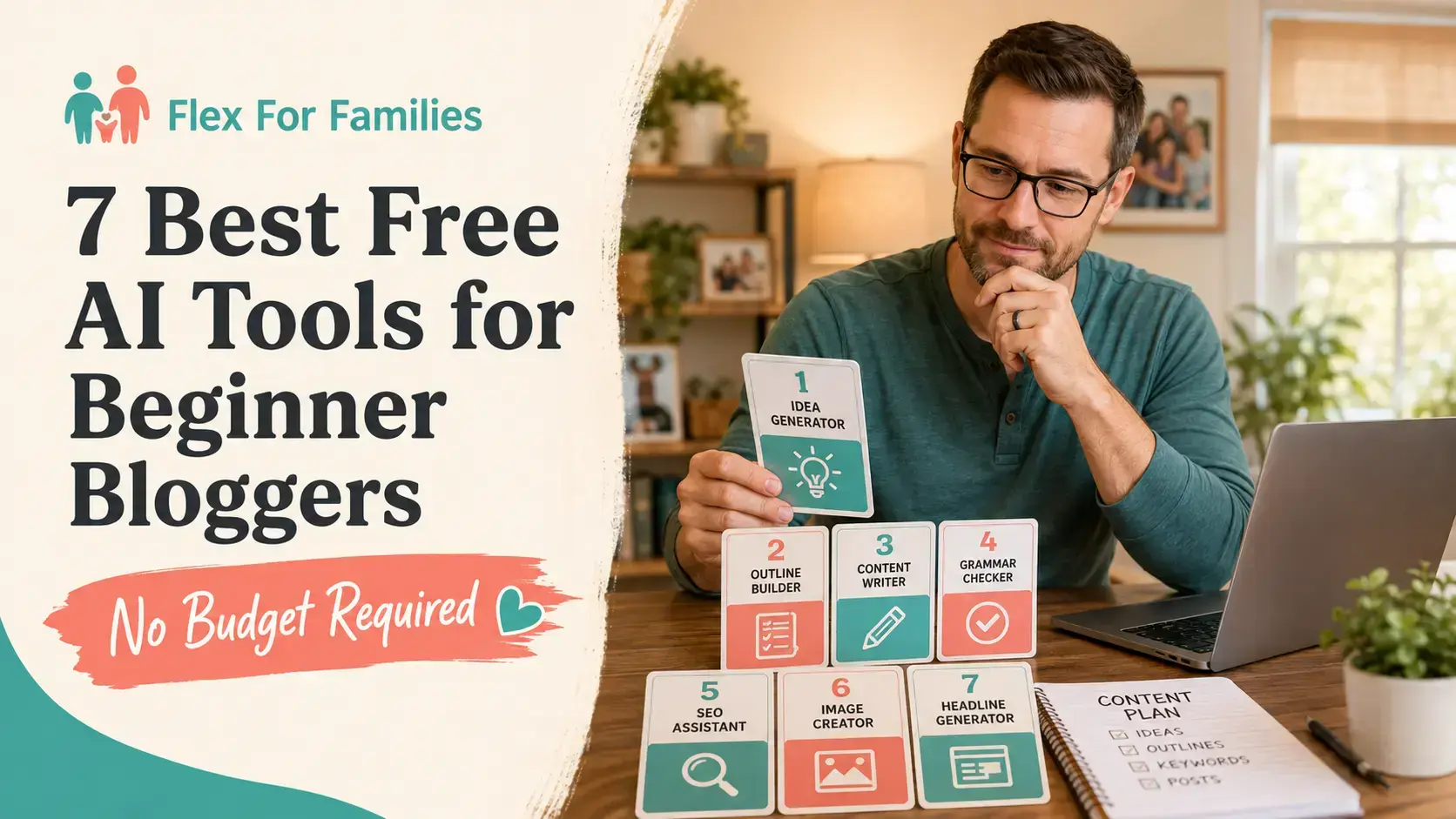
The seven free AI tools covered in this guide are:
- ChatGPT Free for general planning, outlines and editing support.
- Claude Free for reviewing longer drafts and organising projects.
- Gemini Free for general AI support within Google’s environment.
- Perplexity Free for discovering potential sources.
- Gemini Notebook for organising and questioning selected sources.
- Canva Free for blog and social graphics.
- Grammarly Free for spelling, grammar and readability checks.
My simplest beginner combination would be:
- One of ChatGPT Free, Claude Free or Gemini Free
- Canva Free
- Grammarly Free
- Google Search Console and Google Analytics for real performance data
Perplexity and Gemini Notebook can be added when you need more research support.
If you are unsure whether you should pay for an upgrade, read my guide to Free and Paid AI Tools for Bloggers.
You Do Not Need All Seven Tools
ChatGPT, Claude and Gemini overlap considerably.
All three can help you:
- Brainstorm content ideas
- Develop article angles
- Build outlines
- Improve wording
- Summarise information
- Suggest social content
- Identify possible gaps
Opening the same task in three assistants can create more decisions and material to review.
Try each assistant briefly. Choose the one that feels easiest to use and make it your main tool.

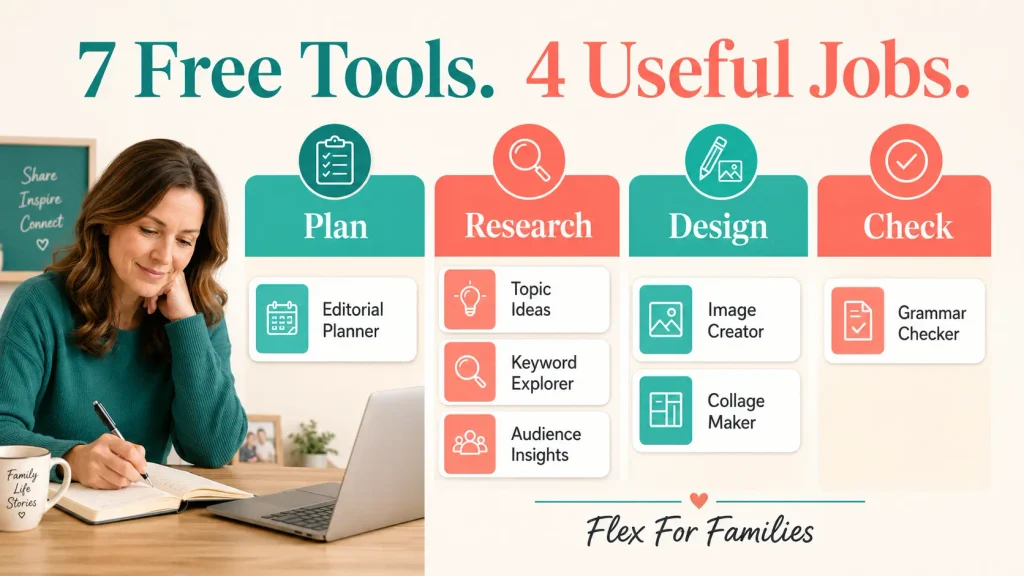
Your everyday setup should cover four functions:
- General AI support
- Research support when needed
- Design
- Language checking
The goal is a small workflow you understand, not the largest free toolkit you can assemble.
How I Selected These Free AI Tools
I looked for:
- A genuine free plan or free access
- Availability to UK bloggers
- A clear role within a blogging workflow
- Reasonable ease of use
- Useful output without payment
- The ability to check or edit the result
- No requirement to automate complete articles
I use ChatGPT, Canva and Grammarly within my blogging workflow. I now pay for wider functionality, but each platform offers a free starting point.
The Claude, Gemini, Perplexity and Gemini Notebook sections are research-based. I have used official product information to assess what their free access offers. I am not presenting those four as tools I have personally tested over a long blogging workflow.
Free plans and usage limits can change. The details in this article were checked on 1 September 2026. Confirm the current allowance on the official website before building an important process around it.
Free AI Tools at a Glance
| Tool | Best for | Main Free Limitation | Core Setup? |
|---|---|---|---|
| ChatGPT Free | Planning and general blogging support | Limits on some models and tools | Choose as one main assistant |
| Claude Free | Draft review and project organisation | Usage varies with conversation and file size | Choose as one main assistant |
| Gemini Free | General help in Google’s environment | Standard usage limits | Choose as one main assistant |
| Perplexity Free | Finding possible sources | Very limited Pro searches | Add for research when needed |
| Gemini Notebook | Working from selected sources | Lower capacity than paid access | Add for research-heavy articles |
| Canva Free | Blog and social graphics | Limited premium assets and AI allowance | Yes |
| Grammarly Free | Basic language checks | Advanced rewriting and brand features are paid | Yes |
1. ChatGPT Free
Best for: General blog planning and content support.
ChatGPT Free can support several parts of the blogging process.
You can use it to:
- Explore content-cluster ideas
- Compare article angles
- Develop an outline
- Simplify a confusing section
- Suggest title variations
- Turn an approved article into social ideas
- Identify questions the draft may have missed
- Search the web for current information
OpenAI confirms that the free version of ChatGPT is available to everyone. The free tier includes access to a range of chat capabilities and tools, although the available models and limits may change. You can check the current details on OpenAI’s pricing page and Free Tier FAQ.
A Useful Beginner Prompt
I am writing for busy parents who want to start a realistic blog around family life. Help me organise these article ideas into a logical content cluster. Do not invent search volumes. Show which question the reader should answer first and what they are likely to ask next.
The context makes the output more useful than asking for a random list of blog ideas.
Where ChatGPT Free Can Struggle
The free plan may limit some models, file uploads, images or advanced tools. Those limits can change according to availability.
The output can also contain:
- Incorrect facts
- Invented sources
- Generic examples
- Recommendations that do not fit your reader
- Confident wording unsupported by evidence
Use ChatGPT as an assistant. Do not treat a completed response as approved content.
2. Claude Free
Best for: Reviewing longer drafts and organising focused projects.
Claude Free can perform many of the same general tasks as ChatGPT. Its project structure may appeal to bloggers who want to keep related conversations and documents together.
Anthropic currently lists Claude Free at $0 for occasional use. Free users can create up to five projects, each with its own chat history and knowledge base. See Anthropic’s plan guide and projects documentation.
Possible uses include reviewing article structure, finding repetition, comparing introductions and keeping a small content cluster in a dedicated project.
A Useful Beginner Prompt
Review this article for structure and clarity. Identify repeated points, unanswered reader questions and sections that feel too general. Do not rewrite the article yet. Give me a prioritised editing list.
This keeps the blogger in control of the changes.
Where Claude Free Can Struggle
Usage depends on factors such as message length, uploaded files and conversation size. A long article review can use the allowance faster than a short question.
Claude can also make factual mistakes. A fluent review does not prove that every recommendation is correct.
Research note: This recommendation is based on Anthropic’s current official information rather than my own long-term use of Claude within Flex For Families.
3. Gemini Free
Best for: General AI support for bloggers already comfortable with Google’s services.
Gemini can help with brainstorming, outlines, summaries, uploaded content and alternative explanations.
Google provides standard Gemini access without a paid AI plan. Its official guidance states that usage limits, model names and availability may change. Paid plans increase the standard limits. Check the current Gemini limits and upgrades before relying on a particular feature.
A Useful Beginner Prompt
Explain this topic to a complete beginner in British English. List the five questions a busy parent is most likely to have. Separate confirmed facts from suggestions that require further research.
Where Gemini Free Can Struggle
Using a Google AI product does not make the answer automatically reliable for Google Search.
Gemini can still:
- Misinterpret a question
- Combine details from different sources
- Provide an outdated answer
- Present a suggestion as a fact
Verify current claims through the original source. Do not publish SEO advice simply because it came from a Google product.
Research note: This section is based on current Google documentation. I am not claiming personal results from using Gemini as my main blogging assistant.
4. Perplexity Free
Best for: Discovering potential sources and beginning current research.
Perplexity is designed around search and answers with source links. That can make it useful when an article needs current facts, official policies or recent product information.
The free Standard plan currently includes practically unlimited basic searches, search history, basic file uploads and a very limited number of Pro searches. It does not include manual access to advanced search models or image generation. See Perplexity’s official plan guide.
Possible uses include finding official pricing, programme terms, current statistics and follow-up questions.
A Useful Beginner Prompt
Find the current official guidance on using AI-generated content in Google Search. Prioritise Google documentation. Separate official sources from third-party commentary.
Where Perplexity Free Can Struggle
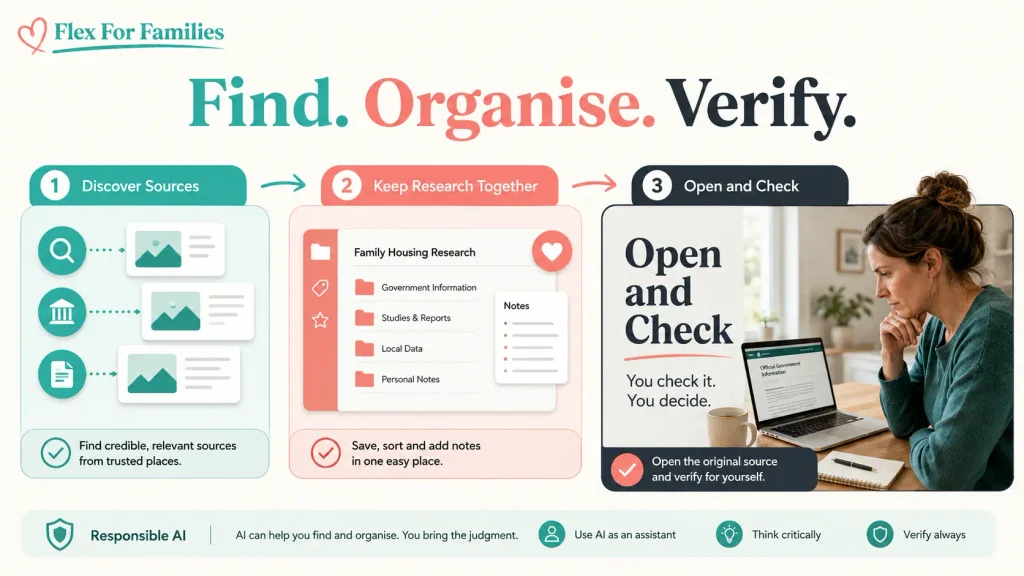
Finding a source is not the same as verifying a claim.
Always open the source and check:
- Whether it supports the specific statement
- When it was updated
- Whether conditions or exceptions apply
- Whether Perplexity has summarised it accurately
A linked source can be genuine while failing to support the sentence beside it.
Research note: This recommendation is based on Perplexity’s official free-plan information. It is not a personal long-term review.
5. Gemini Notebook
Best for: Organising and questioning sources you have deliberately selected.
Gemini Notebook was previously called NotebookLM. Google renamed it in July 2026. It remains a standalone, source-focused research product.
You can add documents and websites, ask questions about them and trace answers back to relevant passages.
This makes it different from asking a general assistant to search the entire web.
Possible uses include organising official sources, comparing programme policies and creating a source-based briefing before drafting.
Google describes Gemini Notebook as a research tool used by more than 30 million people and over 600,000 organisations. Read the official renaming announcement.
A Useful Beginner Prompt
Using only the sources in this notebook, list the confirmed differences between the free and paid plans. Cite the relevant passage for each difference. Flag anything the sources do not confirm.
Where Gemini Notebook Can Struggle
Source-grounded does not mean error-free.
The tool may misunderstand a passage or miss an important condition. Open the cited section and read it before using the claim.
The quality of the notebook also depends on the material you provide. A collection of weak third-party posts will not become reliable simply because it sits inside a source-focused tool.
Research note: This recommendation is based on Google’s official information. I have not used Gemini Notebook as a long-term part of the Flex For Families workflow.
6. Canva Free
Best for: Creating blog and social graphics.
Canva Free can help a beginner create hero images, infographics, Pinterest graphics, Facebook images and YouTube thumbnails.
Canva currently states that its free plan can include up to 200 uses of Standard AI tools or up to 20 uses of Premium AI tools. The actual number depends on the features and complexity used. Check Canva’s UK pricing page for the current allowance.
A Useful Beginner Workflow
- Create one 16:9 blog hero.
- Reuse the same colours and typography in a manual 9:16 Pinterest design.
- Adapt the approved design into a square Facebook image.
- Check every piece of generated text before exporting.
Where Canva Free Can Struggle
The free plan has fewer premium assets, AI generations and brand features. Automatic resizing and some advanced editing tools may require a paid plan.
That can mean more manual work when every article needs several formats.
Canva Free remains enough to start. Canva Pro becomes easier to justify when the same repeated design tasks regularly consume useful time. Read my comparison between Canva Free and Pro to see the key differences.
7. Grammarly Free
Best for: A final spelling, grammar and readability check.
Grammarly Free can help catch spelling mistakes, missing words, grammar problems and unclear sentences.
Grammarly says its free version can be used for as long as you want. You can also set your language preference to British English. See Grammarly’s getting-started guide.
A Useful Beginner Workflow
Run Grammarly after you have completed the strategic and factual edit.
Review each suggestion rather than accepting everything automatically. Check that the change:
- Preserves your intended meaning
- Sounds natural
- Retains your voice
- Uses the correct British spelling
- Does not turn a careful statement into a stronger claim
Where Grammarly Free Can Struggle
Grammar tools do not understand every brand decision.
A natural sentence can be flagged because it does not match a standard pattern. A suggested rewrite may sound polished while removing your personality.
Use Grammarly to spot possible problems. You remain the editor.
Which Free AI Assistant Should You Choose?
Choose ChatGPT Free if you want an accessible all-round assistant for planning, outlines and everyday content support.
Choose Claude Free if your priority is reviewing longer drafts or keeping a few focused projects organised.
Choose Gemini Free if you prefer Google’s environment and want a general assistant connected to that wider ecosystem.
You do not need all three for every article.
Try the same small task in each one. Compare:
- Ease of use
- Quality of the questions it asks
- Relevance to your audience
- Amount of correction required
- How often the free limit interrupts you
Then choose one main assistant.
The Best £0 AI Blogging Setup
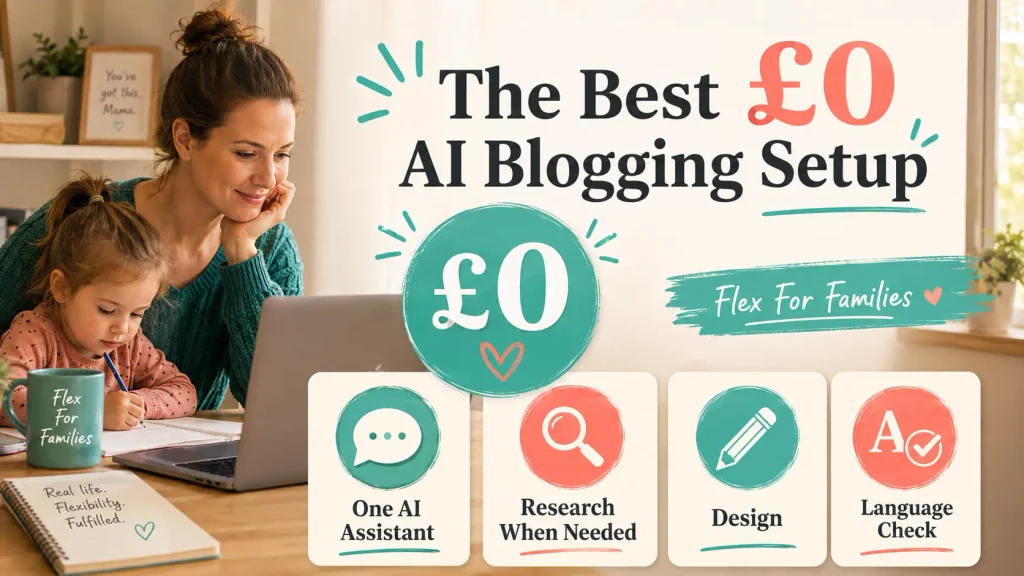
A practical no-budget setup looks like this:
General AI Support
Choose one of ChatGPT Free, Claude Free or Gemini Free.
Use it for planning, outlining and editing support.
Research Support
Use Perplexity Free to discover possible sources.
Use Gemini Notebook when a research-heavy article needs several selected sources kept together.
You will not need both for every post.
Design
Use Canva Free for blog and social graphics.
Language Check
Use Grammarly Free after the content and fact review.
Real Performance Data
Use Google Search Console and Google Analytics.
These are not AI tools, so they are not part of the seven. They show what readers actually search for and how your site performs. That real data should carry more weight than an AI prediction.
A Free AI Workflow for One Blog Post
Here is a realistic process using free tools.
Step 1: Choose the Reader and Question
Start with the person you want to help and the question they need answered.
Do not begin by asking AI for a random article.
Step 2: Build the Angle and Outline
Use your chosen general assistant to organise the reader problem, angle and structure.
Approve the plan before drafting.
Step 3: Find Potential Sources
Use Perplexity when the topic requires current information.
Open the original sources yourself.
Step 4: Organise Detailed Research
For a source-heavy article, place the selected documents in Gemini Notebook and ask questions about that material.
Trace every important answer back to the relevant passage.
Step 5: Add Your Experience and Position
Give the article the information AI does not possess.
Add:
- Your genuine experience
- Your reader knowledge
- Your recommendation
- Your examples
- Your boundaries
Step 6: Review the Complete Draft
Ask your main assistant to find gaps or repetition.
Do not ask it to invent personal stories or supporting evidence.
Step 7: Complete the Language Check
Use Grammarly Free as a final language pass.
Accept only the suggestions that improve the article.
Step 8: Create and Review the Images
Use Canva Free to create the required formats.
Check spelling, layout, accessibility and brand consistency before upload.
What Free AI Tools Cannot Do for You
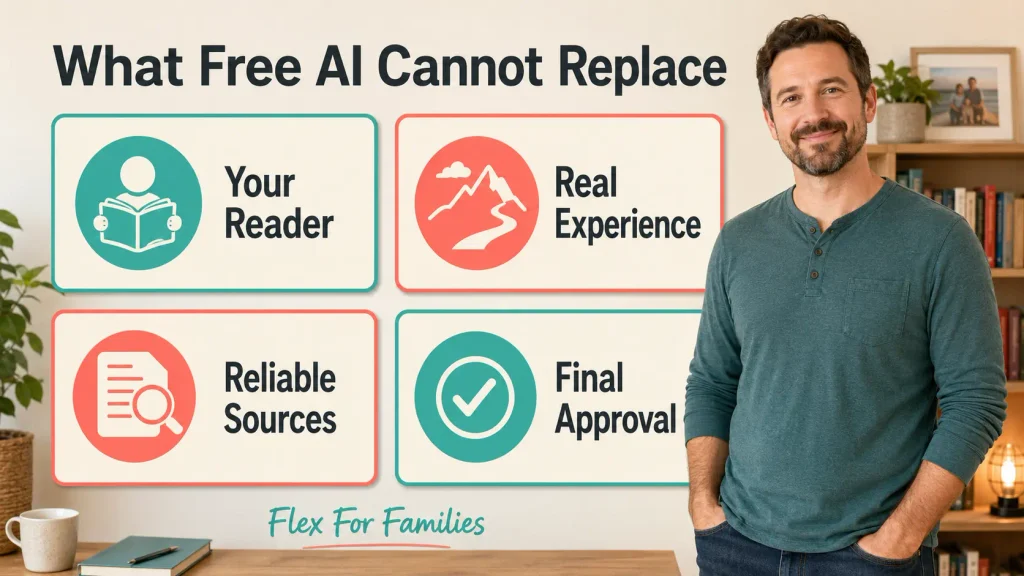
Free AI tools can support tasks. They cannot safely replace the important decisions behind a trustworthy blog.
They cannot:
- Choose a viable audience for you
- Supply genuine personal experience
- Guarantee factual accuracy
- Approve an affiliate recommendation
- Understand every family circumstance
- Decide whether the article deserves the reader’s trust
- Guarantee Google rankings
- Complete the final human review
Google’s focus is on helpful, reliable, people-first content rather than whether AI was involved in producing it. Read my guide to using AI-generated content safely for SEO for the complete policy discussion.
The Limitations of a Completely Free Workflow
A £0 setup works, but it will involve trade-offs.
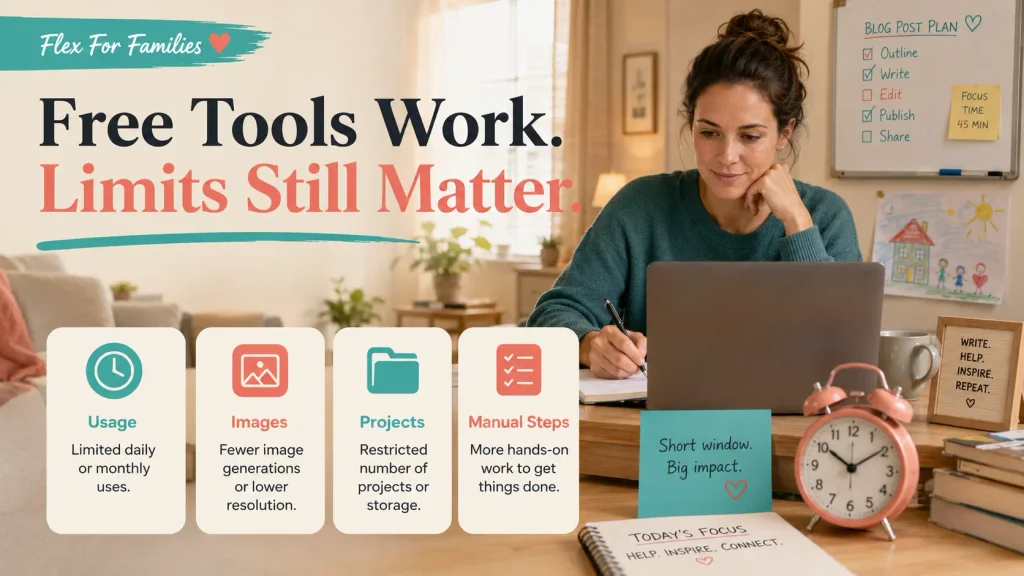
You may face:
- Usage limits during a work session
- Fewer image generations
- Lower project capacity
- Manual resizing
- Fewer premium design assets
- More movement between tools
- Less saved brand context
- Changing feature availability
These restrictions are manageable while you learn.
Consider paying only when a free limitation regularly interrupts work you already do. The upgrade should solve a specific problem rather than add another impressive dashboard.
My Experience With AI Blogging Tools
AI has improved my blogging workflow by helping me organise connected content clusters instead of treating each keyword as an isolated article.
With the strategy agreed, I can often move from an initial concept to a finished article on the same day.
That speed does not remove the review.
I still spend around 30 minutes checking each completed article. I review the wording, facts, links, recommendations, images and whether everything fits Flex For Families. Social posting comes afterwards.
ChatGPT Work helps me organise the wider production process across the content, images and promotional assets. Canva Premium makes it easier to produce the different branded formats I use for the blog, Pinterest, Facebook and YouTube. Grammarly provides another useful check on the final writing.
Those paid tools suit the workflow I have now. A new blogger does not need to copy that setup on day one.
I have also used LinkArtemis. Its Keyword Opportunities feature helped me find useful ideas, but the generated articles needed substantial editing. One feature saved useful time. Another created more work than the marketing suggested.
That remains my main test:
Does this tool save useful time, or create more work correcting mediocre output?
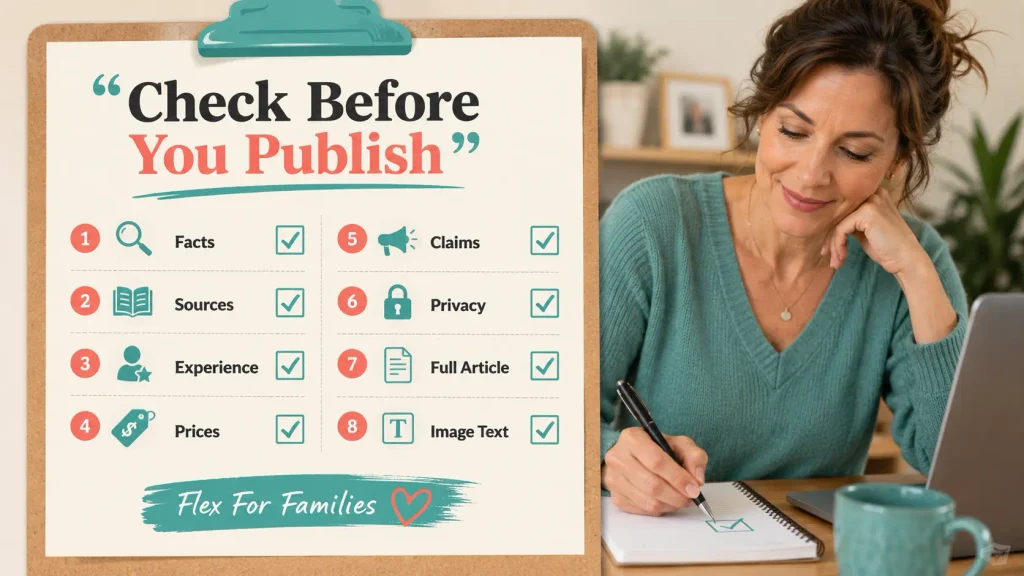
Free AI Tool Safety Checklist
Before publishing AI-assisted work:
- Check every important fact.
- Open and read every source.
- Remove any invented experience.
- Confirm current product names, prices and features.
- Check affiliate and advertising claims.
- Protect private family information.
- Read the complete final article.
- Review every piece of image text.
The same checklist applies whether the tool is free or paid.
My Recommended Free AI Toolkit for Beginners
Start with:
- One general assistant
- Canva Free
- Grammarly Free
- Google Search Console
- Google Analytics
Add Perplexity Free when you need help discovering current sources.
Add Gemini Notebook when you need to work from several selected documents.
Keep the workflow small enough to understand and review.
The right free setup should help you complete useful work. It should not encourage you to create more drafts than you can check.
Final Verdict
Free AI tools are enough to start an organised blogging workflow in 2026.
ChatGPT Free, Claude Free and Gemini Free all offer general support. Choose one.
Canva Free and Grammarly Free cover two common production needs. Perplexity Free and Gemini Notebook can support research-heavy work when required.
You do not need all seven tools open for every article.
Use the smallest combination that helps you answer the reader, save useful time and maintain control of the final result.
Build Your Blogging Plan Before Building Your Toolkit
The right tools cannot replace a clear audience, useful content plan and realistic routine.
The free Parent Blogging Starter Kit helps you choose your direction, organise ideas and build a blogging process around family life.
Get the Free Parent Blogging Starter Kit
Frequently Asked Questions
What Is the Best Free AI Tool for Bloggers?
ChatGPT Free is a useful all-round starting point. Claude Free and Gemini Free are strong alternatives. The best choice is the one that fits your workflow and requires the least correction.
Can ChatGPT Write Blog Posts for Free?
ChatGPT Free can generate drafts. A generated draft still needs reliable sources, genuine experience, editing and human approval before publication.
Is Claude or ChatGPT Better for Bloggers?
Both can support planning and editing. ChatGPT may suit general everyday support, while Claude’s projects may appeal to bloggers organising focused groups of content. Test a small task in both before choosing.
Can You Use Canva AI for Free?
Yes. Canva Free includes a limited shared AI allowance. The number of uses depends on the features and complexity involved.
Is Perplexity Reliable for Blog Research?
Perplexity is useful for finding possible sources. You must open each source and confirm that it supports the claim before publishing it.
Is Gemini Notebook Free?
Gemini Notebook offers free access with lower limits than paid Google AI plans. Check Google’s current availability and allowances because features can change.
Can Free AI Content Rank on Google?
Google focuses on content quality and whether the page helps people. Free or paid tool access does not determine rankings. The final content still needs accuracy, value and a clear purpose.
How Many AI Tools Does a Beginner Need?
One general assistant, one design platform and one language checker are enough to begin. Add a research tool when the topic requires it.
Can You Run a Blog Without Paying for AI Tools?
Yes. A free setup can support planning, research, editing and graphics. Paid plans mainly become useful when free limits repeatedly interrupt a proven workflow.
Let’s Chat
Which free AI tool do you use most?
Which free limit causes the most problems for your blogging workflow?
Have you found a free tool that saves more useful time than a paid alternative?


Your ‘choose one main assistant’ rule resonated — I used to juggle half a dozen free tiers and lose track of which limit I’d hit. Now I run everything through a single key covering lots of free models, which keeps the workflow intact without the juggling, and the 30 minutes checking each article still stands. Thanks for the practical toolkit — freellm.net
Thanks for sharing this. I’m glad the “one main assistant” idea resonated, because tool-hopping can quietly eat up a lot of time, especially when you’re constantly hitting limits or switching workflows.
I like your point about keeping the workflow intact too. For beginner bloggers, simplicity usually wins. One reliable setup, plus a consistent review process, is often more useful than having access to lots of different tools.
And yes, that 30-minute checking window is still important. AI can speed up the first draft, but the value really comes from what happens afterwards, fact-checking, tightening the wording, adding experience, and making sure the final article actually helps the reader.
Thanks for adding your experience to the discussion.
John