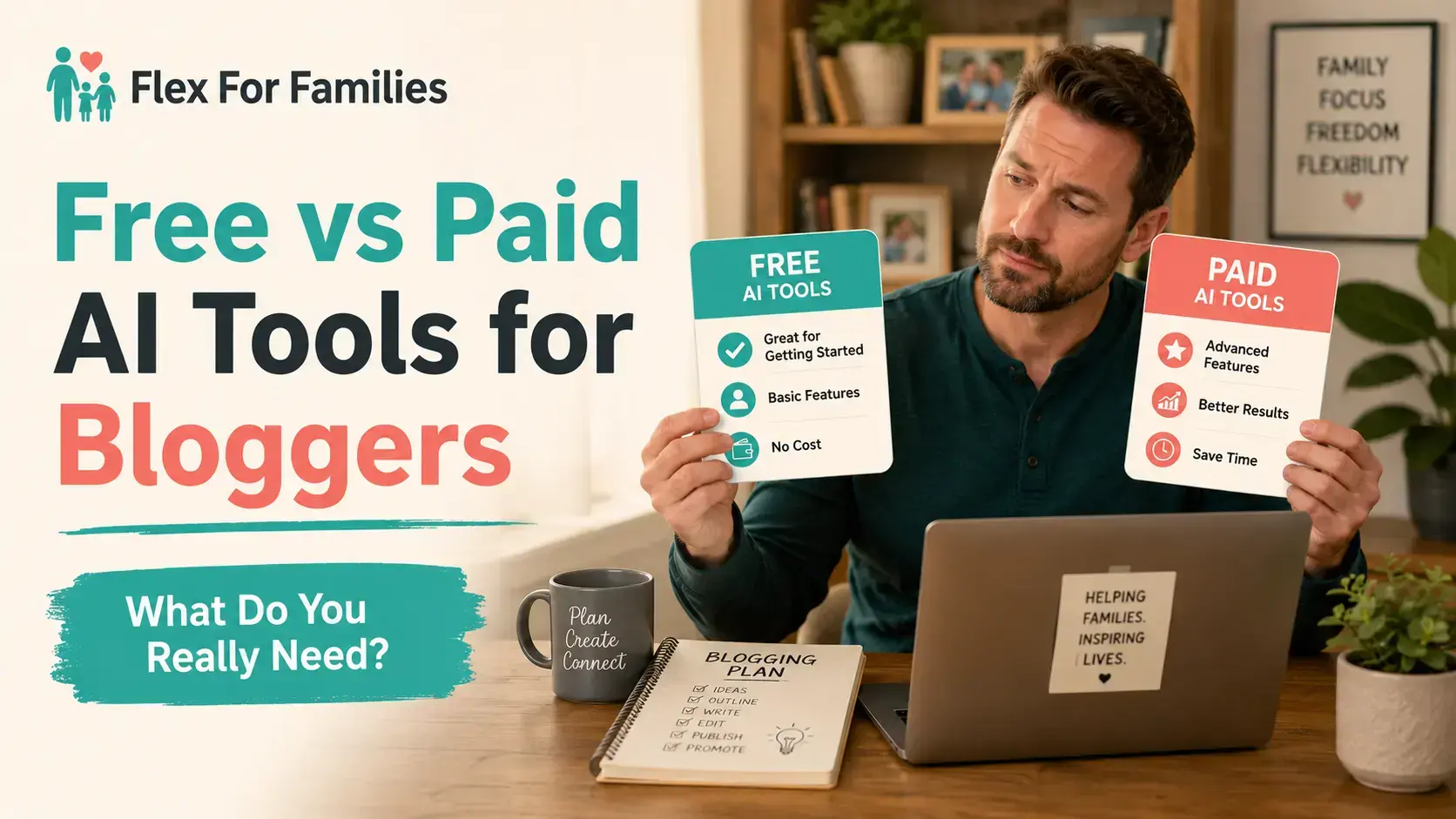
It is easy to build an expensive AI toolkit before you have built a reliable blogging workflow.
One tool promises faster research. Another promises complete articles. A third creates images, while another claims to improve everything the first three produced.
Before long, you can be paying for several subscriptions without knowing which ones genuinely help.
Most beginner bloggers do not need a collection of paid AI tools.
Free plans can help you explore ideas, organise content clusters, create outlines, improve rough paragraphs and produce basic graphics. Paid plans become useful when a clear limitation regularly interrupts work that already matters.
The aim is not to collect more tools. It is to build the smallest setup that helps you create useful content around the time you have available.
Quick Answer: Do Bloggers Need Paid AI Tools?
No. You can start and run a blog using free AI tools.
A paid plan may become worthwhile when:
- You use the tool every week
- Free limits regularly interrupt your workflow
- A paid feature solves a specific problem
- The tool saves measurable time
- You can still review everything it helps you produce
Paying does not automatically improve your strategy, experience or judgement. It usually buys greater capacity, stronger features or a more convenient workflow.
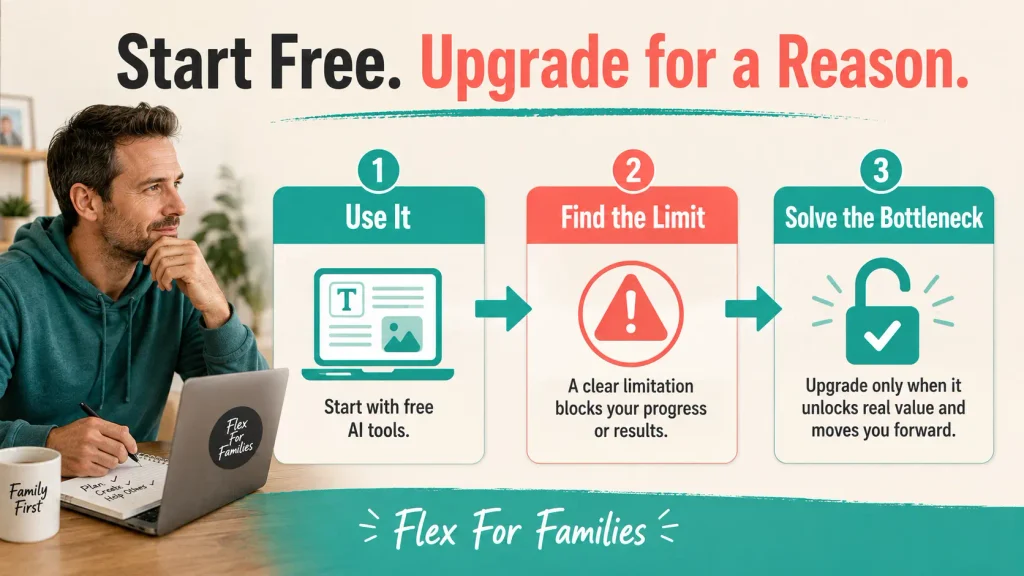
Start free. Build a repeatable process. Upgrade one tool when you can explain exactly what the upgrade will change.
If you are still deciding whether AI belongs in your workflow at all, read my comparison of AI Blogging and Traditional Blogging.
What Can Bloggers Do With Free AI Tools?
Free AI tools can support a surprising amount of blogging work.
You can use them to:
- Explore questions your audience may ask
- Group related ideas into content clusters
- Compare possible article angles
- Build a first outline
- Simplify a confusing paragraph
- Suggest alternative headlines
- Turn an article into social-post ideas
- Identify gaps in a draft
- Create basic blog and social images
- Check spelling and grammar
This does not mean you should ask a free tool to create a complete article and publish the result.
Free or paid, AI output still needs:
- A clear reader
- A useful purpose
- Reliable sources
- Genuine experience
- A consistent position
- Human approval
The tool can support the work. It cannot take responsibility for what appears on your website.
Where Free AI Tools Usually Become Restrictive
Free plans are designed to give you useful access while reserving greater capacity or advanced features for paying customers.
The restriction may appear as:
- A daily or monthly usage allowance
- Fewer image-generation credits
- Limited access to advanced models
- Smaller file-upload allowances
- Shorter conversations or projects
- Reduced research capability
- No brand kit or advanced design controls
- Fewer integrations
- Less access during busy periods
These limits are not automatically a problem.
If you use an AI assistant twice a week and never reach its allowance, paying for more usage will not improve your blog.
The limit matters when it repeatedly stops a useful task. For example, you may have a two-hour work session while your child is at an activity. If your free allowance ends halfway through a planned content cluster, that interruption has a practical cost.
The question is not whether the paid plan offers more. Most paid plans do.

The question is whether you need more for the work you are actually doing.
What Are You Actually Paying for?
Paid AI tools usually sell one or more of the following benefits.
More Capacity
You may receive higher message, image, upload or generation limits.
This matters to regular users. It offers little value if you rarely reach the free limit.
Better Workflow Continuity
Projects, saved instructions, reusable context and larger conversations can reduce the need to repeat the same background information.
For a blogger managing a connected series, that continuity can be more valuable than producing words faster.
Access to Advanced Features
Paid plans may include stronger models, deeper research, file analysis, image tools, video features or integrations.
Assess the features individually. A list of 40 capabilities is not valuable if you use only two.
Greater Design Control
Paid design plans may include brand kits, premium templates, background removal, resizing and larger asset libraries.
These can save time when one article needs a hero image, Pinterest graphics, Facebook assets and a YouTube thumbnail.
Convenience
Convenience is a valid reason to pay.
A busy parent may choose a paid tool because it keeps work organised and reduces switching between platforms. That benefit should still be clear enough to measure.
Free vs Paid AI Tools at a Glance
| Area | Free Tools | Paid Tools |
|---|---|---|
| Cost | No monthly subscription | Recurring monthly or annual cost |
| Usage | Suitable for occasional work | Higher limits for regular workflows |
| Models | Basic or limited advanced access | Broader access to advanced models |
| Research | Useful for initial exploration | Often includes deeper research features |
| Images | Limited credits and controls | More generations and editing options |
| Organisation | Basic chats or projects | More project, memory and workspace features |
| Brand Control | Usually limited | Brand kits, templates and reusable settings |
| Best For | Beginners and occasional users | Bloggers with a proven repeated need |
| Main Risk | Workflow interruptions | Subscription creep and unused features |
The differences vary between products. Check the official pricing page before subscribing because plans, limits and regional prices can change.
When Free AI Tools Are Enough
Free plans are probably enough if you are:
- Learning the basics of blogging
- Testing where AI fits your process
- Publishing occasionally
- Developing your first content plan
- Using AI for ideas rather than complete workflows
- Rarely reaching free usage limits
- Running a blog that does not yet earn consistent income
This stage is useful because it teaches you what you actually need.
You may discover that planning is easy but images take too long. You may find that your design process works well while research creates delays. You may realise that the free tools already cover everything you use.
Do not upgrade because another blogger calls a tool essential. Their publishing schedule, income, audience and available time may be completely different from yours.
When a Paid AI Tool Becomes Worth It
A paid tool becomes easier to justify when it removes a proven bottleneck.
Look for these signs:
You Use It Consistently
A tool used several times each week has more opportunity to repay its cost than one opened twice a month.
Free Limits Interrupt Real Work
Reaching a limit while experimenting is different from reaching it during a repeatable publishing process.
If the interruption regularly delays useful work, increased capacity may be worthwhile.
The Paid Feature Replaces a Manual Step
Perhaps bulk resizing replaces the need to rebuild every social graphic. A saved project may remove repeated setup. A research feature may help you organise primary sources more efficiently.
Name the step before you subscribe.
You Can Measure the Benefit
The benefit may be:
- Minutes saved per article
- Fewer platforms used
- More consistent branding
- Fewer abandoned drafts
- A complete article produced within one available work session
If you cannot describe the improvement after a month, reconsider the subscription.
The Hidden Cost of Paid AI Tools
The monthly fee is only one part of the cost.
Every new tool may also require:
- Setup time
- New prompts
- A different workflow
- File transfers
- More passwords and accounts
- Time learning features
- Time reviewing additional output
Subscriptions can also overlap.
You may pay for separate writing, rewriting, SEO, research and social tools even though one general assistant already covers much of that work.
The most expensive problem is output you cannot use.
A tool may generate ten articles quickly. If those articles contain generic advice, weak sources or invented experience, you have not saved the full writing time. You have created ten editing jobs.

That is why one of the Biggest AI Blogging Mistakes is buying tools or producing content faster than you can properly review it.
How to Calculate Whether an AI Subscription Is Worth It
Use a simple calculation:
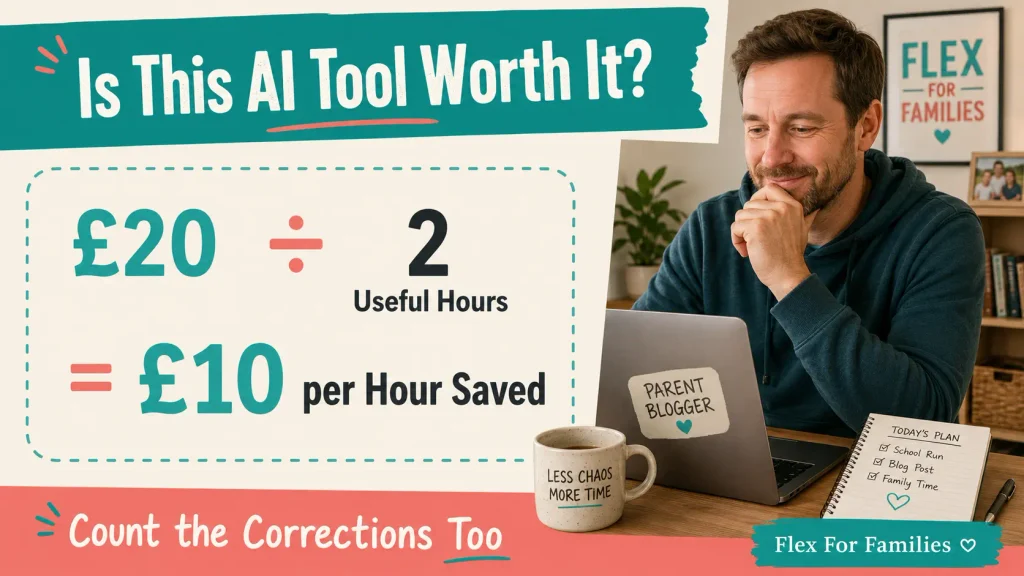
Monthly subscription cost ÷ useful hours saved = cost per hour saved
Imagine a tool costs £20 per month.
If it saves two useful hours each month, you are paying £10 for each hour saved.
If it saves only 20 minutes and creates another 30 minutes of corrections, the apparent saving has disappeared.
Useful time matters more than generated output.
Count time saved on work that helps you move forward, such as:
- Completing keyword research
- Organising a content cluster
- Producing a reviewed article
- Resizing approved graphics
- Preparing social content
- Maintaining consistent brand assets
Do not count 30 minutes saved drafting if the result creates 45 minutes of rewriting.
For parents, the decision is not purely financial. A tool that helps you finish an article during one available work session may protect family time later. That can be a sensible benefit even before the blog earns much income.
The £0 AI Blogging Setup
A beginner does not need a specialised tool for every task.
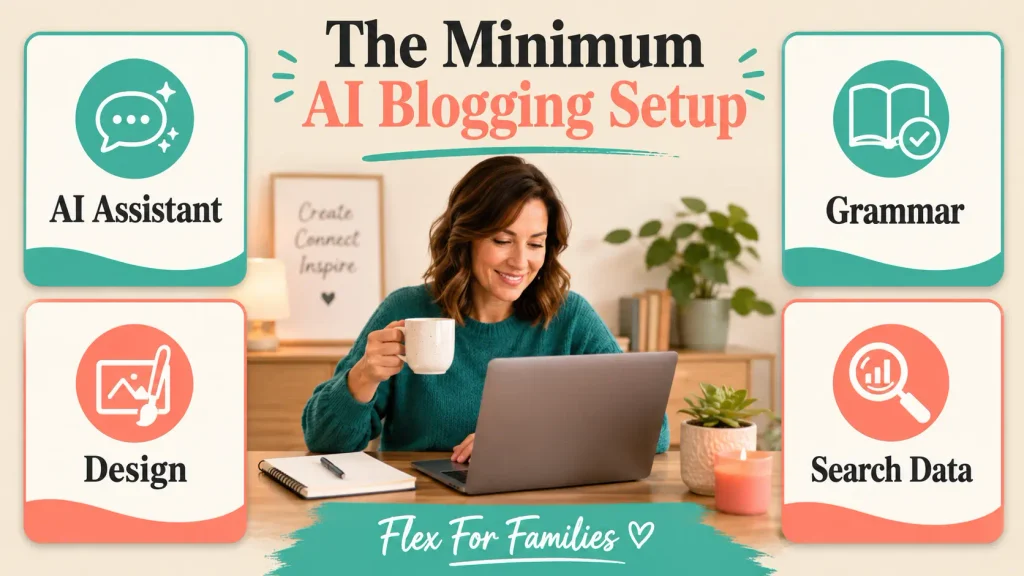
A simple free setup can include:
- One general AI assistant for planning, outlines and editing support.
- One design platform for basic blog and social graphics.
- One spelling and grammar checker.
- Free search and analytics tools for real performance data.
Choose one main tool for each function. Learn what it can and cannot do before adding another.
You could use the free versions of ChatGPT, Claude or Gemini as your general assistant. You do not need all three in your daily workflow.
Canva Free can cover basic graphics. Google Search Console and Google Analytics provide real website data without another AI subscription.
This setup will not automate your blog. That is a strength. It lets you learn the strategy and editorial decisions that AI cannot safely make for you.
A Sensible First Paid Upgrade
Your first paid upgrade should target the part of blogging that consumes the most repeated time.
For many bloggers, this will be one of two areas.
A General AI Assistant
This may be worthwhile if you regularly use AI across planning, research organisation, outlines, editing and promotion.
Current official US pricing includes ChatGPT Go at $8 per month, ChatGPT Plus at $20 per month and Claude Pro at $20 per month. Prices and availability vary by country, so check the official OpenAI announcement and Anthropic plan information before paying.
Do not jump to a high-capacity professional plan simply because it exists. Match the subscription to your usage.
A Design Platform
This may be the better first upgrade if creating and resizing images slows your whole production process.
Canva currently lists its individual Pro plan at £100 per year in the UK. It includes premium assets, brand tools, resizing, background removal and a larger AI allowance. Check Canva’s UK pricing page for the current offer.
For a blogger producing several formats for each article, those workflow features may provide clearer value than another writing tool.
My Experience With Free and Paid AI Tools
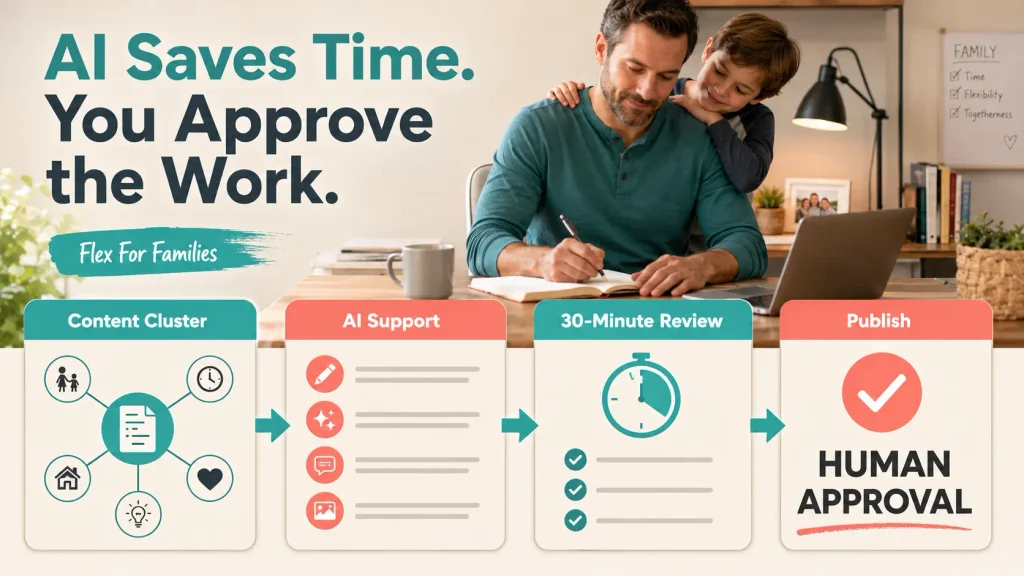
I began exploring blogging and affiliate marketing in 2016. For years, starting an article often meant completing separate pieces whenever I found another pocket of time.
AI has improved that process.
I now plan connected content clusters instead of treating every keyword as an isolated post. With the strategy agreed, I can often move from an initial concept to a finished article on the same day.
That does not mean I publish whatever the tool produces.
I still spend around 30 minutes reviewing each completed article. I check the wording, facts, links, recommendations, images and whether the content fits Flex For Families. Posting it to social media is another step.
ChatGPT Work helps me organise that wider production process. Canva Premium supports the multiple image formats needed for the blog, Pinterest, Facebook and YouTube.
I have also seen the other side.
LinkArtemis helped me find useful keyword opportunities. Its generated articles required substantial editing before I would consider publishing them. The keyword feature saved useful time. The content feature did not provide the same value for my workflow.
That experience shaped my main test for any tool:
Does this save useful time, or does it create more work fixing mediocre output?
Paid does not always mean better. Free does not always mean sufficient. The result depends on the problem, the workflow and the amount of correction required.
Use the Seven-Day Paid Tool Test
Do not judge a tool by its feature list. Test it during normal work.
Day 1: Define the Problem
Write down the exact task the subscription should improve.
For example:
I want to reduce the time needed to turn one approved article into correctly sized social graphics.
Days 2 to 6: Use It Normally
Use the tool on real blogging tasks. Avoid changing your whole process simply to make the new tool appear useful.
Record:
- How often you used it
- Which features you used
- Minutes saved
- Corrections required
- Work you completed
- Features you ignored
Day 7: Review the Result
Ask:
- Did it solve the original problem?
- Did it replace an existing tool?
- Did it save useful time?
- Could a free plan provide the same result?
- Would I still subscribe without an annual discount?
Continue for a full month if the first week is promising. Do not choose annual billing until the value is clear.
AI Tool Upgrade Checklist
Before paying, answer these questions:
- What specific problem will this tool solve?
- How often will I use the paid feature?
- Which existing tool or manual step will it replace?
- How much useful time should it save?
- Can I test it monthly before paying annually?
- Can I review everything it helps me produce?
- Does it overlap with a subscription I already have?
- Would I buy it if nobody earned commission for recommending it?
If you cannot answer the first four, stay with the free plan for now.
My Recommended Approach for Parent Bloggers
Start with free tools and one clear workflow.
Use that workflow long enough to identify where progress repeatedly slows down. Then test one paid solution against that specific problem.
Keep the upgrade if it saves useful time consistently. Cancel it if the benefit depends on features you rarely use or content that requires heavy correction.
Avoid building a collection of overlapping subscriptions. One well-used paid tool is more valuable than five impressive dashboards you rarely open.
Most importantly, keep your review capacity in the decision.
AI can help you produce more drafts, images and promotional material. You still need enough time to check the facts, protect your voice and make sure every asset helps the reader.

Free vs Paid AI Tools: Final Verdict
Free AI tools are enough to start blogging, learn the process and discover where AI genuinely helps you.
Paid tools become valuable when they remove a regular constraint from a workflow you already use.
Do not upgrade because a plan offers more. Upgrade because one of those features solves a problem you can name and measure.
Start free. Add one paid tool when the evidence supports it. Review the subscription regularly.
That approach protects your budget while giving you room to invest when a tool genuinely creates more flexibility.
Build the Plan Before Buying More Tools
AI works better when you already know who you want to help, what you want to create and how blogging fits around family life.
The free Parent Blogging Starter Kit helps you choose a niche, organise content ideas and build a realistic routine before you spend money on more software.
Get the Free Parent Blogging Starter Kit
Frequently Asked Questions
Can You Run a Blog Using Only Free AI Tools?
Yes. Free tools can support planning, outlining, editing, basic research organisation and simple graphics. You still need to verify facts, add genuine experience and approve the final work.
Are Paid AI Tools Better Than Free Tools?
Paid plans usually offer higher limits, more advanced features and greater convenience. They are better only when those differences solve a problem in your workflow.
Which AI Tool Should a Blogger Pay for First?
Pay for the tool that removes your clearest repeated bottleneck. This may be a general AI assistant or a design platform. Avoid choosing a tool simply because it has the longest feature list.
How Much Should a Beginner Spend on AI Tools?
A beginner can start at £0. When a repeated need becomes clear, test one monthly subscription before paying for several tools or committing annually.
Can Free AI Tools Create Blog Posts?
They can generate drafts, but generated content is not automatically ready to publish. You remain responsible for the reader, facts, sources, experience, recommendations and final wording.
Should You Pay Monthly or Annually?
Start monthly while testing a tool. Annual billing can reduce the average cost, but the saving disappears if you stop using the product after a few weeks.
Can You Use More Than One Free AI Assistant?
Yes, but using several similar assistants can complicate your workflow. Choose one main assistant and use another only when it provides a clear second opinion or different capability.
Are Lifetime AI Deals Worth Buying?
Some can be useful, but lifetime access does not guarantee that the product will remain supported or continue to match your needs. Assess the tool you can use today rather than buying only for promised future features.
Let’s Chat
Which AI tool do you currently pay for?
Does it save you useful time, or has it become another subscription you rarely use?
Share the free limit that most often interrupts your blogging workflow too. Your experience may help another parent decide whether an upgrade is worthwhile.