Amazon Associates is often described as a way to monetise a blog, but your website does not have to be the only place where you create useful product content.
You can also use Amazon affiliate links on authorised social media accounts and YouTube channels. The important part is setting each platform up correctly before sharing the links.
You need to consider three separate layers:
- Amazon’s Associates Programme rules
- The rules and features of the social platform
- UK advertising and disclosure requirements
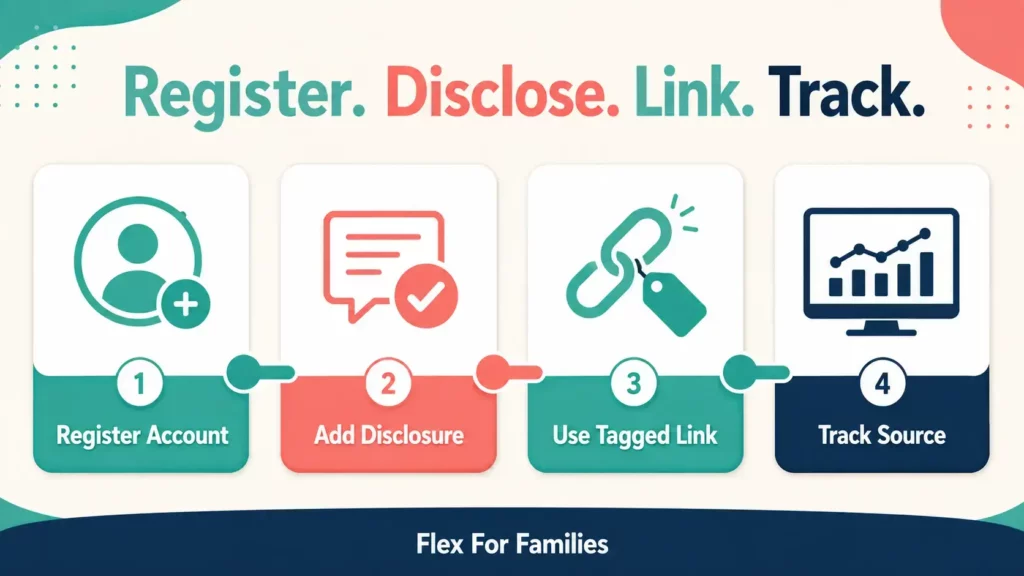
That sounds complicated, but the practical workflow is straightforward. Register the account with Amazon, create a properly tagged link, disclose the commercial relationship clearly and publish content that genuinely helps the reader or viewer.
This is a research-based guide using current Amazon UK, platform and Advertising Standards Authority guidance. These rules and features can change, so check the latest information before publishing.
If you are new to the programme, start with my Amazon Associates Guide for Parents.
Quick Answer: Can You Use Amazon Affiliate Links on Social Media and YouTube?
Yes. Amazon’s current UK Operating Agreement defines an authorised “Site” broadly enough to include websites and social media user-generated content.
Before sharing a link, check that:
- The social account or YouTube channel is listed in your Amazon Associates account.
- The account is public and accessible where Amazon requires it.
- The link was created using an approved Amazon link format.
- The content includes a clear advertising disclosure.
- The required Amazon Associate identification appears in an appropriate location.
- The product and destination match what you describe.
- The platform permits the link and content format.
- You can identify the source in your reports if tracking it will be useful.
Do not assume that a link is compliant simply because a platform lets you publish it. Technical permission and programme compliance are different things.
Add Your Social Accounts to Amazon Associates First
Amazon needs to know where you publish its Special Links.
Review the websites and mobile apps listed in your Associates account before posting on a new platform. Add the exact public profile or channel you intend to use.
For example, your list might include:
- Your blog
- Your public Facebook Page
- Your Instagram profile
- Your Pinterest business profile
- Your YouTube channel
Do not assume that registering your blog automatically covers every social account connected to the same brand.
The exact navigation inside Associates Central can change. Look for the account area that manages your website and mobile app list, then confirm each URL is accurate.
Also remove or update accounts you no longer control. Keeping the list current makes it easier to show where you publish affiliate content if Amazon reviews your activity.
Amazon Associates Versus the Amazon Influencer Programme
Amazon Associates and the Amazon Influencer Programme are related, but they are not identical.
| Amazon Associates | Amazon Influencer Programme |
|---|---|
| Uses tagged Special Links | Can include an Amazon-hosted storefront |
| Supports authorised websites and social content | Designed for eligible creators with a social presence |
| Links can lead to relevant Amazon pages | Followers can visit a central Amazon storefront |
| Performance appears through Associates reporting | Adds Influencer-specific content and storefront features |
An existing Associate may be able to apply for the Influencer Programme if eligible. Joining Associates does not automatically create an Influencer storefront.
You do not need a storefront to create useful affiliate content on an authorised YouTube channel or social account. Start with the programme and tools you currently have.
How to Use Amazon Associates on YouTube
YouTube works well for content that needs more explanation than a short social post can provide.
Useful formats include:
- Product reviews
- Comparisons
- Setup tutorials
- Demonstrations
- “Best for” guides
- Alternatives
- Answers to common product questions
YouTube states that affiliate content does not breach its Terms of Use by itself. However, it also warns that excessive affiliate posting through dedicated accounts may fall under its spam policies.
The video needs to offer genuine value. A channel filled with thin videos created only to send viewers through affiliate links is a weak long-term strategy.
Add the YouTube Channel to Amazon
List the public channel URL in your Amazon Associates account before adding Special Links.
Use the channel you actually control. If you operate several channels, register each one that will contain Amazon links.
Where to Put Amazon Affiliate Links on YouTube
The video description is the most common location.
Place the most relevant information near the beginning of the description so viewers do not have to open a long block of text before understanding the commercial relationship.
A clear layout might be:
AD: This video contains Amazon affiliate links. If you buy through one of these links, I may earn a commission at no extra cost to you. As an Amazon Associate I earn from qualifying purchases.
Product mentioned: [Amazon affiliate link]
You can also use permitted channel-profile links or other YouTube link features where available. Features vary by channel, content format and eligibility.
Check the published video on mobile and desktop. Confirm that:
- The disclosure appears before or beside the affiliate links.
- The link is usable in that content format.
- The destination opens the correct Amazon marketplace.
- The product still matches the video.
Disclose the Affiliate Relationship in the Video
Do not rely only on text hidden inside the description.
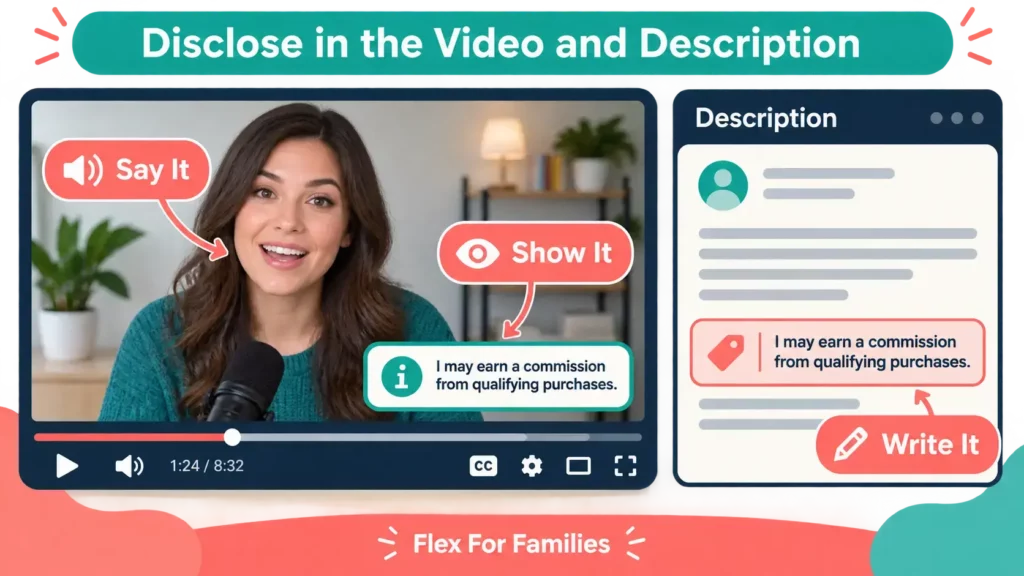
If the video contains affiliate marketing, include a clear verbal disclosure near the beginning. An on-screen label can reinforce it.
For example:
This video contains Amazon affiliate links. If you buy through one, I may earn a commission at no extra cost to you.
The ASA says advertising on YouTube needs to be obviously identifiable. A vague thank-you to a company may not tell viewers that the content contains advertising.
YouTube also provides paid-promotion tools for commercial content. Use the platform’s applicable declaration controls where required, but do not assume a platform label replaces the disclosure your affiliate content needs.
Understand more about the rules of Amazon Associates with my Amazon Associates Rules Bloggers Need to Know guide.
Keep YouTube Descriptions Current
Videos can continue attracting viewers long after publication.
Review important descriptions regularly for:
- Unavailable products
- Replaced models
- Incorrect marketplaces
- Broken links
- Outdated offers
- Missing disclosures
If a product is no longer suitable, update the description and consider a pinned clarification where appropriate.
How to Use Amazon Associates on Facebook
Facebook can support practical recommendations, short demonstrations and conversations with readers.
Before publishing:
- Add the public Page or authorised profile to Amazon Associates.
- Check that the post can be viewed without private group membership where Amazon requires public access.
- Create the link through an approved Amazon tool.
- Put the disclosure where readers can see it immediately.
- Explain why the product is relevant.
A simple post could begin:
AD: This post contains an Amazon affiliate link. If you make a qualifying purchase, I may earn a commission at no extra cost to you.
Then provide the useful context before or around the link.
Facebook Pages and Groups
A public brand Page gives you more control over your content and disclosures.
Groups need extra care. The group administrator may ban affiliate links even when Amazon permits them on an authorised social presence.
Do not post affiliate links in somebody else’s group without clear permission. Avoid dropping the same link into several discussions that were not asking for a recommendation.
If you run your own group, make its commercial purpose and affiliate policy clear to members.
Meta’s Branded Content Tools
Meta provides paid-partnership labels for qualifying branded content on Facebook and Instagram.
Whether a particular affiliate post qualifies for those tools depends on the commercial arrangement and Meta’s current rules. Do not tag Amazon as a business partner unless the arrangement and tool genuinely support that use.
A platform label is also not a reason to remove plain-English disclosure from the content.
How to Use Amazon Associates on Instagram
Instagram is built around visual content, so the image, Reel or Story should provide value before asking somebody to leave the platform.
Possible formats include:
- Short demonstrations
- Before-and-after organisation ideas
- Product limitations
- Quick comparisons
- Step-by-step Stories
- A Reel answering one practical question
Add the public Instagram account to Amazon Associates before using Special Links.
Where to Put Amazon Links on Instagram
Depending on the features available to your account, possible locations include:
- A profile link
- A Story link sticker
- Another platform-supported external-link feature
- A link to a useful blog article containing the full recommendation
Do not promise a particular link feature to every reader. Instagram changes its tools and may provide different features across accounts and regions.
Disclosures on Instagram
The disclosure should appear in the Story, Reel or caption containing the commercial recommendation.
Do not rely only on a general profile statement or hide the disclosure after a long caption that users must expand.
For a caption, a clear opening could be:
AD: This post contains an Amazon affiliate link. I may earn a commission from qualifying purchases.
For a Story, place a readable AD label and plain-English affiliate wording directly on the frame. Give it enough contrast and display time for viewers to understand it.
If a Reel includes an affiliate recommendation, consider a spoken and on-screen disclosure as well as wording near the destination link.
How to Use Amazon Associates on Pinterest
Pinterest users often arrive with planning or buying intent. That makes it useful for product comparisons, checklists, guides and seasonal ideas.
Two broad routes are possible:
- Send the reader to a useful blog article that contains the complete recommendation.
- Use a direct or integrated affiliate destination when Amazon and Pinterest currently permit it.
For Flex For Families, the first route will often be stronger. A detailed article can explain suitability, limitations and alternatives before the reader reaches Amazon.
Amazon Storefront and Pinterest Integration
Pinterest currently provides an Amazon Storefront connection for eligible business accounts and creators where the feature is available.
Its official guidance says creators can tag Amazon products after connecting an eligible Storefront. Pinterest can then apply the affiliate link and an automatic affiliate disclosure to the Pin.
Availability can depend on your account, location and eligibility. Check inside your Pinterest business settings rather than assuming the option will appear.
Even when Pinterest adds an automatic label, make sure the commercial nature of the Pin remains clear under the advertising rules that apply to you.
Create Original Pinterest Graphics
Do not download Amazon product images and reuse them simply because you joined Associates.
Create original graphics, use your own photography or use properly licensed content. If you use Amazon programme content, follow Amazon’s current licence and approved methods.
A Pin should accurately represent its destination. Avoid a broad claim such as “the only high chair you will ever need” when the linked content does not support it.
Pinterest Disclosure Example
A Pin description could begin:
AD: This Pin contains an Amazon affiliate link. I may earn a commission from qualifying purchases.
Do not hide the disclosure at the end of keyword-heavy text.
Can You Use Amazon Affiliate Links in Emails and Direct Messages?
This is an area where older tutorials can be misleading.
Amazon’s current UK programme policies permit Special Links in:
- Emails
- SMS messages
- Direct messages from social media Sites
The communication must be solicited, which means the recipient opted in, and it must comply with the rest of Amazon’s agreement and applicable marketing rules.
Amazon also says it may request representative samples and written certification of compliance.
This does not give permission to send unsolicited affiliate messages.
Before using Amazon links in email or direct messages:
- Confirm the recipient opted in.
- Make the affiliate relationship clear.
- Follow UK privacy and electronic-marketing rules.
- Follow your email provider or platform rules.
- Keep records of consent.
- Provide any required unsubscribe option.
- Recheck Amazon’s current policy.
If you are unsure whether the message is properly solicited, send readers to useful content through your normal compliant communication rather than dropping an affiliate link into an unexpected message.
Amazon Affiliate Disclosures on Social Media
There are two main disclosure responsibilities.
Amazon’s Requirements
Amazon currently requires:
- A clear and conspicuous disclosure associated with affiliate links or content.
- The following identification on your Site or social presence:
As an Amazon Associate I earn from qualifying purchases.
Amazon gives short disclosure examples such as “(paid link)”, “#ad” and “#CommissionsEarned”. You must still meet the advertising requirements that apply in your country.
UK Advertising Guidance
The ASA explains that affiliate marketing falls within the CAP Code because the creator can earn commission from the response generated.
Advertising needs to be obviously identifiable.
For UK-facing content, AD is the clearest starting label. Add plain-English wording so the reader understands what the commercial relationship means.
Avoid relying on:
- “Affiliate” without further explanation
- “Supported by”
- “Thanks to Amazon”
- A disclosure hidden among unrelated labels
- A profile statement that the viewer may never see
- Wording visible only after clicking “more”
Each post, Story, Pin or video should make sense when viewed on its own.
Practical Disclosure Examples
These examples provide a starting point. Check the current rules for the platform and content before publishing.
YouTube Video
Spoken near the beginning:
This video contains Amazon affiliate links. If you buy through one, I may earn a commission at no extra cost to you.
On-screen:
AD: Contains affiliate links
YouTube Description
AD: This description contains Amazon affiliate links. If you make a qualifying purchase, I may earn a commission at no extra cost to you. As an Amazon Associate I earn from qualifying purchases.
Facebook Post
AD: This post contains an Amazon affiliate link. I may earn a commission from qualifying purchases at no extra cost to you.
Instagram Caption
AD: This post contains an Amazon affiliate link. I may earn a commission if you make a qualifying purchase.
Instagram Story
AD: Contains an Amazon affiliate link
Place the wording clearly on the Story frame, not behind a sticker or low-contrast background.
Pinterest Description
AD: This Pin contains an Amazon affiliate link. I may earn a commission from qualifying purchases.
Profile or Channel Identification
As an Amazon Associate I earn from qualifying purchases.
The profile statement does not replace the disclosure needed on individual affiliate content.
Create Content Around the Product, Not the Link
An affiliate link should support the content. It should not be the entire content strategy.
Useful social content can show:
- The problem the product solves
- Who it is suitable for
- Who should avoid it
- A genuine demonstration
- One important limitation
- How two options differ
- What to check before buying
- A simpler or cheaper alternative
If you have used the product, describe your genuine experience. If you have only researched it, do not present the recommendation as a personal test.
One detailed recommendation can build more trust than ten thin link posts.
My guide to Adding Affiliate Links Without Sounding Salesy explains how to make the next step feel natural.
What Works Best on Each Platform?
| Platform | Useful Content | Possible Link Location |
|---|---|---|
| YouTube | Reviews, comparisons and tutorials | Description and permitted channel features |
| Practical posts, demonstrations and discussions | Post or approved profile destination | |
| Reels, Stories and visual demonstrations | Profile, Story or another available link feature | |
| Guides, checklists and problem-led Pins | Blog article or permitted affiliate destination | |
| Opted-in recommendations and useful resources | Compliant solicited message |
Platform features change. Check what is available to your account before designing a campaign around a particular link location.
My Practical Approach: One Useful Idea, Several Formats
Trying to create something completely different for every platform can consume more time than the strategy deserves.
My approach with Flex For Families is to start with one useful idea and adapt it to the format.
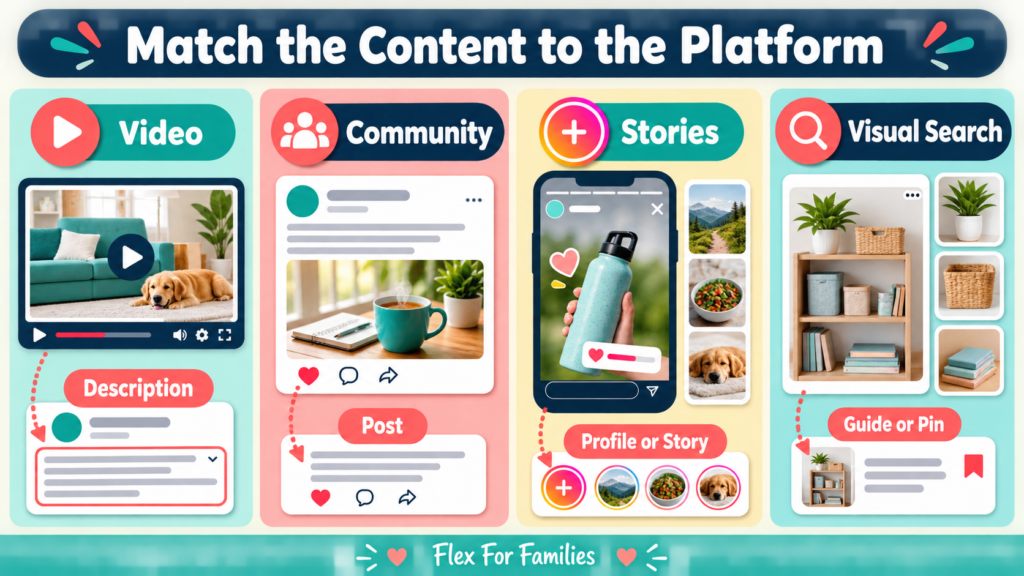
A complete guide can become:
- One blog article
- One YouTube video
- Three short videos
- Three Pinterest graphics
- Several Facebook posts
The information stays consistent, but the presentation changes.
A blog article can explain the complete decision. A YouTube video can demonstrate or discuss it. A short video can answer one focused question. A Pinterest graphic can lead into the longer guide.
This fits better around work and family life than trying to feed five unrelated content schedules.
It also keeps the affiliate recommendation connected to useful content rather than turning each platform into a stream of product links.
Use Tracking IDs to Compare Platforms
Tracking IDs can help separate broad sources under one Amazon Associates account.
A simple structure might include:
- Blog
- YouTube
Do not create separate IDs for platforms that produce almost no measurable activity. The extra detail only helps when it supports a decision.
For example, a YouTube ID may help you decide whether video descriptions generate useful Amazon activity. It will not tell you that every order resulted from one specific sentence in the video.
Read How to Track Amazon Associates Performance: Reports Explained for the complete reporting process.
Social Media Tactics to Avoid
Here are some things you definitely don’t want to be doing when sharing Amazon Associates Links on Social Media or YouTube.
Posting on Undeclared Accounts
Add each social profile or channel to your Associates account before publishing Special Links there.
Hiding the Commercial Relationship
Put the advertising disclosure where users will see it immediately.
Publishing Repeated Link-Only Posts
YouTube warns that excessive affiliate content can create spam concerns. Thin link-only posts also give readers little reason to trust the recommendation.
Sending Unsolicited Messages
Amazon’s current email and messaging permission is limited to solicited communications that comply with other rules.
Copying Amazon Images or Reviews
Amazon programme content is licensed under specific conditions. It is not a free content library.
Hiding or Cloaking the Destination
Use an approved Amazon short link where available. Do not obscure the source or destination through an unrelated redirection system.
Making Unsupported Claims
Do not invent product experience, results, prices, availability or urgency.
Posting in Groups Without Permission
Amazon’s rules do not override a community’s own rules.
Buying Through Your Own Links
Do not use your own Special Links for personal purchases or ask relatives and friends to buy through them for your benefit.
Assuming Paid Promotion Is Automatically Permitted
Amazon restricts certain paid placements and paid search activity. Check the current agreement before spending money to promote affiliate links directly.
A One-Hour Social Setup for Busy Parents
You do not need to launch on every platform at once.
First 15 Minutes: Review Your Accounts
- List the platforms you genuinely use.
- Check which profiles appear in Amazon Associates.
- Add missing authorised accounts.
- Remove or update accounts you no longer control.
Next 15 Minutes: Create Disclosure Templates
- Write a YouTube spoken disclosure.
- Create a description disclosure.
- Save versions for Facebook, Instagram and Pinterest.
- Add the Amazon Associate identification to the appropriate profile or channel area.
Next 15 Minutes: Create Tracking IDs
- Separate only the platforms you intend to measure.
- Use clear names.
- Record what each ID represents.
- Check the selected ID when creating each link.
Final 15 Minutes: Publish One Useful Piece
- Choose an existing article, video or social post.
- Add one relevant Amazon recommendation.
- Check the product and marketplace.
- Add the disclosure.
- Preview it on mobile.
- Test the destination.
One properly set-up channel is a better starting point than five neglected accounts.
Final Thoughts
Amazon Associates can support your blog, YouTube channel and social content, but each platform needs a deliberate setup.
Register the account, use a properly tagged link, disclose the relationship clearly and make the content useful before asking somebody to visit Amazon.
You also do not need to be everywhere.
Choose one or two platforms that fit your audience and available time. Reuse strong ideas in platform-appropriate formats and track enough information to see whether the work contributes to your wider strategy.
The aim is not to publish more affiliate links. It is to help the right reader or viewer take a useful next step.
Ready to Track Which Platforms Work?
Read How to Track Amazon Associates Performance: Reports Explained to create a simple Tracking ID structure and monthly review process.
You can also download my free Parent Blogging Starter Kit for planning tools and a realistic roadmap you can use around work and family life.
Download the free Parent Blogging Starter Kit
Frequently Asked Questions
Can I Use Amazon Affiliate Links on YouTube?
Yes, when the channel is registered with Amazon, the link uses an approved format and the content meets Amazon, YouTube and advertising requirements. Include a visible and spoken disclosure where appropriate.
Where Should an Amazon Disclosure Go on YouTube?
Place a clear disclosure near the beginning of the video and before or beside the affiliate links in the description. An on-screen label can reinforce the spoken disclosure.
Can I Put Amazon Affiliate Links on Facebook?
Amazon links can be used on an authorised Facebook presence when the content and disclosure comply with the applicable rules. Check Page, profile and group requirements before posting.
Can I Use Amazon Affiliate Links on Instagram?
Yes, on an authorised account using the external-link features available to you. Put the disclosure in the Story, Reel or caption containing the recommendation rather than relying only on your profile.
Are Amazon Affiliate Links Allowed on Pinterest?
Pinterest supports affiliate content and currently provides an Amazon Storefront integration for eligible accounts where available. You can also send readers to a useful blog article. Follow Amazon, Pinterest and disclosure rules in either case.
Do I Need to Register Every Social Account With Amazon?
Add every website, social profile or channel where you intend to publish Amazon Special Links. Do not assume that listing your main website covers unrelated accounts.
Can I Use Amazon Affiliate Links in Email?
Amazon’s current UK policies permit Special Links in solicited emails when the recipient opted in and the message complies with the rest of the agreement and applicable marketing rules.
Can I Send Amazon Affiliate Links by Direct Message?
Current Amazon UK policies permit links in solicited direct messages from social media Sites. This does not permit unsolicited messages or spam.
Do I Need a Separate Tracking ID for Each Platform?
No. Create a separate ID when it will help you compare meaningful sources. Too many Tracking IDs can make reporting harder.
Can I Use Amazon Product Images on Social Media?
Do not assume you can download product images from Amazon and reuse them. Use original photography, properly licensed content or Amazon programme content through a currently approved method.
Is Amazon Associates the Same as the Influencer Programme?
No. They are related, but the Influencer Programme adds creator features such as an Amazon storefront for eligible applicants.
Can I Promote Amazon Affiliate Links With Paid Ads?
Amazon restricts certain paid placements and paid search activity. Check the current agreement and the advertising platform’s rules before paying to promote an affiliate destination.
Let’s Chat
Which platform would you most like to use with Amazon Associates: YouTube, Facebook, Instagram or Pinterest?
Share your choice in the comments and tell me what part of the setup feels least clear.