If you are ready to start monetising your blog, Amazon Associates is one of the first affiliate programmes you are likely to consider.
The appeal is obvious.
Amazon sells millions of products, readers already know the brand, and there are plenty of ways to recommend useful products naturally within blog content.
But there is an important point to understand before you apply.
Opening an Amazon Associates account is only the first step.
You still need suitable content, genuine visitors, qualifying sales and a website that meets Amazon’s programme requirements before your application goes through its full review.
That is why I would not rush to apply the day your blog goes live.
A better approach is to build the foundation first, then join when you have a realistic chance of generating your first sales.
Amazon Associates can be a useful part of a wider affiliate strategy for parent bloggers.
In this guide, I will walk you through the Amazon Associates application process step by step, explain what happens after you sign up, and show you how the US and UK programmes fit together if your audience comes from both countries.
Quick Answer: How Do You Join Amazon Associates?
To join Amazon Associates, you create an account through Amazon Associates Central, add your website or eligible social media property, provide information about your content and traffic sources, choose your Store ID, and complete the application.
The programme is free to join.
Once your account is created, you can begin generating eligible affiliate links, but your application is not fully reviewed immediately.
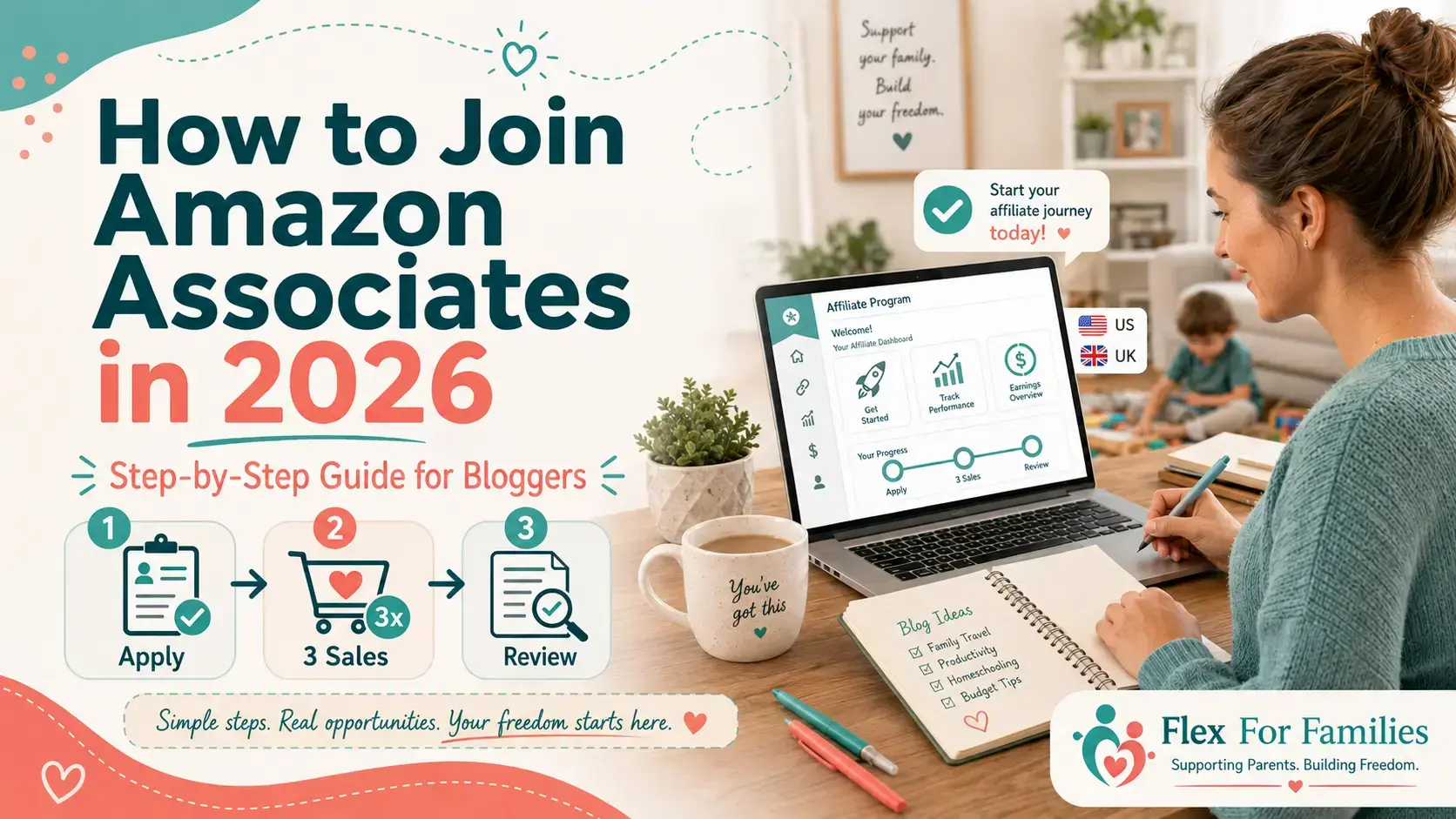
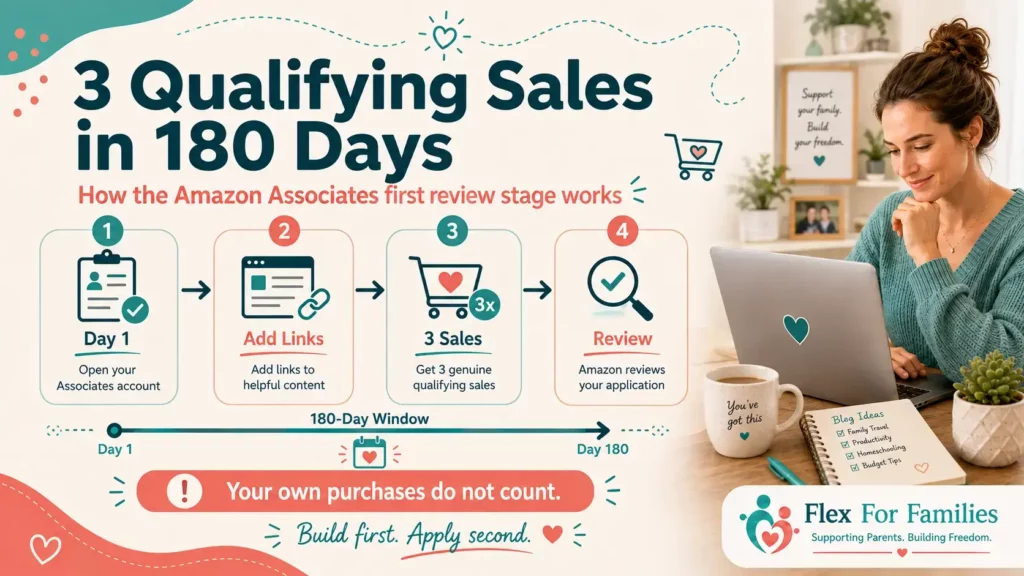
Amazon currently requires you to generate at least three qualifying sales within your first 180 days. Once you reach that requirement, Amazon reviews the websites or social properties included in your application.
For bloggers, the best approach is usually:
- Build useful content first.
- Apply once your site is established.
- Add Amazon links where they genuinely help.
Then focus on generating those first three genuine qualifying sales.
If your readers come from both the US and UK, you may also want to join both Amazon.com Associates and Amazon.co.uk Associates because they operate as separate programmes.
Amazon Associates Sign-Up at a Glance
Programme: Amazon Associates
Cost: Free to join
Main US Programme: Amazon.com Associates
Main UK Programme: Amazon.co.uk Associates
Best For: Bloggers and eligible content creators with useful original content
Recommended Content Foundation: Amazon suggests having a reasonable amount of robust original content before applying, with around 10 posts often used as a practical benchmark
Initial Sales Requirement: 3 qualifying sales
Time Limit: 180 days
Do Your Own Purchases Count? No
When Does Amazon Review Your Application? After you generate the required qualifying sales
Best Advice: Do not apply simply because your blog exists. Apply when your content and traffic give you a realistic chance of getting approved.
Before You Apply: Is Your Blog Ready for Amazon Associates?
This is the part I would focus on before opening an account.
Amazon is not simply checking whether your website exists.
It wants to see useful, original content and a genuine publishing platform.
That means there is very little benefit in rushing into the application process with a half-finished site.
My Amazon Associates Readiness Check
Before applying, I would want most of these in place:
- Your website is publicly accessible.
- Your navigation works properly.
- Your niche and audience are reasonably clear.
- You have published a solid foundation of original content.
- Your most recent content is current.
- Your About page explains who the website is for.
- Your affiliate disclosure and privacy pages are ready.
- You already have posts where Amazon products would naturally fit.
- You have some realistic way of attracting readers.
- Your website does not look unfinished.
- Your content genuinely adds value rather than repeating basic product information.
- You understand that Amazon will expect qualifying sales during your first 180 days.
You do not need thousands of visitors.
You do not need hundreds of articles.
And your website does not have to look like a major media brand.
But it should look like a real website created to help a real audience.
For a new parent blogger, I would much rather see you publish ten useful articles first than launch three posts and immediately worry about monetising them.
The stronger your content foundation, the easier everything that follows becomes.
Should You Apply for Amazon Associates on Day One?
For most brand-new bloggers, I would say no.
There is usually no advantage in starting your 180-day qualifying period before your website has traffic or commercial content.
Imagine you launch your blog today.
You have:
- Three posts.
- No search traffic.
- No social audience.
- No product-focused content.
- No idea which articles will contain Amazon links.
You could still apply.
But you have immediately started the clock while giving yourself very little chance of generating three genuine qualifying sales.
Now compare that with waiting until you have:
- Ten or more useful posts.
- A few articles targeting product-related questions.
- Some early Google or social traffic.
- A clear understanding of where Amazon fits.
You are applying to the same programme.
You have simply given yourself a much stronger starting position.
That is why my advice is:
Build first. Apply second.
What Do You Need to Join Amazon Associates?
The application itself is not complicated, but it helps to have everything ready before you start.
For most bloggers, you will need:
- An Amazon account.
- Your name and contact details.
- Your website URL.
- Information about the type of content you publish.
- Details about how you attract visitors.
- A clear idea of where you plan to use Amazon affiliate links.
- Payment and tax information.
- An Associates Store ID.
You should also have your disclosure setup ready before you begin promoting products.
That includes the required Amazon Associate identification statement:
“As an Amazon Associate I earn from qualifying purchases.”
You should also use clear affiliate disclosures within individual articles containing Amazon links.
Should You Join Amazon US, UK, or Both?
This is where things can get confusing.
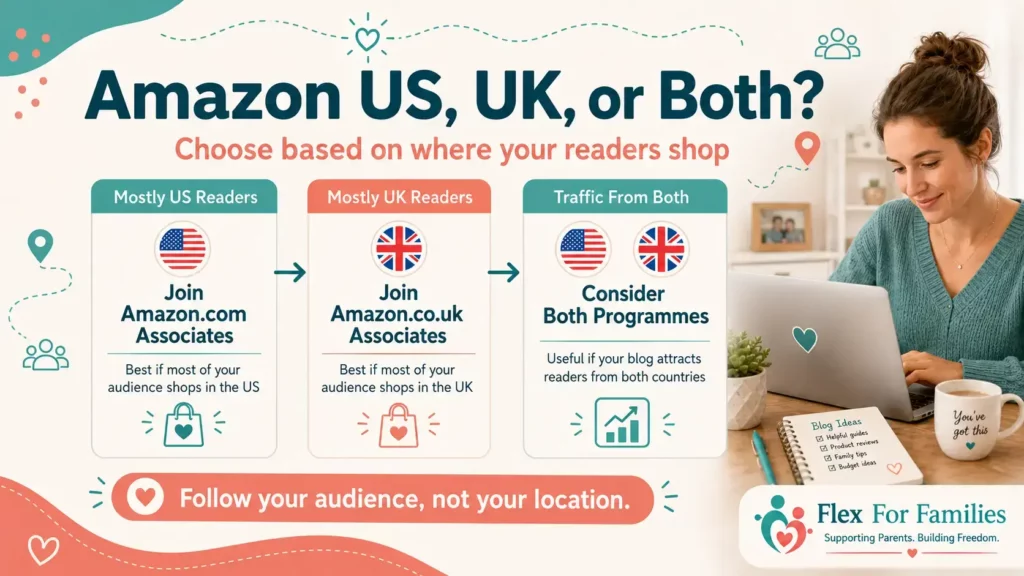
Amazon.com and Amazon.co.uk operate separate Associates programmes.
That means joining Amazon Associates in one marketplace does not automatically make you an Associate for every Amazon store.
For example:
- Amazon.com primarily serves US shoppers.
- Amazon.co.uk primarily serves UK shoppers.
So which should you join?
Look at where your readers are.
If Most of Your Readers Are in the US
Amazon.com Associates will probably be the more important programme for you.
If someone in the US clicks through to Amazon.com and purchases there, you want your affiliate setup to be capable of tracking that referral.
If Most of Your Readers Are in the UK
Amazon.co.uk Associates will probably be your priority.
The same logic applies.
You want your links and affiliate account to match the store your readers are most likely to use.
What If Your Traffic Comes From Both Countries?
Then joining both can make sense.
Plenty of blogs attract international traffic.
Your own location does not automatically determine which Amazon programme matters most.
A blogger based in the UK could have most of their readers in the US.
A US blogger could attract a substantial UK audience.
The useful question is:
Where are your readers actually shopping?
You can check this through your website analytics before deciding which marketplaces deserve your attention.
Do You Need to Join Both Immediately?
Not necessarily.
If 90% of your traffic comes from one country, I would probably start there.
If your traffic is more evenly split, joining both earlier may make more sense.
The important thing is not to create extra admin simply because more Amazon programmes exist.
Start with the marketplaces that genuinely matter to your audience.
Step 1: Go to Amazon Associates Central
Start by visiting the Associates website for the marketplace you want to join.
For the US programme, you will use Amazon.com Associates.
For the UK programme, you will use Amazon.co.uk Associates.
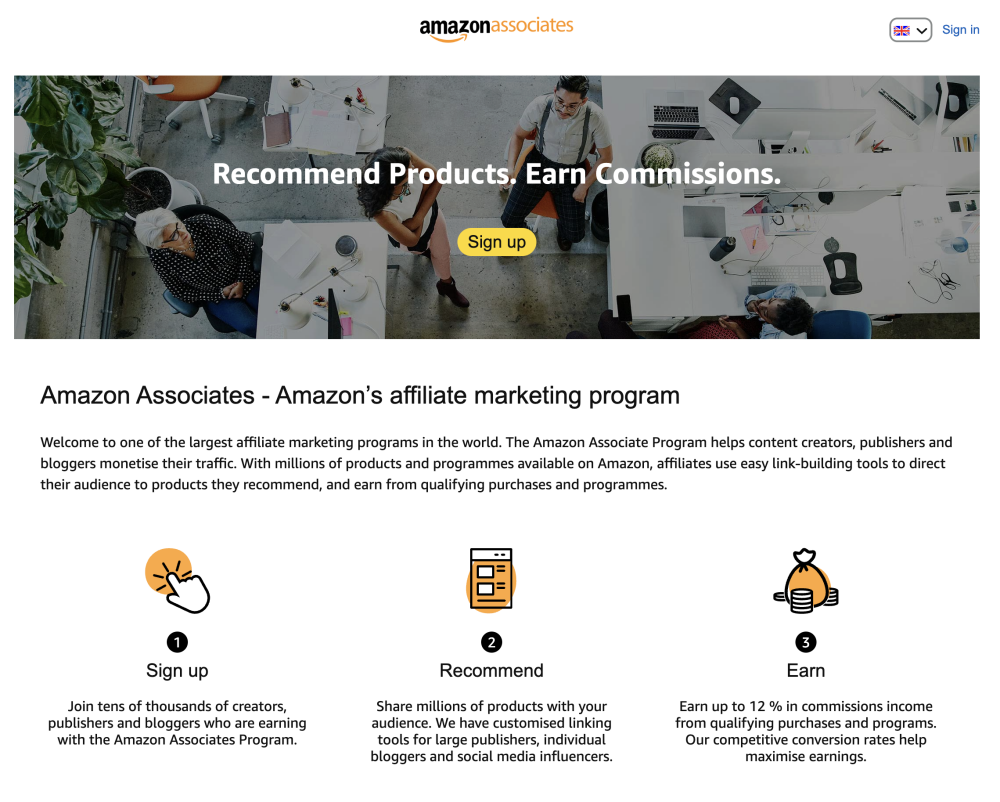
Make sure you are applying to the correct marketplace before entering all your details.
This sounds obvious, but it is easy to land on the wrong Amazon Associates site through search.
If you intend to join both programmes, complete each application separately.
Step 2: Sign In or Create an Amazon Account
Amazon will ask you to sign in.
You can normally use an existing Amazon account.
You may prefer to create a separate account for your blogging activity if that helps keep your business and personal activity organised.
There is no requirement to make things more complicated than necessary.
The important part is that the account information is accurate.
Should You Use Your Personal Amazon Account?
You can.
For a small blog or side project, using your existing account can be convenient.
However, some bloggers prefer a separate account because it makes it easier to keep:
- Business emails.
- Affiliate activity.
- Payment information.
- Tax records.
- Amazon programme notifications.
Organised in one place.
Choose whichever setup you are most likely to manage properly.
Step 3: Enter Your Account Information
Amazon will ask for information about the person or business behind the Associates account.
This can include:
- Your name.
- Address.
- Phone number.
- Payee information.
- Contact details.
Make sure the information you enter is accurate.
This account is connected to your affiliate earnings and payments, so this is not the place for placeholder details.
If you operate your blog through a registered business, you may need to use the relevant business information instead.
Step 4: Add Your Website or Social Media Property
Next, Amazon will ask where you plan to promote affiliate links.
For bloggers, this will usually be your website.
Enter the correct URL.
If you also plan to use an eligible public social media property, you may be able to add that too, depending on Amazon’s current requirements.
The important thing is to list the properties you genuinely intend to use.
Do Not Submit an Unfinished Website
This takes us back to the readiness check.
If your site contains:
- Empty categories.
- Placeholder pages.
- Broken navigation.
- Very little original content.
- Several “coming soon” pages.
I would fix those first.
You are asking Amazon to evaluate your publishing platform.
Give it something worth evaluating.
Keep Your Website List Updated
If you later start using Amazon affiliate links on another eligible site or social property, check your Associates account and make sure your listed properties remain accurate.
Do not assume approval for one site means you can use Special Links anywhere you want.
Step 5: Tell Amazon About Your Content
Amazon will ask questions about your website and how you plan to generate referrals.
Do not rush through this part.
The aim is to give Amazon an accurate picture of what your site does.
You may be asked about areas such as:
- Your website topic.
- The type of products you expect to promote.
- How people find your content.
- How you currently monetise your website.
- The type of content you publish.
Answer truthfully.
What Should You Put in Your Amazon Associates Website Description?
Keep it clear and specific.
For example, a parent blogger might describe their site along these lines:
“I publish practical content for busy parents, including family guides, tutorials, reviews and recommendations. Readers primarily find my content through search engines and social media. I plan to use Amazon Associates links where relevant products support the topics covered in my articles.”
That is only an example.
Do not copy it if it does not describe your website.
Amazon is trying to understand what you actually publish and how affiliate links fit into that content.
Be Specific About Your Traffic Sources
If most of your traffic comes from Google, say so.
If you use Pinterest, mention it.
If YouTube or Facebook sends meaningful traffic, include that where appropriate.
You do not need to pretend you have a huge audience.
Accuracy matters more than trying to sound impressive.
Step 6: Choose Your Associates Store ID
Amazon will ask you to choose or create a Store ID.
This identifies your Associates account.
Do not overthink the name.
Something related to your website or brand is usually easiest to recognise later.
As your account develops, you can also use tracking IDs to measure different areas of your affiliate activity.
For example, you might eventually want separate tracking for:
- Product reviews.
- Gift guides.
- Family travel content.
- Different websites.
- Different content campaigns.
You do not need an elaborate tracking system when you are just starting.
One clear setup is enough.
Step 7: Complete the Application
Once you have entered your information, review everything carefully.
Check:
- Your contact details.
- Website URLs.
- Content description.
- Traffic information.
- Store ID.
- Account information.
Then complete the application process and agree to the relevant programme terms.
At this point, many beginners assume:
“Great, I am fully approved.”
Not quite.
Your account has been created, but Amazon still needs to complete its fuller review.
That happens after you meet the initial qualifying-sales requirement.
What Happens Immediately After You Apply?
Once your Associates account is active, you can begin using Amazon’s eligible linking tools and creating Special Links.
This is the period where you need to generate your first genuine referred sales.
The process effectively looks like this:
Apply to Amazon Associates
↓
Create relevant Special Links
↓
Add them to useful content
↓
Generate at least 3 qualifying sales
↓
Amazon reviews your application
↓
Account continues if approved
That middle stage is important.
Amazon is giving you the opportunity to demonstrate that your website can send genuine customers.
Your job is not to force three sales as quickly as possible.
Your job is to add useful recommendations to content that already has a reason to exist.
That gives you the best chance of generating qualifying sales naturally.
The 3 Qualifying Sales Within 180 Days Rule
Once your Amazon Associates account is active, the next milestone is generating three qualifying sales.
Amazon currently gives new Associates 180 days to achieve this.
That does not mean three clicks.
It does not mean three items added to a basket.
You need three qualifying sales that meet Amazon’s programme rules.
What Counts as a Qualifying Sale?
In simple terms, a genuine customer needs to:
- Click one of your eligible Amazon affiliate links.
- Visit the relevant Amazon marketplace.
- Complete a qualifying purchase during the eligible referral period.
The purchase must be genuine.
You cannot buy through your own link.
You should not arrange purchases through friends or relatives purely to satisfy the requirement.
The aim is to show Amazon that your content can refer real customers.
Why the 180-Day Rule Matters
This is why timing your application matters so much.
If you apply with:
- Very little traffic.
- No buying-intent content.
- No product recommendations.
- No audience.
then you are trying to generate your first three sales from a standing start.
That is possible.
It is just harder than it needs to be.
If you apply after building a stronger content foundation, you can add Amazon links to articles that already have a realistic chance of generating clicks.
How I Would Try to Get the First 3 Sales
I would not start posting Amazon links everywhere.
Instead, focus on the content with the strongest commercial intent.
Look for articles where readers are already asking questions such as:
- Which product should I choose?
- What do I need?
- Is this product worth buying?
- What is the best option for my situation?
- What should I pack or buy for this activity?
Those readers are closer to making a purchase.
A helpful recommendation within that content has a much better chance of converting than an unrelated Amazon link added to a general article.
Start With Content That Already Gets Traffic
If you already have some visitors, check which pages people are finding.
You may discover an existing article that is perfect for Amazon.
For example, a parenting blogger might already have traffic coming to:
“Family Camping Checklist for Beginners”
That could naturally include relevant recommendations for:
- Torches.
- Sleeping bags.
- Camping lights.
- Storage.
- Cooking equipment.
You do not necessarily need to create brand-new articles before getting your first Amazon sales.
Sometimes the quickest opportunity is improving content you already have.
What Happens After You Make 3 Qualifying Sales?
Once you have reached the qualifying-sales requirement, Amazon can carry out its fuller review of your application.
This is where it looks more closely at the websites or eligible social properties associated with your Associates account.
Making three sales does not automatically guarantee approval.
You have satisfied one part of the process.
Amazon still needs to decide whether your content and promotional methods meet its programme requirements.
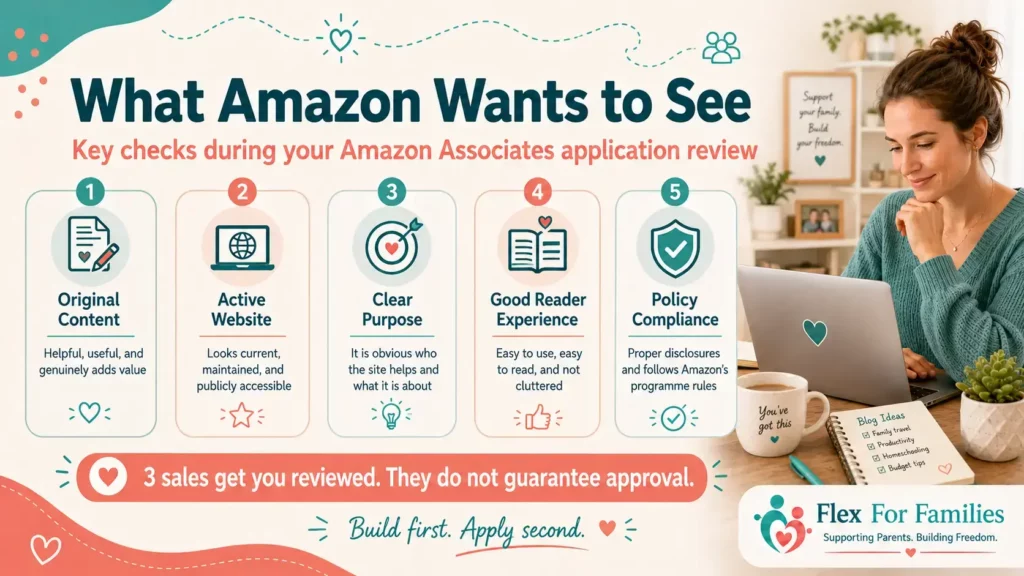
What Does Amazon Check During the Application Review?
Amazon does not publish a simple scoring system for applicants.
But its current guidance makes several expectations clear.
It wants to see a genuine publishing platform with useful original content.
For bloggers, that means I would pay particular attention to the following areas.
Enough Original Content
Amazon currently recommends having a reasonable amount of robust original content before applying.
Its guidance suggests around 10 posts as a useful benchmark.
That does not mean publishing ten 300-word articles purely to hit a number.
Quality still matters.
Ten useful articles that genuinely answer reader questions are much stronger than twenty thin pages created simply to fill your website.
Recent Content
Your website should look active.
If the last thing you published was two years ago, Amazon may reasonably question whether the site is still being maintained.
That does not mean you must publish every day.
It simply needs to look like a functioning content platform.
Publicly Accessible Content
Amazon needs to be able to review the site or social property you submitted.
If important content sits behind a login, private group or paywall, that can create problems.
For most bloggers, your main website content should be straightforward for Amazon and your readers to access.
A Clear Purpose
Your website should make sense.
Someone visiting it should quickly understand:
- What the site is about.
- Who it helps.
- What kind of content you publish.
This is another reason having a clear niche helps.
A focused site usually provides much more context for product recommendations than a collection of unrelated articles.
A Good Reader Experience
Think beyond affiliate links.
Check:
- Navigation.
- Broken pages.
- Mobile usability.
- Excessive advertising.
- Popups.
- Readability.
- Page speed.
- Whether content is actually easy to use.
Amazon wants genuine customer referrals.
A website that is difficult or frustrating to use is unlikely to support that goal.
Compliance With Amazon’s Policies
Amazon also checks whether your use of the Associates programme follows its rules.
That includes areas such as:
- Affiliate disclosures.
- Where Special Links appear.
- Use of Amazon branding.
- Product information.
- Pricing.
- Prohibited promotional methods.
This is why I would spend a little time understanding the rules before adding your first affiliate link.
What Does “Original Content” Mean for Amazon Associates in 2026?
This is worth discussing because Amazon clarified its position on original content during 2026.
Using information from other sources does not automatically make content unacceptable.
The important part is whether you add meaningful value.
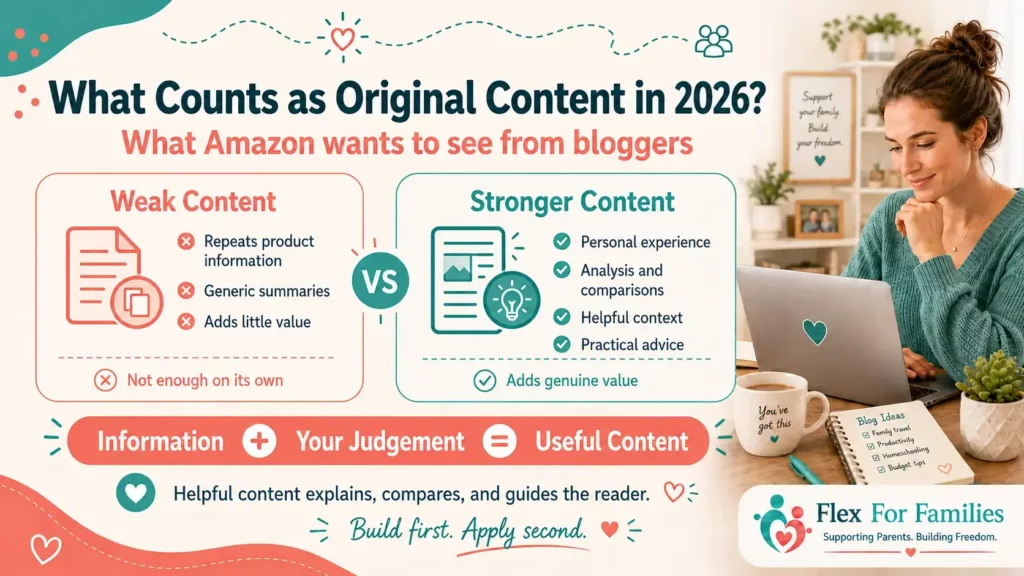
That could include:
- Your own experience.
- Analysis.
- Comparisons.
- Commentary.
- Research.
- Practical advice.
- Context for a specific audience.
- Explaining who a product is and is not suitable for.
For example, copying a manufacturer’s product description into an article does not add much.
Writing:
“This pushchair weighs 7.5kg and folds down to these dimensions”
is useful factual information.
But explaining:
“Those dimensions make it much easier to fit into a small family hatchback, although I would still measure your boot before buying”
adds context.
That is the difference.
AI Does Not Remove the Need to Add Value
AI can help bloggers:
- Research ideas.
- Organise content.
- Outline articles.
- Improve drafts.
- Explore questions readers may have.
But simply generating generic product descriptions at scale does not create a useful affiliate website.
You still need judgement.
You need to decide:
- What matters to your reader.
- Which information deserves attention.
- Whether a recommendation makes sense.
- What context is missing.
- Whether the article genuinely helps somebody make a decision.
That is particularly important for affiliate content.
Readers are trusting your content while deciding how to spend their money.
Amazon Associates Disclosure Requirements
Before promoting Amazon products, make sure your disclosures are in place.
There are two areas I would think about separately.
Your Amazon Associate Identification Statement
Amazon requires Associates to clearly identify their participation in the programme.
The required wording is:
“As an Amazon Associate I earn from qualifying purchases.”
This should appear clearly on your website.
Many bloggers place it within their affiliate disclosure page and in a suitable sitewide location.
Affiliate Disclosures Within Your Content
You should also make it obvious when an individual article contains affiliate links.
A simple disclosure near the beginning could say:
“This post contains affiliate links. If you purchase through one of my links, I may earn a commission at no extra cost to you.”
The important thing is clarity.
Do not hide the disclosure at the bottom of a long page after someone has already clicked several affiliate links.
Your reader should understand the commercial relationship before interacting with those recommendations.
Keep the Disclosure Simple
You do not need to turn the start of every article into a legal essay.
A short, clear statement normally does a better job than several paragraphs of complicated wording.
Tell readers what is happening.
Then get on with helping them.
Common Amazon Associates Application Mistakes
A lot of application problems are avoidable.
Here are some of the mistakes I would watch for.
Applying Too Early
This is probably the biggest one.
If your blog has no traffic and very little content, there is little benefit in starting the 180-day period immediately.
Publishing Thin Content
Do not create posts purely to reach an arbitrary article count.
Amazon wants meaningful original content.
Your readers do too.
Copying Product Descriptions
Repeating Amazon listings or manufacturer information does not give someone much reason to visit your blog.
Add your own explanation and context.
Using Your Own Links
Do not purchase through your own affiliate links.
That is not a legitimate qualifying referral.
Asking Family to Generate Your Sales
Your first three sales should come from genuine readers.
Do not try to manufacture them.
Poor Affiliate Disclosure
Do not make readers search for evidence that you earn commissions.
Be clear about your relationship with Amazon.
Putting Amazon Links Everywhere
More links do not automatically mean more sales.
A few relevant links inside strong content are usually more useful than dozens of random ones.
Forgetting About Your Application
Once the account is open, keep an eye on your progress.
You do not want to realise near the end of the 180-day period that you have made no effort to generate qualifying referrals.
Ignoring Amazon’s Current Rules
Amazon can update its policies.
An article written several years ago may contain outdated advice.
Whenever something feels unclear, check the current Amazon Associates terms rather than relying entirely on tutorials, including this one.
What If Amazon Rejects Your Application?
An Amazon Associates rejection is frustrating, but it does not necessarily mean Amazon Associates is permanently off the table.
The important thing is to understand why the application was rejected.
Possible reasons can include:
- Too little original content.
- A website that appears unfinished.
- Content that does not meet Amazon’s programme standards.
- Problems with disclosures.
- Incorrect website or social property information.
- Failure to generate the required qualifying sales.
- Using Amazon links in ways that breach programme rules.
- A submitted social account that does not meet Amazon’s eligibility requirements.
Do not immediately create another account and repeat the same approach.
Fix the underlying problem first.
If your site needs more content, build it.
If your disclosures are unclear, correct them.
If you applied before you had any realistic traffic, spend some time growing the site before trying again.
We will cover this in much more detail in a separate guide:
Amazon Associates Application Rejected? Reasons and What to Do Next
That way, this tutorial can stay focused on getting the application right from the beginning.
My Amazon Associates Application Checklist
Before clicking Apply, I would run through this checklist.
Amazon Associates Application Checklist
Website Ready
✓ My website is live and publicly accessible.
✓ My navigation works properly.
✓ My niche and target audience are clear.
✓ I have a solid foundation of useful original content.
✓ My website looks active rather than abandoned.
✓ My About, Privacy Policy and disclosure pages are in place.
✓ I have removed unfinished or placeholder pages.
Application Ready
✓ I know whether Amazon.com, Amazon.co.uk or both are relevant to my audience.
✓ I have the correct website URLs ready.
✓ I can clearly explain what my site is about.
✓ I know where my traffic currently comes from.
✓ My contact, payment and tax information is accurate.
Monetisation Ready
✓ I already have content where Amazon recommendations naturally fit.
✓ I understand the three qualifying sales requirement.
✓ I know I cannot use my own links for qualifying purchases.
✓ My Amazon Associate identification statement is ready.
✓ I will disclose affiliate links clearly to readers.
✓ I have a realistic plan for attracting genuine visitors during the 180-day period.
If you can tick most of these boxes, you are in a much stronger position than someone applying simply because their blog went live yesterday.
Should Parent Bloggers Join Amazon Associates?
If your content naturally involves physical products, I think Amazon Associates is worth considering.
Parent bloggers have plenty of potential opportunities.
Depending on your niche, you could write about:
- Family travel products.
- Children’s books.
- Toys and games.
- Home organisation.
- School supplies.
- Crafts.
- Kitchen equipment.
- Family technology.
- Camping.
- Gifts.
- Everyday parenting essentials.
But the programme works best when those recommendations already fit what your readers expect from you.
You do not need to create a completely separate Amazon strategy.
Start with the problems you already help your audience solve.
Then look for the places where a product recommendation genuinely improves the answer.
I Would Join If…
Your blog has useful original content.
You have at least some traffic or a clear traffic strategy.
Products naturally fit your niche.
You understand that Amazon commissions can be relatively small.
You are willing to follow the programme rules.
And you see Amazon as one part of a wider monetisation plan.
I Would Wait If…
Your website has only just launched.
You have very little content.
You have no idea how readers will find you.
You are applying because you feel you need to monetise immediately.
Or you are hoping that simply adding Amazon links will generate income.
Waiting a few weeks or months is not lost time.
Building a stronger website can make the application process easier and improve your chances of generating sales once you do join.
If you are still deciding whether Amazon is the right affiliate programme for your blog, I have also put together a complete guide to Amazon Associates for parents. It explains how the programme works, what you can realistically earn, the pros and cons, and where Amazon fits within a wider blog monetisation strategy.
What Should You Do After Joining Amazon Associates?
Getting your Associates account is the beginning rather than the end.
Once you are set up, I would focus on five things.
1. Learn How to Create Amazon Affiliate Links
Get comfortable creating the correct Special Links and adding them to your content.
You do not need complicated tools when you are starting.
Learn the basics first.
2. Add Links to Your Strongest Opportunities
Start with articles where the reader already has some buying intent.
Do not go through your entire site adding Amazon links to every post.
3. Track What Gets Clicks
Amazon gives you reporting tools that can help you understand what is happening.
Look at:
- Clicks.
- Ordered items.
- Conversion.
- Earnings.
- Which tracking IDs perform.
That information becomes more useful as your traffic grows.
4. Create More Content Around Proven Topics
If a particular article is generating clicks and sales, that tells you something about what your audience wants.
You could then create:
- Comparisons.
- Related guides.
- Product alternatives.
- Tutorials.
- Seasonal versions.
Follow the evidence rather than guessing.
5. Look Beyond Amazon Too
Amazon Associates can be useful, but it does not have to become your only affiliate programme.
As your site grows, investigate:
- Direct brand programmes.
- Affiliate networks.
- Higher-paying digital products.
- Software.
- Services relevant to your niche.
The goal is to create useful monetisation options around your audience, not build your entire business around one retailer.
Final Thoughts: Build Before You Apply
Joining Amazon Associates is relatively straightforward.
Getting useful results from it takes more thought.
The biggest mistake I would avoid is treating the application itself as the goal.
The real foundation is:
- Useful content.
- Relevant visitors.
- Trust.
- Then affiliate links.
If your blog is still new, spend some time building those first.
There is no prize for joining Amazon Associates earlier than everyone else.
Apply when your website gives you a realistic chance of generating genuine sales and meeting Amazon’s review requirements.
Then use the programme where it makes sense.
That is a much stronger starting point than filling a brand-new site with links and hoping something happens.
Not Quite Amazon-Ready Yet?
That is completely fine.
Your first priority is building a blog with useful content, a clear audience and a realistic plan for attracting readers.
The free Parent Blogging Starter Kit gives you seven practical resources to help you build that foundation around family life.
Inside you will get:
✓ Family Flexibility Planner
✓ Family Flexibility Roadmap
✓ Parent Blog Niche Finder Workbook
✓ 50 Blog Post Ideas For Busy Parents
✓ Weekly Blogging Planner
✓ Family-Friendly Income Tracker
✓ Nap Time Blogging System
Value: £49+
Free for Flex For Families readers.
Get The Free Parent Blogging Starter Kit
Amazon Associates Application FAQs
Is Amazon Associates free to join?
Yes. There is no fee to apply for Amazon Associates.
You still need an eligible website or social property and must meet Amazon’s programme requirements.
How many blog posts do I need before applying?
Amazon does not set a universal fixed number of blog posts as an automatic approval threshold, but its guidance suggests having a solid amount of robust original content, with around 10 posts often used as a practical benchmark.
I would focus more on usefulness and quality than trying to hit an exact number.
Can a brand-new blog join Amazon Associates?
You can apply with a relatively new blog, but I would normally wait until the site has a stronger content foundation and some realistic way of attracting visitors.
Remember that once you apply, you begin working towards Amazon’s qualifying-sales requirement.
Do I need website traffic before applying?
Amazon does not require a specific published traffic number for ordinary website applicants.
However, having some traffic makes it easier to generate the qualifying sales required for the fuller application review.
How many sales do you need for Amazon Associates approval?
Amazon currently requires at least three qualifying sales within the first 180 days before carrying out its fuller application review.
What happens if I do not make three sales within 180 days?
Your Associates account may be closed if you fail to meet the required qualifying-sales threshold during the initial period.
You may be able to apply again later once your website is better established and you are in a stronger position to generate referrals.
Can I use my own Amazon affiliate link to make a qualifying purchase?
No.
Your own purchases are not legitimate qualifying referrals and should not be used to try to satisfy Amazon’s sales requirement.
Can I ask friends or family to buy through my Amazon links?
You should not arrange purchases from friends or family purely to generate commissions or meet the qualifying-sales threshold.
Amazon expects genuine customer referrals.
Can I join Amazon.com Associates if I live in the UK?
Your physical location does not necessarily have to match the marketplace your readers use.
If you have meaningful US traffic, Amazon.com Associates may be relevant even if you live elsewhere.
You should still check the current eligibility, tax and payment requirements for the programme you are applying to.
Do I need separate Amazon US and UK Associates accounts?
Amazon.com and Amazon.co.uk operate separate Associates programmes.
If you want to earn from readers shopping through both marketplaces, you may need to participate in both and configure your international linking strategy appropriately.
How long does Amazon Associates approval take?
Creating the initial account can happen relatively quickly.
The fuller approval process depends on you first generating the required qualifying sales, after which Amazon reviews the websites or social properties connected to your application.
Can I reapply if Amazon Associates rejects me?
In many cases, you can address the reasons for rejection and submit a new application later.
I would fix the underlying problem first rather than immediately applying again with an unchanged website.
Let’s Chat
Are you thinking about applying for Amazon Associates now, or are you still building your blog first?
Maybe you are trying to decide whether to join Amazon.com, Amazon.co.uk, or both.
Or perhaps you have already applied and are working towards those first three qualifying sales.
Let me know where you are in the process in the comments.
If there is a part of Amazon Associates that you are finding confusing, leave that too. I am building out more step-by-step Amazon guides, so your question may help shape what I cover next.