Amazon Associates gives bloggers a simple way to earn from useful product recommendations. It also comes with rules that affect how you create links, display prices, use product images and disclose your relationship with Amazon.
You do not need to memorise every clause in Amazon’s agreement. You do need to understand the rules that apply to your everyday content.
Most mistakes are avoidable. They usually happen because somebody follows old advice, copies what another blogger is doing or assumes a link is allowed because the technology lets them publish it.
This guide turns the current rules into practical checks you can use before publishing.
It is based on the current Amazon UK Associates Program Policies, Amazon UK Operating Agreement and Advertising Standards Authority guidance on affiliate marketing. Programme terms can change, so check the official documents when you are unsure.
This article provides general information, not legal advice.
If you are new to the programme, start with my Amazon Associates Guide for Parents.
Quick Answer: What Are the Main Amazon Associates Rules?
Amazon Associates expects you to recommend products through properly tagged links on the websites and social accounts connected to your account.
The main rules bloggers need to remember are:
- Clearly disclose that you use affiliate links.
- Display Amazon’s required Associate statement.
- Use your links only on approved websites and social accounts.
- Create links with the correct Associate ID or Tracking ID.
- Never make purchases through your own links.
- Do not ask friends or family to use your links.
- Do not reward people for clicking or buying.
- Avoid manually displaying prices that can become inaccurate.
- Use Amazon product images only through approved methods.
- Do not hide that a link sends the reader to Amazon.
- Do not place affiliate links inside Amazon reviews or other Amazon content.
- Only use links in emails or direct messages under Amazon’s current conditions.
- Follow Amazon’s trademark and paid-search rules.
- Keep product claims accurate.
- Keep your account information and approved site list current.
The simplest approach is to be transparent, use Amazon’s linking tools and check anything that could change.
Amazon’s Rules and UK Advertising Rules Are Different
Amazon’s Operating Agreement controls your participation in Amazon Associates. UK advertising rules control how commercial content is presented to readers.
You need to satisfy both.
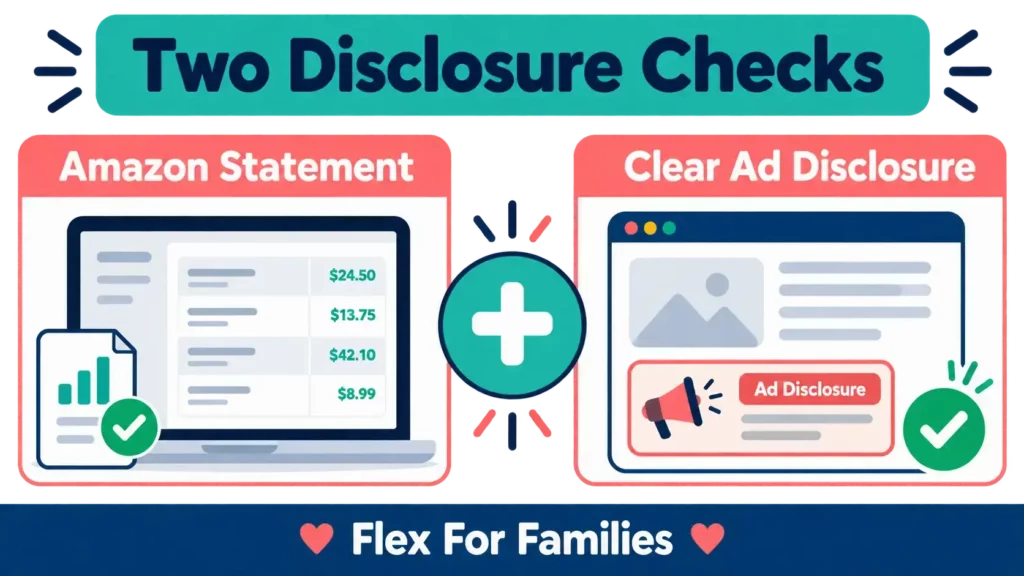
Amazon requires Associates to identify themselves with a specific statement. The UK ASA guidance on recognising affiliate marketing also says affiliate content must be obviously identifiable as advertising.
The ASA recommends using a clear label such as “Ad”. It warns that “Aff” on its own may not mean anything to an ordinary reader.
This means a disclosure page in your footer is useful, but it may not be enough for an individual article, product box or social post. The reader should understand the commercial relationship before engaging with the affiliate content.
Amazon rules can also differ by marketplace. This guide focuses on the UK programme and UK readers. Check the programme documents connected to each international Associate account you operate.
Rule 1: Display the Required Amazon Associates Statement
Amazon’s Operating Agreement requires this statement to appear clearly and prominently:
As an Amazon Associate I earn from qualifying purchases.
Do not hide it inside a long terms page that readers are unlikely to see.
On a blog, sensible locations include:
- Your affiliate disclosure page
- A visible site-wide disclosure area
- Relevant articles containing Amazon affiliate links
- Product recommendation pages
For social media user-generated content, Amazon says the statement must be associated with the account.
The statement identifies your relationship with Amazon. It does not necessarily replace the content-specific advertising disclosure required by the ASA.
Rule 2: Make Every Affiliate Link Clear
Readers should know that content contains affiliate links before they act on the recommendation.
A practical disclosure near the beginning of a blog post could say:
Ad. This article contains Amazon affiliate links. If you buy through one of these links, I may earn a commission at no extra cost to you. As an Amazon Associate I earn from qualifying purchases.
For a product box within a wider editorial article, place a clear label with or immediately before the commercial section.
Avoid disclosures that are:
- Hidden at the end of the article
- Placed only in the website footer
- Written in vague language
- Displayed in a colour that is difficult to read
- Separated from the affiliate links by several screens of content
The ASA considers the format and context. A short social post containing an affiliate recommendation may be treated as advertising in its entirety. A long blog article may contain separate editorial and affiliate sections, but the commercial parts still need to be clear.
If you publish videos or social posts, my guide to Amazon Associates on Social media and YouTube explains how disclosures work across different formats.
Rule 3: Only Share Links on Approved Sites and Accounts
Amazon needs to know where you publish Special Links.
Review the website and mobile app list in your Associates account. It should include every blog, public social profile and YouTube channel where you use Amazon links.
For example:
- Your main blog
- A second website you control
- Your public Facebook Page
- Your Instagram account
- Your Pinterest business account
- Your YouTube channel
Adding your blog does not automatically register every social account belonging to the same brand.
Do not add websites or accounts you do not control. Remove old properties when you no longer operate them.
Rule 4: Use Properly Tagged Special Links
Amazon can only attribute eligible activity when the link includes the Associate ID or Tracking ID assigned to you.
Create links using an approved Amazon method, such as SiteStripe or the tools inside Associates Central. Then test the published link.
Check that:
- The link opens the intended product or Amazon page
- The correct Amazon marketplace is used
- Your Associate tag appears in the link
- The link works on mobile
- The surrounding description matches the destination
Copying a normal Amazon URL without your tag will not track the referral.
My guide to Creating Amazon Affiliate Links walks through the process step by step.
You can also create separate Tracking IDs for different areas of your content. This does not change the destination. It helps you understand which blog section, content type or platform produced the activity.
Rule 5: Never Buy Through Your Own Affiliate Links
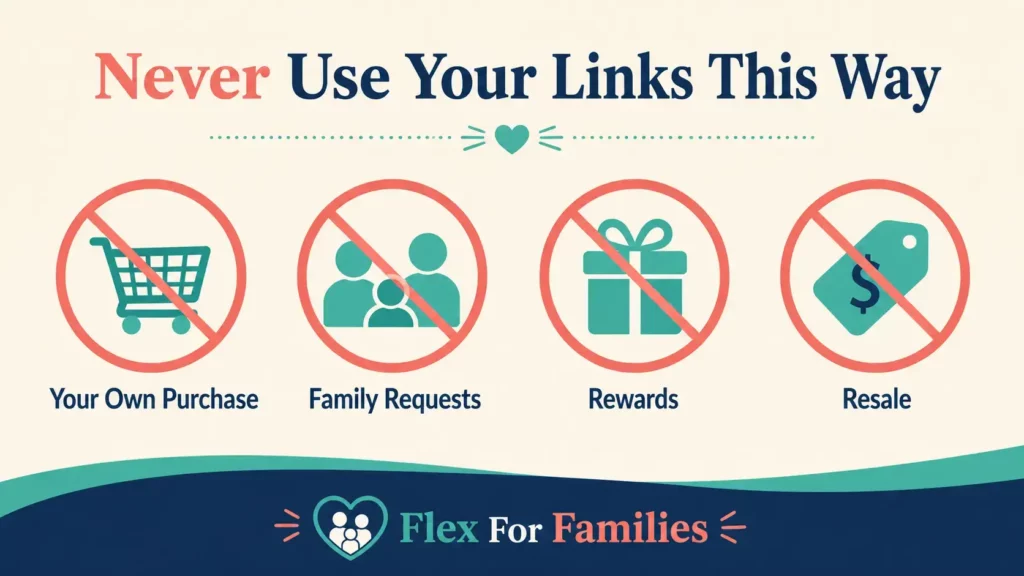
Amazon does not allow you to make purchases through your own Special Links.
That applies to:
- Personal purchases
- Business purchases
- Products bought as gifts
- Orders placed for another person
- Products intended for resale
Do not click your link and then complete the order because you were already planning to buy the item. The commercial intention behind the purchase does not create an exception.
If you want to buy a product you have recommended, visit Amazon independently rather than through your own content or tagged link.
Rule 6: Do Not Ask Friends or Family to Use Your Links
Amazon’s policies also prohibit asking or encouraging friends, relatives, employees, contractors or business contacts to purchase through your Special Links.
This means you should not send a message saying:
I have an Amazon affiliate account now. Please use my link whenever you shop.
The programme is designed to reward eligible recommendations made to an audience. It is not a family cashback arrangement.
A relative who independently finds a public article creates a difficult situation to control. The practical rule is simple. Never request, arrange or encourage the purchase.
Rule 7: Do Not Offer Rewards for Using Your Links
You cannot give somebody a reward or benefit for clicking or buying through an Amazon affiliate link.
Prohibited incentives include:
- Cashback
- Rebates
- Discount codes funded by you
- Loyalty points
- Gifts
- Competition entries
- Donations triggered by affiliate purchases
- Access to exclusive content in return for using the link
You can explain that using the link may support your website. Do not turn that support into a promised benefit for the buyer.
Rule 8: Be Careful When Showing Prices and Availability
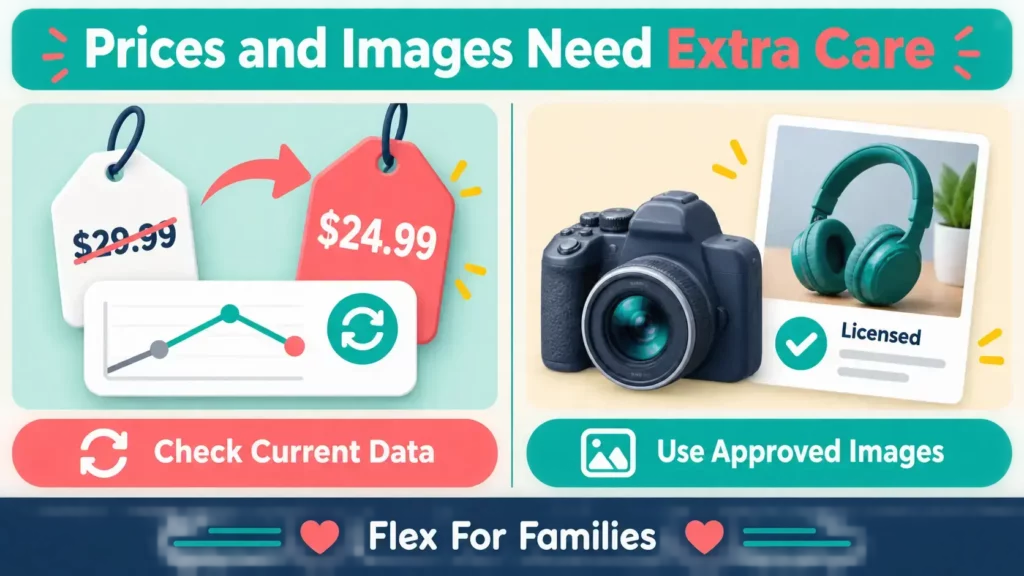
Amazon prices and stock levels can change quickly. A price that was accurate when you wrote the article may be wrong by the time somebody reads it.
Amazon’s policies say you may show prices and availability when Amazon serves that information or when it comes through an approved API and you follow the applicable requirements.
Manually typing a price into a paragraph creates an avoidable risk.
Safer wording includes:
- Check the latest price on Amazon
- View current availability on Amazon
- See today’s Amazon price
Be particularly careful with temporary promotions. If you mention a specific discount or limited-time offer, remove the claim when it ends.
Do not describe a product as the “cheapest” unless you have current evidence and the claim is genuinely supportable.
Rule 9: Do Not Copy Amazon Product Images or Customer Reviews
Finding a product image on Amazon does not automatically give you permission to download it and upload it to your website.
Safer image options include:
- Photographs you took yourself
- Images you have permission to use from the manufacturer
- Product content supplied through an approved Amazon linking tool
- Images delivered through the Product Advertising API under its current licence conditions
Do not take screenshots of Amazon listings simply to avoid the image rules.
Customer reviews, star ratings and product descriptions also belong to their respective owners or form part of Amazon’s programme content. Do not copy them into your article as if they were your own material.
You can summarise patterns you have genuinely researched, provided you represent them accurately and do not invent quotations or experiences.
Rule 10: Do Not Hide Where the Link Goes
Amazon prohibits using shortening, button or redirect methods in a way that makes it unclear that the reader will visit an Amazon Site.
A descriptive button is usually clearer than a vague instruction.
Use:
Check the Latest Price on Amazon
Instead of:
Click Here
Amazon’s own shortened links created through its approved tools are designed for the programme. Be cautious with third-party link cloaking, redirect plugins and branded short-link services.
Amazon must also be able to identify the website or application that referred the visitor. Do not use technical redirects to conceal the source.
Rule 11: Do Not Put Affiliate Links Inside Amazon Content
You cannot place your Special Links inside content hosted on Amazon.
That includes:
- Amazon customer reviews
- Customer questions and answers
- Forums
- Wish Lists
- Guides
- Other customer-generated areas on Amazon
You should not post on Amazon with the intention of sending people to a page that primarily promotes your Special Links either.
Write honest Amazon reviews if you wish, but keep your affiliate activity separate.
Rule 12: Follow the Current Email and Direct Message Rules
This is an area where older advice is now inaccurate.
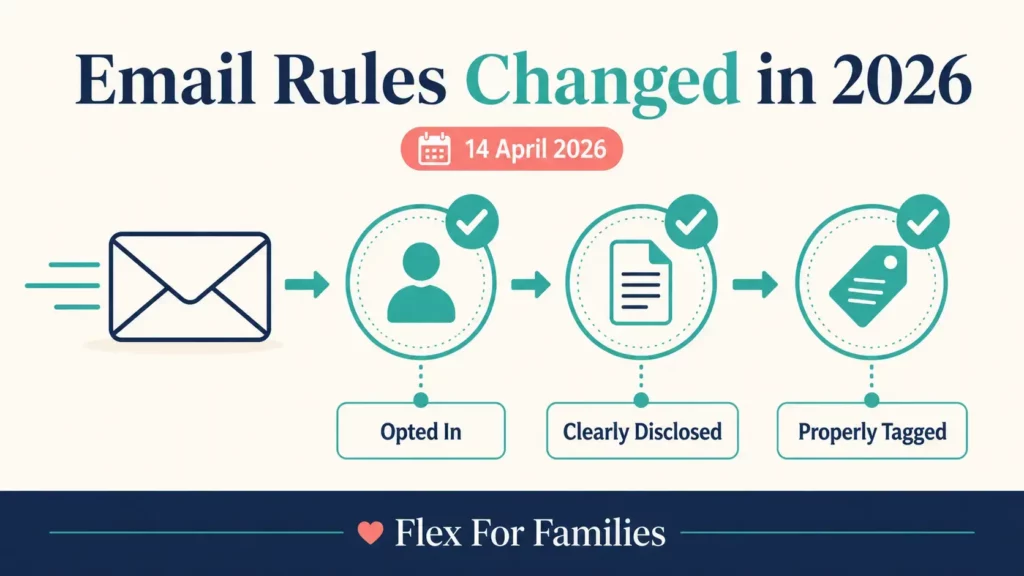
Amazon updated its UK Associates Program Policies on 14 April 2026. The current terms allow Special Links in:
- Solicited emails
- Opted-in SMS messages
- Direct messages from your registered social media Sites
The recipient must have opted in, and the communication must comply with Amazon’s agreement, its brand guidelines and applicable marketing laws.
This does not give Associates permission to send unsolicited affiliate messages.
If Amazon asks, you may need to provide representative samples and written confirmation that your communications comply with the rules.
For a busy parent blogger, the safer email approach is:
- Only email people who have properly joined your list.
- Make the affiliate relationship clear in the message.
- Use an accurate, properly tagged link.
- Include the required unsubscribe and sender information.
- Keep a copy of the email campaign.
- Avoid pressuring subscribers to buy.
The UK Information Commissioner’s Office provides guidance on direct marketing and electronic communications if you need help understanding your wider responsibilities.
Amazon still prohibits Special Links in printed material, ebooks, physical mailings and oral solicitation. Do not assume the email update applies to every offline format.
Rule 13: Respect Amazon’s Trademarks and Paid-Search Restrictions
Joining Amazon Associates does not mean Amazon sponsors, endorses or employs you.
Do not create wording or branding that suggests an official relationship beyond your participation in the programme.
Amazon’s trademark rules also restrict how its names, logos and marks can be used. Important practical points include:
- Do not alter an Amazon logo supplied through the programme
- Do not create a confusing Amazon-related domain, subdomain or username
- Do not imply Amazon endorses your website
- Do not place Amazon branding on unrelated products or promotions
- Do not bid on protected Amazon terms or their misspellings in prohibited paid-search placements
Amazon permits paid search ads that send people to your own useful website when the campaign complies with the agreement. Do not send paid-search visitors directly or indirectly to Amazon through an affiliate link.
Organic content targeting legitimate questions about Amazon Associates is different from bidding on Amazon’s protected terms in paid advertising.
Rule 14: Keep Every Product Claim Accurate
You are responsible for the accuracy of your content.
Do not exaggerate:
- Product specifications
- Features
- Sizes or capacities
- Compatibility
- Availability
- Savings
- Customer results
- Amazon’s policies
If the link leads to a 64 GB device, do not describe it as the 128 GB version. If a product has changed, update the article or link to the correct model.
Avoid copying a manufacturer’s strongest marketing claim without checking what it means. Explain limitations and who the product may not suit.
This is also better affiliate content. A reader needs enough information to make a sensible decision, not another exaggerated sales pitch.
Rule 15: Keep Your Associates Account Updated
Amazon expects the information connected to your account to remain complete and accurate.
Review:
- Your email address
- Your contact details
- Your tax information
- Your payment information
- Your website list
- Your social media accounts
- Your mobile apps, where applicable
Amazon treats notifications sent to the current email address on the account as received. An old inbox could cause you to miss a compliance request or policy update.
Set a quarterly reminder to check your account details and the current programme policies. It is a small task that can prevent a much larger problem.
Ten Common Amazon Associates Mistakes
Here are ten mistakes worth checking across existing content:
- Adding a disclosure page but no visible disclosure near the affiliate content.
- Buying a product through your own link.
- Asking a partner or friend to place an order through your link.
- Downloading a product image from an Amazon listing.
- Manually publishing a price that later changes.
- Forgetting to register a new website or social account.
- Using vague buttons that hide the Amazon destination.
- Leaving expired Prime Day or sale wording live.
- Sending affiliate links in unsolicited messages.
- Assuming a platform’s disclosure label covers every Amazon and ASA requirement.
You do not need to delete every Amazon link because one part of an article needs updating. Correct the problem, test the link and record what you changed.
A Five-Minute Compliance Check Before You Publish
Use this checklist whenever a post contains an Amazon affiliate link.
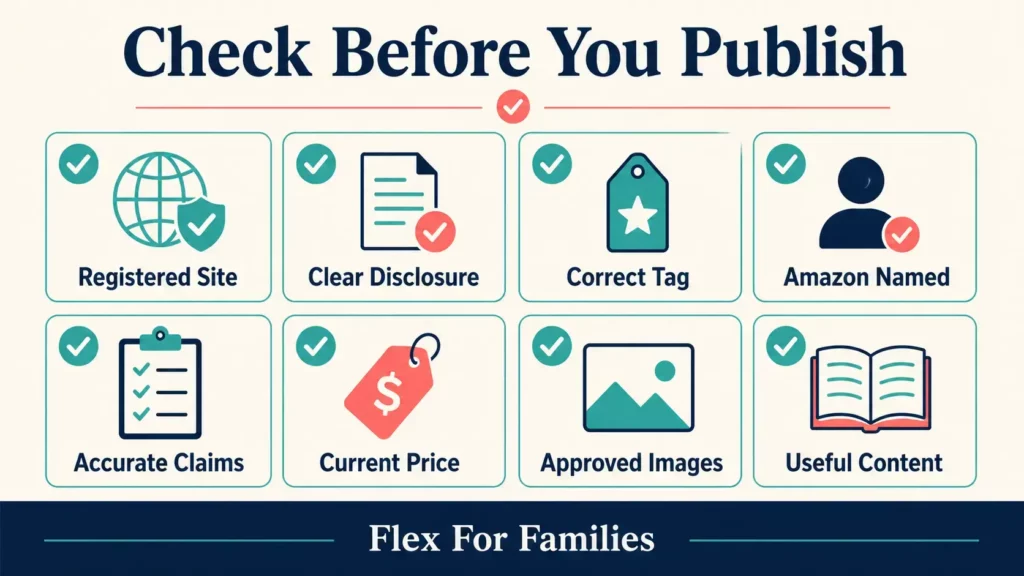
1. Check the Publishing Location
Is the website, channel or social account listed in your Amazon Associates account?
2. Check the Disclosure
Can the reader see and understand the commercial relationship before engaging with the affiliate content?
3. Check the Link
Does it include the correct Associate ID or Tracking ID and open the intended Amazon page?
4. Check the Destination Wording
Does the button or anchor text make it clear that the reader is going to Amazon?
5. Check Every Claim
Do the specifications, model, availability statements and promotional claims match the destination?
6. Check the Price
Have you avoided manually displaying a price that could become inaccurate?
7. Check the Images
Did you create the images yourself or obtain them through a properly licensed source or approved Amazon method?
8. Check the Recommendation
Does the content help the reader decide, or is the link doing all the work?
Save this checklist with your WordPress publishing process. It is easier to check eight items before publication than audit hundreds of links later.
What Happens If You Break an Amazon Associates Rule?
The outcome depends on the rule and circumstances.
Amazon may:
- Disqualify purchases or commission income
- Ask you to remove or correct content
- Request samples or written confirmation of compliance
- Restrict access to particular link types
- Suspend or close the Associates account
- Treat a serious violation as a material breach of the agreement
Do not ignore a message from Amazon. Read the exact issue, save a copy and correct the affected content promptly.
If you make an accidental mistake, do not invent an explanation. Provide accurate information about what happened and what you changed.
A Practical Approach for Busy Bloggers
Amazon compliance does not need to become a separate full-time task.
Create a simple system:
- Save an approved disclosure template.
- Add the Amazon statement to your site and relevant account profiles.
- Include the eight-point check in your publishing checklist.
- Create links only through approved Amazon tools.
- Use descriptive Amazon buttons.
- Review your highest-traffic affiliate posts every quarter.
- Check the official policies after Amazon announces an update.
Prioritise the pages receiving traffic and clicks. Then work through older content in manageable batches.
If you want to improve results after checking compliance, read How to Make More Money With Amazon Associates: Practical Tips and the guide to Amazon Associates Commission Rates in 2026.
Final Thoughts
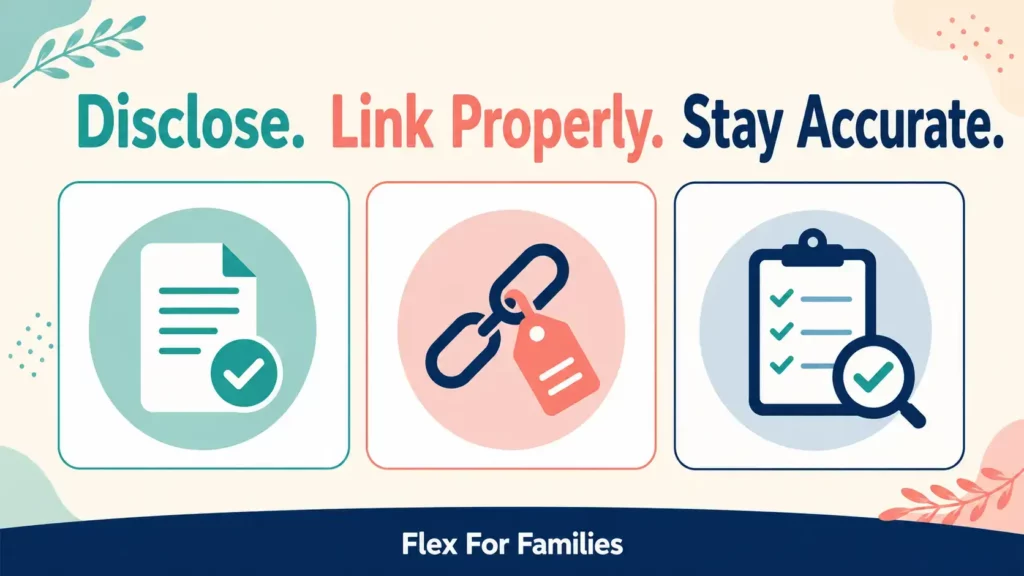
The most important Amazon Associates rules support three basic principles: be transparent, describe products accurately and use approved links in approved places.
Do not buy through your links, arrange purchases with people you know or offer rewards. Treat prices, images, promotions and trademarks carefully. Keep your account and disclosures current.
The April 2026 email update shows why old affiliate advice should not be accepted without checking. Amazon now permits Special Links in opted-in email and certain solicited messages, but it still expects compliance with the wider agreement and applicable marketing rules.
A short publishing checklist gives you a realistic way to manage this. It protects your account while keeping your attention on useful content for your readers.
If you are building your first affiliate content plan, my free Parent Blogging Starter Kit will help you organise your niche, ideas and weekly workload around family life.
Frequently Asked Questions
Do I Need an Amazon Affiliate Disclosure on Every Post?
Every post containing Amazon affiliate content needs a clear disclosure where the reader can understand it before engaging with the commercial content. A general disclosure page is useful, but it may not be enough on its own.
Can I Put Amazon Affiliate Links in Emails in 2026?
Amazon UK’s policies updated on 14 April 2026 allow Special Links in solicited, opted-in emails when the communication follows the agreement, brand guidelines and applicable marketing laws. Unsolicited affiliate emails are not permitted by this change.
Can My Partner Buy Through My Amazon Affiliate Link?
You must not request or encourage relatives, including your partner, to purchase through your Special Links. Amazon specifically prohibits Associates from arranging purchases through friends and family.
Can I Use Amazon Product Images on My Blog?
Do not download product images directly from Amazon listings. Use your own photographs, properly licensed manufacturer images or product content delivered through Amazon’s approved tools or API under the relevant terms.
Can I Mention an Amazon Product’s Price?
Be careful with prices because they change. Amazon permits price and availability displays when Amazon serves the data or it comes through an approved API under the applicable requirements. “Check the latest price on Amazon” is safer than manually typing a fixed price.
Can I Shorten an Amazon Affiliate Link?
Amazon provides approved shortened links through its own tools. Do not use shortening, redirect or cloaking methods that hide the Amazon destination or prevent Amazon from identifying the referring site.
Can I Share Amazon Affiliate Links on Social Media?
Yes, when the public social account is connected to your Associates account and the content, link and disclosure follow Amazon’s rules, the platform’s terms and applicable advertising requirements.
What Happens If I Accidentally Break a Rule?
Correct the content promptly and respond honestly if Amazon contacts you. Possible outcomes include disqualified commission, a request for changes, suspension or account closure. The response depends on the issue and circumstances.
Do I Need to Register Every Website and Social Account?
Add every website, public social profile, YouTube channel or approved app where you intend to publish Amazon Special Links. Do not assume that registering your main blog covers the rest.
Can I Put Amazon Affiliate Links in PDFs or Ebooks?
Amazon’s current UK policies prohibit Special Links in offline promotional material, including ebooks and printed material. Link to a useful page on your registered website instead, then include compliant Special Links on that page.
Let’s Chat
Which Amazon Associates rule have you found most confusing?
Perhaps you have seen conflicting advice about email links, disclosures, prices or product images. Leave a comment below and share the point you want clarified.