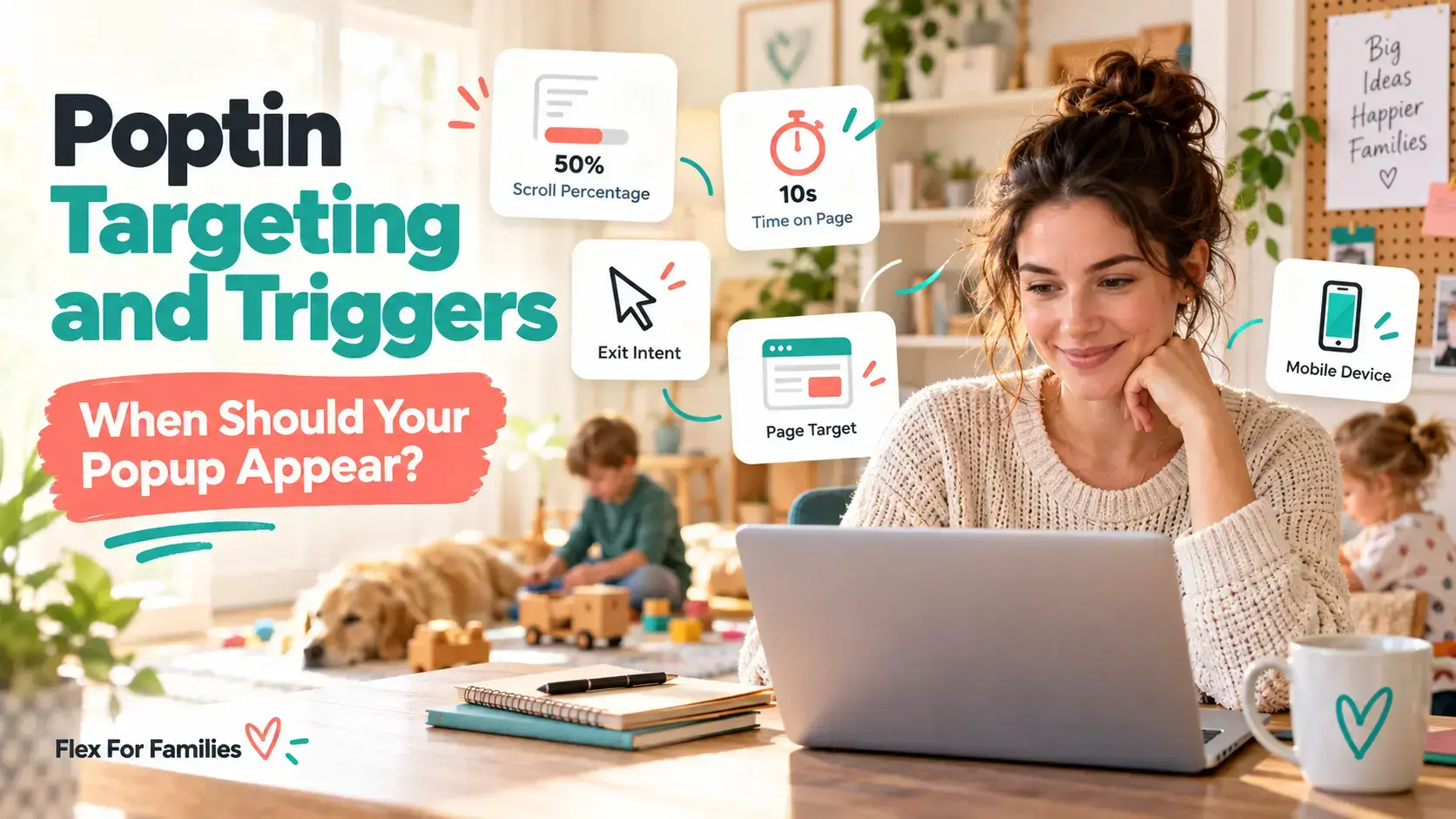
A popup should appear after the visitor has shown enough interest for your offer to feel relevant.
That could mean scrolling through part of a blog post, staying on a page for a set time, clicking a button or preparing to leave.
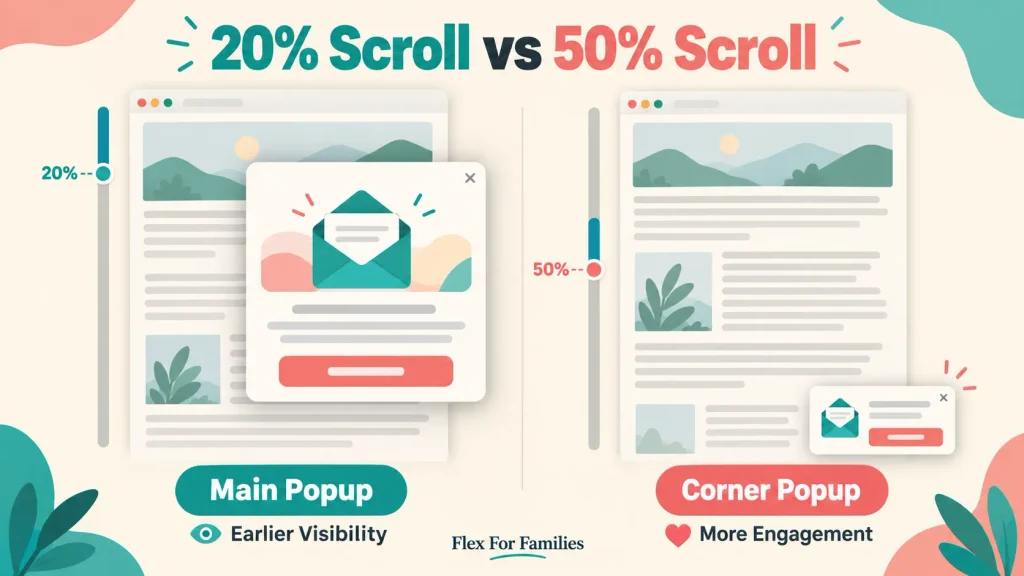
There is no single trigger that works best on every website. A 20% scroll trigger can suit a long guide, while an exit-intent trigger may provide a final opportunity to help someone before they leave. A smaller corner popup can wait until the reader reaches 50% without interrupting the start of the article.
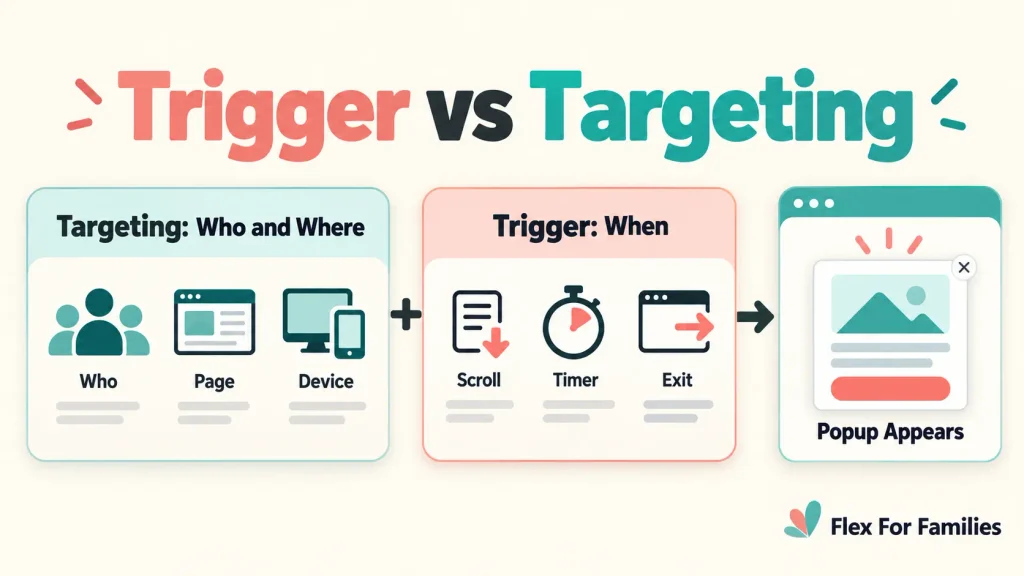
Poptin gives you two groups of controls:
- Triggers decide when the popup appears.
- Targeting rules decide who can see it and where it can appear.
Understanding that difference makes the Display Rules much easier to manage.
Heads up: I use Poptin on Flex For Families and am a member of its affiliate programme. This article may contain affiliate links, which means I may earn a commission if you sign up through them, at no extra cost to you. My guidance is based on my own experience using Poptin’s free plan.
When Should Your Poptin Popup Appear?
For most blog popups, start with a scroll trigger, time delay or exit intent rather than displaying a large popup immediately.
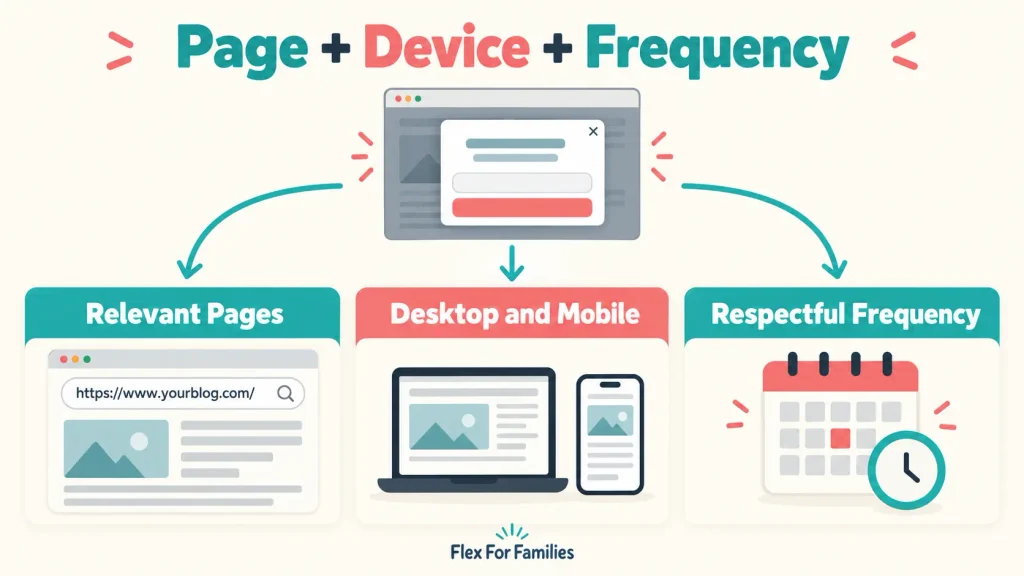
Then use page, device and frequency targeting to prevent the campaign from appearing in the wrong place or too often.
A practical starting approach is:
- Use scroll depth on long blog posts.
- Use a time delay on short pages where scroll depth is less useful.
- Use exit intent as a final opportunity before someone leaves.
- Use on-click when the visitor should request the popup themselves.
- Limit the campaign to pages where the offer is relevant.
- Set a frequency that respects returning readers.
- Test the complete experience on desktop and mobile.
These are starting points. Your offer, page length, traffic and visitor behaviour will determine what performs best.
What Is the Difference Between a Trigger and Targeting?
A trigger is the event that causes the popup to appear. Targeting determines whether the visitor qualifies to see that popup.
For example, imagine you create a lead-magnet popup with these settings:
- Trigger: Display after 50% scroll.
- Page targeting: Only show on blogging articles.
- Device targeting: Show on desktop and mobile.
- Frequency: Do not show repeatedly during the same session.
The popup will not appear simply because someone reaches 50% of any page. The visitor must also meet the page, device and frequency rules.
The decision process is:
Does the visitor meet the targeting rules? → Has the trigger occurred? → Display the popup
This explains why a correctly installed campaign may appear during one test but not another.
What Poptin Triggers Are Available?
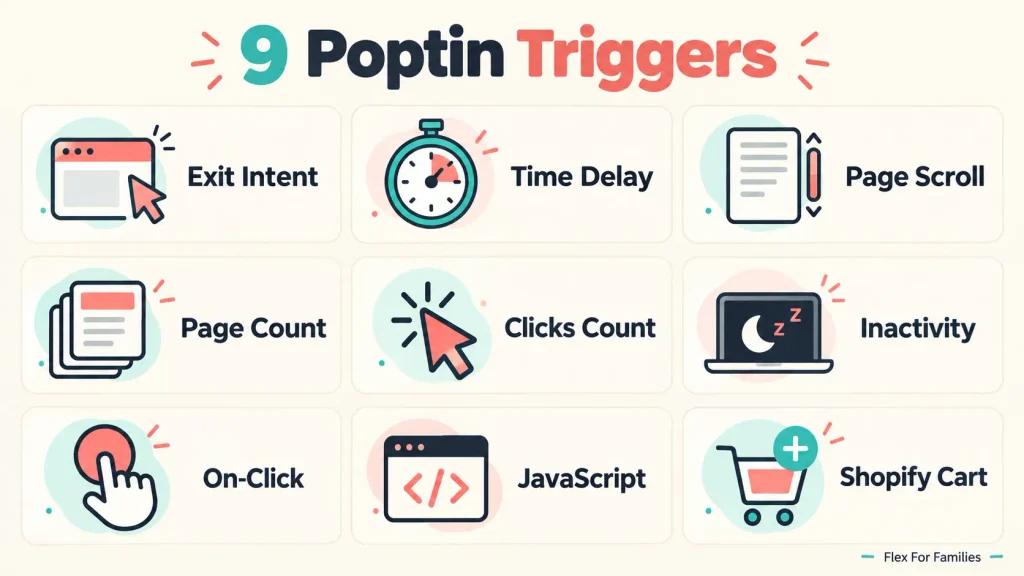
Poptin currently lists nine manual triggers:
- Exit intent.
- Time delay.
- Page scroll.
- Page count.
- Clicks count.
- Inactivity.
- On-click.
- JavaScript.
- Shopify cart.
Poptin also offers an Autopilot trigger that uses visitor behaviour to choose the timing.
You will find these options within the Display Rules for your campaign. You do not need to use all of them. Most bloggers can start with scroll, time delay, exit intent or on-click.
How Does the Exit-Intent Trigger Work?
Exit intent displays the popup when Poptin detects that a visitor may be leaving the page or switching tabs.
On desktop, Poptin looks for movement towards the browser controls, such as the close button or address bar.
Exit intent can suit:
- A final lead-magnet invitation.
- A reminder about a useful resource.
- An ecommerce discount.
- A cart-saving offer.
- Visitors who have not already converted.
Its main advantage is timing. The popup does not interrupt the beginning of the visit.
Its limitation is that the reader may leave without showing a detectable exit action. Mobile behaviour also works differently from a desktop cursor.
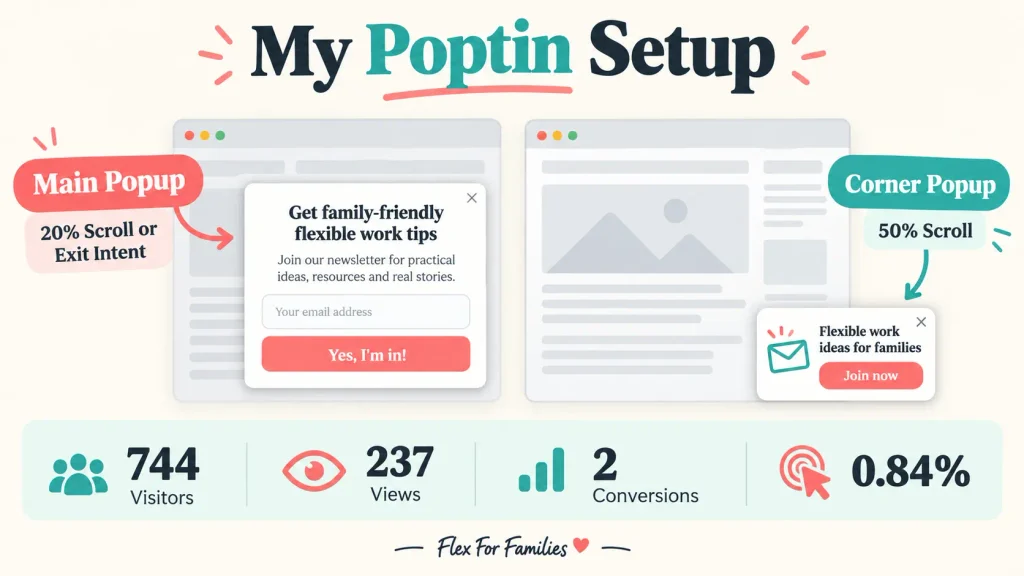
My main Flex For Families popup can appear through exit intent or after 20% scroll. That gives the campaign an earlier opportunity during an engaged visit and another opportunity if the reader prepares to leave.
The dedicated guide to Poptin exit-intent campaigns will explore this option in more detail.
When Should You Use a Time-Delay Trigger?
A time-delay trigger displays the popup after the visitor remains on the page for a chosen number of seconds.
It can work well when:
- The page is too short for scroll depth to mean much.
- The offer applies to the whole page.
- You want to give the visitor time to understand the page first.
- You are testing timing against another trigger.
A starting test of 15 to 30 seconds may suit some landing pages. This is not a fixed rule. Check the page’s typical engagement and avoid choosing a delay that most visitors never reach.
Five seconds may feel abrupt on an article. Sixty seconds may mean the majority of readers never see the offer.
Consider what a visitor can realistically understand before the popup arrives.
When Should You Use the Page-Scroll Trigger?
The page-scroll trigger displays the popup once the visitor passes a chosen percentage of the page.
It is one of the most useful options for bloggers because scrolling provides a basic sign of engagement.
Useful starting points include:
- 20% to 30% for a relevant sitewide lead magnet on a long article.
- 40% to 60% for a more patient campaign.
- 50% or later for a small corner popup.
- Near the end for an offer linked closely to the article’s conclusion.
Do not copy a percentage without considering the page length.
Twenty per cent of a 4,000-word guide represents more reading than 20% of a short landing page. Headers, images, comments and related-post sections also affect the page height.
My main Flex For Families popup uses 20% scroll as one of its triggers. My smaller bottom-corner campaign waits until the visitor reaches 50%.
The smaller format can wait longer because it supports the visit without covering the centre of the page.
What Is the Page-Count Trigger?
The page-count trigger appears after the visitor views a chosen number of pages.
It can suit a general newsletter or sitewide resource because the visitor has shown interest in more than one piece of content.
For example, you could wait until the second or third page before presenting a broad email-list invitation.
This approach can feel less intrusive than displaying the same campaign during the visitor’s first few seconds on the website.
Its limitation is that single-page visitors will never see it. That may include someone who reads one valuable article carefully and then leaves.
What Is the Clicks-Count Trigger?
The clicks-count trigger displays the popup after the visitor completes a chosen number of clicks on the website content.
It is most useful on interactive pages, resource libraries or product collections where clicks show active exploration.
It is less useful on a straightforward blog post where a reader may consume the entire article without clicking anything.
Do not add clicks simply to make the trigger work. Choose a trigger that matches the natural visitor journey.
When Should You Use the Inactivity Trigger?
The inactivity trigger appears after the visitor stops interacting with the page for a chosen period.
Poptin can check actions including mouse movement, scrolling, typing, clicking, touchscreen taps and swipes.
This trigger may help on:
- A complex pricing page.
- A long application form.
- An enquiry page.
- A page where someone may need additional help.
Use it carefully on blog posts. A reader may stop scrolling because they are concentrating on a section, not because they are stuck or disengaged.
When Should You Use an On-Click Popup?
An on-click popup appears after the visitor selects a specific button, link, image or other configured element.
This is one of the least intrusive options because the reader asks to see it.
It can suit:
- A Get the Starter Kit button.
- A content-upgrade link.
- A download request.
- A contact or quote button.
- A product-information link.
The button copy must make the next action clear. Do not surprise the visitor with an unrelated signup form.
What Are JavaScript and Shopify Cart Triggers?
The JavaScript trigger allows a specific website event or function to display the popup.
It is useful for custom funnels and technically managed websites. Most beginner bloggers will not need it for their first campaign.
The Shopify cart trigger responds to ecommerce actions, such as adding or removing products or reaching a cart threshold. It is relevant to Shopify stores rather than a normal content blog.
Both options show that Poptin can support more advanced journeys, but complexity should serve a real purpose.
Should You Use Poptin Autopilot?
Poptin’s Autopilot trigger analyses actions such as time on page, scrolling and exit intent. It then tests when to display the popup.
Poptin recommends Autopilot for websites receiving more than 10,000 visits per month.
That makes manual triggers a more practical starting point for a smaller or newer blog. Lower traffic means there is less visitor data for automated testing to learn from.
Flex For Families is not currently at the traffic level Poptin recommends for Autopilot. I would rather use clear manual rules and collect meaningful data before handing the timing decision to an automated system.
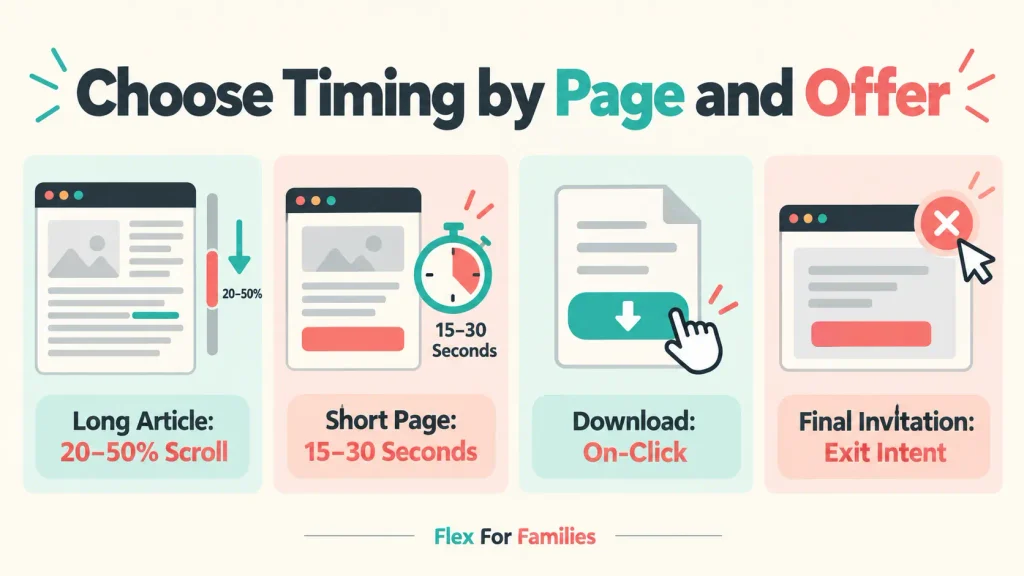
Which Popup Trigger Should You Choose?
Use the page and offer to narrow the choice.
| Page or Offer | Suggested Starting Trigger | Why It May Fit |
|---|---|---|
| Long blog post | 20% to 50% scroll | The visitor has started engaging with the content |
| Short landing page | 15 to 30-second delay | Scroll depth may provide little useful information |
| Final lead-magnet invitation | Exit intent | Reaches some visitors before they leave |
| Download or resource button | On-click | The visitor requests the next step |
| Sitewide newsletter | Page count | Waits for wider interest in the website |
| Small corner popup | 50% scroll or later | Keeps the interruption limited |
| Interactive resource page | Clicks count | Responds to active exploration |
| Shopify cart offer | Cart or exit trigger | Matches ecommerce behaviour |
| Website above 10,000 monthly visits | Autopilot test | Provides more data for automated timing tests |
These are starting tests rather than guaranteed settings.

What Poptin Targeting Options Are Available?
Poptin’s current targeting options include:
- Device targeting.
- Page targeting.
- Display frequency.
- Dates and times.
- Operating-system and browser targeting.
- Traffic-source targeting.
- Country targeting.
- JavaScript targeting.
- Title-tag targeting.
- IP blocking.
Some advanced options may depend on your plan. Start with page, device and frequency targeting because these have the greatest practical effect on most blog campaigns.
How Should You Use Page Targeting?
Page targeting controls which URLs can or cannot display the campaign.
Use it to keep the offer relevant.
For example:
- Show the Parent Blogging Starter Kit on blogging and online-income content.
- Exclude privacy, contact and legal pages.
- Exclude the thank-you page after someone signs up.
- Avoid showing a popup on a page that already contains the same form.
- Use a specialist content upgrade only on closely related articles.
You can use rules such as an exact URL match or a URL containing a particular path.
Check the rule carefully. A missing slash, incorrect domain or wrong include or exclude condition can prevent the campaign from appearing.
How Should You Use Device Targeting?
Device targeting controls whether the campaign can appear on desktop, mobile or both.
Do not assume a desktop popup will feel acceptable on a phone.
Check:
- How much of the screen it covers.
- Whether the close button is easy to use.
- Whether the form fields fit properly.
- Whether the keyboard hides the submit button.
- How the trigger behaves on a touchscreen.
- Whether the campaign interrupts access to the main content.
You may use the same offer across devices while changing the design or trigger for mobile visitors.
How Often Should a Poptin Popup Appear?
The popup should appear often enough to be seen without making regular readers close the same offer repeatedly.
Poptin’s display-frequency choices include options such as once per day, every visit and once during a 30-minute session.
For a lead-generation popup, a sensible starting approach is:
- Avoid repeated displays during the same session.
- Reduce or stop the campaign after conversion.
- Give someone who closes the popup time before showing it again.
- Use stricter limits for a large central popup.
- Check how overlapping campaigns affect the total number of interruptions.
Do not judge frequency only during an administrator test. Visit the website as a real returning reader would.
When Is Traffic-Source Targeting Useful?
Traffic-source targeting can show a different campaign based on how the visitor reached the website.
It may help when:
- A social post promotes a specific resource.
- A paid campaign has a matching offer.
- A referral partner sends a defined audience.
- Search visitors need a different next step from existing subscribers.
The destination page and popup must still make sense together. A visitor from Facebook does not automatically need a Facebook-specific popup.
Use source targeting when it makes the message more relevant, not because the setting exists.
When Do the Advanced Targeting Rules Matter?
Country targeting can help with regional events, delivery areas or offers that are not available everywhere.
Date and time targeting can support launches, webinars, seasonal campaigns and limited promotions.
Browser and operating-system targeting can help with device-specific campaigns or troubleshooting.
IP blocking can reduce internal campaign views from you or your team.
Previous-page and engagement rules can help you respond to earlier website behaviour or interactions with another Poptin campaign.
Most bloggers should not begin with a complicated stack of advanced conditions. Build one working campaign first.
How I Use Poptin Triggers on Flex For Families
I currently use two popup formats with different timings.
The Main Popup
The main popup promotes the Parent Blogging Starter Kit.
It can appear when the visitor:
- Reaches 20% scroll.
- Shows exit intent.
The 20% scroll rule provides an opportunity during an engaged visit. Exit intent provides another opportunity as some desktop visitors prepare to leave.
The Bottom-Corner Popup
The smaller bottom-corner popup appears after 50% scroll.
It sends readers towards the Flex For Families starting funnel. Because it occupies less of the screen, it supports the visit without covering the centre of the article.
What the Current Numbers Show
My last 30-day snapshot showed:
- 744 visitors.
- 237 popup views.
- 2 conversions.
- A 0.84% conversion rate.
Those figures prove that the campaigns are displaying and recording conversions. They do not prove that 20% or 50% is the ideal trigger.
Two conversions are too small a sample for a reliable conclusion. The offer, page relevance, traffic quality, design and follow-up journey all affect the result.
I will collect more data before making a major timing decision.
What Happens When You Use More Than One Popup?
Multiple campaigns can compete for the same visitor if their pages, triggers and frequency rules overlap.
Before activating another popup, check:
- Whether both campaigns target the same pages.
- Whether both triggers can activate during one visit.
- Which offer should take priority.
- Whether converting through one campaign suppresses another.
- Whether closing one popup should delay the second.
- Whether the mobile experience remains usable.
- Whether the thank-you page excludes all signup campaigns.
A central popup followed immediately by a corner campaign can feel excessive even when both work correctly.
The reader experiences the whole website, not each campaign in isolation.
Does Poptin Exit Intent Work on Mobile?
Mobile exit intent can work, but it behaves differently from desktop exit intent and may be less consistent.
Poptin says its mobile exit behaviour can respond when someone uses the browser’s back action to leave the website. It may not activate when the visitor simply moves between pages within the site.
Poptin recommends using a time delay or scroll trigger alongside mobile exit intent because quick mobile exits may not activate it.
This is another reason to test desktop and mobile separately.
How to Test Poptin Targeting and Triggers
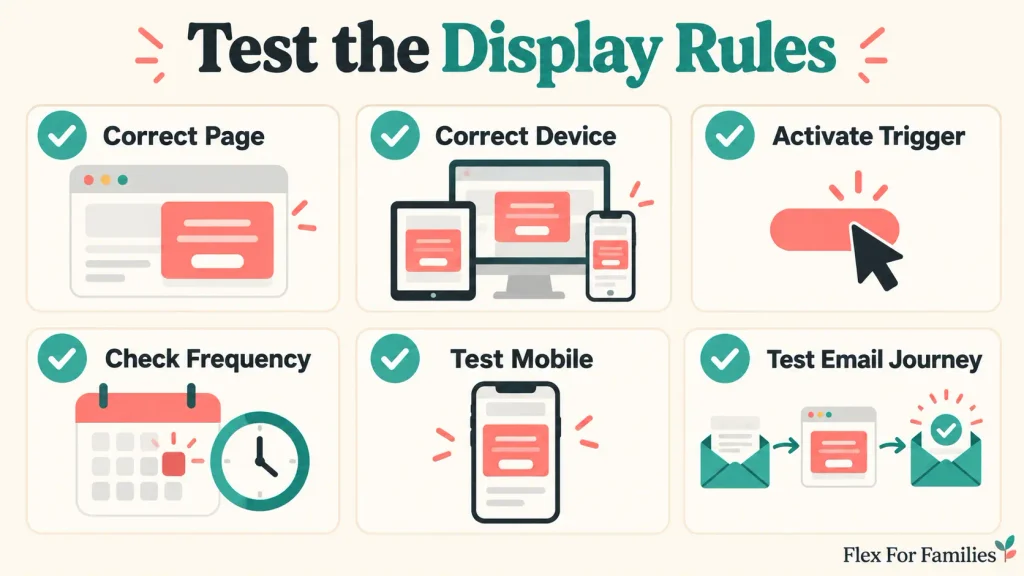
Use a private browser window so earlier cookies and campaign interactions are less likely to affect the result.
Test in this order:
- Confirm that the campaign is active.
- Open a page included in the targeting.
- Use a device allowed by the targeting.
- Activate the trigger naturally.
- Confirm that the intended campaign appears.
- Close the campaign.
- Check whether the frequency rule behaves correctly.
- Repeat the test on mobile.
- Test an excluded page.
- Submit a fresh email address.
- Confirm that Poptin records the conversion.
- Confirm that the subscriber reaches the correct Kit form and sequence.
If the popup does not appear, check the targeting before reinstalling anything.
The visitor may be on an excluded page, using the wrong device, blocked by the frequency rule or failing to reach the trigger threshold.
Should You A/B Test Popup Timing?
Yes, once you have enough traffic and views to produce a useful result.
Poptin supports tests between campaign variants. Its official guidance gives time delay versus exit intent as an example of testing different display rules.
Test one material change at a time where possible.
For example:
- 20% scroll against 50% scroll.
- 20-second delay against exit intent.
- Main popup against corner popup.
- One display frequency against another.
If you change the trigger, offer, headline, image and button together, you will not know which change caused the result.
Do not call a winner after a handful of views or one conversion. The later Poptin analytics and A/B testing guide will explain sample size and measurement in more detail.
My Recommended Starting Setup for Bloggers
Start with one campaign, one relevant offer and one simple visitor journey.
For a long blog post:
- Try a scroll trigger between 20% and 50%.
- Limit the popup to relevant content.
- Check the mobile design separately.
- Prevent repeated appearances during one session.
For a short landing page:
- Test a reasonable time delay.
- Consider an on-click option for the main CTA.
- Use exit intent as a secondary opportunity.
For a small corner popup:
- Wait until the visitor shows stronger engagement.
- Keep the message brief.
- Avoid competing with another campaign.
Do not activate every available rule because Poptin offers it. Add complexity when it solves a specific problem.
If you still need to build the campaign, follow my guide to creating a popup with Poptin.
If the platform is not installed yet, start with how to add Poptin to WordPress without coding.
You can also read my full Poptin Review 2026 or learn how to connect Poptin to Kit and test the complete email journey.
If you are planning your first blog and email funnel, the free Parent Blogging Starter Kit provides practical tools for building around family life.
Frequently Asked Questions
What Is the Difference Between a Poptin Trigger and Targeting?
A trigger decides when the popup appears, such as after 50% scroll or when the visitor shows exit intent. Targeting decides whether that visitor can see the campaign based on conditions such as the page, device, traffic source and display frequency.
Which Poptin Trigger Is Best for Blog Posts?
A page-scroll trigger is a practical starting option for long blog posts because it waits for some reader engagement. Exit intent can provide a secondary opportunity before someone leaves. The best choice still depends on the page length, offer and audience.
What Percentage Scroll Should Trigger a Popup?
Consider testing between 20% and 50% on a long article. An earlier trigger increases visibility, while a later trigger reaches more engaged readers. Page length matters, so test the actual experience rather than applying one percentage across every page.
How Often Should a Poptin Popup Appear?
Avoid showing the same lead-generation popup repeatedly during one session. Use a reasonable pause after someone closes it and reduce or stop it after conversion. Large central popups usually need stricter frequency limits than smaller corner campaigns.
Does Poptin Exit Intent Work on Mobile?
It can work, but mobile exit behaviour differs from desktop cursor tracking and may be less consistent. Poptin recommends supporting mobile exit intent with a time-delay or scroll trigger and testing the campaign on a real phone.
Can I Show a Poptin Popup on Specific Pages?
Yes. Page targeting lets you include or exclude URLs. This allows you to match the offer to relevant content and remove the popup from pages such as privacy policies, contact pages and post-signup thank-you pages.
Can I Use More Than One Poptin Trigger?
Yes. A campaign can use more than one trigger, such as scroll depth and exit intent. Test how the triggers behave across devices and confirm that overlapping campaigns do not create repeated or competing interruptions.
Let’s Chat
Which Poptin trigger are you currently using?
Does your popup appear after a scroll, a time delay or when the visitor prepares to leave?
Leave a comment below. Your experience may help another blogger choose a more suitable starting point.