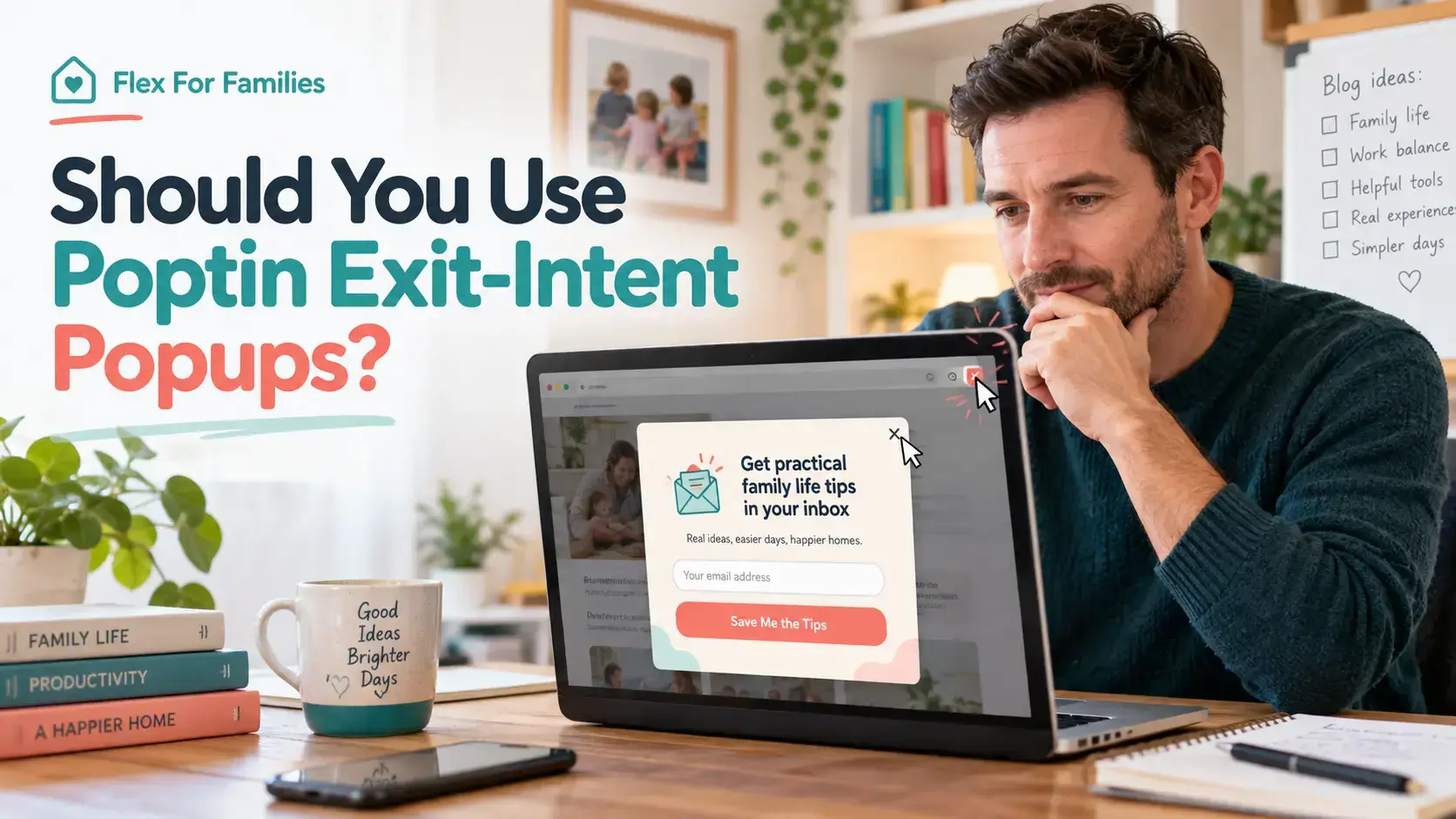
Exit-intent popups divide opinion.
Some bloggers see them as a useful final chance to help a visitor. Others see them as an interruption that appears just as someone is trying to leave.
Both views can be valid. The result depends on the offer, the design, the targeting and how often the popup appears.
I use Poptin on Flex For Families to promote my free Parent Blogging Starter Kit. My main popup can appear through exit intent or after a visitor scrolls 20% down the page. I also use a smaller corner popup that waits until 50% scroll.
That setup has taught me one important lesson. Exit intent works best as one part of a considered campaign. It should not be used as a licence to interrupt every visitor with the same message.
Heads up:I use Poptin on Flex For Families and am a member of its affiliate programme. This article may contain affiliate links, which means I may earn a commission if you sign up through them, at no extra cost to you. My guidance is based on my own experience using Poptin’s free plan.
The Short Answer
Yes, Poptin exit-intent popups are worth testing when you have a relevant offer, sensible frequency rules and a clear close button.
They can give an engaged visitor one final opportunity to download a resource, join your email list or take another useful step. They will not fix a weak offer, poor targeting or low-quality traffic.
For bloggers, I would usually combine exit intent with another trigger for mobile visitors. Poptin itself explains that mobile exit intent can be less dependable because mobile browsers behave differently.
My recommendation is simple:
- Use exit intent for a specific purpose.
- Match the offer to the page.
- Keep the popup easy to close.
- Limit how often it appears.
- Test desktop and mobile separately.
- Judge it using enough data, not one or two conversions.
What Is a Poptin Exit-Intent Popup?
A Poptin exit-intent popup is a campaign set to appear when Poptin detects signs that a visitor may be about to leave your website.
On desktop, this usually means the visitor moves their cursor towards the address bar, tab controls or browser close button. Poptin then displays the popup before the person leaves.
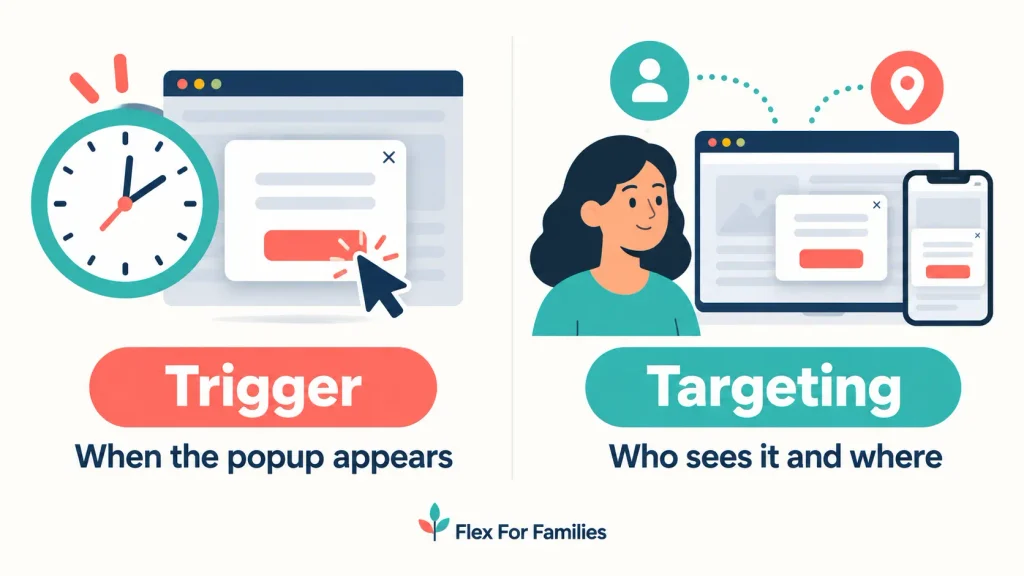
The trigger controls when the popup appears. Targeting controls who sees it and where it can appear.
For example, you could create an exit-intent campaign that:
- Appears only on selected blog posts.
- Shows only to new visitors.
- Excludes people who have already subscribed.
- Appears no more than once every few days.
- Uses a different rule for mobile devices.
This distinction matters. A suitable trigger with poor targeting can still create a frustrating experience.
If you are new to the platform, start with What Is Poptin and How Does It Work? before configuring advanced rules.

How Does Poptin Exit Intent Work on Desktop?
On desktop, Poptin looks for cursor movement that suggests the visitor is heading towards the browser controls.
The software may display the campaign when the cursor moves towards:
- The browser address bar.
- The tab area.
- The close button.
- Another area associated with leaving or switching tabs.
This is behavioural detection. It does not know with certainty that the person will leave.
A visitor might move the cursor upwards to copy the URL, change tabs temporarily or access a browser extension. That can still activate the campaign.
This is why the message should remain useful and respectful. The visitor should be able to understand the offer and close the popup immediately.
Poptin explains its desktop detection in its official exit-intent guidance.
Does Poptin Exit Intent Work on Mobile?
Poptin exit intent can work on mobile, but it does not work in the same way as desktop detection.
A phone does not have a mouse cursor. Poptin says its mobile exit-intent behaviour can respond when someone presses the browser’s Back button to return to the website or app they came from, such as Google or Facebook.
It should not normally appear when the visitor simply moves between pages on your website.
Poptin also warns that mobile exit intent does not always work well because mobile browsers behave differently. Visitors who leave quickly may not see the campaign. Poptin recommends using a time delay or scroll trigger alongside exit intent for better coverage.
You can read the current explanation in Poptin’s mobile exit-intent guide.
What This Means for Bloggers
Do not assume one exit-intent setting provides the same experience across every device.
Test the campaign on:
- A desktop browser.
- A laptop.
- An Android phone, if available.
- An iPhone, if available.
- A private or incognito window.
If mobile visitors matter to your website, add a suitable scroll or time-delay rule rather than relying on exit intent alone.
The Pros of Poptin Exit-Intent Popups
Exit-intent campaigns have several practical strengths when they are configured carefully.
They Avoid an Immediate Interruption
An exit-intent popup does not need to appear as soon as the page loads.
The visitor can read the content first. The campaign appears only when their behaviour suggests they may leave.
That usually feels less intrusive than placing a large signup form over the article immediately.
They Give You One Final Opportunity to Help
A visitor may have enjoyed the article without noticing your email form or lead magnet.
An exit popup can highlight a relevant next step before they go. For Flex For Families, that might be the Parent Blogging Starter Kit after someone reads a guide about starting a blog.
They Can Support Different Goals
You can use exit intent to promote:
- A lead magnet.
- A newsletter.
- A content upgrade.
- A product discount.
- A free trial.
- A related guide.
- A saved basket or checkout reminder.
The offer should fit the visitor’s reason for being on the page.
They Work With Other Display Rules
Poptin allows you to combine a trigger with page, device, visitor and frequency rules.
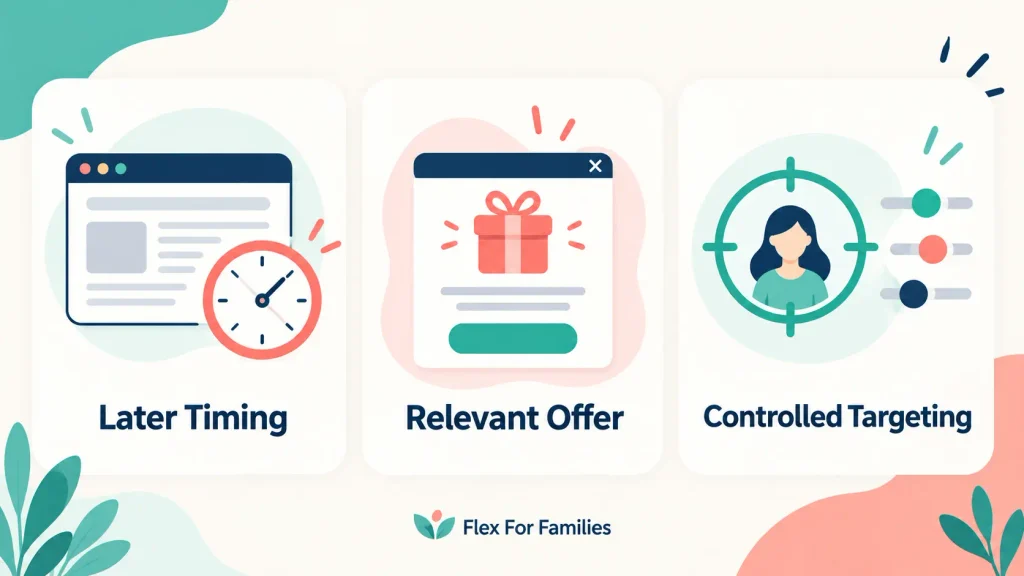
This lets you create a more controlled campaign. You can show an offer on relevant pages, exclude subscribers and prevent the same popup from appearing repeatedly.
They Can Be Tested Against Other Triggers
Exit intent is not automatically the best trigger.
You can compare it with scroll depth, time delay or on-click campaigns. The useful question is not whether exit intent works for somebody else. It is whether it works for your offer, audience and website.
The Cons of Poptin Exit-Intent Popups
Exit intent also has real limitations.
Mobile Detection Is Less Dependable
Desktop cursor movement gives the software a clearer behavioural signal. Mobile browsers do not provide the same signal.
This means your campaign may behave differently across devices. A backup trigger can reduce that gap.
The Visitor May Have Already Decided to Leave
An exit popup appears late in the visit.
If the reader has already decided the website is not relevant, another message may not change their mind. A stronger article, clearer in-content CTA or more suitable offer may have a greater effect.
Poor Frequency Rules Can Become Annoying
A popup shown on every visit can frustrate returning readers.
Poptin currently supports several frequency choices, including once per day, every visit, every session, every few days and every few visits. Its help centre says the default once-per-day setting covers a 24-hour period. A session is treated as 30 minutes.
The most aggressive setting is rarely the best starting point for a blog.
Multiple Campaigns Can Compete
Imagine a visitor sees a scroll popup, closes it and then receives an exit popup a few seconds later.
Each campaign may work correctly on its own, but the combined experience feels excessive.
Review all active campaigns together. Do not assess each popup in isolation.
A Weak Offer Remains a Weak Offer
Changing the trigger does not solve an unclear headline, irrelevant lead magnet or confusing form.
The visitor still needs a good reason to act.
When Should You Use a Poptin Exit-Intent Popup?
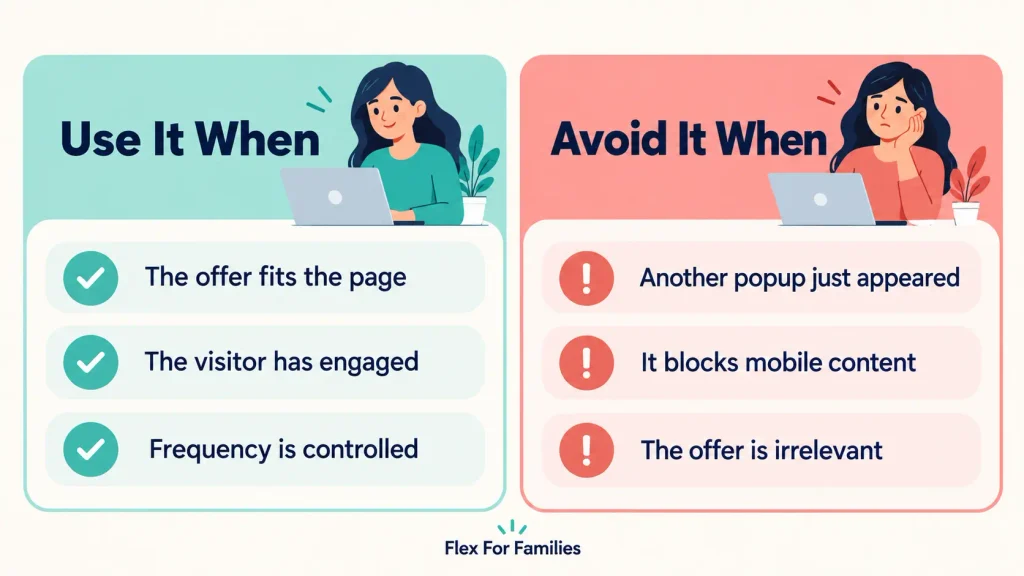
Use exit intent when the visitor has received value from the page and you have a relevant next step.
Good examples include:
- Offering a blogging checklist after a detailed beginner guide.
- Promoting a content upgrade related to the article.
- Reminding an ecommerce visitor about an item in their basket.
- Offering a suitable discount before someone leaves a sales page.
- Inviting an engaged reader to join an email list.
- Directing someone towards a useful cornerstone guide.
The campaign should answer a clear question: why would this visitor want this offer now?
If the answer is simply that you want more subscribers, the campaign needs more work.
When Should You Avoid Exit Intent?
Avoid or reconsider an exit-intent campaign when:
- The offer has little connection to the page.
- Another popup has already appeared during the same visit.
- The visitor is completing an important form or task.
- The popup covers most of a mobile screen.
- The close button is difficult to see or use.
- The campaign appears again after someone subscribes.
- You cannot test the complete signup journey.
- Your website has too little traffic to support confident conclusions.
You should also be careful on pages where trust matters more than list growth. A visitor reading about a sensitive family, financial or health issue may not welcome an aggressive promotional interruption.
Poptin Exit-Intent Best Practices
The following practices give your campaign a better chance of helping without damaging the reader’s experience.
Match the Offer to the Page
A generic newsletter invitation gives the reader little reason to subscribe.
A relevant resource is clearer. Someone reading about starting a blog may want a starter checklist. Someone comparing email platforms may want an email setup guide.
You can target the campaign to selected pages or content groups instead of showing it everywhere.
Lead With the Benefit
Tell the visitor what they will receive.
Keep the headline specific. Avoid exaggerated promises or false urgency.
For example:
Get Your Free Parent Blogging Starter Kit
This is clearer than:
Wait! Do Not Miss Out!
Keep the Form Short
Ask only for the information you need.
An email address is often enough for a simple lead magnet. Every extra field creates another decision for the visitor.
Make the Popup Easy to Close
Use a visible close button with enough contrast. Make sure it works on a smaller screen and can be reached without awkward tapping.
Do not disguise the close option or use wording designed to shame people who decline.
Set a Respectful Frequency
Start conservatively.
Showing the same campaign once every few days may provide a better reader experience than showing it on every visit. Your final choice should reflect the offer, visitor behaviour and available data.
Poptin says people who opt in will not see the same campaign again unless the setting for converted visitors is changed. Check that option before publishing.
Prevent Campaigns From Overlapping
Give each campaign a specific job.
For example:
- Main popup: Parent Blogging Starter Kit.
- Corner popup: Flex For Families starting guide.
- In-content form: Email signup linked to the article topic.
Set the rules so the visitor does not receive all three prompts during a short visit.
Treat Mobile as a Separate Experience
Do not simply shrink a desktop popup.
Check:
- How much of the screen it covers.
- Whether the close button remains visible.
- Whether the form fields are easy to use.
- Whether the keyboard hides the CTA.
- Whether scroll or time delay would work better than exit intent.
Test the Complete Journey
Submitting the form is only one step.
Confirm that:
- The subscriber reaches the correct Kit form or tag.
- The promised resource arrives.
- The first email in the sequence is correct.
- Existing subscribers are handled properly.
- The thank-you page works.
My Poptin and Kit setup guide covers that complete journey.

My Poptin Exit-Intent Setup on Flex For Families
My main Flex For Families popup promotes the Parent Blogging Starter Kit.
I have configured it to appear through exit intent or when a visitor reaches 20% scroll. This gives the campaign more than one opportunity to activate, including support for visitors whose device or behaviour does not produce a reliable exit signal.
My smaller bottom-corner popup waits until 50% scroll. It is a quieter prompt aimed at people who have shown more engagement with the page.
The funnel works as intended. Poptin captures the signup, Kit delivers the Starter Kit and the subscriber receives the first email in the welcome sequence.
In the 30-day snapshot I recorded, the website had:
- 744 visitors.
- 237 popup views.
- Two conversions.
- A 0.84% conversion rate.
Those figures are useful as an early baseline. They are not enough to claim that exit intent increased my conversion rate.
The results cover my popup activity rather than proving which individual trigger produced each conversion. Traffic is also still too low for a meaningful exit-intent case study.
That distinction matters. A working funnel and a proven optimisation are not the same thing.
Exit Intent vs Scroll and Time-Delay Triggers
No trigger wins in every situation.
| Trigger | Best Use | Main Strength | Main Limitation |
|---|---|---|---|
| Exit intent | A final relevant offer before departure | Avoids interrupting the visitor immediately | Less dependable on mobile |
| Scroll depth | Long articles and engaged readers | Responds to content engagement | Can interrupt someone who is still reading |
| Time delay | Short pages and landing pages | Simple and predictable | Time on page does not always mean interest |
| On-click | Content upgrades and button-led forms | The visitor initiates the action | Depends on the CTA being noticed |
For many blogs, the best starting point is a combination:
- Exit intent for desktop visitors.
- Scroll depth or time delay for mobile visitors.
- Page targeting to keep the offer relevant.
- Frequency controls to protect the experience.
For a deeper explanation of each option, read Poptin Targeting and Triggers Explained.
Can Exit-Intent Popups Hurt SEO?
An exit-intent popup does not automatically harm SEO. The risk comes from intrusive implementation that obstructs the content or creates a poor experience.
Google advises website owners to avoid promotional dialogs that obscure the entire page. It recommends unobtrusive options, including banners that use only a small part of the screen, so visitors and search engines can access the main content.
You can read the current advice in Google’s guidance on intrusive interstitials.
To reduce the risk:
- Do not cover the content as soon as someone arrives from search.
- Avoid full-screen promotional popups on mobile.
- Use a clear close button.
- Keep the page usable without submitting the form.
- Test loading speed and layout stability.
- Use smaller banners or corner popups where appropriate.
The goal is to help the reader take another step without blocking the reason they visited.
What Should You Measure?
Measure enough of the journey to understand what is happening.
Useful metrics include:
- Popup views.
- Form submissions.
- Conversion rate.
- Mobile and desktop performance.
- Results by page or content group.
- New and returning visitor behaviour.
- Delivery of the promised email or resource.
- Unsubscribe and complaint patterns.
Do not optimise around a tiny sample.
One conversion can change the percentage dramatically when traffic is low. Record the baseline, allow the campaign to gather data and avoid changing several settings at once.
How to Test an Exit-Intent Campaign
Use this simple check before sending the campaign live:
- Open the target page in a private browser window.
- Confirm that the campaign appears on the correct pages.
- Test the desktop exit movement.
- Test the mobile rule on a real phone.
- Check that the close button works.
- Submit a fresh email address.
- Confirm the subscriber enters the correct Kit form, tag or automation.
- Check that the promised resource and first email arrive.
- Return to the website and confirm the frequency rules behave correctly.
When you have enough traffic, test one material change at a time. That might be the offer, headline, trigger, CTA or page targeting.
Changing all of them together may improve the result, but you will not know why.
Is Poptin Exit Intent Worth Using?
Poptin exit intent is worth testing when you have a relevant offer and enough traffic to evaluate it properly.
It is most useful as a carefully controlled final prompt. It should not become a second attempt to interrupt someone who has already declined another popup.
For a busy parent blogger, the practical approach is:
- Start with one campaign.
- Use a clear and useful offer.
- Add sensible page and frequency rules.
- Support mobile visitors with scroll or time delay.
- Test the full email journey.
- Review the data after a meaningful sample.
My own setup is working technically, but I do not yet have enough traffic or conversions to describe it as proven. That is the honest difference between using a tool successfully and claiming that it guarantees better results.
If you want a broader assessment of the platform, read my Poptin Review 2026.
Frequently Asked Questions
How Does Poptin Detect Exit Intent?
On desktop, Poptin looks for cursor movement towards browser controls such as the address bar, tabs or close button. This suggests the visitor may be preparing to leave or switch tabs. It is a behavioural signal rather than proof that the person will exit, so the popup should remain relevant and easy to close.
Does Poptin Exit Intent Work on Mobile?
Poptin can respond when a mobile visitor presses the browser’s Back button to return to the previous website or app. It does not work like desktop cursor detection and can be less reliable. Poptin recommends supporting mobile exit intent with a scroll or time-delay trigger.
Are Exit-Intent Popups Annoying?
They can be annoying when they cover the content, appear repeatedly or promote an irrelevant offer. A well-targeted campaign with a clear close button and conservative frequency can feel more helpful. Review the visitor’s complete experience, especially when several popups are active.
Can Exit-Intent Popups Hurt SEO?
Exit intent does not automatically harm SEO. Problems can arise when a promotional popup obscures the main content or creates an intrusive mobile experience. Google recommends unobtrusive dialogs and warns against overlays that cover the entire page. Keep the content accessible and test the campaign across devices.
How Often Should an Exit-Intent Popup Appear?
There is no universal frequency. For a blog, start conservatively rather than showing the same popup on every visit. Poptin supports options such as once per day, every session, every few days and every few visits. Use your traffic, offer and visitor behaviour to refine the setting.
Can You Combine Exit Intent With a Scroll Trigger?
Yes. Poptin allows campaigns to use more than one trigger. My main Flex For Families popup uses exit intent alongside a 20% scroll trigger. This provides another opportunity to display the offer when exit detection is unavailable or unreliable, especially on mobile devices.
Do Exit-Intent Popups Increase Conversions?
They can create another conversion opportunity, but the trigger alone does not guarantee an improvement. Results depend on the offer, audience, page, design, timing and follow-up journey. Compare the campaign against a clear baseline and wait for enough views and conversions before drawing conclusions.
Let’s Chat
Do you use exit-intent popups on your website?
What offer and trigger have you tested, and how did your visitors respond?
Share your experience in the comments. Your results may help another blogger choose a more respectful setup.