
AI tools can make blogging faster, but they can also become an expensive collection of subscriptions you barely use.
One tool helps with ideas. Another promises better articles. A third creates images. A fourth offers keyword research. Before long, you could be paying £50, £100 or more each month without having a noticeably better blog.
The answer is not to avoid AI. It is to choose tools for the work you genuinely need to complete.
I use AI throughout my Flex For Families workflow, but I still review every article, check the research and make the final decisions.
My test for any tool is simple: Does it help me complete useful work more efficiently, or does it create more work correcting average output?
This guide will help you apply the same test before you start another free trial or subscription.
The Quick Answer
Choose an AI tool only when you can identify:
- The specific problem it will solve.
- How often you will use it.
- What you currently use instead.
- How much time it saves across the complete task.
- How much checking and editing its output requires.
- Whether it duplicates something you already pay for.
- Whether the benefit justifies the full cost.
If you cannot answer those questions, remain on the free plan or postpone the purchase.
The best AI setup is rarely the one with the most tools. It is the smallest setup that reliably helps you plan, create, check and publish useful content.
Why Bloggers Waste Money on AI Tools
The AI market moves quickly. New products launch with impressive demonstrations, discounted annual plans and long feature lists.
That makes it easy to buy a tool before understanding where it belongs in your workflow.
Common causes of wasted spending include:
- Buying during a launch because the price appears temporary.
- Paying for several tools with similar writing features.
- Choosing an annual plan before completing a proper test.
- Mistaking a polished demonstration for a repeatable workflow.
- Ignoring the time required to fact-check and edit the output.
- Paying for monthly credits that regularly expire unused.
- Keeping a subscription because you might need it later.
- Choosing an advanced tool before learning the underlying skill.
A £10 subscription can feel inexpensive. Five £10 subscriptions cost £600 a year.
That money might be better used for hosting, an email platform, better equipment or simply kept within the family budget.
Start With the Problem, Not the Tool
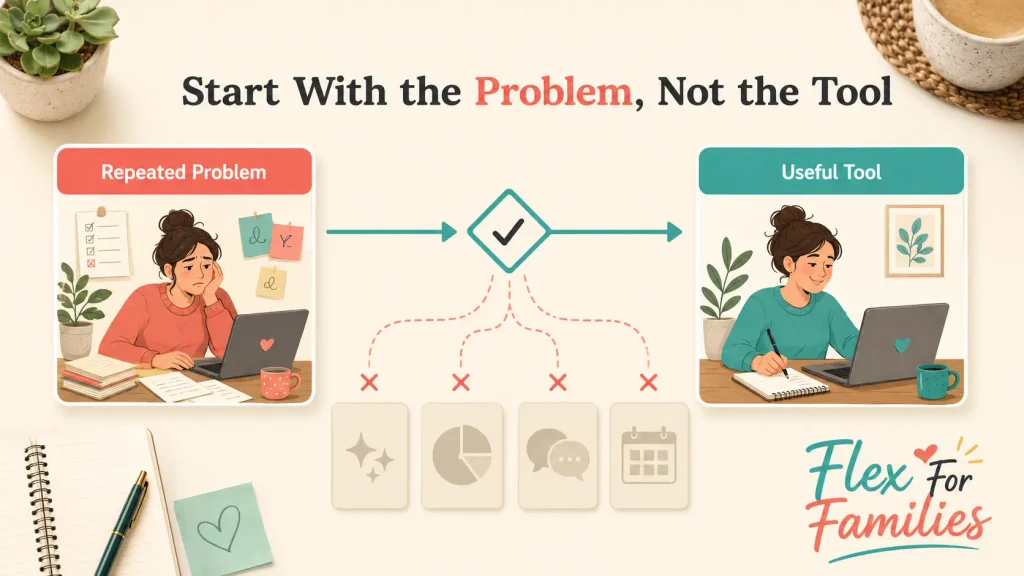
Do not begin by asking, “Which AI tool should I buy?”
Ask, “What repeated part of my blogging workflow is slowing me down?”
Your answer might be:
- Finding related article ideas.
- Organising a content cluster.
- Turning research into a clear outline.
- Reviewing a long draft.
- Producing branded images.
- Repurposing an article for social media.
- Keeping facts and sources organised.
- Publishing consistently within limited working time.
Now define the problem precisely.
“Writing takes too long” is vague.
“It takes me two hours to turn my notes into a logical outline” gives you something measurable.
You can then test whether a tool reduces those two hours without weakening the result.
This also helps you choose the right type of tool. A general AI assistant may help with planning and drafting. It will not automatically solve weak keyword selection, inconsistent branding or a complicated WordPress process.
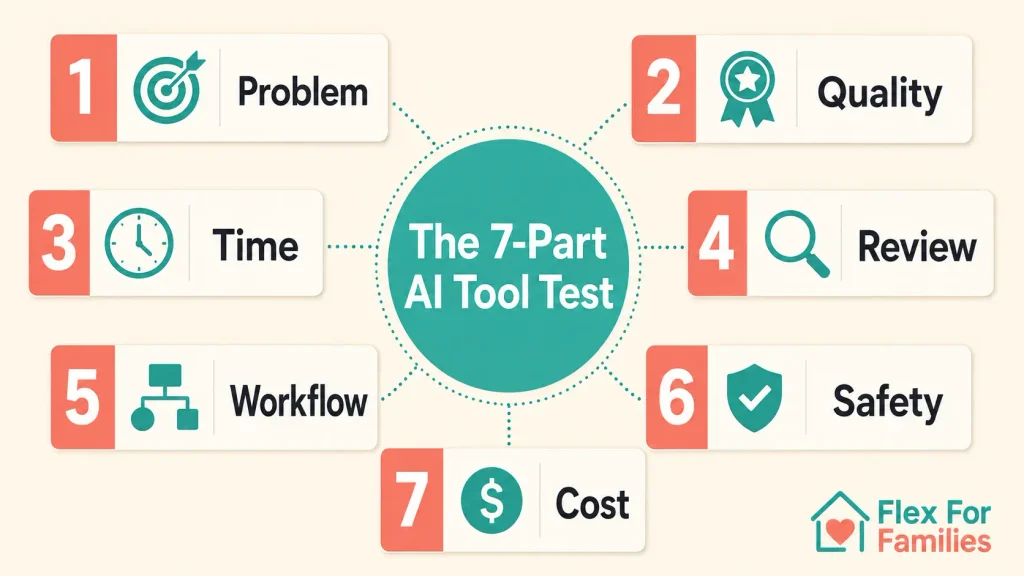
Use the Seven-Part AI Tool Test
I recommend assessing every tool against seven practical questions.
1. Does It Solve a Repeated Problem?
A tool used three times a week has more opportunity to provide value than one used every two months.
List the exact tasks you expect it to complete. If you can only think of one occasional use, look for a free tool or pay-as-you-go option first.
2. Does It Improve the Result?
Speed matters, but quality still matters more.
Compare the tool’s output with your current method. Look at:
- Accuracy.
- Relevance to the reader.
- Structure.
- Clarity.
- Original insight.
- Brand consistency.
- Amount of usable output.
An article produced in five minutes is not a saving if it needs two hours of rewriting.
3. How Much Time Does It Really Save?
Measure the complete task rather than the generation time.
Use this simple calculation:
Prompting + generation + checking + correcting + formatting = actual working time
If your usual process takes 90 minutes and the AI-assisted process takes 55 minutes, the real saving is 35 minutes.
Record that number. Do not rely on how fast the first response appeared.
4. How Much Human Review Does It Need?
Every AI tool needs oversight.
The amount of oversight varies. A brainstorming list may only need a quick sense-check. A product comparison, legal explanation or financial claim needs much stronger verification.
Check whether the tool:
- Invents facts or sources.
- Repeats generic advice.
- Misses important limitations.
- Misunderstands your audience.
- Produces text that sounds unlike you.
- Creates images with inaccurate text.
The time spent repairing these problems belongs in your value calculation.
5. Does It Fit Your Existing Workflow?
A capable tool can still be the wrong tool for you.
Consider whether it works smoothly with WordPress, Google Docs, Canva, your browser and the file formats you use. Check whether you can export your work and continue using it if you cancel.
For a busy parent, a simple tool you use consistently may offer more value than a powerful platform requiring hours of training.
6. Can You Use It Safely?
Before uploading documents or entering detailed prompts, understand what happens to your information.
The UK National Cyber Security Centre advises users not to include sensitive information in prompts submitted to public large language models. It also warns against submitting anything that could cause a problem if it became public. You can read its guidance on ChatGPT and large language model risks.
For bloggers, this means being careful with:
- Subscriber information.
- Customer details.
- Private family information.
- Unpublished commercial agreements.
- Passwords and account details.
- Confidential client work.
- Personal information about children.
Read the tool’s privacy information and account controls. The Information Commissioner’s Office guidance on AI and data protection provides further guidance for UK organisations using AI with personal data.
7. Is the Full Cost Justified?
The advertised monthly fee may not be the full cost.
Check:
- Monthly and annual prices.
- VAT and currency conversion.
- Credit or generation limits.
- Storage allowances.
- Required add-ons.
- Commercial usage rights.
- Renewal terms.
- Cancellation process.
- The cost of learning the platform.
Also check what the tool replaces. A £40 platform that replaces four existing services may offer better value than a £10 tool that duplicates features you already have.
Run a Seven-Day Test Before Paying Annually
A free trial is useful only when you test it against real work.
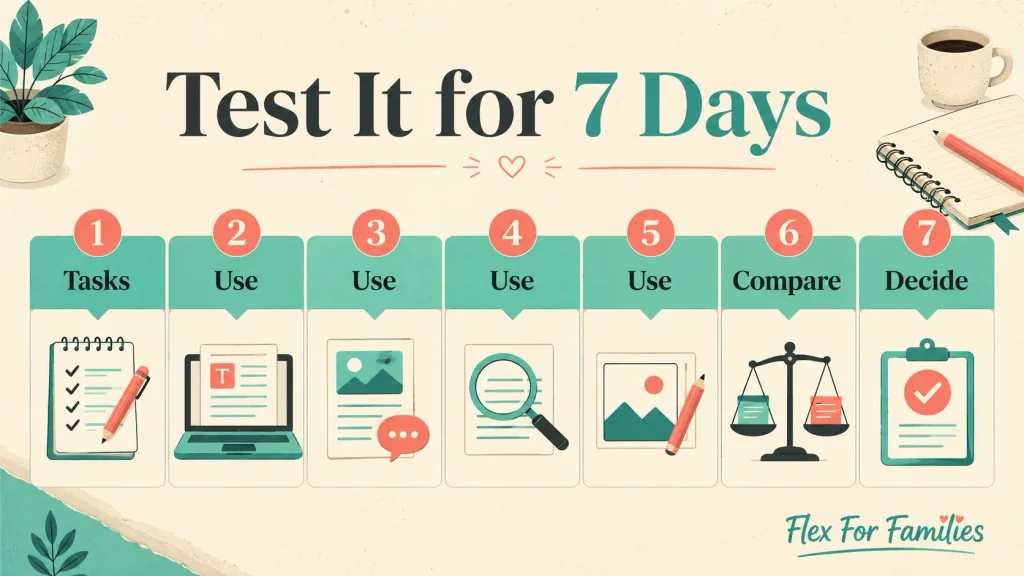
Avoid spending the trial browsing menus and generating random examples. Choose three tasks you already need to complete.
Day 1: Choose Three Real Tasks
For example:
- Create an outline for a planned article.
- Review a draft for gaps and repetition.
- Produce one usable social graphic.
Write down how long these tasks normally take.
Days 2 to 5: Use the Tool During Normal Work
Use your usual working conditions. A tool should fit the short, imperfect periods you genuinely have available.
Track:
- Time spent prompting.
- Time spent waiting.
- Time spent correcting.
- Completed outputs.
- Failed attempts.
- Credits used.
Day 6: Compare the Results
Compare the AI-assisted work with your existing method.
Ask:
- Is the result better?
- Is it faster?
- Does it sound like my brand?
- Would I publish or use it?
- Did it remove a genuine bottleneck?
Day 7: Make the Decision
Choose one of four outcomes:
- Subscribe monthly.
- Remain on the free plan.
- Test for another month.
- Cancel and return to your previous method.
Do not choose the annual plan because it offers the largest percentage discount. Choose it only after the tool has proved that you will use it consistently.
Score the Tool Before You Subscribe
Use this simple scorecard. Give the tool zero, one or two points in each area.
| Area | 0 Points | 1 Point | 2 Points |
|---|---|---|---|
| Problem solved | No clear problem | Helps occasionally | Solves a repeated problem |
| Time saved | Saves no time | Small saving | Clear weekly saving |
| Output quality | Heavy correction | Moderate editing | Reliable starting point |
| Ease of use | Difficult to use | Manageable | Fits naturally |
| Feature overlap | Fully duplicated | Some overlap | Adds a missing capability |
| Value | Cost exceeds benefit | Value is uncertain | Benefit clearly justifies cost |
Use the total as a guide:
- 0 to 4 points: Do not subscribe.
- 5 to 8 points: Keep testing or use the free plan.
- 9 to 12 points: Consider paying monthly.
The score does not make the decision for you. It stops an impressive feature or discount from controlling the whole decision.
Calculate What the Time Saving Is Worth
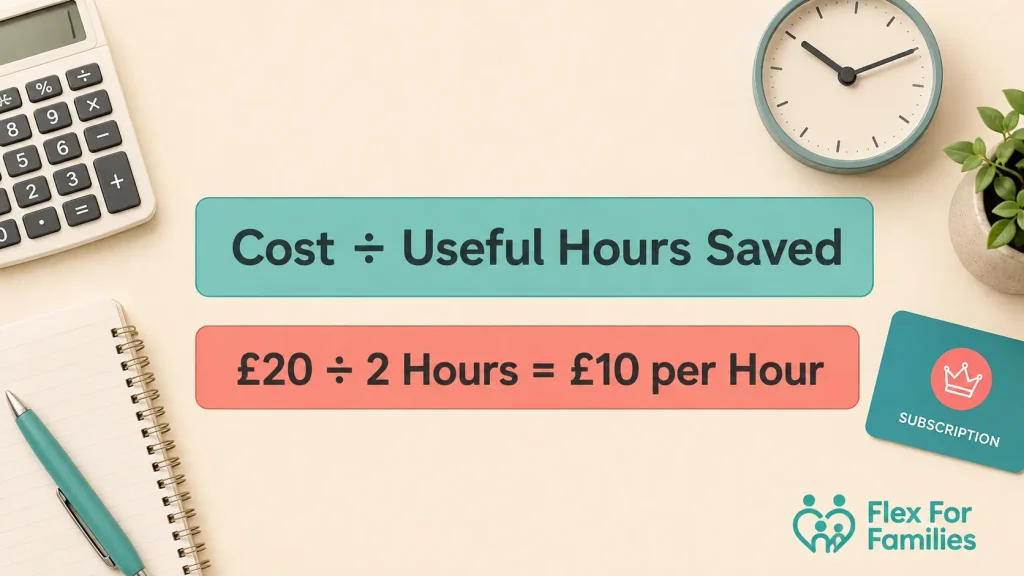
Suppose an AI tool costs £20 per month and saves two hours of useful work.
You are paying £10 for each hour saved.
If it saves only 20 minutes, the effective cost becomes £60 for each hour saved.
That does not automatically make the tool poor value. The output might improve conversions, visual quality or consistency. However, it gives you a more honest starting point than the subscription price alone.
You can use this calculation:
Monthly subscription cost ÷ useful hours saved = cost per hour saved
Track useful hours. Generating more content is not useful if that content never gets checked, published or read.
Free, Monthly or Annual?
Choose the payment level that matches the evidence you have.
Use the Free Plan When You Are Learning
A free plan is usually enough to understand the interface and test basic output.
It may have lower limits, slower responses or fewer advanced features. That is fine while you are deciding whether the tool fits your work.
My guide to the best free AI tools for beginner bloggers can help you build a useful starting setup without collecting subscriptions.
Use Monthly Billing While Proving the Value
Monthly billing costs more over a year, but it reduces your commitment.
It is often the sensible option when:
- Your workload changes.
- The tool is still developing.
- You are unsure how many credits you need.
- You are testing an unfamiliar workflow.
- A feature may overlap with another service.
Use Annual Billing After Consistent Use
Consider paying annually after the tool has earned a regular place in your workflow for at least one or two months.
Set a calendar reminder before renewal. Review your usage, current price and alternatives rather than allowing every subscription to continue automatically.
When One Subscription Can Replace Several Tools
Individual tool comparisons can miss a more important question: how many separate services do you need?
A beginner blogger may otherwise pay separately for:
- Website hosting.
- Keyword research.
- AI writing support.
- Image generation.
- Website-building tools.
- Blogging training.
- Technical support.
- Community access.
This is where an all-in-one platform can offer genuine value, even if one specialist product is stronger in a particular area.

Wealthy Affiliate as the All-in-One Example
Transparency note: I joined Wealthy Affiliate in 2016 and I am a Wealthy Affiliate affiliate. If you join through an affiliate link on Flex For Families, I may earn a commission at no extra cost to you. That relationship does not determine my recommendation.
Wealthy Affiliate is a useful example because it combines blogging training, hosting, websites, research, content tools and support within one membership.
Its current AI tools include article creation, logo design, image generation and niche or keyword research. The free Starter plan currently advertises 4,000 one-time AI credits, one limited website and standard AI models. It does not require a credit card. Check the current details on the official Wealthy Affiliate pricing page.
For a complete beginner, that joined-up environment can reduce the need to select several platforms before they understand how blogging works.
I learned the foundations of blogging, keyword research and affiliate marketing through Wealthy Affiliate. My current Flex For Families workflow is more developed, but it is built on what I learned there.
I now use AI to plan connected content clusters, develop full production packages and move from an idea to a completed article within the same day. I still review the article for around 30 minutes before publishing, then complete the WordPress and social work.
I do not believe beginners need to copy my current setup immediately. I still think WA’s tools can be a strong option for someone who wants training, hosting, research and AI assistance in one place.
The limitation is equally important. If you already have hosting, training, research tools and an established workflow, you may pay for several functions you no longer need. That is why I recommend reading my full Wealthy Affiliate review before deciding whether the complete platform fits your current stage.
When a Specialist AI Tool Can Be Worth Paying For
An all-in-one platform will not always produce the strongest result for every task.
A specialist tool can justify an additional subscription when:
- You complete that task regularly.
- The output is clearly better.
- It reduces editing or design time.
- It provides the formats or usage rights you need.
- It solves a weakness in your existing setup.
- You can explain exactly how it will be used each month.
Kre8or as the Specialist Example
Transparency note: Please note Kre8or is from the same team behind Wealthy Affiliate. If you join through an affiliate link on Flex For Families, I may earn a commission at no extra cost to you. That relationship does not determine my recommendation.
Kre8or is a useful example because it focuses on AI image creation rather than trying to manage the entire blogging process.
I joined the Spark plan and tested Kre8or by creating several images and remixes. I found it easy and enjoyable to use. Generations generally took less than a minute, and the image quality felt comparable with ChatGPT when the prompt was strong.
The remix feature produced mixed results. It was useful for ideas such as device mock-ups and working with logos, but some results were quirky and needed another attempt.
I particularly liked the community side, including challenges and voting. I would mainly use Kre8or for social campaigns, with ChatGPT helping me develop ideas and prompts.
That gives Kre8or a clear job within my workflow. It is not another general writing assistant. It is a specialist visual tool.
Its current Spark plan is listed at $9 per month with 2,000 monthly credits, storage for 250 images and access to 2K and 4K publishing. Prices and allowances can change, so check the official Kre8or membership page before subscribing.
The value will depend on your publishing schedule. Someone creating several blog images, Pinterest graphics and social campaigns each week may use the allowance regularly. Someone publishing one article a month may get enough from a free image tool.
You can read my full Kre8or AI review for the detailed tests, examples and limitations.
How Many AI Tools Does a Beginner Blogger Need?
Most beginners need fewer tools than they expect.
A sensible starting setup is:
- One main AI assistant.
- One design or image tool.
- One editing tool.
- Google Search Console and Google Analytics for real website data.
- WordPress, hosting and the essential plugins required to run the site.
You may need fewer separate services if you use an all-in-one platform such as Wealthy Affiliate.
Add specialist research, video, SEO or image tools when your workload proves the need.
The free versus paid AI tools guide explains when free limits become a genuine obstacle and when an upgrade can make sense.
AI Tool Red Flags to Watch For
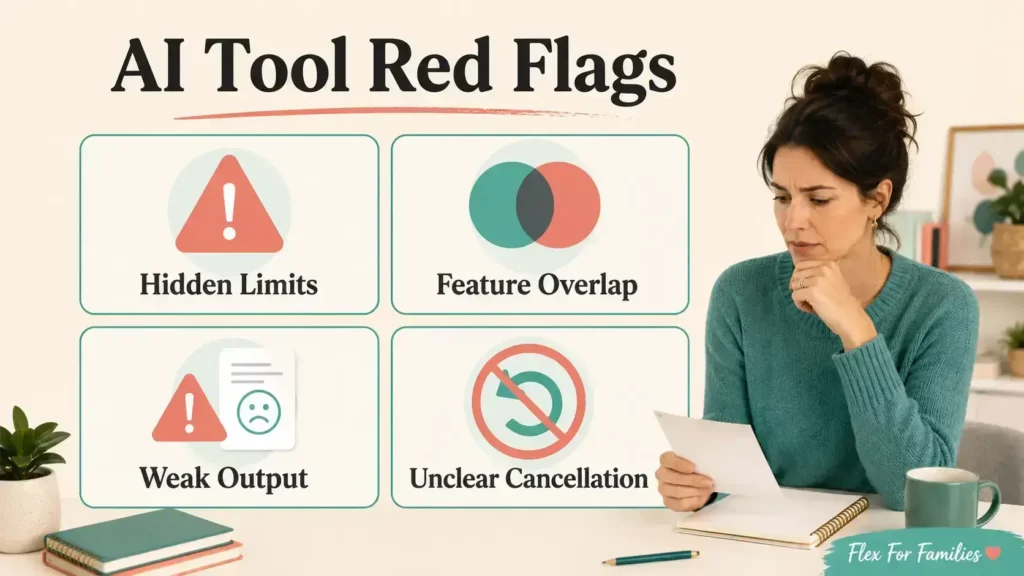
Be cautious when a tool relies on:
- Vague or hidden pricing.
- Artificial countdown timers.
- Promises of automatic rankings or income.
- “Unlimited” claims with unclear fair-use limits.
- Large annual discounts before you can test properly.
- No clear cancellation process.
- Missing privacy information.
- No way to export your work.
- Results that require extensive rewriting.
- Several features you already receive elsewhere.
- Affiliate reviews that do not discuss limitations.
AI can support a real blogging business. It cannot remove the need to understand your reader, choose useful topics, check claims and make responsible recommendations.
My guide to the biggest AI blogging mistakes explains what can happen when speed and automation take priority over quality.
Your AI Tool Buying Checklist

Before subscribing, answer these questions:
- What precise job will this tool complete?
- How often will I use it?
- What does it replace?
- Does it duplicate another subscription?
- How much time did it save during a real test?
- How much correction did the output require?
- Can I export and keep my work?
- What happens to my information?
- What happens if I cancel?
- Does the monthly plan offer enough capacity?
- Will unused credits expire?
- Would I still buy it without the promotional bonuses?
If the answers are unclear, wait.
There will always be another AI tool. You do not need to make the decision during a launch countdown.
Practical Next Steps
Use this process before your next subscription:
- List your current blogging tools and monthly costs.
- Highlight any overlapping features.
- Identify one repeated task that causes delays.
- Choose one tool to test against that task.
- Complete the seven-day test.
- Score the tool out of 12.
- Pay monthly before considering an annual plan.
- Review every subscription at least once each quarter.
If you are starting your first blog and still working out the basics, download the free Parent Blogging Starter Kit. It will help you organise your niche, content ideas, available time and early income goals before you spend money on more software.
Final Thoughts
The right AI tools can make blogging more manageable around work and family life.
The wrong ones add cost, clutter and another system to learn.
Start with the problem. Test the tool on real work. Measure the complete time saved. Check the output carefully. Then decide whether the benefit justifies the cost.
Wealthy Affiliate shows why one connected platform can make sense for a beginner. Kre8or shows why a focused specialist tool can earn a place once you have identified a specific need.
You do not need the perfect collection of AI tools. You need a small, reliable setup that helps you finish useful work.
Frequently Asked Questions
How Do I Choose the Right AI Tool?
Identify one repeated problem, test the tool on real work and measure the complete time saved. Include prompting, checking, correcting and formatting. Choose the tool only if it improves the workflow enough to justify its cost.
How Many AI Tools Does a Blogger Need?
Most beginners can start with one general AI assistant, one design tool and one editing tool. Add specialist products only when a repeated task or limitation creates a clear need.
Are Paid AI Tools Worth the Money?
They can be. A paid tool is worthwhile when its higher limits, better output or specialist features save enough useful time to justify the price. A free plan is often sufficient while you are learning or testing.
Should I Pay for an Annual AI Subscription?
Use monthly billing until the tool has delivered consistent value for at least one or two months. Check the renewal price, cancellation process and usage limits before paying annually.
Is Wealthy Affiliate an AI Tool?
Wealthy Affiliate is an online business and affiliate marketing platform rather than a single AI tool. Its membership currently includes AI-assisted article creation, image and logo tools, research, hosting, training and support.
Is Kre8or Suitable for Bloggers?
Kre8or can suit bloggers who regularly need original blog and social images. Its value depends on how many images you create, the quality you need and whether its specialist workflow saves more time than your current image tool.
Is It Safe to Put Blog Content Into an AI Tool?
Avoid entering sensitive personal, subscriber, customer or family information into public AI tools. Read the provider’s privacy terms and account controls before uploading unpublished or confidential material.
Let’s Chat
Which AI tool has earned a regular place in your blogging workflow, and which subscription did you cancel because it created more work than it saved?
Share your experience in the comments. It may help another parent avoid paying for the wrong tool.