
Poptin is a useful popup builder, but it will not suit every blogger or small website.
You may want a tool that runs entirely inside WordPress. You may need a larger free allowance. You might already pay for an email platform with its own forms. An established business may need more advanced targeting than a new blogger can justify.
The difficult part is comparing tools that charge in different ways.
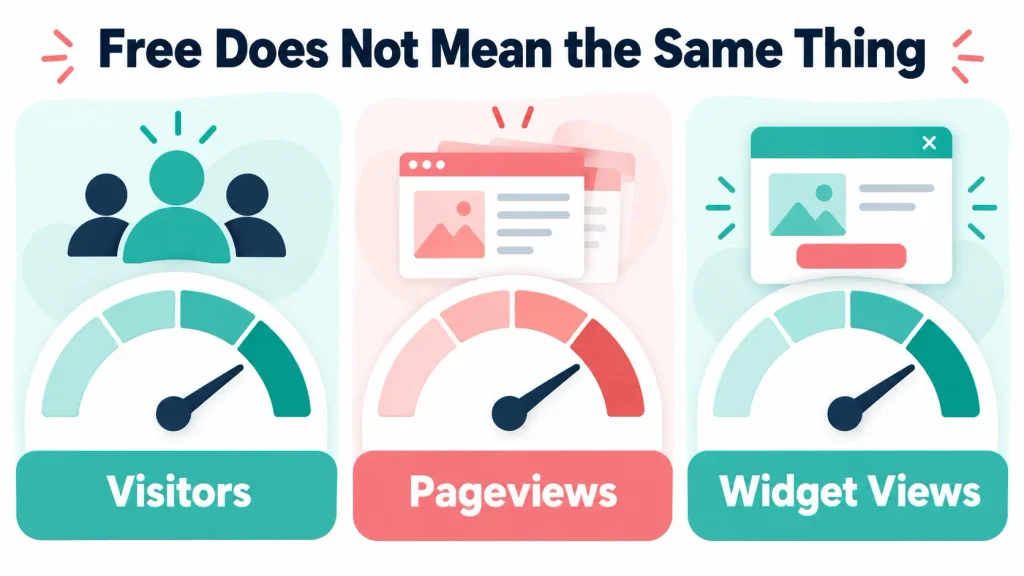
Poptin counts unique monthly visitors. Some alternatives count pageviews or widget views. A WordPress plugin may not impose a traffic allowance at all. Your email platform may price its forms according to subscriber numbers instead.
This guide compares six realistic Poptin alternatives. I will explain which one suits each type of user and when staying with Poptin makes more sense than switching.
Transparency note: I use Poptin on Flex For Families and I am a Poptin affiliate. If you join through one of my affiliate links, I may earn a commission at no extra cost to you. I also use Kit for email delivery and automations. I have not personally used every alternative in this comparison, so those assessments are research-based. Prices and allowances were checked in October 2026 and can change.
Quick Answer: What Is the Best Poptin Alternative?
Popup Maker is the strongest free Poptin alternative for WordPress users who want to avoid traffic-based limits. Kit Forms may be enough for bloggers who already use Kit and only need straightforward email signup forms. OptiMonk is a stronger option for advanced personalisation, while OptinMonster suits established websites with a larger marketing budget.
Poptin remains one of the best-balanced choices for a small blogger who wants a hosted visual builder, multiple campaigns, useful targeting and email platform integrations.
The right answer depends on the problem you are trying to solve:
- Choose Popup Maker for a WordPress-based free plugin.
- Choose Kit Forms to avoid paying for a separate popup tool.
- Choose OptiMonk for advanced personalisation and ecommerce.
- Choose Popupsmart for one free campaign with a larger pageview allowance.
- Choose Getsitecontrol for website widgets and basic email tools together.
- Choose OptinMonster for more advanced marketing campaigns and targeting.
- Stay with Poptin if it already provides the control you need at a sustainable price.
Poptin Alternatives at a Glance
| Tool | Free Option | How Usage Is Measured | Best For | Main Limitation |
|---|---|---|---|---|
| Poptin | 1,000 monthly visitors | Unique visitors | Balanced popup control for small sites | Free allowance is relatively small |
| Popup Maker | Free core plugin | No hosted traffic allowance | WordPress users who want control | More setup and maintenance inside WordPress |
| Kit Forms | Included with Kit plans | Subscriber-based email plan | Bloggers already using Kit | Less advanced popup targeting |
| OptiMonk | 10,000 monthly pageviews | Pageviews | Personalisation and ecommerce | More features than many bloggers need |
| Popupsmart | 5,000 monthly pageviews | Pageviews | One free popup campaign | Only one live popup on Free |
| Getsitecontrol | 10,000 monthly widget views | Widget views | Popups and email in one tool | May duplicate your email platform |
| OptinMonster | Paid plans | Plan-specific campaign and usage limits | Established conversion-focused sites | Pricing and tier restrictions |
These limits are not directly comparable. One visitor can view several pages and trigger more than one widget view. Check how each platform measures usage before deciding which appears cheaper.

Why Look for a Poptin Alternative?
There are several sensible reasons to compare Poptin with other tools.
You Have Reached the Free Visitor Limit
Poptin’s free plan currently covers 1,000 unique visitors per month on one domain. A growing website may reach that limit before it earns enough to justify another subscription.
An alternative with a larger allowance may give you more time to test your offer. A WordPress plugin without a hosted traffic allowance could remove that issue entirely.
You Want Everything Inside WordPress
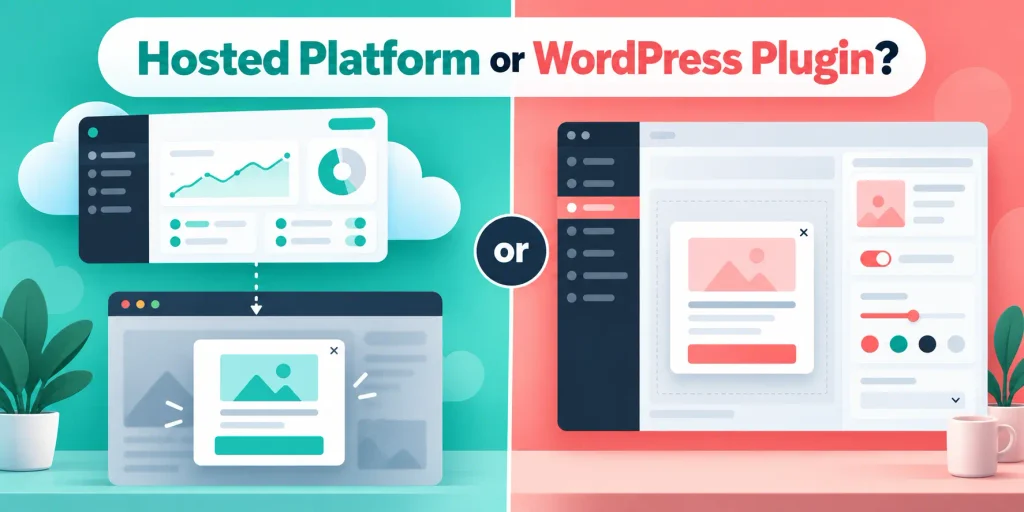
Poptin uses a WordPress plugin to connect your site, but you build and manage campaigns through Poptin’s platform.
Some users prefer to manage popups directly from WordPress. This can reduce the number of dashboards, although it also means taking responsibility for another plugin, its updates and possible compatibility issues.
Your Email Platform Already Includes Forms
Before adding another service, check what your email provider includes.
Kit, MailerLite, GetResponse and other email platforms provide signup forms and landing pages. Their built-in options may be enough for a new blogger who does not need detailed scroll, exit-intent or visitor targeting.
You Need More Advanced Personalisation
An ecommerce site may want to change campaigns based on cart value, customer behaviour, traffic source or previous activity.
That is a different requirement from offering one blogging checklist after someone reads part of an article. Advanced personalisation can justify a more specialised platform, but only when the business will use it.
You Want to Reduce Subscriptions
Every new platform adds a bill, login, integration and potential point of failure.
A tool is only good value if it solves a problem that your current setup cannot solve adequately.
Why Changing Popup Tools May Not Fix Your Results
A new popup builder cannot fix every conversion problem.
Low conversions may come from:
- An offer that does not match the article
- Copy that does not explain the benefit
- Low-quality or unrelated traffic
- A popup appearing too early
- A poor mobile design
- Too many form fields
- A broken connection to your email platform
- The first email going to spam
- A website that does not yet receive enough visitors
Changing tools can create several hours of work without addressing the real issue.
Identify the specific limitation first. If Poptin already supports the campaign you want to create, improving the offer or trigger may deliver more value than rebuilding everything elsewhere.
How I Use Poptin With Kit
I use Poptin on Flex For Families to introduce my Parent Blogging Starter Kit.
The bottom-corner popup appears after someone scrolls through 50% of the page. My main popup uses a 20% scroll trigger and exit intent.
Poptin handles the popup and passes the subscriber into Kit. Kit then delivers the Starter Kit and begins the welcome sequence.
My recorded 30-day snapshot showed:
- 744 website visitors
- 237 popup views
- 2 conversions
- A 0.84% conversion rate
Those numbers confirm that the technical journey works. They do not prove that my design, offer or triggers are fully optimised.
Two conversions are not enough to declare a winning campaign. I need more traffic and a larger sample before drawing a strong conclusion.
I currently have no compelling reason to replace Poptin. It provides the targeting I need, connects correctly with Kit and lets me run more than one campaign.
However, that does not mean a new blogger needs the same setup on day one.
How Much Does Poptin Cost?
Poptin’s pricing page currently lists a free plan covering 1,000 monthly visitors, one domain and unlimited popups.
The Basic plan covers 10,000 monthly visitors on one domain. Poptin displays it at $25 per month or $240 when billed annually, equivalent to $20 per month.
Higher plans increase the visitor and domain allowances.
Poptin counts unique visitors rather than total pageviews. One visitor can view several pages and still count once, provided Poptin recognises them as the same visitor.
That distinction matters when you compare it with tools charging by pageviews or widget impressions.
How to Compare Poptin Alternatives Properly
Do not choose a popup builder from its headline price alone.
Check these areas first.
1. How the Usage Limit Works
Look for the exact unit:
- Unique visitors
- Pageviews
- Popup views
- Widget views
- Leads or contacts
- Email subscribers
A website with 5,000 visitors and three pages viewed per visit could create around 15,000 pageviews. A 10,000-pageview allowance may therefore be smaller than a 10,000-visitor allowance.
2. How Many Campaigns You Can Run
A free plan with 5,000 pageviews may sound generous, but it may allow only one live popup.
That can be enough for a single site-wide lead magnet. It becomes restrictive if you want separate campaigns for blogging, affiliate marketing and side-hustle content.
3. Which Triggers and Targeting Rules Are Included
Check whether the plan supports:
- Time delays
- Scroll percentage
- Exit intent
- Page targeting
- Device targeting
- Traffic-source targeting
- Returning-visitor rules
- Frequency controls
- Click triggers
Only pay for advanced rules you expect to use.
4. How It Connects to Your Email Platform
A native integration usually creates a cleaner workflow than manually moving subscribers.
Check whether the tool sends the subscriber to the correct form, list, group or tag. Test the full journey with a fresh email address before replacing your current campaign.
5. What the Full Year Costs
Calculate:
- The initial payment
- Renewal pricing
- Traffic-related upgrades
- Branding removal
- Required integrations
- A/B testing access
- Additional websites
A promotional monthly equivalent can hide an annual upfront payment or a higher renewal price.
6. How Much Time the Tool Requires
A tool with more features is not automatically better.
For a busy parent, an extra dashboard and learning curve have a real cost. The best option may be the one you can configure, test and maintain in a short work block.
1. Popup Maker: Best Free WordPress Alternative
Popup Maker is a WordPress plugin that lets you create and manage popups from your WordPress dashboard.
Its free core plugin does not impose a hosted monthly traffic limit. It can work with embedded email forms and WordPress form plugins, including WPForms, Gravity Forms and Ninja Forms.
Why Popup Maker Could Be Better Than Poptin
Popup Maker may be a better fit if you:
- Want a free WordPress-based solution
- Do not want traffic-based pricing
- Prefer working inside your existing dashboard
- Already use a compatible form plugin
- Want more control over the popup’s WordPress content
The absence of a hosted visitor allowance makes it attractive for sites that receive growing traffic but remain on a limited budget.
Where Popup Maker May Be Weaker
It requires more WordPress management.
You need to consider:
- Plugin updates
- Theme and plugin compatibility
- Caching
- Styling
- Your email form integration
- Paid extensions for advanced functions
The free core gives you a strong starting point, but some advanced features require a paid licence or extensions.
Popup Maker Verdict
Choose Popup Maker if you want a free, WordPress-native tool and are comfortable handling more of the setup yourself.
Choose Poptin if you prefer a hosted visual builder, ready-made integrations and campaign management outside WordPress.
2. Kit Forms: Best for Bloggers Already Using Kit
Kit Forms can collect email subscribers through inline, modal, slide-in and sticky-bar forms.
Kit’s free plan currently supports up to 10,000 subscribers, unlimited forms, unlimited landing pages and unlimited email broadcasts. It can also deliver lead magnets and use double opt-in.
Why Kit Could Replace Poptin
Kit may be enough if you:
- Already use Kit for email marketing
- Want fewer integrations
- Need a simple signup form
- Want the subscriber added directly to Kit
- Need automatic lead magnet delivery
- Do not require detailed behavioural targeting
Removing the separate popup layer simplifies the funnel. There is less to connect and fewer places to check when something goes wrong.
Why I Still Use Poptin With Kit
Kit handles my emails, but Poptin gives me more control over when the signup offer appears.
My Poptin campaigns use scroll and exit-intent behaviour. Poptin captures the subscriber and Kit handles the delivery and welcome sequence.
That separation works for my current needs.
A new blogger may not need it immediately. A simple Kit form can validate the lead magnet before the blogger spends time creating more advanced campaigns.
Where Kit Forms May Be Weaker
Kit is primarily an email platform. Its forms do not provide the same depth of popup campaign targeting as a specialist conversion tool.
Free forms also display Kit branding unless you upgrade.
Kit Forms Verdict
Start with Kit Forms if you already use Kit and need a straightforward signup system.
Add Poptin when you can identify a genuine need for stronger triggers, page targeting or multiple campaign experiences.

3. OptiMonk: Best for Advanced Personalisation
OptiMonk is a popup and website-personalisation platform with a strong ecommerce focus.
Its free plan currently includes one domain and up to 10,000 monthly pageviews. The Essential plan starts at $29 per month, or $19 per month when billed annually.
Why OptiMonk Could Be Better Than Poptin
OptiMonk may be stronger if you need:
- Advanced website personalisation
- Ecommerce-specific campaigns
- Dynamic content
- Detailed audience segments
- AI-assisted campaign creation
- A larger free pageview allowance
It is designed for businesses that want to change website messages based on visitor behaviour and commercial intent.
Where OptiMonk May Be Weaker
Many bloggers will not use its more advanced capabilities.
A parent blogger offering one lead magnet may spend more time learning the platform without creating a noticeably better reader experience.
Pricing also rises as traffic and requirements grow.
OptiMonk Verdict
Choose OptiMonk if personalisation or ecommerce campaigns form an important part of your strategy.
Choose Poptin if you want useful triggers and targeting without moving into a more complex personalisation platform.
4. Popupsmart: Best for One Free Campaign
Popupsmart is a hosted no-code popup builder.
Its free plan currently includes:
- One website
- One live popup
- 5,000 monthly pageviews
- 100 email sends per month
- Standard support
Its Basic plan costs $39 per month or $390 per year. It increases the allowance to 50,000 monthly pageviews, three websites and unlimited popups.
Why Popupsmart Could Be Better Than Poptin
Popupsmart’s free plan may suit someone who wants one campaign and receives more than Poptin’s 1,000 free monthly visitors.
It includes a visual builder, templates, targeting features and AI-assisted popup creation.
Where Popupsmart May Be Weaker
The free plan allows only one live popup.
That is fine if you have one site-wide lead magnet. It is less useful if you want separate offers for different content clusters.
The free allowance is based on pageviews, while Poptin counts unique visitors. You cannot compare 5,000 pageviews directly with 1,000 visitors.
A/B testing also sits on a higher Popupsmart tier, making serious optimisation more expensive.
Popupsmart Verdict
Choose Popupsmart if one campaign is enough and its free pageview allowance suits your site.
Choose Poptin if unlimited campaigns and a visitor-based allowance are more useful to you.
5. Getsitecontrol: Best for Popups and Email Together
Getsitecontrol combines website widgets with email marketing features.
Its current free plan includes 10,000 monthly widget views, unlimited contacts and branding removal. Email sends are charged separately after the included allowance.
Why Getsitecontrol Could Be Better Than Poptin
Getsitecontrol may appeal to a small business that wants:
- Popups and forms
- Promotional widgets
- Surveys
- Basic email marketing
- One connected system
- Unlimited contacts
It can reduce the need to connect a separate popup builder and email platform.
Where Getsitecontrol May Be Weaker
If you already use Kit, MailerLite or GetResponse, part of the platform may duplicate tools you already pay for.
Email sending creates an additional usage cost. The widget-view allowance also needs careful comparison with Poptin’s unique visitors.
Changing your email workflow simply to gain a different popup builder could create more disruption than value.
Getsitecontrol Verdict
Choose Getsitecontrol if you want popups and basic email marketing together.
Choose Poptin if you are happy with your existing email platform and only need the popup and conversion layer.
6. OptinMonster: Best for Established Marketing Funnels
OptinMonster is a well-established lead-generation and conversion platform. It offers several campaign types, behaviour-based targeting, WordPress integration and conversion-focused features.
OptinMonster commonly displays introductory prices as a monthly equivalent while billing annually. Plans renew automatically, and renewal prices can be higher than the first-term offer.
Check the live checkout total, renewal rate and included features before buying.
Why OptinMonster Could Be Better Than Poptin
OptinMonster may suit a business that needs:
- Advanced behaviour-based targeting
- Several campaign formats
- Detailed onsite retargeting
- Ecommerce campaigns
- More mature conversion workflows
- A platform used across several established funnels
Where OptinMonster May Be Weaker
It can be expensive and excessive for a beginner.
Important features are divided across pricing tiers. A low introductory price may not include the trigger, integration or reporting feature that attracted you to the platform.
Annual billing also creates a larger upfront commitment.
OptinMonster Verdict
Choose OptinMonster when your traffic, revenue and campaign complexity justify the cost.
Choose Poptin if you need a simpler route into targeted popups without committing to a more advanced platform.
Which Poptin Alternative Is Best for a New Blogger?
A new blogger should usually start with the smallest tool that completes the job.
Use this order:
- Check whether your email platform already provides the form you need.
- Use that form to test whether people want your lead magnet.
- Consider Popup Maker if you want a free WordPress popup.
- Consider Poptin when you need more control over triggers and page targeting.
- Move to an advanced paid platform only when your traffic and strategy justify it.
Do not pay for detailed A/B testing when your campaign receives only a handful of conversions. You will not have enough evidence to use the feature properly.
Which Alternative Is Best for a Busy Parent?
Kit Forms may be the easiest starting point for a busy parent already using Kit. It keeps the form, subscriber, lead magnet and email sequence in one platform.
Poptin becomes useful when the parent wants more control without building a complicated system. Its visual editor and targeting rules can help you manage different offers while Kit continues handling email.
Popup Maker can reduce subscription costs but may require more WordPress setup and maintenance.
OptiMonk and OptinMonster make more sense when advanced campaigns have become a real business requirement.
When comparing tools, include the time required to:
- Learn the interface
- Build the campaign
- Connect the email platform
- Test mobile behaviour
- Monitor analytics
- Keep everything updated
A cheaper tool is not always the best option if it repeatedly takes you away from creating useful content.
Which Tool Is Best for Each Type of Website?
| Website Type | Recommended Starting Point | Why |
|---|---|---|
| New personal blog | Email platform form | Simple and low cost |
| WordPress blog on a tight budget | Popup Maker | Free core without traffic pricing |
| Growing content blog | Poptin | Balanced targeting and integrations |
| Ecommerce site | OptiMonk | Strong personalisation tools |
| Small site needing one campaign | Popupsmart | Useful free pageview allowance |
| Small business wanting popups and email | Getsitecontrol | Combined platform |
| Established conversion-focused business | OptinMonster | Advanced targeting and campaign controls |

When You Should Stay With Poptin
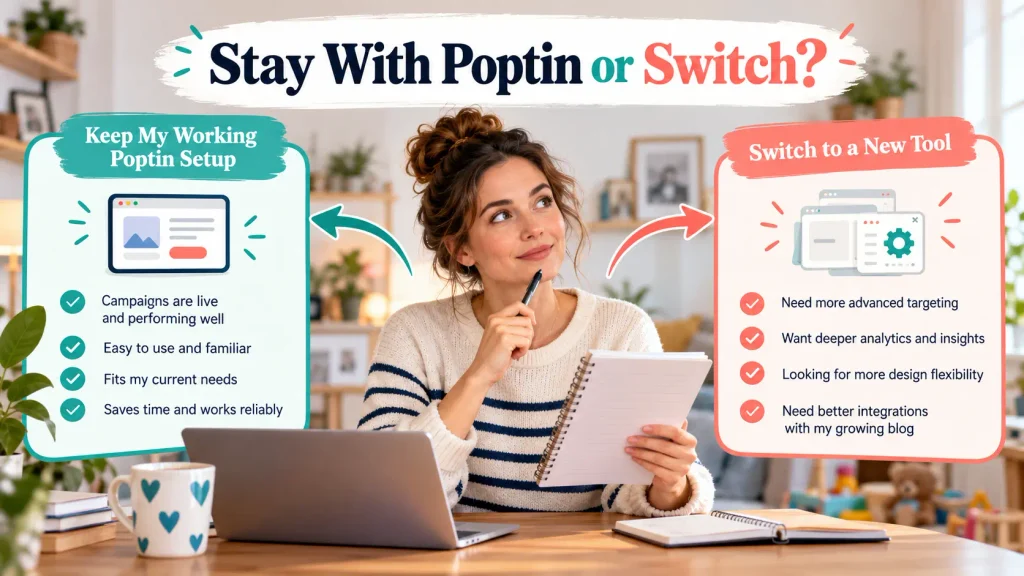
Stay with Poptin if:
- Your campaigns work properly
- It connects to your email platform
- The plan covers your traffic
- You use more than one campaign
- The targeting rules meet your needs
- You understand the dashboard
- You can measure the results
- Switching would not solve a clear problem
Familiarity has value. Rebuilding forms, triggers, integrations and analytics takes time and creates opportunities for mistakes.
If your only issue is a weak conversion rate, investigate the offer and campaign before replacing the platform.
When You Should Switch From Poptin
Consider switching if:
- You have outgrown the allowance and another pricing model is clearly better
- You need a feature Poptin does not provide
- You want to manage everything inside WordPress
- Your email platform can now replace the separate popup tool
- Your business needs advanced ecommerce personalisation
- You want to combine popups and email under one account
- Maintaining the Poptin integration creates unnecessary work
Write down the exact reason before moving. Then test the proposed replacement against that requirement.
How to Test an Alternative Before Switching
Do not remove your working campaign first.
Use this process:
- Record your current Poptin settings and results.
- Export or note your copy, images and success messages.
- Build the alternative campaign without publishing it site-wide.
- Connect it to the correct email form, list or tag.
- Test it with a fresh email address.
- Check the first email and lead magnet delivery.
- Test mobile and desktop display.
- Check keyboard access and the close control.
- Compare page performance.
- Publish to a limited audience or selected pages where possible.
- Confirm analytics are recording views and conversions.
- Remove the old campaign only after the replacement works.
This reduces the risk of losing subscribers during the change.
My Verdict on the Best Poptin Alternatives
Poptin remains a credible choice for bloggers and small websites. It provides multiple campaigns, useful display rules, a visual builder and email integrations without forcing a beginner into an enterprise-level platform.
It does not win every category.
Popup Maker provides better value for WordPress users who want to avoid hosted traffic limits. Kit Forms may remove the need for a separate popup subscription. OptiMonk is stronger for personalisation. Popupsmart provides a useful free allowance for one campaign. Getsitecontrol combines widgets and email. OptinMonster offers more advanced controls for established businesses.
For Flex For Families, I would currently stay with Poptin.
The integration with Kit works. The targeting supports my current strategy. I can run separate campaigns, and changing platforms would not fix the main limitation, which is the amount of data available for optimisation.
For a new blogger, I would start with the forms already included with the chosen email platform. Add a specialist popup tool after you can explain exactly what extra control you need.
You can read my full Poptin Review 2026 for a closer look at the platform, pricing, limitations and my experience using it on Flex For Families.
You may also find these guides useful:
- How to Connect Poptin to Kit for Email List Building
- Poptin Targeting and Triggers Explained
- How to Use Poptin Without Hurting SEO, Speed, Privacy or Accessibility
- Email Marketing for Parent Bloggers
- Best Lead Magnets for Parent Bloggers
If you are building your first blog and email funnel, the Parent Blogging Starter Kit will help you plan the wider foundations around your available time.
Frequently Asked Questions
What Is the Best Free Alternative to Poptin?
Popup Maker is one of the strongest free alternatives for WordPress users because its core plugin does not impose a hosted monthly traffic allowance. Kit Forms may be a better choice if you already use Kit and need a straightforward subscriber form. The best option depends on whether you value WordPress control, simple email integration or advanced targeting.
Is Popup Maker Better Than Poptin?
Popup Maker is better for users who want a free WordPress-based plugin without traffic pricing. Poptin is better for users who prefer a hosted visual builder, ready-made integrations and easier campaign management. Popup Maker may require more WordPress configuration, while Poptin adds an external platform and visitor-based plan limits.
Can Kit Replace Poptin?
Kit can replace Poptin if you only need straightforward signup forms, landing pages and lead magnet delivery. It may not replace Poptin if you rely on detailed scroll triggers, exit intent, page targeting or several campaign types. Start with Kit alone if it meets your needs, then add a popup platform when you can identify a specific limitation.
Is OptinMonster Better Than Poptin?
OptinMonster provides more advanced targeting and conversion features, making it suitable for established websites and complex marketing campaigns. Poptin is usually easier to justify for a small blogger who needs useful popup controls without a larger annual commitment. Check the exact OptinMonster tier, first-term price and renewal cost before comparing it with Poptin.
Which Poptin Alternative Is Best for WordPress?
Popup Maker is the clearest WordPress-native alternative because campaigns are managed inside the WordPress dashboard. OptinMonster, OptiMonk, Popupsmart and Getsitecontrol also support WordPress, but their campaigns are primarily managed through hosted platforms. Choose based on whether you prefer local WordPress control or a separate visual campaign dashboard.
Should a New Blogger Pay for a Popup Builder?
A new blogger does not usually need to pay for a popup builder immediately. Start with a free form from your email platform or a free WordPress plugin. Confirm that your lead magnet attracts subscribers and that the email journey works. Pay for a specialist tool when additional targeting or higher limits solve a real problem.
Can I Switch Popup Tools Without Losing Subscribers?
Yes, but test the replacement before disabling your current campaign. Connect it to the correct email form, list or tag, then submit a fresh test address. Confirm that the subscriber appears, the lead magnet arrives and the welcome sequence begins. Publish the new campaign before removing the old one, while avoiding duplicate popups.
Let’s Chat
Which popup builder are you using on your website? Are you considering leaving Poptin because of a specific feature, price or traffic limit?
Share your experience in the comments. Your answer may help another blogger avoid paying for a tool they do not need.