Hosting can feel like one more technical decision you need to get right before you can start a blog.
You need somewhere reliable to keep your website online. You also need security, backups and help when something goes wrong. For a beginner, comparing server specifications rarely makes that decision any easier.
I have used Wealthy Affiliate since September 2016, and I currently host Flex For Families through the platform. That gives me a longer view than someone who has created a test website for a few days.
My experience has been positive. The hosting has been reliable, SiteSupport has helped quickly when I needed it, and I have never felt that I needed to move Flex For Families elsewhere. However, Wealthy Affiliate hosting is tied to a wider membership. That makes it different from buying a basic hosting plan on its own.
Affiliate disclosure: I am a paying Wealthy Affiliate Premium Plus+ member. This article contains affiliate links. If you join Wealthy Affiliate through one of my links, I may earn a commission at no extra cost to you. My assessment is based on my experience using the platform since 2016, including hosting Flex For Families there.
Quick Verdict
Wealthy Affiliate hosting is good enough for beginner bloggers and capable enough for most content-led WordPress websites. Its biggest strength is the combination of managed hosting, technical support, training and business tools in one membership.
It is best for beginners who want fewer technical decisions and somewhere to ask for help when their website breaks. It is a poorer fit for developers, complex ecommerce businesses or anyone who only wants the cheapest possible hosting.
My main reservation is that you must keep an eligible Wealthy Affiliate membership active to continue using its hosting. You can move your website elsewhere, but you need to arrange that before ending your membership.
My rating: 4.3 out of 5
Wealthy Affiliate Hosting at a Glance
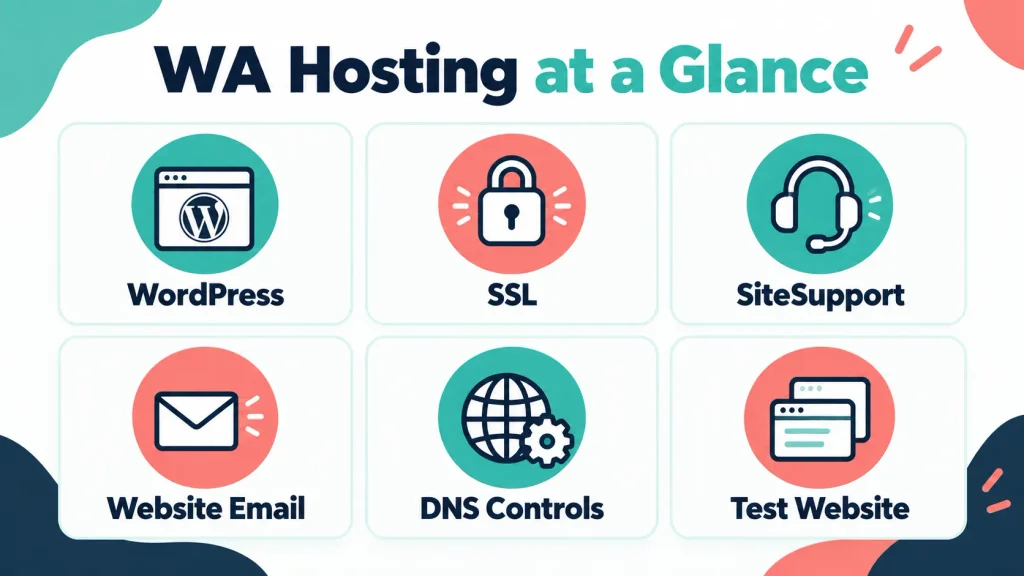
| Area | My Assessment |
|---|---|
| Hosting type | Managed WordPress hosting within the Wealthy Affiliate platform |
| Best for | Beginner bloggers and affiliate marketers |
| WordPress websites | Included according to your membership level |
| SSL | Included and automatically renewed |
| Website email | Included and adequate for normal website communication |
| Technical support | SiteSupport is available inside the platform |
| DNS controls | Available within the website management area |
| Test website | Available for testing changes away from your live site |
| Plugin freedom | Some plugins are restricted for performance, security or compatibility reasons |
| Migration | Websites can be moved to or from Wealthy Affiliate |
| Main strength | Hosting, support and business tools in one place |
| Main drawback | Hosting depends on an active eligible membership |
| Overall rating | 4.3 out of 5 |
What Is Wealthy Affiliate Hosting?
Wealthy Affiliate hosting is managed WordPress hosting included within the wider Wealthy Affiliate business platform. It gives eligible members the infrastructure and controls needed to build and run WordPress websites.
This is important because Wealthy Affiliate is not selling hosting as an isolated product. Your membership can also include business planning, learning resources, AI tools, content creation, research, community access and technical support.
The current public pricing page lists one limited website for Starter, three websites for Premium and ten websites for Premium Plus+. Those allowances and prices can change, so check the official Wealthy Affiliate pricing page before choosing a membership.
If you only compare the membership price with a cheap shared hosting deal, Wealthy Affiliate can look expensive. That comparison misses most of what the membership contains. The fairer question is whether you will use the hosting alongside the training, support and business tools.
How Does Wealthy Affiliate Hosting Work?
You manage your website from inside your Wealthy Affiliate account. You can create a WordPress website, connect a domain, access the WordPress back office and manage relevant website settings without arranging a separate hosting account.
For a typical beginner, the process looks like this:

- Choose a niche and create a business hub.
- Build or connect a WordPress website.
- Select a theme and configure the basic site.
- Publish content through WordPress.
- Manage your domain, DNS records and website email.
- Contact SiteSupport if a technical hosting problem appears.
- Use a test website before applying riskier changes to your live site.
Wealthy Affiliate describes its service as managed WordPress hosting. That means it handles much of the server administration that a beginner would otherwise need to understand or pay someone else to manage.
My Experience With Wealthy Affiliate Hosting
I joined Wealthy Affiliate in September 2016 and currently use its hosting for Flex For Families. I have also used it for other websites over the years.
I have not experienced regular downtime. My website has generally been available when I needed it, and I have never felt a need to move Flex For Families to another host.
There was a recent issue during the launch of the updated Wealthy Affiliate platform. Members temporarily had difficulty accessing parts of the back office. Wealthy Affiliate explained that its servers had entered a protective mode during an attack.
The key detail is that my live website remained online. The problem affected my access to the management area, rather than taking Flex For Families offline.
I have also moved a website I created for a local business away from Wealthy Affiliate hosting. The migration was seamless and easy. That experience reassured me that using the hosting does not permanently trap a website inside the platform.
Is Wealthy Affiliate Hosting Reliable?
Yes, Wealthy Affiliate hosting has been reliable in my experience. I have not encountered recurring downtime or a pattern of unexplained website outages.
No host can promise that a website will never encounter a problem. Plugins can conflict, updates can fail and external attacks can affect services. What matters is how frequently problems occur, whether your website remains available and how quickly you can get help.
The recent platform incident highlighted the difference between the Wealthy Affiliate back office and the hosted website itself. Although access to management features was affected, Flex For Families remained live and available to readers.
I have not run controlled speed tests against multiple hosting companies. I will not claim that Wealthy Affiliate is the fastest host based only on my own website. The official website says its hosting is designed around speed, security and Core Web Vitals, but your theme, plugins, images and page design will also influence real performance.
What Happens When a Website Breaks?
My clearest example came when I tested a new plugin on my live website. The plugin caused the site to go down.
I contacted SiteSupport and explained what had happened. They investigated the problem, identified the affected plugin and deactivated it. The website was working again in about ten minutes. I had gone to make a cup of tea, and the issue was resolved by the time I returned.
The hosting did not cause that outage. My plugin test caused it. However, the incident showed why accessible technical support matters. A beginner may not know whether a blank screen comes from a plugin, theme, update, database or hosting problem.
My ten-minute resolution is one example, not a guaranteed response time for every support request. A more complicated problem could take longer.
What Is Wealthy Affiliate SiteSupport Like?
SiteSupport gives members a dedicated place to report technical website and hosting problems. In my experience, it has been responsive and effective.
It is different from asking the community for general blogging advice. SiteSupport can investigate technical issues connected to a hosted website. That might include an inaccessible website, a failed plugin, an SSL issue or another hosting-related fault.
The updated website management area also gives members more direct control over settings such as DNS records. This reduces the need to contact support for routine changes.
That balance works well. You can manage normal settings yourself, while still having specialist help available when a technical problem goes beyond your knowledge.
Can You Test Changes Before Updating Your Live Website?
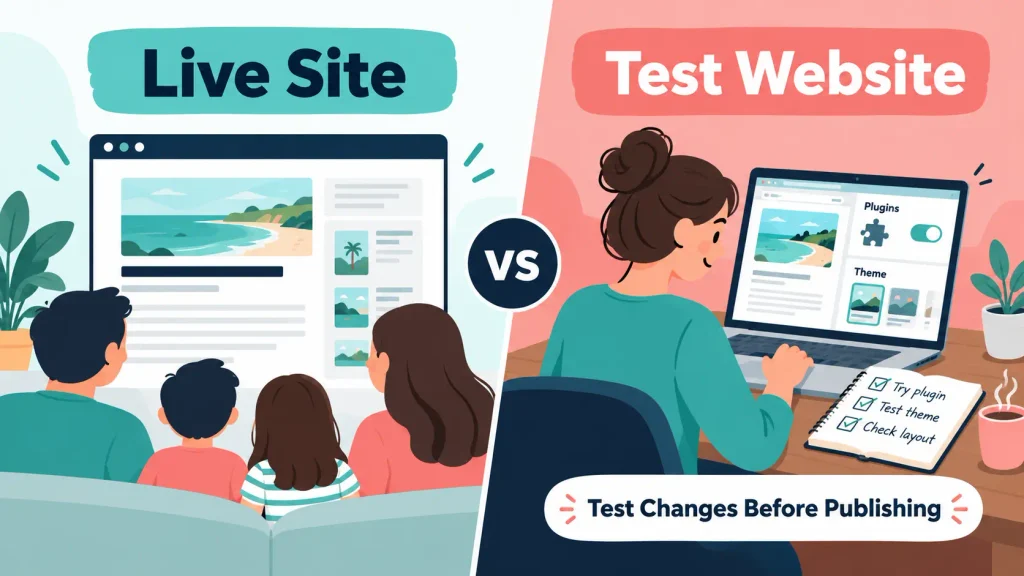
Yes. The updated Wealthy Affiliate platform includes a test website option that lets you experiment away from your main live website.
This is a valuable addition for beginners. You can test a plugin, theme or website change without immediately risking the website that readers visit.
I learned the importance of this after a plugin test brought my live site down. SiteSupport fixed the problem quickly, but using a separate test environment would have avoided the public outage.
You should still back up important work and test changes carefully. A test website reduces risk, but it does not remove the need for sensible website management.
How Much Control Do You Get?
Wealthy Affiliate gives most bloggers the controls they are likely to need. You can access WordPress, manage domains and DNS records, create website email accounts and work with themes and permitted plugins.
This is not the same as renting a virtual private server or receiving unrestricted control over every server setting. Advanced developers may prefer hosting that provides command-line tools, custom server configurations or deeper database access.
Most beginner bloggers will not need those controls. Extra server access can create more work and more opportunities to break something. Managed hosting is useful when you want to focus on content and your audience instead of server administration.
Does Wealthy Affiliate Restrict Plugins?
Yes, Wealthy Affiliate restricts some WordPress plugins. The restrictions normally relate to performance, security, compatibility or duplication of functions already handled by the hosting platform.
For example, Wealthy Affiliate has previously identified certain backup and migration plugins as resource-heavy or unnecessary within its managed environment. You can read its explanation of plugin restrictions and website performance.
There are two ways to view this.
The restriction can frustrate an experienced owner who wants complete freedom to configure a website. However, it can also stop a beginner from installing a plugin that creates security problems, duplicates existing features or slows the site down.
I think the restrictions are there for the right reasons. Still, check whether any plugin that is essential to your planned website can run before committing to the hosting.
Is the Included Website Email Good Enough?
The included website email is adequate for normal communication. I use it and have found it fine for what I need.
It lets you use an address connected to your domain rather than relying entirely on a personal email address. That looks more professional when a reader or business contacts you.
Website email does not replace an email marketing platform. I use Kit to manage subscribers, deliver my Parent Blogging Starter Kit and run automated email sequences. The Wealthy Affiliate email handles direct messages connected to the website.
If you need advanced inbox collaboration, large storage allowances or a full office suite, you may still prefer a separate service such as Google Workspace or Microsoft 365.
Is It Easy to Move a Website Away From Wealthy Affiliate?
Yes. Websites can be migrated away from Wealthy Affiliate, and my own experience moving a local business website was straightforward.
You own your website content and domain, subject to the normal arrangements for where the domain is registered. If you decide to leave, arrange replacement hosting and complete the migration before your eligible membership ends.
Do not wait until you have lost access to start planning the move. Give yourself enough time to copy the website, check that it works on the new host, update the DNS records and confirm that email is working.
This membership dependency is still the biggest limitation of the hosting. Your website is portable, but the hosting service itself does not continue after you stop paying for the membership that includes it.
How Much Does Wealthy Affiliate Hosting Cost?
Wealthy Affiliate hosting is included with its membership plans rather than sold to most users as a separate basic hosting package.
At the time of writing, the public pricing page shows:
| Membership | Public Annual Price | Website Allowance Shown |
|---|---|---|
| Starter | Free | 1 limited website |
| Premium | $497 per year | 3 websites |
| Premium Plus+ | $588 per year | 10 websites |
Prices, promotions and plan features can change. Always verify them on the official pricing page.
These figures should not be presented as the price of hosting alone. The plans include a wider collection of training, support, AI credits and business-building features.
If you will use those tools, the combined package can offer good value. If you already have training, keyword research, content tools and support elsewhere, paying for the complete membership only to host one simple blog may make less sense.
Is Wealthy Affiliate Hosting Good for Beginners?
Yes. Wealthy Affiliate hosting is particularly well suited to beginners who want WordPress without managing several technical suppliers.
A new blogger can build a website, follow the learning process and request technical help inside the same account. That removes some of the uncertainty around choosing hosting, installing WordPress and working out who should fix a problem.
The platform cannot make every website decision for you. You still need to choose a suitable theme, limit unnecessary plugins, optimise images, update your website and protect your account.
It also does not guarantee traffic or income. Reliable hosting gives your website a foundation. Your research, content, promotion and reader experience determine whether the blog develops into a useful business.
Is Wealthy Affiliate Hosting Good for Busy Parents?
Wealthy Affiliate hosting can be a strong fit for busy parents because it reduces the number of separate services they need to manage.
When your available blogging time comes in short blocks, you do not want to spend an evening working out whether a problem belongs to your domain registrar, hosting provider, WordPress theme or plugin developer.
The practical benefits include:
- One account for hosting and business-building tools
- Direct access to technical website support
- Fewer separate renewals and dashboards
- A test website for safer changes
- DNS controls when you want to manage settings yourself
- Training connected to the website-building process
The membership still needs to fit your family budget. Do not pay for a higher tier simply because it includes more websites. One focused website is usually more useful than several neglected projects.
Can Wealthy Affiliate Hosting Handle a Growing Blog?
I believe it can accommodate most bloggers and content-led WordPress websites. Flex For Families has grown to hundreds of published posts, and I have not needed to seek different hosting.
The hosting should suit affiliate blogs, information websites and many small business sites. It may also suit users operating several content projects within their membership allowance.
I would be more cautious with a large ecommerce store, a membership application handling sensitive data, a high-traffic custom platform or a website requiring specialist server software. Those projects may need more advanced hosting and development support.
Beginners sometimes buy expensive infrastructure long before their traffic requires it. Start with hosting that meets your current needs, monitor performance and reassess when your website provides evidence that you need something different.
Wealthy Affiliate Hosting Pros and Cons
Pros
- Reliable in my experience
- Responsive SiteSupport
- Managed WordPress environment
- SSL included
- Website email included
- DNS controls available
- Test website for trying changes
- Straightforward website migration
- Hosting and business tools use one account
- Suitable for most beginner content websites
Cons
- Hosting depends on an active eligible membership
- Some WordPress plugins are restricted
- Advanced users may want deeper server control
- The total membership costs more than basic budget hosting
- Website email does not replace a full email marketing platform
- The package may be excessive if you only want hosting
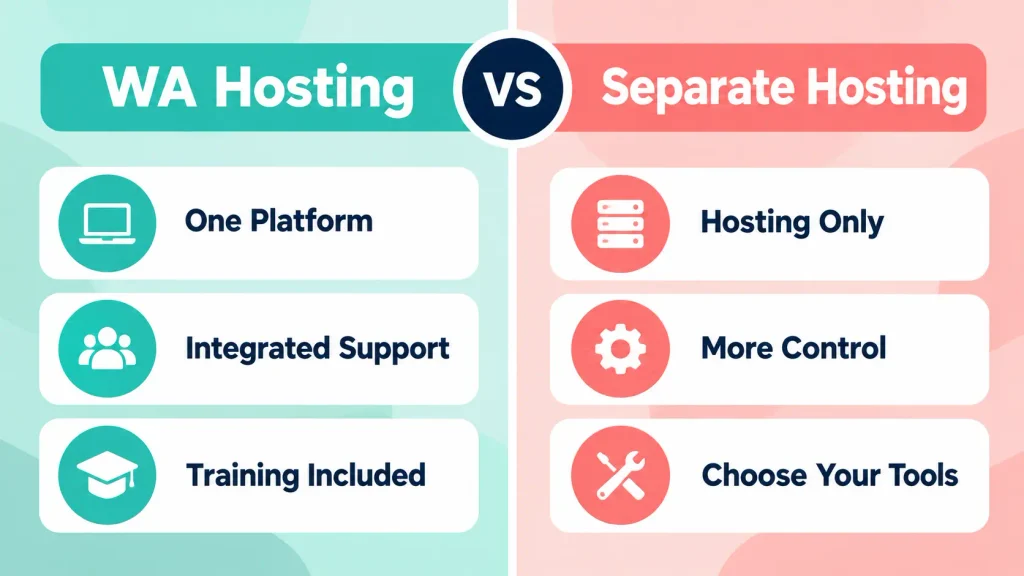
Wealthy Affiliate Hosting vs Separate WordPress Hosting
| Choose Wealthy Affiliate Hosting When | Choose Separate Hosting When |
|---|---|
| You are learning affiliate marketing | You already have training and business tools |
| You want technical support inside the same platform | You want to choose a specialist host independently |
| You value fewer subscriptions and dashboards | You only need hosting |
| You want managed WordPress without server administration | You need advanced server access |
| You will use the wider Wealthy Affiliate tools | You run a complex ecommerce or custom website |
Neither route is automatically better. The best choice depends on what you need around the hosting.
Cheap hosting may save money at the start, but check renewal pricing, support access, backups, email, SSL and migration costs. Wealthy Affiliate may cost more overall, but you are purchasing a wider business platform.
Who Should Use Wealthy Affiliate Hosting?
Wealthy Affiliate hosting is best for:
- Beginner affiliate marketers
- Bloggers building WordPress content sites
- Busy parents who value simplicity
- Members who want hosting connected to their learning
- Website owners who value accessible technical support
- Small businesses that do not require complex server arrangements

Who Should Avoid Wealthy Affiliate Hosting?
You should consider another host if:
- You only want the cheapest available hosting
- You need unrestricted server access
- An essential plugin is not permitted
- You are building a complex ecommerce operation
- You need specialist enterprise infrastructure
- You will not use the wider Wealthy Affiliate membership
Is Wealthy Affiliate Hosting Worth It?
Wealthy Affiliate hosting is worth considering when you want the full platform, rather than hosting alone.
I use it because it keeps my hosting, website support, learning and business tools together. That saves me from managing more suppliers and gives me somewhere to turn when a technical problem appears.
If you already have an established website, preferred hosting and a collection of separate tools, moving everything into Wealthy Affiliate may offer less value. If you are starting from scratch, the integrated approach can remove several early decisions.
Final Verdict
Wealthy Affiliate hosting is good enough for beginner bloggers and capable enough for most content-led WordPress websites.
My experience has been reliable. Flex For Families has remained available without recurring downtime, SiteSupport restored the site quickly after a plugin problem, and moving another website to separate hosting was seamless.
The updated website controls and test website feature make the service more useful. They give members more independence while retaining access to technical help.
The biggest limitation is the connection to an active membership. You should join because the complete platform suits your needs, not because you only require somewhere to host a basic website.
For a beginner who wants WordPress hosting, practical support and business training in one place, Wealthy Affiliate remains a strong option.
Explore Wealthy Affiliate and Create a Free Starter Account
Start Your Blog With a Clearer Plan
Hosting is only one part of building a useful blog. You also need a clear audience, realistic content ideas and a plan that fits around family life.
My free Parent Blogging Starter Kit gives you seven practical resources to help you choose your direction, plan your time and start building without unnecessary pressure.
Get the Free Parent Blogging Starter Kit
Frequently Asked Questions
Is Wealthy Affiliate Hosting Reliable?
Wealthy Affiliate hosting has been reliable in my experience. I have not experienced regular downtime, and Flex For Families remained live during a recent problem that affected access to parts of the Wealthy Affiliate back office. Reliability will still depend partly on your theme, plugins and website management.
Is Wealthy Affiliate Hosting Included in the Membership?
Yes. WordPress hosting is included according to the limits of each Wealthy Affiliate membership level. The public pricing page currently shows different website allowances for Starter, Premium and Premium Plus+. Check the official page before joining because pricing and plan limits can change.
Can I Move My Website Away From Wealthy Affiliate?
Yes. You can migrate a WordPress website to another hosting provider. I moved a website created for a local business away from Wealthy Affiliate, and the process was seamless. Arrange the new hosting and complete the migration before ending the membership that provides your hosting.
Does Wealthy Affiliate Provide Website Email?
Yes. Eligible hosted websites can use domain-based website email. I have found it adequate for normal communication. It is not a replacement for an email marketing service such as Kit, which manages subscriber forms, broadcasts and automated sequences.
Does Wealthy Affiliate Restrict WordPress Plugins?
Yes. Some plugins are restricted because of security, performance, compatibility or duplication concerns. This reduces complete freedom, but it can also protect beginners from resource-heavy or unsuitable plugins. Check any plugin that is essential to your website before committing.
What Happens to My Website if I Cancel Wealthy Affiliate?
The included hosting depends on an eligible active membership. If you plan to cancel, arrange replacement hosting and move your website before access ends. Your website content can be migrated, but Wealthy Affiliate will not continue hosting it without the required membership.
Is Wealthy Affiliate Hosting Suitable for Busy Parent Bloggers?
Yes, particularly if you value having hosting, support, training and business tools inside one account. It reduces the number of services you need to manage. You should still check that the membership cost fits your budget and avoid paying for more website capacity than you will use.
Let’s Chat
Are you using Wealthy Affiliate hosting, or are you comparing it with a separate WordPress host? Share what matters most to you below. Is it price, support, speed, control or having everything in one place?