
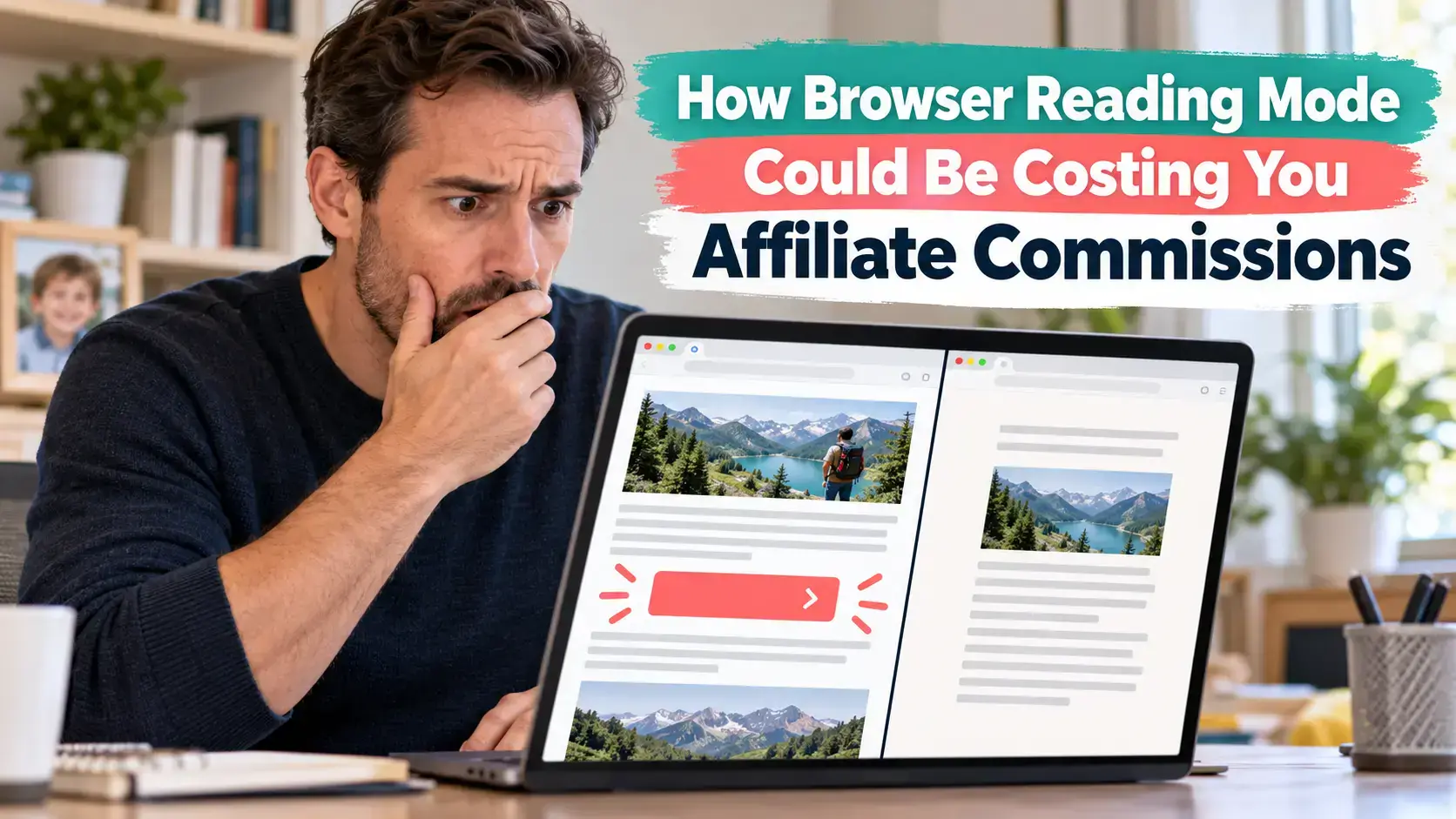
You publish a detailed affiliate review, add a clear call-to-action button and confirm that the link works.
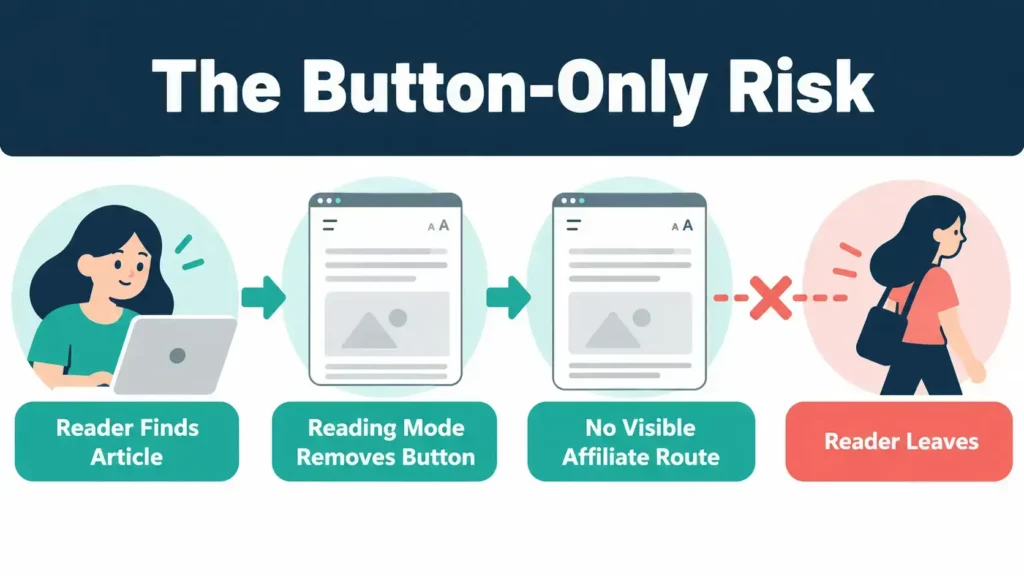
A reader finds the article, activates their browser’s reading mode and reads your recommendation. There is one problem. The browser has removed your button.
If that button contained the only affiliate link in the article, the reader may have no direct route to the product. They could leave, search for it separately or purchase without your tracking.
We cannot know how many commissions bloggers lose this way. Reader modes behave differently across browsers, devices and websites. However, relying entirely on styled buttons creates an avoidable weakness.
The solution is simple. Keep your buttons, but support them with natural text links inside the article.
Quick Answer
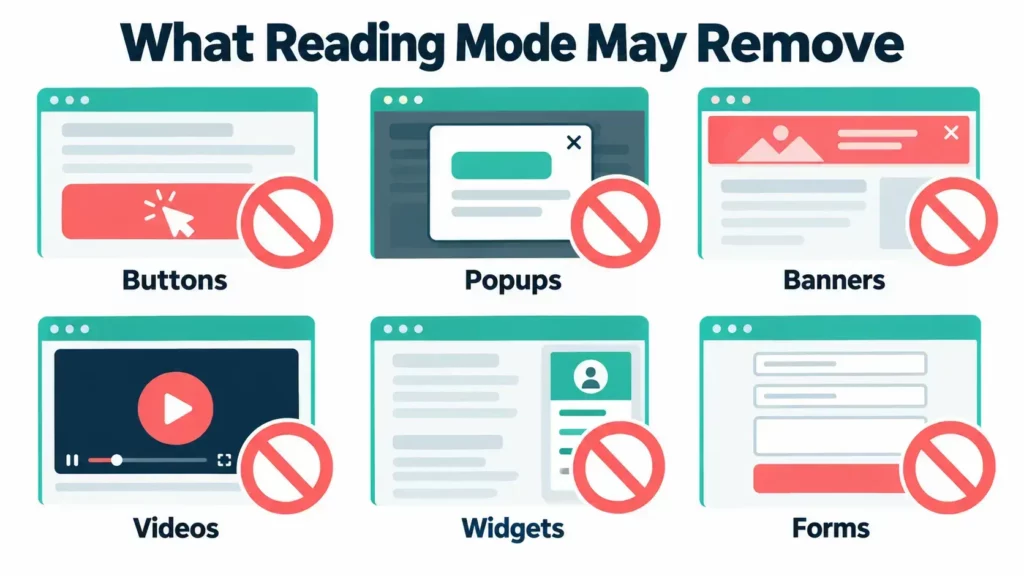
Browser reading modes can remove affiliate buttons, banners, popups, widgets and other page elements they consider distracting or non-essential.
This does not mean every reading mode removes every button. It also does not guarantee that every contextual text link will survive. The result depends on the browser and how the page is built.
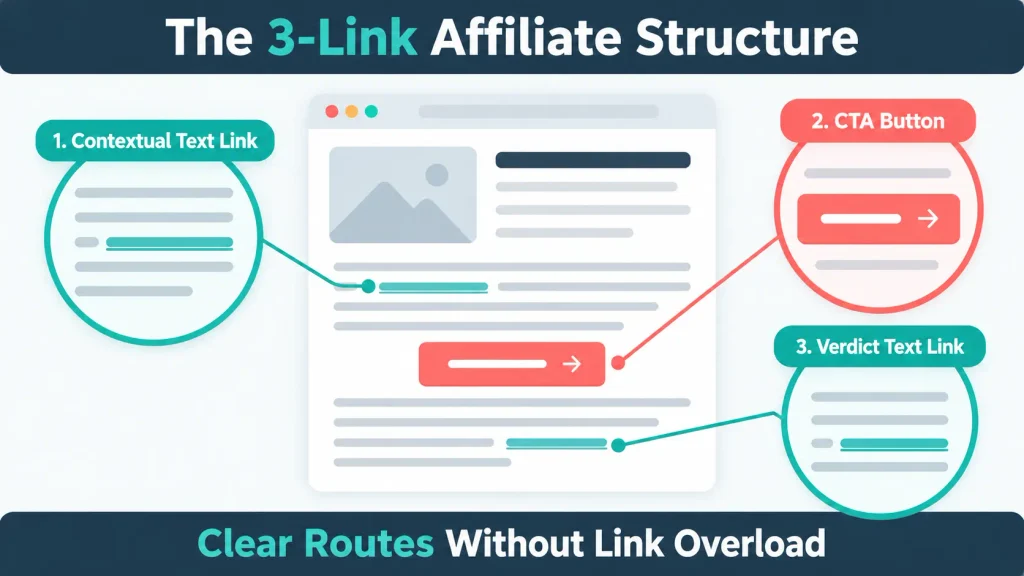
The safest practical approach is to give readers several useful routes:
- A contextual affiliate text link when the product first becomes relevant
- A clear CTA button after the main explanation
- Another natural text link near the verdict or recommendation
Then test the published page in more than one browser.
Where This Idea Came From
I first considered this issue after watching a training video from Jay, also known as Magistudios, inside Wealthy Affiliate.
Affiliate marketers spend plenty of time discussing button colours, CTA wording and placement. Jay’s point highlighted a different risk. A browser may simplify the article and remove the conversion element altogether.
You can watch Jay’s reading-mode training inside Wealthy Affiliate.
Transparency note: The Wealthy Affiliate training link above is an affiliate link. If you join through it, I may earn a commission at no extra cost to you. I recommend reviewing the platform, costs and alternatives before choosing a membership.
The training inspired this article, but the browser information below is supported by official documentation from Apple, Mozilla, Microsoft, Google and WordPress.
What Is Browser Reading Mode?
Reading mode creates a simplified version of a webpage. It prioritises the main article and removes elements that could distract from reading.
The simplified page commonly focuses on:
- Headings
- Paragraphs
- Lists
- Relevant images
- Core article links
Depending on the browser and page, it may remove or change:
- Navigation menus
- Sidebars
- Advertisements
- Popups
- Buttons
- Background images
- Embedded videos
- Forms
- Product widgets
- Comparison boxes
Reading mode is useful. It can make long articles easier to read, reduce visual clutter and support people who need different fonts, spacing or colour themes.
It was not designed to protect a publisher’s conversion layout.
Which Browsers Have a Reading Mode?
Several major browsers now provide a simplified reading experience.
| Browser | Feature | What the Browser Says It Does |
|---|---|---|
| Safari | Reader | Formats a page around relevant text and images while hiding menus and distractions |
| Firefox | Reader View | Strips away clutter including buttons, advertisements, background images and videos |
| Microsoft Edge | Reading Mode | Simplifies the layout and hides distracting popups and buttons |
| Google Chrome | Reading Mode | Presents supported pages in a distraction-free reading view |
The wording matters. Mozilla and Microsoft specifically mention removing buttons. Apple focuses on relevant text and images. Google describes a reading view without distractions.
Not every webpage qualifies. The option may only appear when the browser recognises a page as an article it can extract.
Official instructions:
- Use Reader in Safari on iPhone
- Use Firefox Reader View
- Use Reading Mode in Microsoft Edge
- Use Reading Mode in Google Chrome
Why Would Reading Mode Remove an Affiliate Button?
A browser tries to identify the main article content. It then extracts or rebuilds that content in a cleaner format.
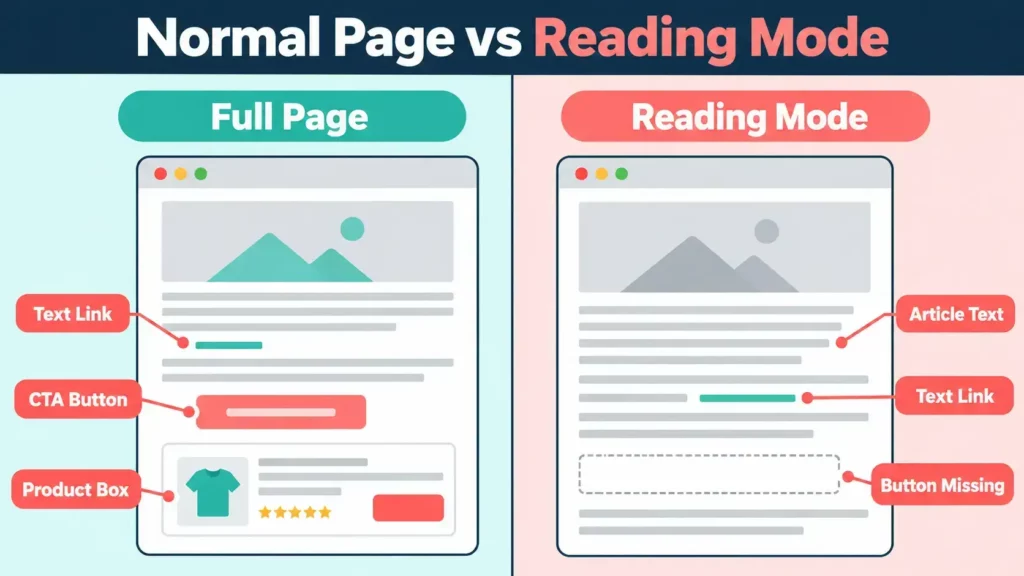
The browser does not know that a particular button is essential to your affiliate strategy. It may interpret the button as an interface control, promotional element or distraction.
The WordPress Button block allows you to attach a link to styled button text. On the full page, that link works like any other link. However, the reading-mode parser may remove the whole button element before the simplified version reaches the reader.
Source: WordPress Button Block Documentation
The same problem can affect plugin-generated product boxes, comparison widgets or buttons that depend on JavaScript.
Does Reader Mode Remove Affiliate Links?
Reader mode can remove an affiliate link when that link sits inside an element the browser excludes.
The result can depend on:
- The browser and version
- Desktop or mobile use
- Your WordPress theme
- The block or plugin used
- Where the link appears in the page structure
- Whether JavaScript generates the element
- Whether the element resembles an advertisement or interface control
- How clearly the browser can identify the central article
A normal text link inside a paragraph has a better chance of remaining because it forms part of the article’s main content. That makes contextual links more resilient, but not guaranteed.
Testing the live page remains essential.
Affiliate Buttons vs Contextual Text Links
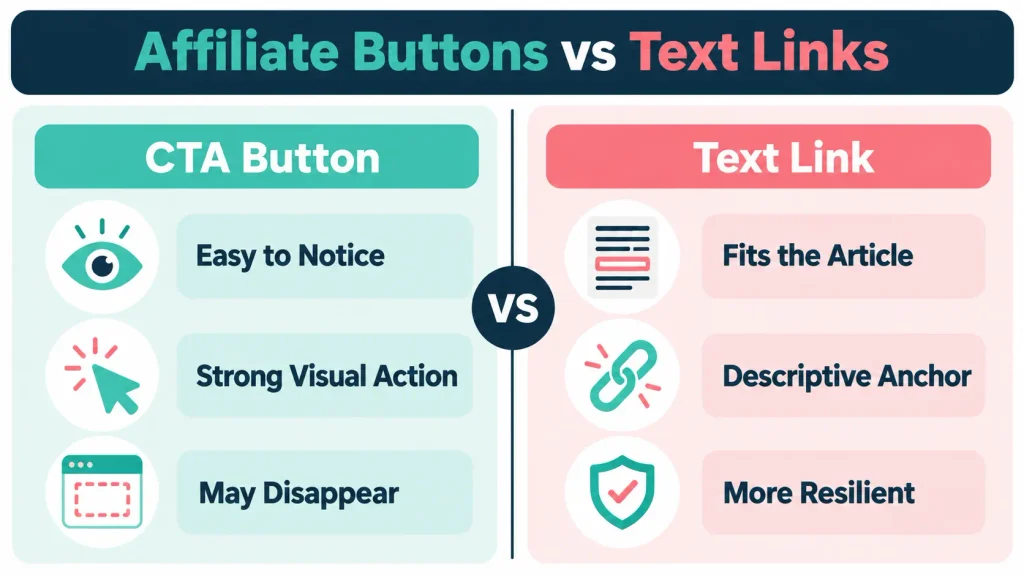
Buttons and text links serve different purposes. You do not need to choose one format.
| Affiliate Button | Contextual Text Link |
|---|---|
| Visually prominent | Fits naturally within the article |
| Provides a strong CTA | Reaches readers while they consider the recommendation |
| Easy to give a separate tracking label | Can use descriptive anchor text |
| May be treated as removable clutter | More likely to remain with extracted article text |
| Can look promotional | Less noticeable during normal browsing |
| Valuable for full-page visitors | Useful when styling or widgets disappear |
The practical answer is to use both.
Your contextual link protects the route. Your button makes the action easy to notice on the normal page.
What Happens When a Button Is Your Only Affiliate Link?
Consider this possible reader journey:
- Someone finds your review through Google, social media or an AI recommendation.
- They activate reading mode because the article is long.
- The browser removes your styled CTA button.
- They read the recommendation and decide the product may suit them.
- They cannot see a direct link to the product or full review.
- They leave the article or search for the product elsewhere.
You cannot assume that every person would have clicked the button. You also cannot measure a missing click that never happened.
The point is that the page gave an interested reader no next step.
Adding one relevant text link can remove that weakness.
Which Affiliate Elements Might Disappear?
Reading modes do not only affect buttons.
Check these elements on your affiliate pages:
CTA Buttons
Styled WordPress buttons may disappear even when they contain standard links.
Product Boxes
Plugin-generated product cards can contain prices, ratings, images and buttons. The entire box may be removed or reduced to incomplete text.
Comparison Tables
Some tables remain readable. Others lose styling, columns or linked buttons.
Affiliate Banners
Image-based advertisements are likely to be treated as non-essential content.
Sidebar Recommendations
Reading mode normally focuses on the article body, so sidebar offers may disappear.
Popups and Sticky Bars
These elements sit outside the main article and may never appear in the simplified view.
Product Carousels and Widgets
Interactive or JavaScript-dependent elements can be excluded.
Image-Only Links
The image may be removed, or it may remain without providing the conversion experience you expected.
Email Forms
Signup forms and embedded lead-capture tools may disappear.
Affiliate Disclosures
A disclosure placed only inside a styled box, banner or separate page element may be reformatted or removed.
What Usually Has a Better Chance of Remaining?
Reading modes normally prioritise content that clearly belongs to the article.
That can include:
- Headings
- Paragraphs
- Lists
- Relevant images
- Simple tables
- Text links within paragraphs
- Image captions
- Plain-text disclosures
None of these are guaranteed across every browser. The lesson is to keep essential information and essential routes within the main content.
Use a Three-Link Affiliate Structure
A simple three-point structure provides clear routes without filling the article with repeated links.
Link 1: The Contextual Introduction
Add a natural text link when the product first becomes relevant.
Example:
“If you want structured affiliate marketing training, hosting and support in one place, read my complete Wealthy Affiliate review before choosing a membership.”
The reader knows what the linked page contains and why it may help.
Link 2: The Main CTA Button
Keep the clear button after the main product explanation or verdict.
Example:
[READ MY WEALTHY AFFILIATE REVIEW]
This gives standard page visitors an obvious action.
Link 3: The Verdict Link
Add another contextual link after explaining who the product suits.
Example:
“You can compare the current memberships, drawbacks and alternatives in my full Wealthy Affiliate review.”
The final link serves readers who needed more evidence before making a decision.
Not every article needs exactly three affiliate links. Use the structure as a practical starting point and adapt it to the length and search intent.
Write Descriptive Affiliate Link Text
Descriptive anchor text explains what happens when the reader follows the link.
Useful examples include:
- Read my complete Wealthy Affiliate review
- Check the current Amazon Associates commission rates
- Compare Poptin with its main alternatives
- Learn how to create an Amazon affiliate link
Weak examples include:
- Click here
- Learn more
- This link
- Visit now
Descriptive text remains understandable when a browser changes the original design. It also makes the article easier to navigate for readers using assistive technology.
Keep Your Affiliate Disclosure in the Article Text
Your disclosure should remain visible and understandable even if the browser removes the surrounding design.
If you use a coloured disclosure box, make sure the wording is also part of the main article content. Do not rely solely on an icon, hover message, popup or banner.
During your reading-mode test, check:
- Is the disclosure still visible?
- Does it appear before or close to the affiliate recommendation?
- Does it still make sense without its colour or border?
- Is the disclosure written in plain language?
This article does not provide legal advice. Follow the rules that apply to your location and affiliate programme.
How to Test an Affiliate Post in Reading Mode
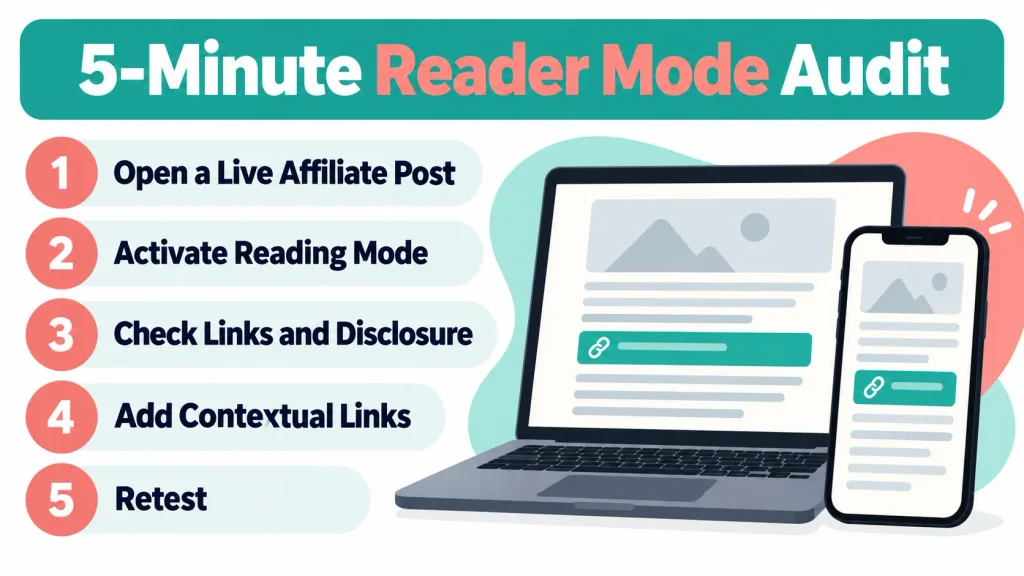
You can complete the first audit in a few minutes.
Step 1: Choose an Important Affiliate Page
Start with a page where a missing link could matter:
- A high-traffic review
- A product comparison
- A buying guide
- An affiliate tutorial
- A page already generating clicks or sales
Step 2: Open the Published Article
Test the live URL. The WordPress editor or preview may not behave exactly like the published page.
Step 3: Activate Reading Mode
Use at least two browsers if possible. Safari, Firefox and Edge are useful because their official documentation clearly describes simplified content or removed buttons.
Step 4: Read the Simplified Page From Top to Bottom
Look for:
- Missing CTA buttons
- Missing text links
- A removed disclosure
- Broken or incomplete tables
- Missing product images
- Removed comparison boxes
- Missing prices or important limitations
- Paragraphs shown in the wrong order
Step 5: Test Every Link That Remains
Confirm that each visible link:
- Opens the intended page
- Contains the correct affiliate tracking
- Works on mobile and desktop
- Uses understandable anchor text
Step 6: Add Contextual Links Where Needed
If a button disappears and leaves no route forward, add a natural text link before or after the related explanation.
Step 7: Retest the Live Page
Publish the update, clear any relevant cache and repeat the test.
How to Open Reading Mode in Each Browser
Browser controls change over time, but these are the current official routes.
Safari on iPhone or iPad
Open the Page Menu on a supported article and choose Show Reader.
Safari can also be configured to use Reader automatically on supported websites. This matters because some visitors may rarely see your full design.
Safari on Mac
Open the Page Menu in the Smart Search field and choose Show Reader.
Firefox
Select the Reader View icon in the address bar when it appears. Firefox also supports a keyboard shortcut.
Microsoft Edge
Use the Reading Mode control on a supported page or press F9.
Google Chrome
Depending on the device and current browser version, use the address-bar control, right-click the page and select Open in Reading Mode, or find Reading Mode under More Tools.
If the option does not appear, the browser may not consider the page suitable for reading mode.
Your Five-Minute Affiliate Link Audit
Use this checklist on one article today:
- Can a reader reach the recommended product without the button?
- Is there a text link near the first meaningful recommendation?
- Is there another link near the final verdict?
- Does the affiliate disclosure remain visible?
- Do the remaining links contain the correct tracking?
- Can you understand each link without the original design?
- Does the article still explain important limitations?
- Have you checked more than one browser?
- Have you tested a mobile device where possible?
Do not begin by auditing every post. Fix one important page, record what you find and turn the process into a repeatable checklist.
Should You Replace Affiliate Buttons With Text Links?
No. Buttons remain useful.
A strong button is easy to notice and gives standard visitors a clear next step. Removing every button could reduce clicks from people who prefer obvious visual actions.
The aim is controlled redundancy:
- Contextual link for resilience
- Button for visibility
- Verdict link for readers who needed more information
Each link should serve a reason. Avoid repeating the same offer in every paragraph.
Could Too Many Affiliate Links Hurt the Article?
Too many links can make an article feel promotional and distract from the answer.
There is no universal number that suits every post. A short tutorial may need one or two links. A detailed comparison may justify several links to different products or supporting reviews.
Ask three questions:
- Is the link relevant at this exact point?
- Does the reader understand where it leads?
- Would the article still feel helpful if the reader never clicked it?
If the answer to any of these is no, reconsider the placement.
Track Buttons and Text Links Separately
Some affiliate programmes allow sub-IDs, tracking labels or campaign identifiers.
You could label the placements:
- review_text
- review_button
- review_verdict
This helps you compare the clicks produced by different placements.
It does not tell you whether a reader used reading mode. It can still reveal that contextual links contribute more than you expected.
Always follow the affiliate programme’s tracking rules. Do not alter an affiliate URL in a way the programme does not permit.
For Amazon, my guide to tracking Amazon Associates performance explains the wider reporting process.
Contextual Links Protect Against More Than Reading Mode
A normal article link may also remain useful when:
- Page styling fails to load
- A WordPress plugin breaks
- An ad blocker hides promotional elements
- Someone prints the page
- A read-later service extracts the article
- A reader uses assistive technology
- An AI assistant quotes or cites part of the content
- A simplified mobile browser changes the layout
One text link does not solve every accessibility, extraction or tracking problem. It does reduce your dependence on one design element.
My Take
Jay’s training raised a useful point because it focuses on the reader’s real experience rather than the page we see in WordPress.
It is easy to spend time changing button colours, adjusting spacing and rewriting CTA text. Those details can matter. They become irrelevant if the reader’s browser removes the whole element.
For a busy blogger, adding one or two contextual links is a quick improvement. You are protecting work you have already completed rather than creating another long task.
This also fits how I approach Flex For Families:
- Help the reader before pushing a sale.
- Make the next step clear.
- Avoid relying on one tool or page element.
- Test what the reader actually experiences.
Wealthy Affiliate remains useful to me because training like this can reveal practical details that are easy to miss when working alone. You can read my complete Wealthy Affiliate review for the current platform, costs, drawbacks and my experience as a member.
Final Verdict
Browser reading mode probably does not explain every missed affiliate sale. It should not become another reason to panic or redesign your entire website.
It does expose a weakness in articles that rely completely on styled buttons, banners or product widgets.
Keep the button. Add a useful contextual text link. Include another natural route near the verdict. Check that your disclosure remains visible, then test the published page in several browsers.
That small change gives more readers a working route to your recommendation, regardless of how they choose to read the article.
Audit One Affiliate Post Today
Choose one important article and complete the five-minute audit before creating anything new.
If you are still developing your wider blogging and monetisation plan, the free Parent Blogging Starter Kit will help you organise your audience, content ideas and limited working time.
You can also learn how to create Amazon affiliate links and review the Amazon Associates rules bloggers need to know.
Frequently Asked Questions
Does Reader Mode Remove Affiliate Links?
Reader mode can remove an affiliate link when the link sits inside a button, widget, banner or other element the browser excludes. Inline links within normal article paragraphs have a better chance of remaining, but no format is guaranteed across every browser and page structure.
Does Safari Reader Remove Affiliate Buttons?
Safari Reader reformats supported webpages to show relevant text and images while hiding menus and other distractions. An affiliate button may disappear if Safari does not treat it as part of the essential article. Test the published page on both desktop and mobile Safari where possible.
Does Firefox Reader View Remove Buttons?
Firefox states that Reader View strips away clutter including buttons, advertisements, background images and videos. This means a styled affiliate button may disappear. The exact result depends on the page, so bloggers should test important affiliate articles in Firefox Reader View.
Are Text Affiliate Links Safer Than Buttons?
Contextual text links are generally more resilient because they sit inside the main article content. They are not guaranteed to remain in every reading mode. Use text links alongside buttons and test the live page rather than relying on either format alone.
Should I Stop Using Affiliate Buttons?
No. Buttons remain visible and useful for people viewing the normal webpage. Use a contextual text link when the product becomes relevant, retain the CTA button and consider another text link near the verdict. Each placement should help the reader rather than repeat the same promotion unnecessarily.
How Can I Test Affiliate Links in Reading Mode?
Open the published article in a browser that supports reading mode, activate the feature and review the complete page. Check whether buttons, text links, disclosures, comparison tables and product boxes remain. Test every visible link, make any necessary changes and repeat the check on another browser or device.
How Many Affiliate Links Should a Blog Post Contain?
There is no fixed number for every article. A short tutorial may need one or two links, while a detailed review may justify a contextual link, a CTA button and a verdict link. Each link should be relevant, descriptive and useful at the point where it appears.
Let’s Chat
Have you tested one of your affiliate posts in reading mode? Did your buttons, disclosures and product boxes remain visible? Share what you found below.