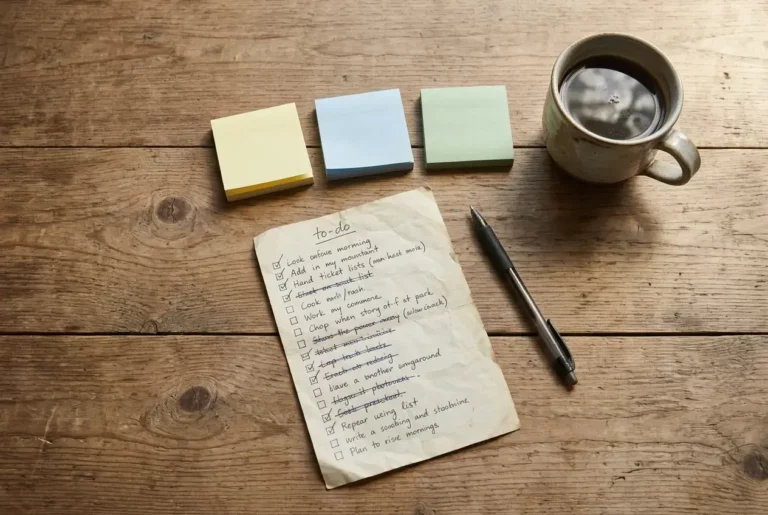
With free vs paid blogging tools, the right answer depends on the job the tool does. Keep free tools for jobs where a mistake is cheap, like drafting, notes and simple images. Pay for the jobs where a failure costs you your site, readers or time, such as hosting, backups and any tool you rely on weekly.
Which Blogging Tools Are Actually Worth Paying For?
The tools worth paying for are the ones that keep your site running and the ones that remove a task you would otherwise repeat by hand every week. Everything else can wait until you have a reason to upgrade.
Hosting comes first. Your host decides whether your site loads, whether it stays online and whether you own what you publish. Free site plans often come with limits on your web address, your design options or what you are allowed to promote, and the terms differ between providers, so read them before you build anything you care about. A paid host with your own domain name means the content stays under your control if you ever change direction.
Backups and basic security belong in the same group. If a plugin update breaks your site on a Tuesday afternoon, a restore point turns a lost weekend into a few minutes of work. Check whether your host already includes backups before you buy a separate service.
The second group is repeat-task tools. Examples:

- A scheduling tool that publishes posts or social updates while the kids are at the park or asleep
- A keyword research tool, once you are publishing often enough that guessing topics costs you real hours
- An email service, once your list outgrows the free plan’s limits
A paid tool earns its fee when it gives back time you actually have. A parent with two 30-minute windows a day has less slack than most bloggers, so a tool that saves 20 minutes a week is worth more to you than the same tool is to someone with a free evening.
What Can You Safely Keep Free When You Are Just Starting?
You can keep drafting, note-taking, basic image work, simple analytics and early email collection free. These jobs have low stakes: if a free tool disappears or changes, you lose a little convenience, not your site.
Drafting and notes. A free word processor or a notes app handles article drafts, outlines and idea lists. Paying for fancier writing software before you have a publishing habit adds a monthly cost without adding posts. Many parents draft on a phone in short bursts, and free apps sync well enough for that.

Images. Free design tools and free stock photo libraries cover featured images and simple graphics. Check the license on each image, because “free to download” does not always mean “free to use on a site that earns money.” Keep a note of where each image came from.
Spelling and grammar checks. The free versions catch typos and obvious errors, which is most of what a new blogger needs. A paid editing tool becomes worth considering when you are writing long posts regularly and the free version’s limits start slowing you down.
Analytics. Free analytics will show which posts get visitors and where they come from. With a small site there is not much data yet, so a paid dashboard has little to show you.
Early email collection. Most email services have a free plan. It is a reasonable place to start while your list is small, as long as you know what happens when you pass the limit.
Organizing. A paper notebook, a calendar or a free task list is enough to track your posts. The system you actually open each day beats a better one you forget about.
When Does a Free Tool Quietly Cost You More?
A free tool costs more when its limits push you into workarounds, when you cannot take your work with you, or when it eats the short windows you have to write. The price on the page is zero, but the cost shows up in your hours.

Watch for these signs:
- Limits that hit as you grow. A free plan that caps subscribers, pages, storage or features is fine until you reach the cap. Then you either pay at the moment you are least ready or spend an evening moving everything elsewhere.
- No easy export. If you cannot download your content, contacts or settings, switching later is slow and sometimes loses work. Ask this before you build on any tool.
- Branding or ads you cannot remove. A free tool that puts its own logo or adverts in front of your readers can make a new site look less trustworthy.
- No support. When something breaks and there is nobody to ask, you lose the time you would have used to write.
- Constant fiddling. If you spend your 30 minutes wrestling with a tool, you did not get a free tool. You paid in posts that never got written.
Pop-ups and email capture forms are a good worked example, because free plans in this category vary a lot in what they limit and how they display. The post on Poptin alternatives for bloggers and small websites compares options so you can see what different tools offer before choosing, which is the same kind of comparison worth doing for any tool on your list.
How Do You Decide If It Is Time to Upgrade a Tool?
Upgrade a tool when a specific, repeated problem costs you more time or trust than the fee would. A vague feeling that “serious bloggers pay for this” is not a reason.
Ask four questions about the tool in front of you:
- What exactly is the limit I keep hitting? Name it. “The free plan stops me at a certain list size and I am close” is a real reason. “The paid version looks more professional” is not.
- How many minutes does this cost me each week? Add them up honestly. If the paid version would give you back an hour a week, that hour is worth something when your writing time comes in small pieces.
- Does it affect what readers or search engines see? Tools that touch your live site, such as hosting, speed and the forms readers fill out, deserve more of your budget than tools only you see, such as a private notes app.
- Can I leave if it does not work? Check whether you can cancel monthly, export your data and go back to a free option. A reversible purchase is a smaller risk.
If you answer yes to the first two and the tool passes the fourth, upgrading makes sense. If you cannot name the problem, keep the free version and look again in a month. One more rule keeps the budget under control: change one tool at a time. If you upgrade three things at once, you cannot tell which one helped.
Courses and training follow the same logic. Before you buy one, ask what specific skill gap it would close and whether you could close it with something you already have access to.
What Does a Simple Starter Setup Look Like for a Busy Parent?
A simple starter setup pays for the foundation, which is hosting and your own domain, and uses free tools for nearly everything else. That keeps the monthly cost low while the site itself stays under your control.
Here is one way to sort it by job:
Job Free or paid What to look for Hosting and domain Paid Your own domain, backups, and the ability to move your content Drafting Free A word processor or notes app that works on your phone Images Free Stock libraries with clear licenses and a simple design tool Spelling and grammar Free The basic version of a checker Analytics Free A basic traffic report you can read in a few minutes Email list Free to start A plan with a clear limit and an export option Organizing Free A calendar or task list you already open daily Keyword research Free to start Whatever is included with your training or host, until you need more

Then protect your short windows. If you write in 30-minute blocks, decide ahead of time what each block is for: drafting one day, editing and images the next, publishing and a quick check of your numbers the third. A tool that fits one of those blocks cleanly is worth more than a feature-heavy tool that needs a learning session first.
Review the setup once a month. Look at what you actually used, which free limits you are close to and whether any tool cost you time. Most months the answer will be to change nothing, and that is a fine result. Build around your life, and let the setup grow only when your posting schedule does.
Final Thoughts
You do not need a full toolkit to start a blog. Pay for the parts that hold the site together, use free tools for the low-stakes jobs, and upgrade one tool at a time when you can name the problem it solves. Small steps matter here, and so does taking your time.
If you want a low-pressure way to see how the pieces fit, a free Wealthy Affiliate starter account is worth a look. It lets you see hosting, training and community in one place before you decide whether to pay for separate tools. There is no rush. Look around, ask questions and see whether it suits the way you work around your family.
Let’s Chat
Which tool in your blogging setup are you most unsure about paying for, and what is the limit or problem that makes you wonder? Share it in the comments, and we can work through whether it is worth upgrading.