

Put affiliate links where they help readers take a relevant next step: within useful explanations, tutorial steps, review summaries, comparisons and resource pages. Email, video and social placements can also work where permitted. Explain the recommendation, identify the advertising clearly and check the destination. There is no universally best position or guaranteed conversion lift.
You have joined a program and received your link. Now you need to decide where it belongs.
It can be tempting to add it wherever the product name appears. That gives you more placements, but it does not necessarily give the reader more help.
For a parent blogger working in short sessions, a better approach is to choose the sections where a recommendation genuinely supports the task. This guide explains ten options and the checks each needs.
Here, “natural” means relevant and understandable. It does not mean hiding that a link is advertising. The examples below are illustrative wording, not links to real offers or results from placement testing.
What Makes an Affiliate Link Placement Useful?
A useful placement connects a reader’s current question with a destination that helps answer it or complete the next step.
Someone learning what a tool does may need an explanation before an offer. Someone comparing two products may be ready to inspect their features or current plans. The same link can be appropriate in one section and premature in another.
Before adding it, ask: why would this reader want to leave the page at this point?
| Reader’s Task | Possible Placement | What the Reader Needs First |
|---|---|---|
| Understand a product’s purpose | Within the explanation | A clear reason the product is relevant |
| Complete a practical step | Beside that tutorial step | Instructions and any necessary alternatives |
| Decide between options | Comparison table or verdict | Meaningful differences and limitations |
| Find a recommended resource | Categorised resources page | Who it suits and why it is included |
| Follow up after a video | Description or supporting article | An accurate connection with the video |
These are editorial suggestions. They are not a ranking of conversion performance.
If you still need the wider process, my affiliate marketing guide for parents explains the business model and the work involved.
1. Within a Relevant Explanation
Place a contextual text link where you explain the product’s role in solving the reader’s problem.
For example, a guide to organising family photos could describe the difference between local storage and cloud backup. A link to a relevant backup service belongs beside that explanation, with its commercial nature identified.
Illustrative wording: “Ad: Compare the storage plans for [Service] if you need automatic backup across these devices.”
The surrounding text should explain the reason to investigate it, including a meaningful limitation where relevant. “Useful if you need automatic uploads, but unnecessary if your existing service already does this” helps the reader decide.
Avoid placing an unrelated offer inside a general sentence about working from home. If you cannot explain why the destination helps at that moment, leave the link out.

2. Beside the Tutorial Step Where It Is Needed
Place the link at the step where the reader needs access to the relevant product, service or account.
A tutorial about creating an email signup form might introduce an email platform when explaining where the form will send subscriber information. That is a more useful context than repeating the signup link beneath every screenshot.
Illustrative wording: “Ad: View [Platform]’s form features before following these account-specific steps.”
Tell readers what they need and what they can use instead. If a free tier is sufficient, explain that. If the method works with several tools, avoid implying that your affiliate choice is the only route.
Do not promise a free account when the destination is a paid plan, or recommend a tool you cannot explain accurately enough to support the tutorial.
3. In a Review Summary or Verdict
Use a link beside a clear review recommendation once you have explained who the product suits and its main limits.
Readers who already know the basics may appreciate a concise summary near the top. Others will want the evidence before deciding. A review can accommodate both without making every section another purchase prompt.
Illustrative wording: “Ad: Check [Product]’s current features and terms.”
The summary should identify the best-fit reader, the main drawback and the basis of the review. Research-based coverage should not imply hands-on use. A product you have tested still needs a fair account of its limitations.
A recommendation near the top needs clear advertising identification at the point readers encounter it. Burying the relationship in the final paragraph is not an appropriate solution.
4. In a Comparison Table
Place a link beside each relevant option when the table gives readers enough information to compare them.
Useful columns could cover the task the product supports, a meaningful restriction and the reason someone might investigate it. Commission rate is not a useful product-comparison feature for the customer.
Illustrative link label: “Ad: View [Product A] plans”.
Keep the table readable on a phone. If the link sits in a column that users cannot find, or the product name disappears while scrolling, the comparison needs adjustment.
Avoid copying prices or product images into a table without checking the program’s rules and your ability to keep them current. A link to current pricing may be more manageable than maintaining a detailed price grid.
5. Within a Best-Of List Entry
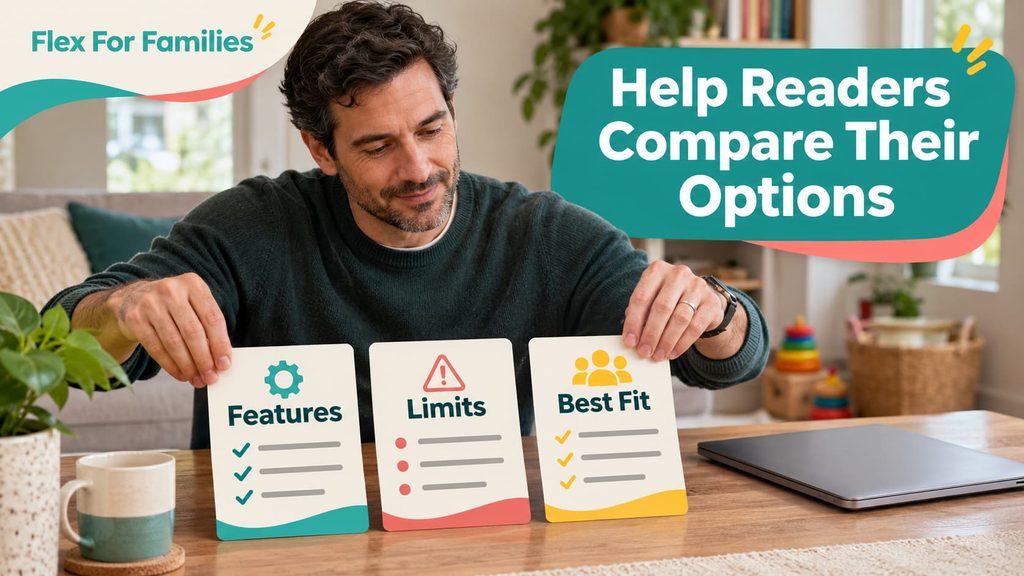
Add the link after explaining why that particular option belongs in the list and who should consider it.
“Best for a small kitchen” and “best for preparing several portions” describe different needs. The article should provide enough reasoning for those distinctions to mean something.
Illustrative wording: “Ad: See [Product]’s dimensions and current availability.”
A useful entry includes a limitation too. A compact appliance may suit limited storage while having insufficient capacity for a larger family. Let the reader make that trade-off.
Do not call every option the overall winner. Do not invent testing, award badges or urgency to make an affiliate destination more persuasive.
For possible partnerships, my affiliate program guide for parent bloggers provides research directions across different types of content.
6. On a Resources Page
Use a resources page to organise recommendations around the jobs your readers need to do.
For a blogging audience, categories might include starting a website, researching content and building an email list. A family travel audience would need different categories and recommendations.
Illustrative wording: “Ad: Explore [Tool] for [specific task]. Read the full assessment before choosing a paid plan.”
Explain why each resource belongs there and whether the recommendation comes from personal use or research. Keep important restrictions visible instead of turning the page into a list of unexplained logos.
I maintain a Best Blogging Resources for Parents page. It is an example of a dedicated resources destination, not evidence that this placement produces more sales than another.
Review these pages periodically. A resource can change its pricing, features, application route or suitability after you first add it.
7. In an Article’s Final Next Step
Use the final recommendation when it follows directly from what the reader has learned.
A comparison might end by identifying the option suited to a particular budget or task. A tutorial could invite the reader to inspect the tool needed for the next stage.
Illustrative wording: “Ad: If these features match your needs, review [Tool]’s current plans before deciding.”
The reader should be able to understand why the recommendation appears there. Sometimes the useful next step is a free checklist, another guide or trying the process with existing equipment.
Avoid adding the same affiliate call to action to every article. A post about managing blogging time does not automatically need a paid software recommendation.
8. In an Email, Where the Program Permits It
An email can contain a relevant affiliate recommendation when the program, email provider and applicable marketing rules permit the intended use.
There are two different routes: link directly to the merchant through an approved affiliate link, or link to a useful article on your website. Choose based on the subscriber’s needs and the permissions that apply.
Illustrative wording for a permitted direct promotion: “Ad: I earn commission on qualifying purchases through this [Tool] link. Here is the problem it addresses and the limitation to consider.”
An article link can provide more explanation before the reader considers a purchase. It does not automatically remove the commercial nature of the email if the message promotes an affiliate arrangement.
I use Kit for email. Its acceptable-use policy allows responsible, clearly marked affiliate links, while its affiliate-marketing guidance explains limits on using the service mainly to circulate offers. Provider permission is only one of the checks.
What About Amazon Links in Email?
Check the current rules for your specific Associates account and territory before using direct Amazon affiliate links in email.
The UK help page reviewed prohibits email use, while wording across policy versions and territories differs. Do not transfer a rule from another country’s program or treat an unclear omission as permission.
If you cannot establish that a direct placement is allowed, do not use it while seeking clarification. A link to a genuinely useful article on an approved site may be an appropriate alternative, subject to the full applicable rules. It is not a way to bypass them.
9. In a YouTube Description or Supporting Video Resource
Place the link beside the resource discussed in the video, with a label that explains the destination and commercial relationship.
A video comparing two tools could list those options in its description. A tutorial could direct viewers to a supporting article containing instructions, limitations and appropriately identified recommendations.
Illustrative wording: “Ad: [Tool] plans. I earn commission on qualifying purchases through this link.”
The viewer should understand the promotion before engaging with it. A description-only note can be inadequate if the commercial recommendation appears in the video without identification.
YouTube’s link guidance says clickable external links require access to advanced features. Ordinary URLs in Shorts descriptions and comments are non-clickable. Do not tell viewers to click a link where it cannot be clicked.
Check current feature access and the program’s video-channel permissions. A long-form video, a Short and a channel profile offer different linking routes.
10. In Relevant Social Content, Where Permitted
Use affiliate links in social content only where the program and platform permit them, with an accurate promise and clear advertising identification.
For example, a Pinterest Pin about a specific storage solution could lead to that product through an authorised link. Another Pin could lead to a fuller comparison on your blog. The image and caption must accurately describe the destination.
Illustrative promotional opening: “Ad: Comparing storage options for a small playroom? Here is who this option suits and what to check.”
Pinterest’s commercial-content guidance calls for transparent, original affiliate content and warns against repetitive or high-volume affiliate Pins. One permission does not justify posting the same offer everywhere.
For Facebook, check the relevant program permissions and any Page or group rules before posting. Avoid unsolicited promotional comments on other people’s discussions.
An article link still needs appropriate advertising identification when the social post is itself an affiliate promotion. Decide that from the content and commercial purpose, not just the type of URL used.
Where Should You Avoid Putting Affiliate Links?
Avoid placements that mislead, interrupt an unrelated task or breach the permissions for the channel.
Common examples include:
- An introduction that recommends a product before establishing its relevance.
- A generic “download” button that opens an unexpected sales page.
- Every mention of the same brand, regardless of whether another link helps.
- A footer promotion attached to unrelated articles.
- A PDF, email or social channel the program has not authorised.
- A recommendation implying experience you do not have.
- A popup that prevents readers from completing the task they came for.
Site-wide banners and sidebars are not automatically wrong. I would give contextual recommendations priority because it is easier to explain their relevance to the current task. That is an editorial preference, not a measured performance claim.
Should You Use Text Links, Buttons or Images?
Choose the format that makes the destination understandable and usable in that part of the content.
Text links fit naturally within an explanation. A button can distinguish a deliberate next step. A linked image can support product information if you have permission to use it and make its purpose clear.
| Format | Useful Role | What to Check |
|---|---|---|
| Text link | Connect an explanation to a relevant destination | Descriptive wording and visible advertising identification |
| Button | Offer a distinct action after sufficient context | Accurate label, accessible display and suitable placement |
| Image link | Support a visual product recommendation | Usage rights, suitable alternative text and clear destination |
“View current plans” describes a different action from “Start free”. Use the wording that matches what happens after the click. Only claim a trial, price or discount when it is current and applies to the reader.
There is no universal reason to replace every text link with a button. Begin with clarity, then assess your own results when you have enough relevant activity.
How Do You Make Affiliate Links Clear and Accessible?
Make the advertising relationship apparent before engagement, use descriptive link text and check the mobile experience.
ASA guidance distinguishes content wholly concerned with affiliate products from mixed editorial content. Wholly commercial articles may need identification before click-through, for example in their title or teaser. Mixed content needs the relevant advertising and links identified where readers encounter them.
A vague “some links may earn commission” statement or a note at the bottom is not a universal solution. Labels such as “Ad” can help identify the promotion. An explanation of commission should accurately describe the actual arrangement.
These examples illustrate the approach; they are not a guarantee that one wording covers every article, audience and jurisdiction.
On mobile, check that labels remain visible, buttons do not overlap other elements and comparison links remain understandable. Use meaningful link text rather than a series of identical “click here” labels.

What Does rel=”sponsored” Do?
It identifies the commercial relationship to search engines; it does not provide a visible disclosure to the reader.
Google asks publishers to qualify affiliate links with rel=”sponsored”. Its outbound-link documentation explains the attribute.
Check your WordPress link settings or approved link-management process. Keep the reader-facing advertising identification as well. The technical attribute and the visible label serve different purposes.
How Can You Review Existing Link Placements?
Review one relevant article and assess each placement against the reader’s task.
You do not need to redesign your whole site. Choose an article with a genuine product connection, then work through this checklist:
- Explain why the recommendation belongs in the section.
- Check that the reader has enough information to understand it.
- Identify the advertising before engagement.
- Confirm that the label matches the destination.
- Test the link using the program’s permitted method.
- Check the page and table layout on a phone.
- Confirm the channel permission and appropriate link attribute.
- Remove placements that add repetition without a useful purpose.
Do not make a self-purchase merely to test commission tracking. Follow the program’s testing instructions.
If you use reporting labels or sub-IDs, use the formats the program authorises. Record what you changed so a later review can distinguish placement changes from other updates.
What Should You Change First?
Start with one unclear or poorly matched placement, rather than adding more links across the site.
You might replace a vague button label, move a recommendation beside the relevant step or add a missing limitation. Those changes can improve clarity without a promise that they will increase sales.
The useful question is whether the reader can understand the recommendation and decide what to do next. Commission is a possible outcome of a qualifying action, not the purpose of every paragraph.
If you are still organising your blog, the free Flexible Income Starter Kit can help you plan a manageable next step around family life.
Frequently Asked Questions
These answers cover practical decisions about placement rather than prescribing a fixed number of links.
Where Is the Best Place to Put Affiliate Links in a Blog Post?
Place them where they support the reader’s next step, such as beside a tutorial instruction, product explanation, comparison or verdict. Explain the recommendation and identify the advertising clearly. No single position is best for every reader or article.
Can You Put an Affiliate Link Near the Top of an Article?
Yes, where the program permits it and the recommendation has enough context. A review summary can help readers who already understand the product. The advertising nature must be clear at the appropriate stage, rather than disclosed only at the end.
Should Affiliate Links Be Buttons or Text Links?
Either can be useful. Text links suit explanations, while buttons can highlight a deliberate next step. Use accurate, descriptive labels and check the mobile experience. Neither format guarantees higher conversions.
Can You Put Affiliate Links in Emails?
Only where the program, email provider and applicable marketing rules permit the intended placement. Check the terms for your account and territory. Linking to a blog article does not automatically remove an email’s commercial nature.
Can You Put Affiliate Links in YouTube Shorts Descriptions?
Check the program’s permissions, but remember that ordinary URLs in Shorts descriptions and comments are non-clickable under YouTube’s current guidance. Use an available, permitted route and give viewers accurate instructions.
Does rel=”sponsored” Replace an Affiliate Disclosure?
No. It is a technical attribute for search engines, rather than a visible explanation for readers. Use appropriate reader-facing advertising identification as well.
Should You Add an Affiliate Link Every Time You Mention a Product?
No. Repetition should serve a useful reader need. A second placement may help in a long comparison or tutorial, but linking every mention can add clutter without providing more information.
Let’s Chat
Which placement feels hardest to get right on your blog: text links, comparison tables or the final recommendation?
Choose one article and look at the link from your reader’s point of view. Does it help them understand their options and take a sensible next step?