
Choosing a Wealthy Affiliate membership used to be a fairly simple decision. You could start free, move to Premium or pay more for Premium Plus+.
The introduction of the Builder membership has changed that decision.
Builder gives someone creating their first online business a lower-cost paid option. You can concentrate on one website, use the main business-building tools and access the new AI-supported platform without paying for capacity you may not need yet.
I currently use Premium Plus+ and have used the full range of Wealthy Affiliate features. I think it is a fantastic platform for someone starting an online business. I have also remained a member since September 2016, so I can say from experience that its value does not end when you stop being a beginner.
However, that does not mean every new member needs Premium Plus+.
For many beginners, the sensible path will be to explore Starter first and then choose Builder when they are ready to build one focused business. Premium and Premium Plus+ become stronger options when you can identify how their additional websites, credits and capacity will support your work.
This guide compares all three paid memberships and helps you decide which one fits your budget, experience and plans.
Affiliate transparency: This article contains affiliate links to Wealthy Affiliate. If you join through one of my links, I may earn a commission at no extra cost to you. I have been a Wealthy Affiliate member since September 2016 and currently use Premium Plus+. My recommendation is based on my own experience, but you should choose the membership that fits your needs and budget.
Quick Answer: Which Wealthy Affiliate Plan Is Best?
Builder is likely to be the best first paid membership for a beginner creating one website. Premium is the better all-round choice if you need several websites or more monthly credits. Premium Plus+ makes the most sense for established members who will use its higher limits and advanced capacity.
You do not need to make the final decision before trying the platform. Wealthy Affiliate offers a free Starter membership, so you can explore the current system before paying.
Try Wealthy Affiliate with a free Starter account
Wealthy Affiliate Memberships at a Glance
The prices and limits below were checked in October 2026. Wealthy Affiliate can change its plans, so confirm the current details on the official membership page before upgrading.
| Membership | Monthly Price | Annual Price | Included Websites | Monthly AI Credits | Ace Messages | Best Fit |
|---|---|---|---|---|---|---|
| Builder | $29 | $290 | 1 | 20,000 | 100 per day | A beginner building one focused business |
| Premium | $49 | $490 | 3 | 40,000 | 100 per day | Members who need more websites and capacity |
| Premium Plus+ | $99 | $990 | 5 | 100,000 | 200 per day | Established and high-use members |
There is also a free Starter level. This lets you begin exploring the platform and create a practice website before choosing a paid membership.
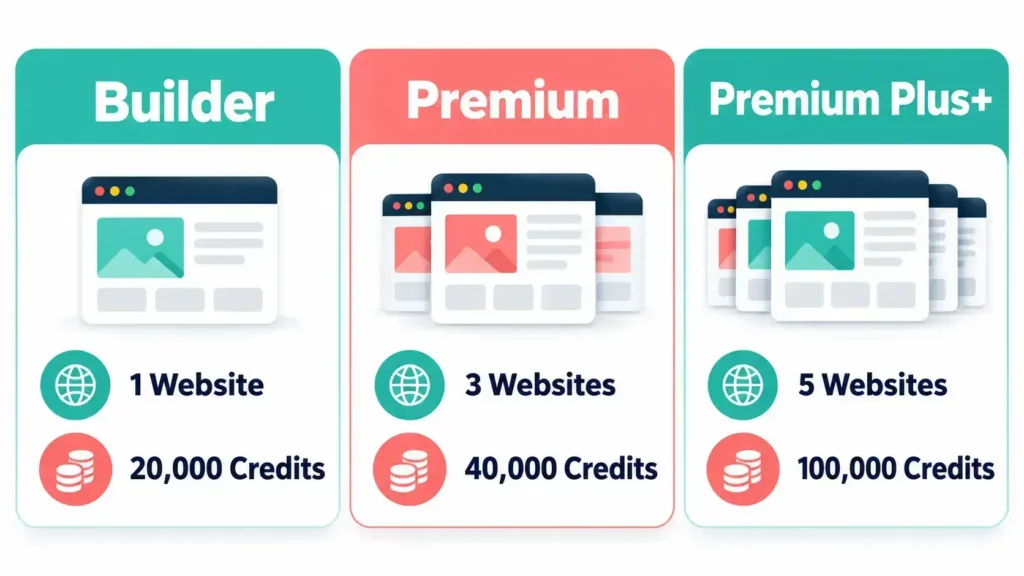
The cheapest plan is not automatically the best value. The most expensive plan does not automatically produce better results either. Value depends on whether you use the capacity included in your membership.
Quick Note: I’m John Crossley, founder of Flex For Families. I review online business opportunities through the lens of family life, focusing on costs, time commitments, risks, and whether they genuinely help parents create more flexibility.
What Is Wealthy Affiliate Builder?
Wealthy Affiliate Builder is the entry-level paid membership. It is designed for someone who is ready to build one online business but does not yet need the website and AI capacity included with Premium.
At $29 per month or $290 per year, Builder lowers the cost of moving beyond the free Starter membership.
It includes one website, 20,000 monthly AI credits and up to 100 Ace messages per day. It also provides access to the core environment used to plan, create and grow a business.
That matters because the rebuilt Wealthy Affiliate platform no longer separates the process into as many disconnected tools. Studio brings content creation together. Keyword and topic research now form part of the wider content process. Ace can help you research, understand tasks and find your next step.
For a beginner, one website is often enough.
Building a useful site requires time for:
- Choosing and understanding an audience
- Planning connected content
- Writing and improving articles
- Learning basic SEO
- Creating an email list
- Promoting content
- Reviewing performance
- Updating older pages
Starting several websites can split your time before the first one has gained any momentum. Builder encourages you to concentrate on one project.
Who Is Builder Best For?
Builder is likely to suit you if:
- You have explored Starter and are ready to commit
- You want to build one website
- You are new to blogging or affiliate marketing
- You want to control your starting costs
- You need structured learning and practical tools in one platform
- You are willing to upgrade later if your business grows
What Are the Limits of Builder?
The main limits are straightforward. You receive one website and a smaller monthly credit allowance than Premium members.
That may become restrictive if you already manage several websites, create content at a high volume or regularly use the AI tools across several channels.
Builder should still cover the needs of many first-time website owners. You can monitor how you use it before paying more.

What Do You Get With Wealthy Affiliate Premium?
Premium increases your allowance to three websites and 40,000 monthly AI credits. It is the strongest middle option for members who need more room without paying for the maximum Premium Plus+ capacity.
Premium currently costs $49 per month or $490 per year.
The difference between Builder and Premium is $20 per month when paying monthly. Over a year, the listed annual plans differ by $200.
The practical question is whether those additional websites and credits solve a real problem for you.
Premium may make sense if:
- You already operate more than one active website
- You are moving an existing website to the platform
- You use AI credits consistently and need more capacity
- You have moved beyond experimenting and know how you will use the extra features
- Your online business can support the higher cost
Three website spaces can be useful. They can also encourage a beginner to start new projects too early.
I learned this lesson through my own online journey. A new idea can feel exciting, but every extra website adds research, content, maintenance and promotion. One properly developed website usually offers a better use of limited time than three neglected ones.
What Does Premium Plus+ Add?
Premium Plus+ is the highest Wealthy Affiliate membership. It provides five websites, 100,000 monthly AI credits and up to 200 Ace messages per day. It is best suited to members who can use that extra capacity consistently.
Premium Plus+ currently costs $99 per month or $990 per year.
I use Premium Plus+ and have used all the features available to me. I consider it a fantastic platform. It helped when I was starting, but it also remains useful as my experience has grown.
The reason is simple. Online business keeps changing.
Search behaviour changes. AI tools develop. Content formats expand. Platforms update their rules. A person who has built websites for several years still has new things to learn.
Wealthy Affiliate now places more emphasis on AI-supported research and creation. Studio can help members develop content for blogs, social media and YouTube. Ace provides guidance within the working environment. The Learning section helps you find training based on what you need to understand next.
Premium Plus+ gives a frequent user more room to use those features.
Who Is Premium Plus+ Best For?
Premium Plus+ may suit you if:
- You operate several active websites
- You regularly use the AI tools and need the larger credit allowance
- You create content across several channels
- You value continued and advanced learning
- Your business already generates enough income to justify the subscription
- You know exactly how the higher limits will support your work
It is not the automatic choice for a beginner. It becomes better value when the extra capacity supports a clear working process.
Builder vs Premium: Is Premium Worth the Extra Cost?
Premium is worth the additional cost when you need more than one website or expect to use more than 20,000 AI credits each month. If you are building your first website, Builder may provide everything you need at a lower price.
Here is the most useful way to compare them:
| Question | Choose Builder If… | Choose Premium If… |
|---|---|---|
| How many websites do you need? | You are building one | You have two or three active sites |
| How much can you spend? | You want the lower paid entry point | The additional $20 monthly fits your budget |
| How much AI capacity do you need? | 20,000 credits should cover your workflow | You expect to need 40,000 credits |
| How experienced are you? | You are learning and building your first business | You understand how you will use the additional capacity |
| Should you prepare for future ideas? | Upgrade when the need exists | You already have a second project ready |
Do not pay for Premium because you may build another website one day. Upgrade when that second website has a defined audience, purpose and realistic plan.
Premium vs Premium Plus+: Is the Upgrade Worth It?
The Premium Plus+ upgrade is worthwhile for a member who needs five websites, substantially more AI credits or heavier Ace usage. Premium remains enough for many experienced bloggers who do not need those limits.
Premium Plus+ costs twice as much as Premium on the listed monthly and annual prices.
In return, the website allowance rises from three to five. Monthly credits increase from 40,000 to 100,000. The daily Ace limit rises from 100 to 200 messages.
That is a meaningful increase for someone using the platform heavily. It is unnecessary capacity for someone publishing occasionally on one website.
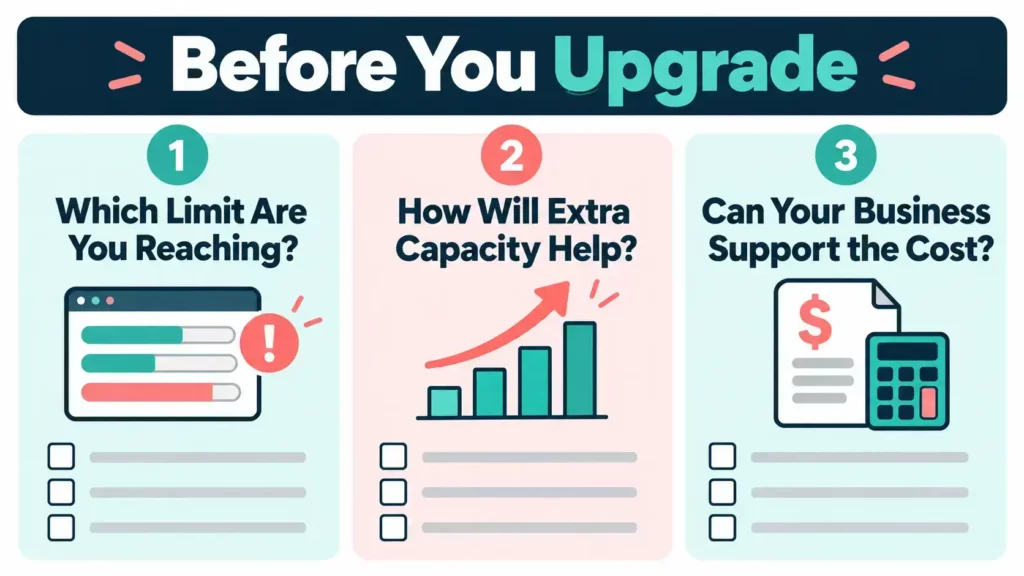
Ask yourself three questions before upgrading:
- Which Premium limit am I currently reaching?
- How will the additional capacity improve my weekly work?
- Can my business comfortably support the extra cost?
If you cannot answer those questions, remain on Premium until the need becomes clearer.
Is Wealthy Affiliate Builder Enough for a Beginner?
Yes. Builder should be enough for many beginners because it supports one website and includes the main tools needed to plan, create and develop an online business.
A beginner does not need five websites to succeed. They need one clear audience, a useful website and enough time to keep helping that audience.
Builder also gives you a sensible way to test your commitment. You can learn how much content you can realistically create, which tools you use and whether your first website needs more capacity.
If you later need three websites or more monthly credits, you can upgrade. Starting with Builder does not lock you into it permanently.
When Should a Beginner Consider Premium Instead?
Premium may be the better starting choice if you already have an established website, need to host more than one genuine project or know that your planned workflow will exceed Builder’s credit allowance.
Those are practical reasons. Fear of missing features is not.
Should You Build More Than One Website?
Most beginners should concentrate on one website until they have a consistent publishing process, growing traffic and a clear monetisation plan. Additional website allowances only add value when you can maintain the sites properly.
I understand the attraction of launching another idea. I have built several websites since joining Wealthy Affiliate in 2016. Experience has taught me that each site needs more work than its initial setup suggests.
Your website needs more than articles. You may also need to:
- Create internal links
- Reply to comments and emails
- Check facts and update old content
- Improve calls to action
- Monitor search performance
- Build an email sequence
- Create social content
- Maintain plugins and WordPress
For a busy parent, a larger website allowance should not become a target. It is capacity you can use when your family time and business justify it.
How Important Are Wealthy Affiliate AI Credits?
AI credits matter if you regularly use Wealthy Affiliate’s creation tools, but they should not decide your membership on their own. Your website allowance, learning needs, budget and actual workflow matter too.
Credit use will vary. Someone creating occasional blog content will use fewer credits than a member producing blog posts, social content, images and YouTube material across several businesses.
The rebuilt platform makes AI a larger part of the working process. That increases the relevance of the monthly allowance, especially for experienced creators who use Studio and Ace frequently.
Before upgrading for more credits:
- Track your normal monthly use
- Remove tasks that do not add value
- Check the current price of credit top-ups
- Compare a top-up with the cost of upgrading
- Consider whether you need the other benefits of the higher plan
Do not generate content simply because credits are available. AI should improve your efficiency and help you serve the reader. It should not encourage you to publish material that has not been checked or improved.

Does Wealthy Affiliate Stay Useful as You Gain Experience?
Yes, Wealthy Affiliate can remain useful after the beginner stage because it combines ongoing learning, hosting, research, AI-supported creation and community access. Its long-term value depends on whether you continue using those resources.
I joined in September 2016 and upgraded within seven days. I currently use Premium Plus+.
My needs have changed considerably since I started. I no longer need basic explanations of what affiliate marketing is. I do need to keep learning about changing search behaviour, content strategy, AI tools and more efficient ways to run an online business around work and family.
The new platform supports that better than the old layout.
Previously, it was easy to land on the community feed and spend time scrolling. The rebuilt dashboard takes you to the business end. Your Hub presents tasks connected to your business. Studio combines creation functions. Learning adapts to the subject you want to understand. Search helps you find relevant support, and the community remains available when you need it.
The official introduction to the rebuilt platform also made clear that the early weeks would involve feedback and fixes from the community. That is worth remembering while such a substantial update settles in.
The platform has had some early bugs. Kyle and Carson have responded to reports and worked through the issues raised by members. That does not make the launch perfect, but it shows active development rather than an abandoned product.
Wealthy Affiliate also continues to provide training from active industry experts. For me, that continued learning is a major reason the platform remains relevant.
My Experience With Premium Plus+
I use Premium Plus+ because I value the full platform, higher capacity and continued learning. I think it is worth the cost for my current work, but I would not tell every beginner to start there.
I joined Wealthy Affiliate when my son had just turned four. Like many people, I initially wanted to create more financial flexibility for my family.
My first Wealthy Affiliate commission took around six months. The platform did not produce that result for me automatically. I needed to create content, build traffic and keep working when progress felt slow.
Over the years, I have used the training, websites, community, research tools and content features. I now use what I have learned to build Flex For Families, where I help busy parents approach blogging and flexible income realistically.
Premium Plus+ works for me because I use the platform as an ongoing business resource. It would offer poor value if I paid for it but rarely logged in, ignored the training and left its tools unused.

Which Wealthy Affiliate Plan Offers the Best Value?
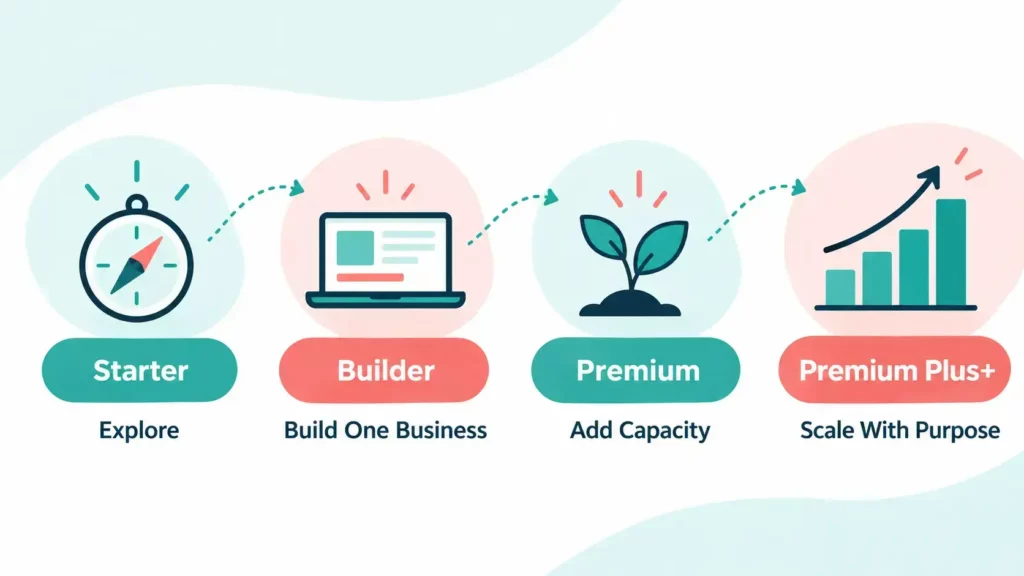
There is no single best plan for every member. The strongest value depends on your current stage.
Choose Starter If You Are Still Exploring
Use the free membership to understand the platform, test the dashboard and decide whether its approach suits you.
Do not treat Starter as a complete long-term business plan. Use it to make an informed decision.
Choose Builder If You Are Starting One Business
Builder is my likely recommendation for a beginner who has completed the initial Starter steps and wants to build one proper website.
It provides a lower paid entry point while keeping your attention on one project.
Choose Premium If You Need More Capacity
Premium is the most balanced option for someone who needs up to three websites or more monthly AI credits.
It gives you more room without the full Premium Plus+ price.
Choose Premium Plus+ If You Will Use the Full Platform
Premium Plus+ is the plan I use. It makes sense when you need its higher limits and treat the platform as an active part of your business.
It should be a deliberate purchase, not the default choice because it is the highest level.
Wealthy Affiliate Builder vs Premium vs Premium Plus+: My Verdict
Builder is the best starting value for many new members. Premium offers the strongest middle ground. Premium Plus+ is a valuable advanced membership for people who will use its higher capacity.
I consider Wealthy Affiliate a fantastic platform for people starting an online business. I also know from nearly ten years of membership that it can remain useful as your experience grows.
The learning does not stop once you publish a website. SEO changes. AI changes how we research and create. New traffic channels appear. Your audience develops. Wealthy Affiliate’s move towards an integrated business, learning and AI environment helps it remain relevant.
My advice is simple:
- Start with the free membership and explore the platform.
- Choose Builder when you are ready to focus on one business.
- Upgrade to Premium when additional websites or credits meet a real need.
- Choose Premium Plus+ when you can use its full capacity consistently.
Start exploring Wealthy Affiliate for free
For a wider assessment of the platform, read my Wealthy Affiliate Review 2026. You can also read How Does Wealthy Affiliate Work? and Is Wealthy Affiliate Worth It in 2026? before deciding.

About the Reviewer
Hi, I’m John Crossley, founder of Flex For Families.
I’m a parent, blogger, and online business owner who helps families find realistic ways to create more flexibility through blogging, affiliate marketing, and online business.
Like many people, I’ve spent years researching online opportunities, testing platforms, and learning how to separate genuine business models from expensive hype. I’ve also experienced the frustration of chasing opportunities that promised freedom but demanded more time away from family.
Today, I use that experience to review courses, side hustles, AI opportunities, and online business programmes through a simple lens:
Will this genuinely help parents create more flexibility, or will it create more pressure?
Every review on Flex For Families focuses on costs, time commitments, risks, and realistic expectations, so you can make informed decisions before investing your time or money.
Frequently Asked Questions
What Is the Cheapest Paid Wealthy Affiliate Membership?
Builder is currently the cheapest paid Wealthy Affiliate membership at $29 per month or $290 per year. It includes one website, 20,000 monthly AI credits and up to 100 Ace messages per day. Check the official pricing before joining because membership prices and limits can change.
Is Wealthy Affiliate Builder Enough for a Beginner?
Builder should be enough for many beginners. It supports one website and provides access to the core tools needed to plan, create and grow an online business. A beginner can upgrade later if they need more websites or regularly exceed the included AI allowance.
What Is the Difference Between Builder and Premium?
Builder includes one website and 20,000 monthly AI credits. Premium includes three websites and 40,000 monthly credits. Both currently provide up to 100 Ace messages per day. Premium costs more and suits members who can use the additional website and AI capacity.
Is Wealthy Affiliate Premium Plus+ Worth It?
Premium Plus+ can be worth it for an established member who uses several websites, creates content frequently and needs a larger AI allowance. I use Premium Plus+ and value its capacity and continued learning. It is unlikely to be the most economical starting point for every beginner.
Can I Upgrade My Wealthy Affiliate Membership Later?
Yes. You can begin with the free Starter membership or a lower paid plan and upgrade when your needs change. This allows you to test your workflow before paying for additional websites and credits.
How Many Websites Can I Build With Each Membership?
At the time of writing, Builder includes one website, Premium includes three and Premium Plus+ includes five. The free Starter membership includes a practice website. Confirm the current allowances on Wealthy Affiliate before purchasing.
Which Wealthy Affiliate Plan Offers the Best Value?
Builder offers the best starting value for many beginners building one website. Premium provides a balanced option for members who need more capacity. Premium Plus+ offers the greatest limits, but it provides good value only when you use those additional resources consistently.
Let’s Chat
Which Wealthy Affiliate membership are you considering? Are you starting your first website, or do you need more capacity for an established business? Share your situation in the comments and I will help you think through the options.