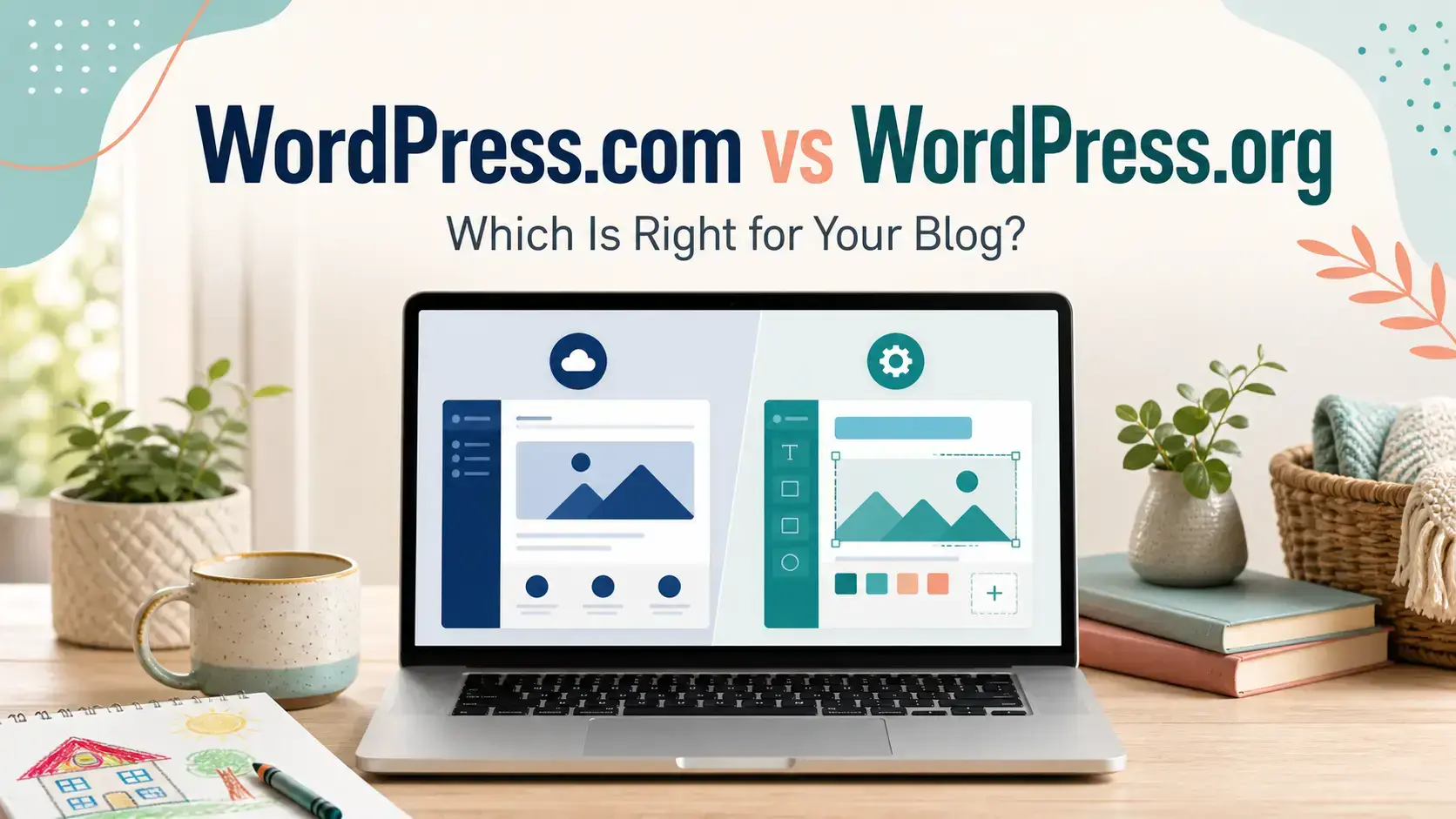
If you have decided to start a blog, you have probably encountered two options that sound almost identical:
- WordPress.com
- WordPress.org
They both use WordPress, but they are not the same service.
This confused me when I first started building websites. My first experience with WordPress was through Wealthy Affiliate, where the hosting and setup were handled for me. I could concentrate on learning how to build a website instead of working out how all the technical pieces fitted together.
Since then, I have used WordPress for blogs and our wedding business website. What I have learned is that there is no single best choice for everyone.
The right option depends on what you want to build, how much control you need and how much help you want along the way.
WordPress.com vs WordPress.org: The Quick Verdict
Choose WordPress.com if you want a simple personal website or hobby blog and would prefer the hosting, security and basic maintenance to be managed for you.
Choose WordPress.org with independent hosting if you are comfortable arranging your own hosting and want greater control over your website. This can be a good route for experienced bloggers, confident DIY users and small businesses with clearly defined requirements.
Consider Wealthy Affiliate if you want to build a self-hosted WordPress website but also need step-by-step training, hosting, research tools and community support.
Here is the simplest way to look at it:
| Your situation | Potentially best option |
|---|---|
| You want a simple personal or hobby site | WordPress.com |
| You want to experiment without committing to a full business | WordPress.com |
| You understand websites and want maximum control | WordPress.org with your chosen host |
| You are building a conventional small-business website | WordPress.org with suitable hosting |
| You want affordable beginner-friendly WordPress hosting | A host such as Bluehost |
| You want to start a blog but need training and support | WordPress.org through Wealthy Affiliate |
| You want hosting, training and blogging tools together | Wealthy Affiliate |
There are exceptions, but this gives you a useful starting point.
What Is WordPress.com?
WordPress.com is a hosted website-building service operated by Automattic.
You create an account, select a plan and build your website without finding a separate hosting provider. WordPress.com takes care of much of the technical infrastructure, including hosting, security and routine platform maintenance.
There is a free option, although a free website normally uses an address such as:
yourblog.wordpress.com
It may be sufficient if you simply want to test an idea, share occasional updates or create a personal blog without worrying about earning income.
Paid WordPress.com plans allow you to use your own domain and access additional functionality. As of 2026, WordPress.com also permits plugin installation on its paid plans, so some older comparisons claiming that plugins are completely unavailable are now outdated.
WordPress.com can therefore support more than a basic blog. Depending on your plan, you can add plugins, upload themes, collect payments, display advertising and create an online shop.
The main appeal is convenience. Hosting and many technical responsibilities are kept within one service.
What Is WordPress.org?
WordPress.org is the home of the open-source WordPress software.
It is sometimes called “self-hosted WordPress,” although WordPress.org does not actually host your website.
You download or install the WordPress software through a separate hosting company. Your host provides the server where your website lives, while WordPress provides the system you use to create and manage it.
Many hosting companies offer one-click WordPress installation, so you rarely need to download the software manually.
With this route, you will normally need:
- A domain name
- Website hosting
- An SSL certificate
- A WordPress installation
- A theme
- Any plugins required by your website
- Backups and security arrangements
Some hosts include most of these features in one package. Others leave more of the setup and maintenance to you.
The WordPress software itself is free. Running the website is not necessarily free because you still need hosting and usually a domain.
What Is the Main Difference?
The biggest difference is how the website is hosted and managed.
With WordPress.com, the hosting and WordPress service are bundled together.
With WordPress.org, you choose where the WordPress software is hosted. That could be Bluehost, Wealthy Affiliate or another hosting provider.
This generally gives you more control, but it can also give you more responsibility.
A useful comparison is renting a furnished home versus arranging your own home.
WordPress.com is closer to moving into a property where many decisions and maintenance tasks are handled for you. You can personalise it, but you operate within the provider’s environment.
Self-hosted WordPress gives you greater freedom to choose how everything is configured. That freedom can be valuable, but someone still needs to handle maintenance, security and repairs.
WordPress.com vs WordPress.org at a Glance
| Feature | WordPress.com | WordPress.org |
| Hosting included | Yes | No, you choose a host |
| Free option | Yes | Software is free, but hosting is required |
| Custom domain | Available with paid plans | Yes, purchased or included through a host |
| Plugins | Available on paid plans | Available |
| Third-party themes | Available on paid plans | Available |
| Maintenance | Largely managed for you | You or your host manage it |
| Technical control | Depends on your plan | Generally much greater |
| Affiliate links | Permitted within WordPress.com’s rules | You set your own policies |
| Advertising | Available, with plan-dependent features | You choose your advertising services |
| Ecommerce | Available through suitable plans and WooCommerce | Available through WooCommerce and other tools |
| Beginner support | Platform support on paid plans | Depends on your host and other services |
| Blogging and business training | Limited | Depends on the provider you choose |
| Best suited to | Convenience and simpler websites | Growth, control and flexible business use |
Quick Note: I’m John Crossley, founder of Flex For Families. I review online business opportunities through the lens of family life, focusing on costs, time commitments, risks, and whether they genuinely help parents create more flexibility.
Which Is Easier for Beginners?
WordPress.com may feel easier initially because you do not need to choose a separate host or connect several services.
You can create an account, choose a design and begin adding content. Security, hosting and many technical settings are handled within the platform.
However, there is another side to beginner-friendliness.
A platform can be technically simple but still leave you wondering:
- What should my blog be about?
- Which pages do I need?
- How do I find keywords?
- How do I attract visitors?
- How can I earn from my content?
- What should I do when I get stuck?
That is where a platform such as Wealthy Affiliate becomes relevant.
Wealthy Affiliate uses WordPress websites but combines the hosting with structured training, keyword-research tools and community support. For someone who wants to build an income-focused blog and has never done it before, that wider guidance can matter more than simply having an easy website builder.
Which Gives You More Control?
Self-hosted WordPress normally provides the greatest degree of control.
You choose:
- Your hosting company
- Your WordPress theme
- Your plugins
- Your backup solution
- Your security tools
- Your advertising networks
- Your ecommerce setup
- How the website is monetised
- Who can access the website files and database
That makes WordPress.org attractive to established bloggers, developers and businesses with specific requirements.
WordPress.com has become much more flexible than it once was. Its paid plans now support plugins and uploaded themes, while higher plans offer developer features such as backups, staging sites and server access.
However, you are still using WordPress within WordPress.com’s hosted environment and subject to its plans and terms.
For many users, that is a perfectly reasonable compromise. Others will prefer the flexibility of choosing their own host.
Can You Make Money With WordPress.com?
Yes, WordPress.com websites can be monetised.
WordPress.com permits methods including:
- Affiliate links
- Sponsored content
- Payments
- Paid newsletters
- Membership content
- Product sales
- WordAds
- Third-party advertising on suitable plans
- WooCommerce stores
However, WordPress.com states that websites should not exist primarily to direct visitors towards affiliate links or contain mostly sponsored content.
This does not prevent someone from creating a useful blog and including relevant affiliate recommendations. It does mean that low-value sites created mainly to push affiliate offers may breach the platform’s rules.
Some monetisation features also depend on having the appropriate paid plan.
Self-hosted WordPress gives you more direct control over monetisation. You can choose your affiliate programs, install advertising code and select the services you want to use, subject to the law and the terms of those individual services.
If building income is your long-term goal, self-hosted WordPress will usually provide the clearest growth path.
Which Is Better for SEO?
Both versions can produce content that appears in search engines.
WordPress.com includes basic SEO functionality, and its higher plans provide additional SEO tools. You can also install SEO plugins on paid plans.
With self-hosted WordPress, you have greater freedom to select your SEO plugin, modify technical settings, improve performance and integrate specialist tools.
This does not mean that choosing WordPress.org automatically gives you better rankings.
Your results still depend on factors such as:
- Publishing genuinely helpful content
- Understanding what readers are searching for
- Organising your website clearly
- Using relevant internal links
- Providing a good reader experience
- Building trust and authority
- Keeping the website technically healthy
The platform matters, but it cannot replace a sensible content and SEO strategy.
How Much Do WordPress.com and WordPress.org Cost?
WordPress.com offers a free option and several paid plans. The price depends on the plan, country, currency and whether you pay monthly or annually.
Higher plans introduce more storage, monetisation features, backups, advanced developer access and ecommerce functionality.
WordPress.org software is free, but a self-hosted website may involve paying for:
- Hosting
- A domain name
- Premium themes
- Premium plugins
- Backups
- Security services
- Developer support
You do not necessarily need to purchase all of these separately. A good hosting package may include a domain, SSL certificate, backups and security features.
This is why comparing only the lowest advertised price can be misleading.
The better question is:
What will I need to spend to create and run the website I actually want?
A cheap hosting plan can be excellent for a confident user. For a beginner, paying for a package that includes more guidance may save time and prevent costly mistakes.
Which Is Better for a Hobby Blog?
WordPress.com is a sensible choice for a simple hobby or personal blog.
The free version allows you to start publishing without purchasing hosting. This could suit someone who wants to:
- Keep a personal journal
- Share family updates
- Experiment with writing
- Create a simple community project
- Test whether they enjoy blogging
You can move to a paid plan if you later want your own domain or additional features.
If the blog develops into a business, you can reassess whether WordPress.com still provides what you need.
Which Is Better for a Small Business?
For a small business, self-hosted WordPress will often be the stronger option because of the flexibility it provides.
A business may need:
- Service pages
- Enquiry forms
- Appointment booking
- Local SEO
- Analytics
- Ecommerce
- Email integrations
- Specialist plugins
- Control over backups and website access
WordPress.org with a suitable host can handle all of these requirements.
A hosting company such as Bluehost may make sense if you know what you want and are comfortable managing your website or arranging help when needed.
WordPress.com can also support business websites, especially on its higher plans. The correct decision depends on your budget, technical requirements and desired level of control.
Which Is Better for Starting a Blog?
If you want to create a personal blog without a business goal, WordPress.com may be all you need.
If you want to build a blog that could eventually earn income, I would generally lean towards self-hosted WordPress.
It gives you room to:
- Develop your own brand
- Build search traffic
- Join affiliate programs
- Display advertising
- Collect email subscribers
- Sell products or services
- Change hosting providers as your needs evolve
The next decision is whether you want to arrange that independently or receive help while learning.
Ordinary WordPress Hosting vs Wealthy Affiliate
This is where your own experience and confidence become important.
If you already understand domains, hosting, WordPress, plugins and basic SEO, you may be perfectly happy choosing a conventional host.
For example, Bluehost offers WordPress hosting intended to help beginners get a website online without manually installing everything. You can read my full Bluehost review to decide whether it suits your requirements.
Wealthy Affiliate is different because it is not simply a hosting company.
It combines:
- Managed WordPress hosting
- Website-building tools
- Affiliate-marketing training
- Blogging and SEO education
- Keyword research
- Community support
- Technical support
- Ongoing classes and resources
You are still building a WordPress website. The difference is that you also receive guidance about what to do with it.
That makes Wealthy Affiliate a natural option for someone saying:
“I want to start a blog, but I do not know where to begin.”
It may be unnecessary for an experienced business owner who only needs hosting. It makes more sense for a beginner who wants the platform, education and support in the same place.
My Experience of Starting WordPress Through Wealthy Affiliate
I have not personally built a website using WordPress.com, so I do not want to pretend that I have first-hand experience of its dashboard or support.
My first experience with WordPress came through Wealthy Affiliate.
At the time, that made sense for me because I did not simply need somewhere to host a website. I needed help understanding how websites, content, SEO and affiliate marketing worked together.
Wealthy Affiliate made the initial WordPress setup feel manageable. I did not need to begin by comparing technical server requirements or working out how to install WordPress manually.
I could get the website online and concentrate on learning.
I have also used Wealthy Affiliate’s hosting for our wedding business website. That experience showed me that its WordPress hosting is not limited to affiliate blogs. It can support other types of websites when the hosting and available features match the business’s needs.
However, this does not mean I would recommend Wealthy Affiliate to every business owner.
Someone with an established business, a developer and a detailed technical plan may prefer independent hosting. Someone completely new to blogging may benefit much more from having training and support alongside the website.
It comes back to your goals.
The Advantages and Disadvantages of WordPress.com
Advantages
- Hosting is included
- A free starting option is available
- Security and maintenance are largely managed
- Paid plans include support
- Common features are built into the platform
- Plugins and uploaded themes are available on paid plans
- You can upgrade as your website develops
Disadvantages
- The free option uses a WordPress.com address
- Free sites cannot install plugins
- Important features depend on maintaining a paid plan
- You have less infrastructure control than with independent hosting
- Downgrading to the free plan can remove plugin functionality and customisations
- It may become less attractive as your technical requirements grow
The Advantages and Disadvantages of WordPress.org
Advantages
- Greater control over your website
- Freedom to choose your hosting company
- Extensive theme and plugin options
- Flexible monetisation
- Suitable for blogs, business sites and ecommerce
- Easier to create a setup tailored to specific requirements
- You can move between compatible hosts
Disadvantages
- You need separate hosting
- Costs can extend beyond the basic hosting price
- Maintenance responsibilities depend on your host
- Poorly chosen plugins can create security or performance problems
- Beginners may need additional training or support
- More control also means more decisions
How to Decide Which Version Is Right for You
Ask yourself these five questions:
1. What am I building?
A private hobby blog has very different requirements from an income-focused blog, local-business website or ecommerce store.
2. How important is long-term control?
If you expect to use specialist plugins, advertising services or custom integrations, self-hosted WordPress may offer the better foundation.
3. How much help do I need?
If you understand WordPress and only need hosting, a conventional host may be sufficient.
If you need help choosing a niche, finding keywords and creating content, a training platform may be more valuable.
4. What is my realistic budget?
Consider the full annual cost rather than an introductory headline price. Include renewals, domains, themes, plugins and any support you might require.
5. Is this a personal project or something I want to grow?
You can begin with WordPress.com and move later, but starting with an appropriate long-term setup may prevent additional migration work.

About the Reviewer
Hi, I’m John Crossley, founder of Flex For Families.
I’m a parent, blogger, and online business owner who helps families find realistic ways to create more flexibility through blogging, affiliate marketing, and online business.
Like many people, I’ve spent years researching online opportunities, testing platforms, and learning how to separate genuine business models from expensive hype. I’ve also experienced the frustration of chasing opportunities that promised freedom but demanded more time away from family.
Today, I use that experience to review courses, side hustles, AI opportunities, and online business programmes through a simple lens:
Will this genuinely help parents create more flexibility, or will it create more pressure?
Every review on Flex For Families focuses on costs, time commitments, risks, and realistic expectations, so you can make informed decisions before investing your time or money.
My Final Verdict
WordPress.com and WordPress.org are both legitimate ways to create a website. Neither is automatically right for everyone.
I would choose WordPress.com for a straightforward personal site or hobby blog where convenience matters more than complete control.
I would choose self-hosted WordPress for a serious blog or business website that needs greater flexibility and room to grow.
Within the self-hosted route:
- Choose an independent host if you know what you are doing and mainly need somewhere reliable to run WordPress.
- Consider Bluehost if you want accessible WordPress hosting without joining a wider training platform.
- Consider Wealthy Affiliate if you are starting a blog from scratch and want hosting, training, research tools and support together.
Wealthy Affiliate is not the recommendation merely because it uses WordPress.
It becomes the recommendation when the person needs help turning a new WordPress website into a structured, long-term blogging project.
That is the important difference.
Not Ready to Choose Yet?
You do not have to buy hosting or select a platform today.
Start by working out:
- Why you want to create a blog
- Who you want to help
- What you could write about
- How much time you realistically have
- Whether income is a long-term goal
My free Parent Blogging Starter Kit will help you work through those first decisions without rushing into a platform that may not suit you.
The goal is not to choose the most impressive technology.
It is to choose the route that gives you the best chance of building something useful and sustainable around your family life.
Frequently Asked Questions
Is WordPress.org really free?
The WordPress software is free and open source. You will normally need to pay for hosting and a domain to make the website publicly available. Optional premium themes and plugins can add further costs.
Can I use affiliate links on WordPress.com?
Yes. WordPress.com permits affiliate links, but it does not allow websites that exist mainly to direct visitors to affiliate offers or contain predominantly sponsored content. Your website should provide genuine original value.
Can WordPress.com use plugins?
As of 2026, plugins can be installed on WordPress.com paid plans. Free WordPress.com sites need to upgrade before installing plugins.
Is WordPress.org better for SEO?
Self-hosted WordPress provides more technical control and a wide choice of SEO tools. However, it does not guarantee rankings. Content quality, relevance, site structure and reader experience remain essential.
Does Wealthy Affiliate use WordPress.com?
No. Wealthy Affiliate provides hosted WordPress websites using the WordPress software associated with WordPress.org. It adds hosting, training, tools and support around that software.
Is Bluehost the same as WordPress.org?
No. WordPress.org provides the WordPress software. Bluehost is one of many companies that can host a WordPress website.
Can I move from WordPress.com to self-hosted WordPress?
Yes. WordPress content can be exported and moved to a self-hosted installation. Depending on the site’s design, plugins and features, some elements may need to be recreated or configured again.
Which option is best for a complete beginner?
For a simple personal website, WordPress.com may provide the easiest starting point.
For someone who wants to build an income-focused blog, self-hosted WordPress with suitable training and support may be the better long-term choice. This is where Wealthy Affiliate can provide additional value beyond hosting alone.
Let’s Chat
Choosing between WordPress.com and WordPress.org can feel confusing, especially when you are building your first website.
Which option are you considering?
Are you looking for a simple personal blog, a website for your business or a blog that could eventually produce income?
Perhaps you have already tried one version of WordPress and found something you liked—or something that frustrated you.
Share your experience or questions in the comments below. I would love to hear what you are planning and help you think through which route might best suit your goals.