

Email marketing can feel complicated when you’re already juggling family life, but Kit keeps it simple. It’s built for creators who want to grow an audience, build trust, and earn from their work without needing tech skills.
If you’re a parent blogger, that’s a big win. Kit helps you stay consistent even when your time is limited. You can set up forms, send newsletters, and start automations in minutes.
I’ve been using the free plan myself, and it’s easy to connect with WordPress. Embeds and forms work smoothly, and everything feels intuitive. The platform keeps your focus on writing, not setup.
Kit is worth it if you want a reliable, straightforward tool that grows with you. Just note that costs rise once your list expands, so plan ahead. It’s ideal for new-to-intermediate parent bloggers who want clean, well-delivered emails and a gentle learning curve.
Tool Name: Kit, formerly ConvertKit
Company / Founder: Kit, founded by Nathan Barry
Website: kit.com
Type: Email marketing and creator commerce platform
Free Plan: Newsletter plan for up to 10,000 subscribers. Unlimited emails, forms, landing pages. Includes one basic visual automation with one sequence.
Paid Plans: Creator tier starts around $39/month for up to 1,000 subscribers. Roughly £31/month in the UK. Prices scale with list size. Annual discounts available.
Refund Policy: 30-day money-back policy on paid plans.
Commerce Fees: About 3.5% + $0.30 per transaction total when selling digital products.
WordPress Integration: Fast setup with official plugin. Works with Elementor and common form tools.
Best For: Parent bloggers who want simple setup, solid deliverability, clean emails, and basic automations.
Not Ideal For: Users who need heavy drag-and-drop design or very advanced multi-branch automations from day one.
Overall Rating: 4.6/5
Quick Verdict: Excellent for new to intermediate parent bloggers. Easy to use, integrates well with WordPress, and the free plan is generous. Costs rise as your list grows, so plan ahead.
UK vs US Notes: Features are the same. Pricing shows in USD. Factor in exchange rates and VAT if you are in the UK.
Want help building your email list the simple way?
Join the Parent Blogging Hub for step-by-step support, or read my Wealthy Affiliate review to learn how I grow traffic and income alongside email.
What Is Kit?
Kit (formerly ConvertKit) is an email platform built for creators. The name changed in 2024 to reflect its evolution beyond email marketing. The goal remains the same: help bloggers, writers, and solo entrepreneurs connect with their audience and earn from their work.
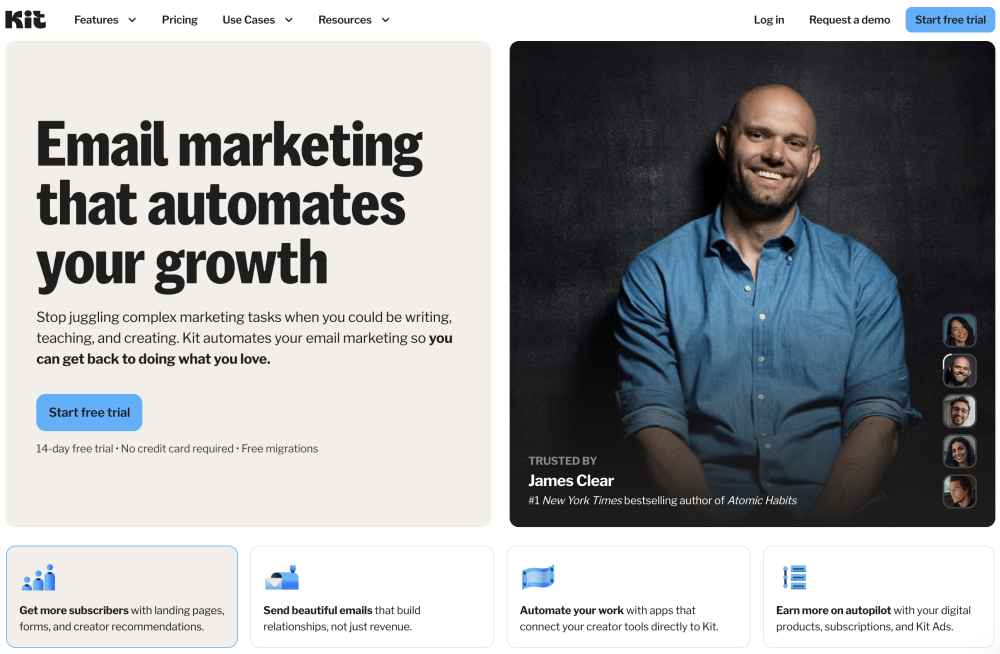
You can collect emails, send newsletters, and automate follow-ups without heavy tech. It also includes tools to sell digital products or subscriptions, making it a complete creator hub.
You get forms and landing pages you can embed on WordPress. You can tag subscribers by interest, then send targeted messages. You can set up sequences for welcomes, tips, or mini courses. You can also sell simple digital products or paid newsletters from the same account.
The editor is clean and simple. Emails load fast on mobile, which suits busy parents reading on phones. Integrations cover WordPress and common tools, so setup stays quick.
Who Owns Kit?
Kit was founded in 2013 by Nathan Barry, a creator and blogger who wanted a simpler way to connect with his readers. The company is still independent and based in the United States.

Nathan’s background in blogging shapes how Kit works today. It’s built for real creators who write, teach, and share, not big marketing agencies.
Kit’s team focuses on transparency and community. They publish updates openly and support creators through training, tutorials, and their Creator Network, which helps you cross-promote with others in your niche.
For parent bloggers, that shared creator mindset makes Kit feel more personal and supportive than many corporate-style email tools.
How Does Kit Work?
Kit handles everything from collecting email subscribers to sending automated messages and selling digital products.
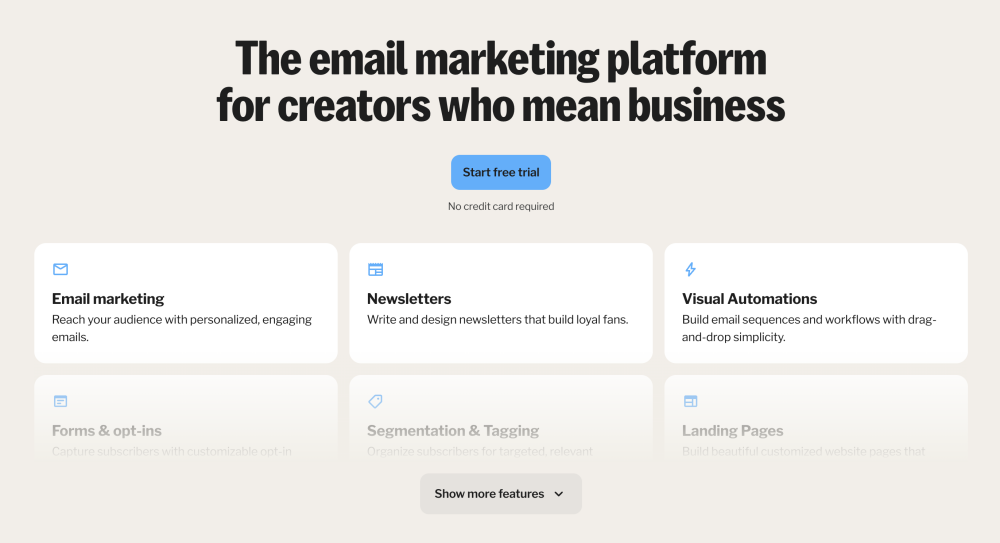
Here’s a simple breakdown of how it works:
- Create a Form or Landing Page – Add sign-up forms to your blog or create a hosted landing page for your lead magnet.
- Collect Subscribers – Visitors join your list and automatically get tagged based on how they signed up.
- Send Broadcasts – Write and send one-time newsletters or updates.
- Build Sequences – Create automated series such as welcome emails, parenting tips, or product promos.
- Segment Your List – Use tags to send the right content to the right readers (for example, parents of toddlers vs. school-age kids).
- Sell Products – Offer printables, e-books, or paid newsletters directly from your account.
Everything runs through a clear dashboard. You can see subscriber counts, open rates, and link clicks without hunting through menus.
Kit’s workflow suits parent bloggers who want a balance of automation and simplicity. It saves time without feeling complex.
Kit Features Explained
Kit keeps its tools practical and creator-focused. You don’t get endless menus or gimmicks. Instead, you get the features that help you grow and stay consistent, even when family life gets hectic.
Email Editor and Broadcasts
Kit’s editor is plain and clean. No drag-and-drop builder, but that’s part of the appeal. You focus on writing good content instead of designing flashy layouts. Emails are mobile-friendly and load quickly, which matters when most readers open messages on their phones.
Automations and Tagging
Tagging is one of Kit’s biggest strengths. You can label subscribers based on how they joined your list or what content they engage with.
For example, you could tag “New Parents,” “School-Age,” or “Blogging Tips,” then send each group tailored advice or resources.
The automation builder uses a simple visual flow. You can trigger sequences when someone joins, clicks a link, or buys a product.
Landing Pages and Forms
Kit’s built-in landing page builder is simple but flexible. You can host a page on Kit or embed forms into your WordPress site using the plugin.
Templates are minimal, but they match a blog-style aesthetic—clean and focused on conversion. Perfect for lead magnets like checklists or parenting guides.
Commerce and Monetisation
You can sell digital products directly through Kit without needing another platform. Think printable planners, e-books, or a short course.
You can also accept tips or create a paid newsletter.
Kit takes a small transaction fee, but setup is fast, and payments go through Stripe.
Deliverability and Analytics
Deliverability is strong. Emails reach inboxes, not spam folders. Analytics are easy to read. You see open and click rates at a glance. You can also check which links perform best in your campaigns.
Integrations and Ease of Use
Kit connects smoothly with WordPress, Shopify, WooCommerce, and Elementor.
You can sync forms to pop-ups, checkout pages, or affiliate offers. The interface is logical, with a short learning curve. Most users can launch their first campaign in under an hour.
Kit focuses on helping you spend more time creating and less time configuring. For parent bloggers who already have enough to manage, that’s a real advantage.
Kit Pricing (UK & US)
Here’s a clear breakdown of what the pricing looks like for Kit so you can compare free vs paid plans and understand what to expect as you grow.
Free Plan
Includes: unlimited forms, landing pages, email broadcasts.
Subscriber limit: up to 10,000 on the “Newsletter” plan according to Kit’s current pricing page.
Automations: very limited (often just one simple automation).
Ideal for: starting out, testing the tool, building your list without cost.
Paid Plans
Creator Plan: Starts around US $39/month for up to ~1,000 subscribers (2025 data) and increases as your list grows.
Creator Pro Plan: Offers advanced features (like deliverability reports, subscriber scoring, custom audiences) and scales with subscriber count.
Transaction / Commerce Fees
If you use the commerce functionality (selling digital products or subscriptions), you also pay transaction fees: around 3.5% + $0.30 (USD) per sale.
In UK / GBP: 3.5% + £0.20 per transaction.
UK vs US Notes
Features are the same whether you’re in the UK or US, but currency and possible VAT need to be considered for UK users.
Because pricing is listed in USD by default, UK bloggers should check exchange rates and any additional tax charges.
If you sell to the UK/Europe, note the GBP currency support for commerce fees.
What This Means for Parent Bloggers
You can start for free while you build your list and test the tool.
Once you exceed the free plan’s automation or subscriber thresholds, you’ll need to budget for the paid plan.
As your list grows (say 3,000–10,000 subscribers), your monthly cost will increase significantly—so factor that into your blog’s revenue goals.
The commerce fees are relatively low, so if you plan to sell printables, e-books, or paid newsletters, the built-in commerce feature adds real value.
Kit vs MailerLite vs ActiveCampaign
Choosing the right email tool depends on how you plan to grow and how much time you can invest in managing your list.
Below is a quick comparison of the three most popular options for parent bloggers.
| Tool | Ease of Use | Automation | Design | Price (1,000 subs) | Best For |
|---|---|---|---|---|---|
| Kit | Very easy | Moderate to strong | Minimalist | $29 / £23 | Bloggers and creators who want simplicity |
| MailerLite | Easy | Moderate | Visually polished | $15 / £12 | Beginners who like more design options |
| ActiveCampaign | Moderate learning curve | Advanced | Polished | $49 / £39 | Marketers who need complex automation |
Kit
Best all-round choice for parent bloggers. It’s easy to use, connects smoothly with WordPress, and offers the right mix of automation and simplicity. The interface is clean, which helps you focus on content instead of setup.
MailerLite
Cheaper at the start and offers better-looking templates. Ideal if you want strong visual design and simple automation. However, tagging and segmentation aren’t as advanced as Kit’s, and deliverability can vary.
ActiveCampaign
Powerful, but may feel heavy for new or part-time bloggers. It’s great for detailed automation, CRM tracking, and advanced funnels. The trade-off is a higher cost and a steeper learning curve.
For most parent bloggers, Kit sits comfortably in the middle—easy enough to manage during nap time, but capable enough to grow with your audience.
Pros of Kit
Easy to Use
Kit is simple to learn, even if you’ve never used email tools before. You can create your first form, tag, and campaign in minutes. The layout is clean, so you don’t waste time finding settings.
Strong Tagging and Segmentation
You can group readers by interests or actions. For example, tag those who downloaded a “toddler sleep guide” separately from those who signed up for “blogging tips.” It keeps your emails relevant and personal.
Excellent Deliverability
Emails reach inboxes, not spam. This helps you maintain strong open rates, which matters if you’re promoting products or affiliate links.
Integrates Well with WordPress
The official plugin makes adding forms to posts and pages fast. You can drop sign-up forms in sidebars, pop-ups, or landing pages without touching code.
Built-in Monetisation
Kit lets you sell printables, checklists, or e-books directly from your dashboard. It also supports tips and paid newsletters, perfect for parent bloggers with small digital products.
Creator-Focused Support
Kit’s help articles are clear and written for beginners. Support staff respond quickly and know the creator workflow.
Cons of Kit
Pricing Increases Fast
Once your list passes 1,000 subscribers, costs rise quickly. With over 5,000+ subscribers, the monthly fee can stretch a small budget.
Limited Visual Editor
You can’t drag and drop blocks or design heavily formatted emails. Templates are minimal, which some users find restrictive.
Few Advanced A/B Options
Kit supports subject-line split testing, but not deep content testing or multi-step funnels like ActiveCampaign.
Free Plan Limitations
The free plan is generous for starting out but lacks complex automations. You’ll need to upgrade to unlock full workflow options.
Commerce Fees
Sales include a small transaction fee. Not huge, but worth noting if you plan to sell many small digital products.
Can You Make Money Using Kit?
Yes, and that’s where it stands out for parent bloggers. You can combine email sequences, affiliate links, and product sales all in one place.
- Affiliate Marketing: Kit allows affiliate links in emails, so you can promote your favourite tools or courses safely.
- Digital Products: Sell printables, checklists, or e-books without needing Shopify or Gumroad.
- Nurture Sequences: Automate follow-ups that build trust and lead readers to your offers.
- Paid Newsletters: Kit supports subscriptions so you can earn from loyal readers directly.
The system works well for parents balancing time and income goals. You can automate once and let it run, freeing you up for content creation or family time.
Kit Customer Reviews
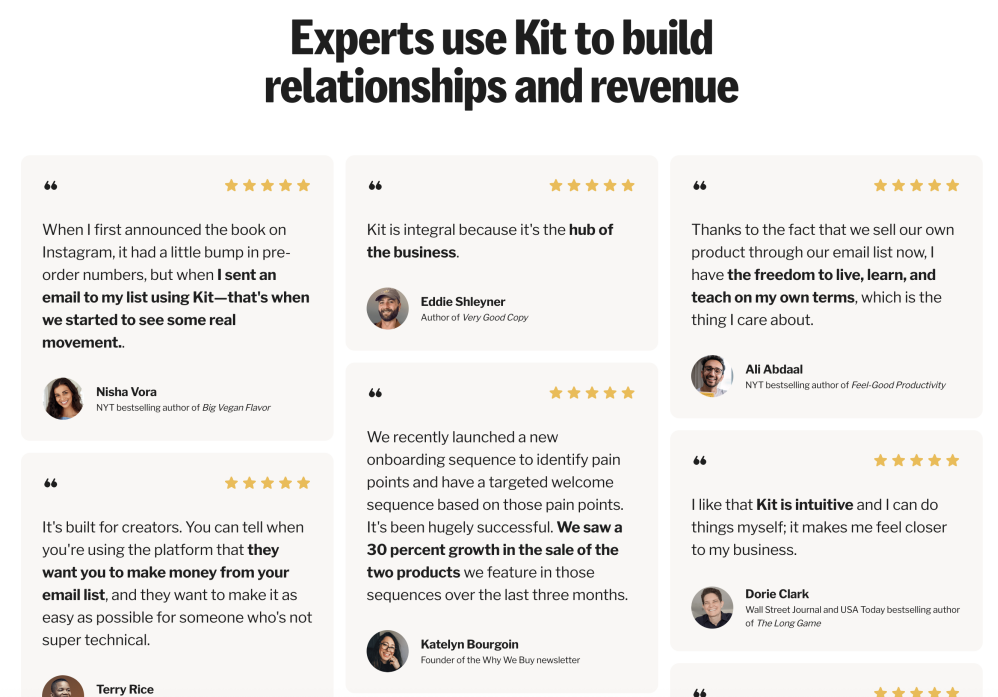
Kit earns consistently strong ratings across review platforms. Most users highlight ease of use, reliability, and responsive support. The main complaints tend to be about pricing and limited design options.
| Platform | Rating | Key Takeaway |
|---|---|---|
| G2 | 4.6 / 5 | Simple automation, clean design. Cost rises with growth. |
| Capterra | 4.7 / 5 | Great for creators and bloggers. Helpful support. |
| Trustpilot | 4.5 / 5 | Smooth migration and clear tutorials. Pricing noted by some. |
Overall, reviewers agree Kit works best for content-driven creators—not those needing advanced CRM tools. For parent bloggers, this balance of simplicity and automation is ideal.
Kit Review 2025: Final Verdict
Kit remains one of the best email tools for parent bloggers in 2025. It combines simplicity, automation, and reliability in a way that fits a busy home life.
If you want a tool that’s easy to learn, integrates with WordPress, and keeps your audience engaged without constant management, Kit is a smart pick.
It’s not the cheapest, but its balance of usability and creator-focused features makes it worth the investment once your list grows.
Start with the free plan, build momentum, then upgrade when your email list becomes a core part of your income.
Recommended Alternatives
If Kit doesn’t fully match your goals, here are a few strong alternatives:
- MailerLite: Great for beginners who want stylish templates and simple automation at a lower price.
- ActiveCampaign: Best for experienced bloggers who need deep funnels and advanced logic.
- Wealthy Affiliate: Perfect if you’re still building the foundation of your blog and want to learn how email fits into affiliate marketing.
Kit FAQ
Is Kit good for parent bloggers?
Does Kit work with WordPress?
What do I get on the free plan?
How does pricing differ for UK and US users?
Can I use affiliate links in Kit emails?
Is Kit GDPR compliant?
How do automations work?
Can I sell digital products with Kit?
Does Kit have A/B testing?
How do I segment my list?
Can I import my list from MailerLite or Mailchimp?
When should I upgrade from the free plan?
How does Kit compare to MailerLite and ActiveCampaign?
Let’s Chat
Are you using Kit already, or are you testing a different email platform for your blog? I’d love to hear what’s working for you.
Drop a comment below and share your experience. What do you like about your current setup, and what’s been the biggest challenge?
Your insight could really help other parent bloggers who are still deciding how to build and manage their email list.


This is a detailed and helpful review—thank you for sharing it. I hadn’t heard about Kit before, but it looks like a great tool for bloggers who prefer content simplicity over heavy design features. I didn’t realize it integrates so easily with WordPress and includes built-in monetization options like selling digital products—that’s a big plus.
I also appreciate how you compared Kit with other tools like MailerLite and ActiveCampaign. It really helps readers make decisions based on their experience level and goals. I’ve used ClickFunnels before, but I ended up quitting due to the high monthly cost. Kit seems more affordable and even offers more useful options for creators like me.
A question though:
Do you think the free plan offers enough for someone who’s just starting to build a list, or would you recommend jumping into the paid plan once automations are part of the strategy?
Thanks again—this review gave me a lot to think about!
Thanks so much! I really appreciate your thoughtful comment! I’m glad the review helped you get a clear picture of what Kit offers. You’re absolutely right — it’s a breath of fresh air for bloggers who want simplicity and focus without getting bogged down in overly complex design or pricing.
And I completely agree about ClickFunnels – great tool, but it can get expensive fast, especially when you’re just starting out. Kit definitely fills that gap for creators who want something affordable but still powerful.
As for your question, I’d say the free plan is perfect for getting started. It gives you everything you need to grow your list and start sending emails confidently. The single automation (or sequence) is usually enough in the early days while you’re finding your rhythm and building a small, engaged audience. Once your list grows and you’re ready to add more advanced automations or segmenting, then upgrading to the paid plan starts making sense.
Out of curiosity, what kind of content or products are you thinking of promoting through your email list?
John
Thanks for the helpful breakdown, John! That really clarified things. I’m not focused on building an email list just yet, but I still found your review valuable for understanding what Kit offers. It’s good to know there’s a simple and affordable option out there if I decide to go that route in the future. Appreciate your insight!
You’re welcome Mohammed.
All the best with your plans,
John
I especially enjoyed the “Kit Features Explained” section because it highlights how well Kit balances simplicity and functionality for busy parent bloggers. The focus on practical tools like tagging, automations, and easy WordPress integration shows that you don’t need to be a tech expert to run a professional email setup. I love how the platform helps creators stay consistent, even with limited time, and how its clean editor encourages writing-focused content rather than overdesigned emails. The built-in ability to sell digital products and paid newsletters directly from the same dashboard makes Kit stand out as a true all-in-one tool. It’s clear Kit was designed with real creators in mind. How customizable are Kit’s automations for different audience segments? And does Kit plan to expand its visual editor without losing its simplicity?
Hey Ravin,
Thanks so much! I really appreciate your thoughtful comment! You’ve summed up exactly what makes Kit so appealing, especially for parent bloggers. It strikes that sweet spot between ease of use and enough functionality to feel professional without being overwhelming.
You’re spot on about the clean editor, too. It keeps the focus on writing, which is perfect when you’re short on time and just want to connect with your audience without overthinking design.
As for your questions, Kit’s automations are quite straightforward but surprisingly flexible. You can segment your audience using tags and set up simple branching based on actions like link clicks or form signups, though it’s not as advanced as something like ActiveCampaign. For most creators, though, it’s more than enough to personalise messages and keep things running smoothly.
And yes, the team behind Kit has mentioned plans to enhance the visual editor in future updates, but they’ve been clear about keeping the minimalist feel that users love. They’re aiming for “cleaner, not cluttered,” which is good news for those of us who prefer simplicity that still looks sharp.
Are you currently using any email platform right now, or thinking of switching over to Kit soon?
John