


If you’re a parent blogger, images are part of the job. Every blog post needs a featured image. Pinterest needs pins. Social media needs visuals. Even lead magnets need a cover. The problem is not knowing you need them. The problem is finding the time.
Most parents build blogs in short bursts. Nap times. Early mornings. Evenings when the house finally goes quiet. Opening three tools, searching stock sites, and tweaking designs is often enough to stop you from publishing altogether.
That’s where Wealthy Affiliate’s Image Studio fits in.
Image Studio is a built-in tool inside Wealthy Affiliate that lets you create blog and social images in seconds, even if you’ve never designed anything before. No extra software. No uploads. No learning curve. You type what you want, generate the image, and move on.
In this post, I’ll show you how parent bloggers can use Image Studio in real life. Not as a design hobby, but as a practical way to publish faster, stay consistent, and keep momentum when time is limited.
Affiliate Disclosure – This post contains affiliate links. If you choose to sign up through them, I may earn a commission at no extra cost to you. I only recommend tools I believe are genuinely useful for parent bloggers building blogs around family life.
Why Images Are a Bottleneck for Parent Bloggers
Images slow many parent bloggers down more than writing does.

You sit down ready to publish, then realise you still need:
- A featured image for your post
- Pinterest pins to give it a chance of traffic
- A social image to share it
That usually means opening Canva, searching stock photos, resizing designs, downloading files, and then uploading everything back into WordPress and social tools.
Each step eats time. Each decision adds friction.
When you only have 20 or 30 minutes, images often become the reason a post stays unpublished. Over time, that breaks consistency, and consistency is what actually grows a blog.
This is the kind of featured image a parent blogger can create in seconds, without templates or stock photos.

What Is Wealthy Affiliate Image Studio
Image Studio is an AI image creation and editing tool built directly into Wealthy Affiliate.
You describe the image you want. It generates it in seconds. You can then edit, resize, or regenerate it without leaving the platform.
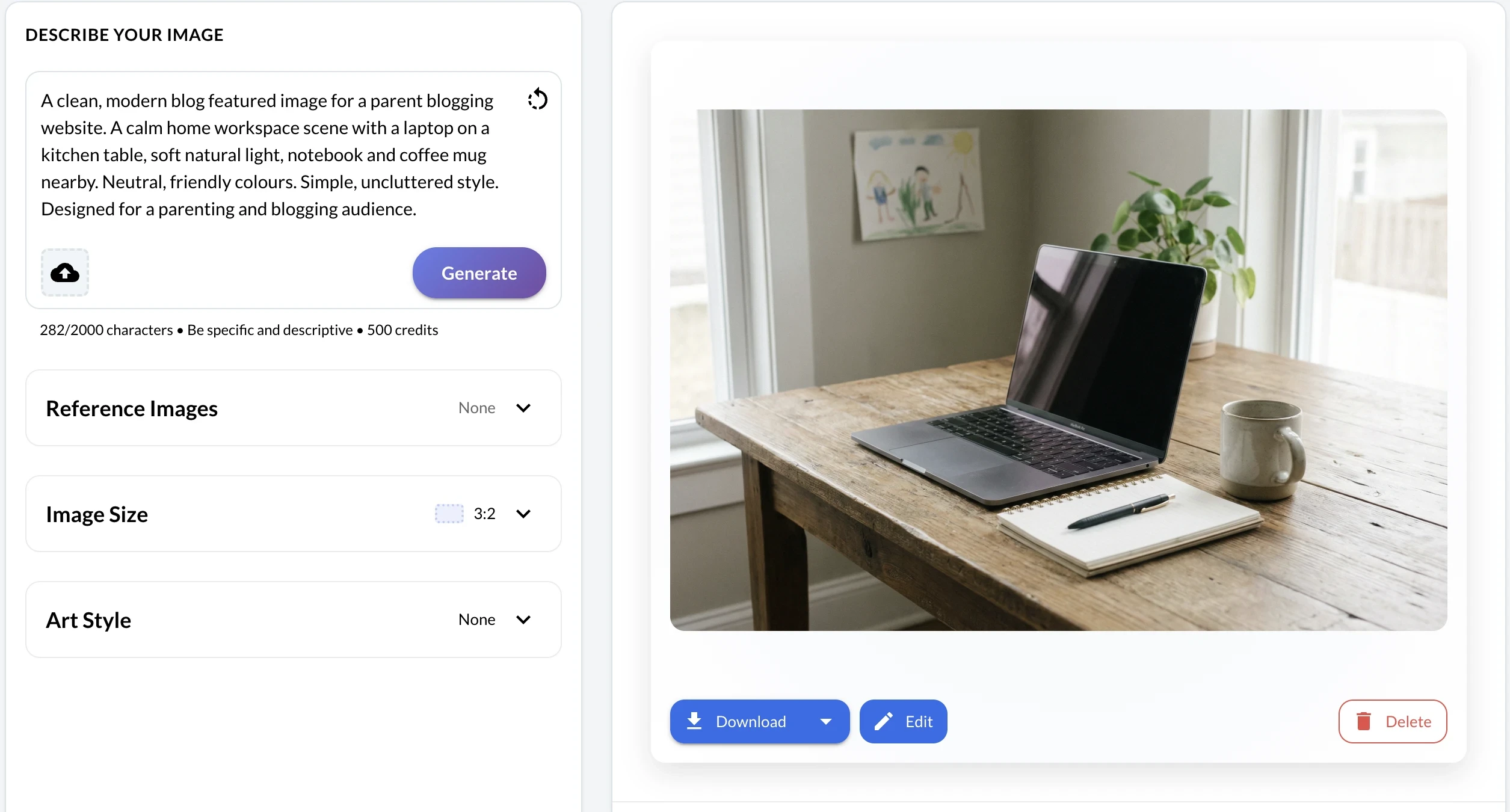
There’s no setup and no design experience needed. You do not need Canva, Photoshop, or stock photo subscriptions.
If you create a free Wealthy Affiliate Starter account, you get 2,000 AI credits straight away. That’s enough to create and test a real blog and social images before spending anything.
For parent bloggers, the key benefit is simple. You can create images where you already write, plan, and learn. Fewer tools. Fewer tabs. Faster publishing.
How Parent Bloggers Can Use Image Studio in Real Life
Image Studio works best when you use it as part of your normal blogging routine, not as a separate task.
If you’re writing a post, you can create a featured image at the same time. Type a simple description, generate a few options, pick one, and move on. No templates. No design tweaking.
Once you have one image, you can resize it for Pinterest or social platforms in seconds. That turns one idea into multiple assets without starting again.

If something feels off, you do not need to redesign it. You regenerate or edit the image directly. Remove an object. Adjust the layout. Add simple text. All without exporting files or reopening another tool.
This makes image creation fit into short work blocks. Ten minutes is enough to create visuals for a full post.
That’s the difference between publishing today and putting it off until tomorrow.
Using Image Studio During Short Work Blocks
Most parent bloggers do not sit down for long, uninterrupted work sessions. You work in gaps. That’s exactly where Image Studio makes the biggest difference.
Instead of setting aside time just for graphics, you can create images in the same 5 to 10-minute window you already use for writing or editing.
If the first image is not quite right, you regenerate it. That takes seconds, not another design session. You spend less time deciding and more time publishing.
Because everything stays in one place, there’s no stopping to download files, rename them, or reupload them later. You finish the task while you’re already focused.
This keeps the momentum going. Momentum matters more than perfect design when you’re building a blog around family life.
What Types of Images You Can Create
Image Studio covers the main image types parent bloggers need, without overcomplicating things.
Blog headers and featured images
You can create clean, relevant featured images that match your post topic and brand style. This helps posts look complete and professional the moment you publish.
Pinterest pins
Pinterest relies on visuals. Image Studio lets you generate vertical images and resize them quickly, so each post has pins ready to go without extra tools.
Pinterest relies heavily on visuals. Image Studio makes it easy to create vertical pins without starting from scratch:

Social media graphics
You can create simple images for Facebook, Instagram, and X to share new posts or promote older content. One image can be adapted for each platform in minutes.
Lead magnet covers
Checklists, planners, and guides still need a cover image. Image Studio makes it easy to create these without design templates or stock photos.

Simple promo visuals
You can create basic images to highlight free resources, email sign-ups, or blog updates. These work well in posts, sidebars, and social feeds.
For parent bloggers, the value is not a fancy design. It’s having the right image ready when you need it, so publishing never stalls.
Why This Matters for Traffic and Growth
Images are not just decoration. They affect whether people click, save, or scroll past your content.
Clear featured images help posts look trustworthy in search results and on social feeds. Pinterest pins with strong visuals receive more saves, which in turn leads to increased long-term traffic. Social posts with images consistently get higher engagement than text alone.
For parent bloggers, speed matters as much as quality. The faster you can publish, the more content you have working for you over time.
Image Studio helps you stay consistent. Consistency leads to more indexed posts, more pins in circulation, and more chances for your content to be seen.
When visuals stop slowing you down, growth becomes about showing up regularly, even in short pockets of time.
Image Studio vs Traditional Design Tools
Most parent bloggers start with good intentions and too many tools.
Traditional workflows often look like this. Open a design tool. Search stock images. Adjust templates. Download files. Upload them to WordPress or social platforms. Repeat for each size.
Image Studio removes most of that.
You create images where you already work. There’s no switching tabs. No downloads or uploads. No juggling subscriptions or learning new interfaces.
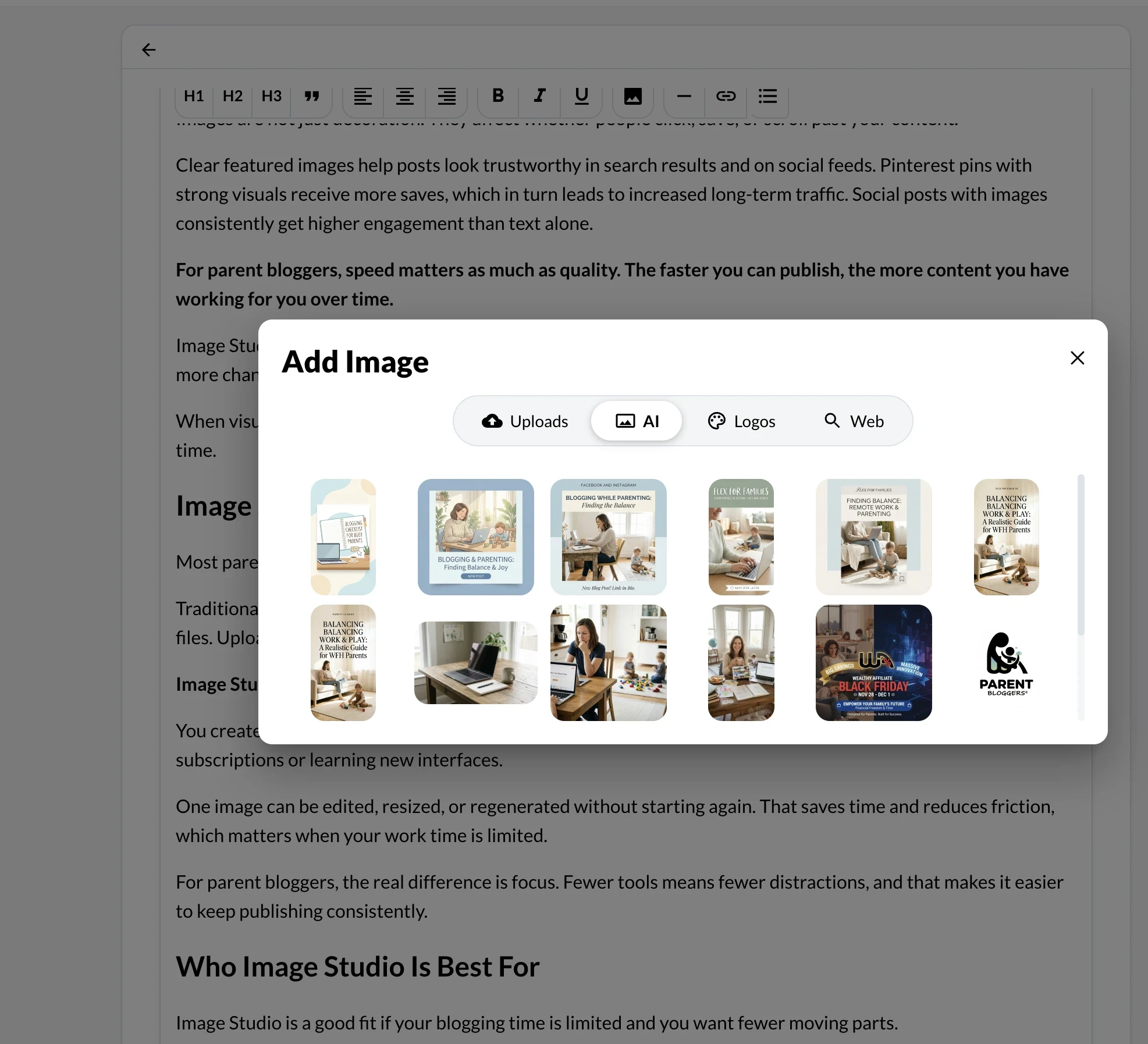
One image can be edited, resized, or regenerated without starting again. That saves time and reduces friction, which matters when your work time is limited.
For parent bloggers, the real difference is focus. Fewer tools means fewer distractions, and that makes it easier to keep publishing consistently.
Who Image Studio Is Best For
Image Studio is a good fit if your blogging time is limited and you want fewer moving parts.
It works well for:
- New parent bloggers who want simple systems
- Busy parents building blogs around family life
- Bloggers who feel stuck when it comes to design
- Anyone tired of juggling multiple tools and logins
If you enjoy detailed design work or complex layouts, this may feel basic. If your goal is to publish consistently and keep things moving, it does the job well.
For most parent bloggers, the value is speed and simplicity, not creative perfection.
How Image Studio Fits Inside Wealthy Affiliate
Image Studio sits inside Wealthy Affiliate alongside the training, website builder, and content tools.
That means you can write a post, create images, and publish without leaving the platform. Visuals become part of the workflow, not a separate task.
For parents learning blogging step by step, this matters. You are not asked to stitch together tools or learn design software on day one. You focus on content, traffic, and consistency, with visuals handled in the same place.
It fits naturally into a long-term blogging setup where everything works together, especially when time is limited.
Final Thoughts
Creating images is part of blogging, but it does not need to slow you down.
Wealthy Affiliate’s Image Studio removes many of the usual barriers. No extra tools. No design learning curve. No long setup. You create the images you need, when you need them, and move on.
For parent bloggers working in short pockets of time, that simplicity matters. It helps you publish more often, stay consistent, and keep momentum without adding stress.
If you’re already exploring Wealthy Affiliate, Image Studio is worth using straight away. If you’re new, the free Starter account gives you 2,000 AI credits to test it properly before committing.
For busy parents building blogs around family life, that’s a practical way to get visuals done and keep moving forward.




Hi John,
I am a member of Wealthy Affiliate, and because this is all so new I haven’t really explored everything it has to offer. In fact I am still using Canva to create my images, probably because I know it so well and there is no learning curve.
However your post has inspired me to look more closely at at Image Studio within Wealthy Affiliate and explore more ways in which I can use it, especially for things like promoting on Pinterest and other social media platforms. Thanks for the reminder of just why I have been a Wealthy Affiliate member for more than ten years.
Hi Michel,
Thank you so much for sharing this. That’s completely understandable. When something like Canva already fits into your workflow, it makes sense to stick with what you know, especially when time and mental energy are limited.
Image Studio is a great option to add rather than replace what you’re already doing. I still use Canva myself, but Image Studio has been really handy for quick visuals, especially when I want to create Pinterest pins or social images without switching tools or overthinking the design side. It’s one of those features that quietly saves time once you start using it.
I love that you’ve been with Wealthy Affiliate for over ten years, too. It really does have a habit of revealing more value the longer you’re in it and the more your needs evolve.
If you do end up experimenting with Image Studio, I’d love to hear how it fits into your workflow, especially alongside Canva.
John
I like how you break down Wealthy Affiliate Image Studio in a way that feels clear and practical, especially for beginners wondering if it’s worth their time. One question I’d love you to expand on is what specific kinds of images or niches actually perform best with this tool (and which don’t)? — that would really spark engagement and help readers decide faster. Overall, it’s a helpful, straightforward review that makes a confusing topic feel way more accessible!
Hi Lori,
Thanks so much for this, I really appreciate the feedback and the suggestion. That’s a great question.
From what I’ve seen, Image Studio tends to perform best for simple, clarity-driven visuals rather than highly artistic or brand-heavy designs. It works particularly well in niches like blogging, affiliate marketing, online tools, parenting tips, checklists, how-to content, and Pinterest-style graphics where the goal is to communicate one clear idea quickly.
It’s also strong for supporting images, things like blog post visuals, Pinterest pins, simple social graphics, and feature images where you don’t want to spend ages designing or switching tools. For beginners, that “good enough and fast” factor is often what helps them stay consistent.
Where it’s less effective is in niches that rely heavily on hyper-specific branding, lifestyle photography, or complex design aesthetics, such as high-end fashion, luxury products, or photography portfolios. In those cases, tools like Canva or custom design work usually give more control.
I’ll definitely look at expanding on that in the post, because helping readers decide quickly whether a tool fits their niche is really important.
Out of curiosity, what type of content or niche are you working in?
John
This is a really well-done and honest review of Wealthy Affiliate’s Image Studio. I’ve personally used Image Studio in my own content creation, and what I appreciate most is how accessible it is — especially when you don’t want to get bogged down in complicated design tools.
It’s been helpful for quickly creating clean, professional visuals for blog posts and social media without overthinking the process. I also like that you point out both the strengths and limitations, which gives readers a realistic expectation.
This is a really well-done and honest review of Wealthy Affiliate’s Image Studio. I’ve personally used Image Studio in my own content creation, and what I appreciate most is how accessible it is — especially when you don’t want to get bogged down in complicated design tools.
It’s been helpful for quickly creating clean, professional visuals for blog posts and social media without overthinking the process. I also like that you point out both the strengths and limitations, which gives readers a realistic expectation.
For someone just getting started with Image Studio, what type of image do you think is the easiest or most useful to create first? For someone just getting started with Image Studio, what type of image do you think is the easiest or most useful to create first?
Thanks so much, Jennifer. I really appreciate you sharing your own experience with Image Studio, and I’m glad it’s been useful for you too. That “don’t overthink it” aspect is exactly where the tool shines.
For someone just getting started, I usually suggest beginning with simple blog post feature images or Pinterest-style graphics. These are low-pressure, high-impact, and don’t require complex design decisions. A clean image with a short headline or clear message is often all you need, especially for informational or how-to content.
Another great first use is supporting images inside blog posts, things like section breaks, checklist visuals, or quote-style images. They help improve readability and keep posts visually engaging without needing a full design workflow.
Once someone feels comfortable there, moving into social media or pin graphics is a natural next step. The key is using Image Studio as a time-saver, not trying to turn it into a full design suite.
Thanks again for the thoughtful comment. It adds a lot of value for readers who are deciding whether to give Image Studio a try.
John